Yesterday we launched a new set of Rokid products in China. A quick note for friends and partners outside China: those are China editions.
The global editions of Rokid Glasses 2 and Rokid Color will launch officially at CES 2027 in Las Vegas.
Why keep them separate? Because "global" is not a translation layer on top of a China product. Glasses people wear all day have to fit local life: the apps and services they already rely on, the languages they switch between, prescription and optical retail, and each market's privacy expectations. That takes its own work, and we would rather launch it properly than ship a China edition abroad and call it global.
So please read this week's China launch coverage as a preview of direction, not the global spec sheet. The full global story comes in Vegas, with much more to show.
If you are heading to CES in January, I would love to meet partners, retailers and developers building around everyday AI glasses.
What is the one thing you want to see from AI glasses at CES 2027?
We've been exploring what our amazing community has been building lately, and honestly? You guys are incredibly talented. 🧠💻
We need a centralized place for all the cool DIY projects, GitHub repos, and custom apps. So, we decided to start the Rokid Glasses Geekhub! 🏰✨
Whether you want to turn your glasses into a scooter HUD 🛴, add cutting-edge AI 🤖, or just need an easier way to install APKs 📲, we’ve compiled a list of awesome community projects below.
Dive into the current Geekhub collection: 👇
🛠️ File Transfer & APK Installers
Getting apps onto the glasses should be easy. Here are some great tools to help you out:
🌐 Web-based APK Installer: A super easy web page to help install apps directly (Data cable required). Check out the Reddit Post here
📤 Rokid APK Uploader (DIY): A great custom tool for transferring files right to your glasses. GitHub Repo
🔄 Rokid APK Transfer (3 Modes): Explore 3 different and clever methods for transferring APKs depending on your setup. GitHub Repo
🗺️ Navigation & HUDs
Turn your Rokid into a real sci-fi heads-up display!
🛴 Xiaomi M365 Scooter HUD: Riding a Xiaomi scooter? This turns your Rokid into a futuristic, real-time heads-up display showing your speed and stats! 💨👀 GitHub Repo
🧭 Rokid Maps: A custom AR navigation map built specifically for your glasses! Never get lost again. Try the live site here
🤖 AI & Smart Features
Bring some intelligence to your lenses.
🧠 Rokid AI Assistant (Gemini): Integrates Google's powerful Gemini AI right into your field of view. 🗣️✨ GitHub Repo
👁️ GlassKit: A really cool collection of vision-based smart glasses applications to play around with. 🔍 GitHub Repo
🎮 Controls, Music & Fun Utilities
Make your glasses more interactive and fun.
🧑🦲 IMU Head Tracking (TouchMouse): Control your apps and mouse cursor using just your head movements! 🖱️🤯 GitHub Repo
🎸 AR Guitar Tuner: Tune your guitar with visual AR feedback floating right in front of you. 🎵🎶 GitHub Repo
🎤 Rokid Lyrics: Sync lyrics from your Android phone to your glasses over Bluetooth Classic SPP. Perfect for AR karaoke! 📱🎼 GitHub Repo
📺 Rokid Live Studio: Stream YouTube and Twitch content directly to your glasses with integrated playback controls. 🕹️GitHub Repo
🖥️ WebOS & System Platforms
Turn Rokid glasses into a wearable AI HUD, powered by a phone-side control deck, live voice workflows, camera handoff, and local/private assistant sessions.
JSOS (Spatial Operating System for Rokid Glasses): A two-part Android system that turns Rokid glasses into a real AI HUD instead of just a tiny mirrored display. JSOS Core runs on the phone as the control deck, while JSOS HUD runs directly on the glasses with a green cyberpunk-style interface for live AI output, voice control, session switching, camera handoff, AR photo/video controls, brightness control, and experimental Admin Codex access from inside the glasses. It is built around OpenClaw, Rokid CXR flows, and private/local AI workflows, with the goal of making smart glasses feel like an everyday wearable AI operating system. 🌐✨GitHub Repo
🌟 Awesome-Rokid
Someone the community actually created an "Awesome-Rokid" repository! 🔥 If you want to dive even deeper into what's possible, check out this massive, curated compilation: 👉 🏆 Awesome Rokid on GitHub
⚠️ A Quick Note on Safety & GitHub Repos
Before you dive in, please remember: these are unofficial, community-made DIY projects.
Read the README: Always read the developer's instructions on GitHub carefully before installing anything.
Use at your own risk: Sideloading APKs and using unverified third-party software can sometimes cause glitches or bugs. Official Rokid support won't be able to help you fix a third-party app!
Geek Pro-Tip (Tinker Safely!): We absolutely love exploring the "wild west" of GitHub, but please remember that these are all unofficial, community-made projects! Have fun exploring, and stay safe! ✨
📣 What's next?
This is just the beginning! 🌅 We will be hunting down more projects and posting regular updates to this Geekhub. 🕵️♂️📈
We need your feedback! Let's chat in the comments: 💬👇
🤔 Have you tried any of these projects yet? How do they run?
🛠️ Are you working on your own Rokid app or GitHub repo? (Drop the link below so I can add it to part 2!)
💭 What kind of apps do you wish existed for these glasses?
Drop a comment below, upvote your favorite projects, and let's keep building this awesome AR community! 🚀👓🔥
Rokid's new interval recording saves every clip as a separate video, which is a pain to share. I'm the developer of SmartCam, a free app for Rokid AI Glasses (with display) that records hands-free and joins your interval clips into one ready-to-share video.
SmartCam Pro (one-time $4.99, launch price) adds continuous recording that lets you mark moments to keep, and choose at the end in what intervals to include 10sec clips, along with the marked ones. You can also choose to add music or accelerate the video.
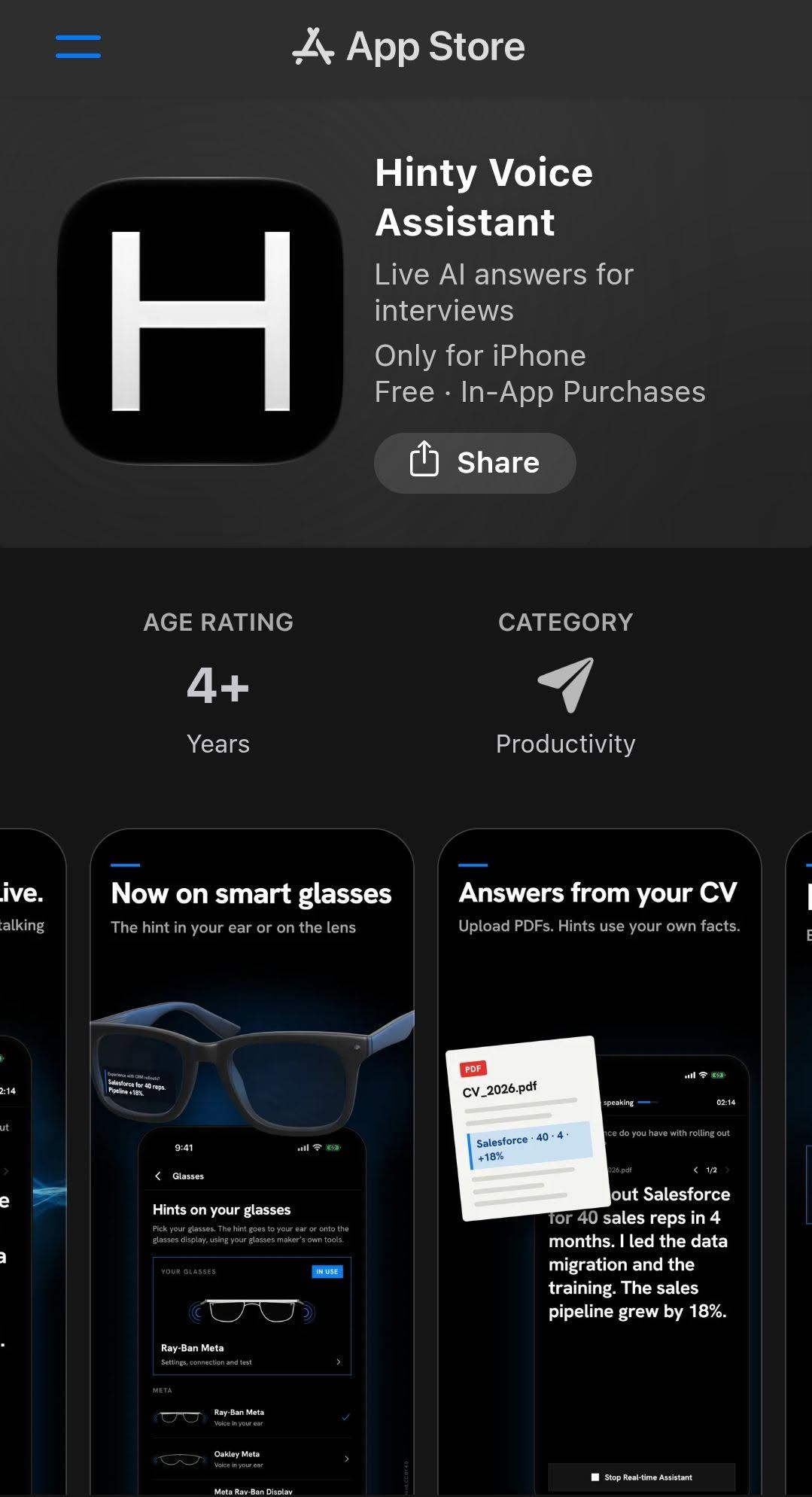
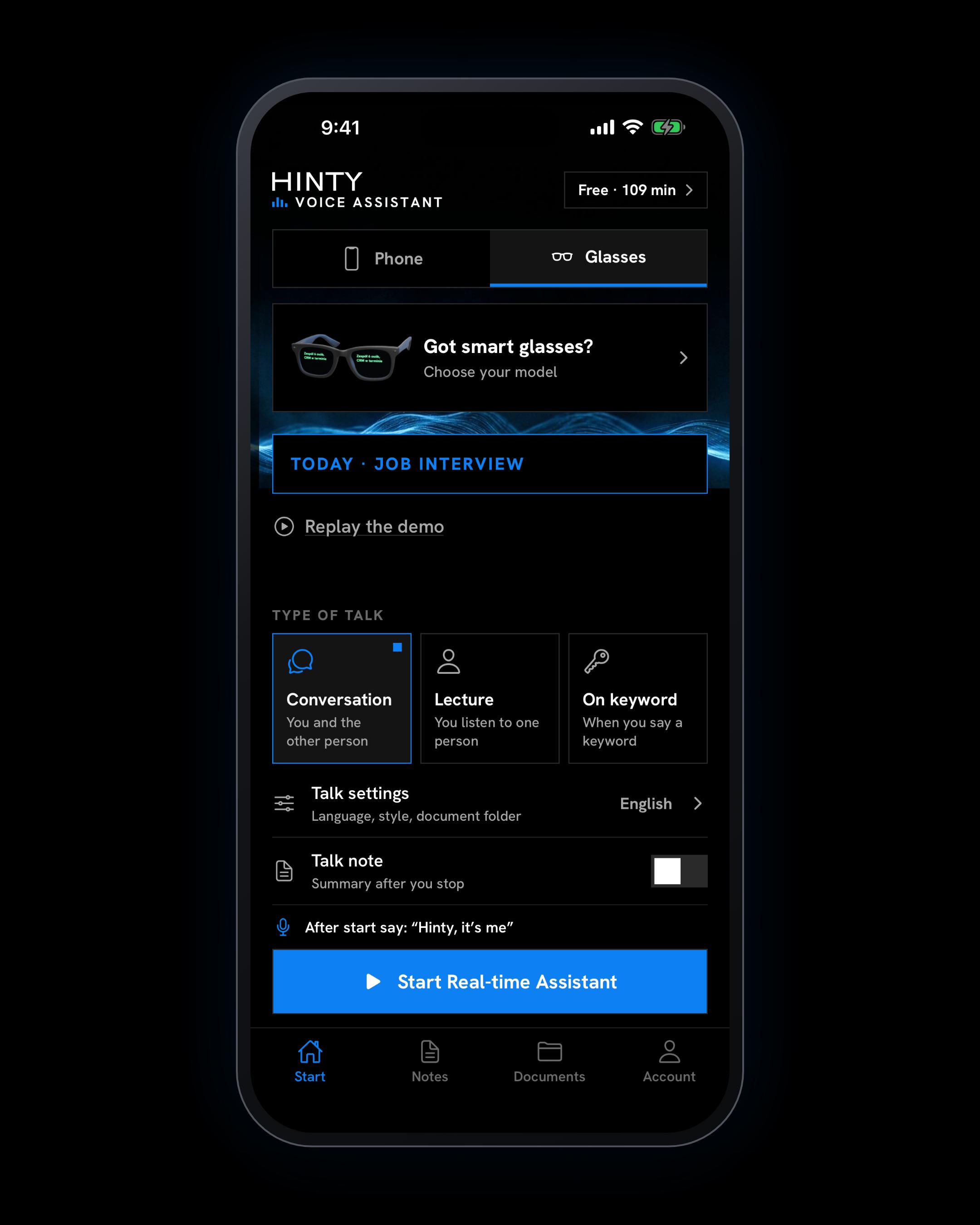
Hey! The app that recognizes questions from the person you're talking to and gives you hints, Hinty Voice Assistant, is now available on Rokid!
If, like me, you've always dreamed of having a hint for every question someone asks you, I invite you to download the app from the Google Play Store and the App Store.
I also invite you to join the testers list, as I am constantly improving the app and tester feedback is priceless to me. Right now, I'm working on audio controls for the hints, plus I want to add photo capture and analysis.
With Hinty, you can also connect AI agents like Hermes or OpenClaw, and if you enjoy coding, Claude Code, Codex, and Grok Build.
Reddit
If there are any reviewers, YouTubers, or companies whose employees use Rokid or other smart glasses, please feel free to reach out!
Hi, I'm considering buying Rokid AI glasses for work and productivity, and I have a quick question before I invest.
Does the app allow me to upload my own documents and restrict the AI to only reference those files when I ask a question? When I'm in a meeting or working on a project, I'd like to use it as a closed knowledge base to quickly pull information from my work materials without the AI bringing in irrelevant outside information. I'm not looking for overly complex answers, just a reliable way to reference my own files without having to sift through multiple sources.
also is the design of the glasses discreet? I don’t want something looks bulky or too much tech. I do want the camera feature and plan to buy sticker covers for the camera when not in use.
Any insight on whether this is possible would be really helpful. Thanks!
Would be nice if the Hi Rokid App offered a way to adjust video Brightness and Contrast. This is a great product. Nothing to envy from the already established Meta. I think it has a great potential to dethrone Meta. The Rokid Style with the power pucks is a Homerun product!
We just need some more features with the videos settings.
Also, Why not include 1080p at 60p like Meta does?
Am I looking in the wrong spot but I seem to have lost the option to trigger the Mobile Assistant instead of Rokid Assistant that we used to have.
I believe it was set under "Enable AI Assistant" and I used to set two finger long hold to trigger the Mobile Assistant but don't see that option anymore after the update to the current version.
No direct iPhone 17 Air connection: The Rokid Max does not work plugged directly into the iPhone 17 Air. Because the 17 Air's USB-C port doesn't support DisplayPort video output, plugging the glasses straight into the phone won't give you a picture. Bullet Use the Rokid Station: since you can not use the glasses with iPhone 17 Air, you must use the Rokid Station which acts as an Android TV. Bullet Use the right cable for the Station: Do not use the standard USB-C to USB-C direct-phone cable to connect the glasses to the Rokid Station—it won't work. You must use the other included cable that has the rectangular Micro-HDMI connector on one end (plugged into the Station's Micro-HDMI port) and USB-C on the other (plugged into the glasses). Focus adjustment for reading glasses users: I am 62 and wear +3.00 reading glasses. Even turned all the way to the maximum setting, the built-in adjustment dials on the Rokid Max aren't enough to give me a crystal-clear image.
Say I’m looking at a plant or anything of that sort and I double tap on the right to activate the glasses. Is there a way for me to connect the glasses to Bluetooth earbuds instead of it using the glasses speaker. I saw people mentioning some sort of nexus app and how you can do it with the ar glasses, just wanted to double check that these work the same. Thank you
Another update to my app for your Rokid glasses

Quick intro for new people: Hinty listens to the conversation, recognizes the voice of the person you're talking to, picks up their questions and gives you a hint in your glasses in about 2 seconds. It also works in lectures: it listens to the lecturer and suggests answers to their questions.

New in the latest version (already in the store):
- meeting notes, they're made automatically after the conversation
- WhatsApp, Messenger and email: you read them in the lens and reply by voice. Unfortunately this one is Android only, iOS doesn't let apps do it.
This part is free and unlimited.

We already have 60 testers, thanks everyone! We're looking for more people, so if you'd like to test it, let me know.

I'm now working on the next features, like controlling AI agents.

And if you want to use the hints for real right away, new users get 3 hours for $10.
Hey guys. I’ve realized when I’m recording on high brightness with glasses with teleprompter which I have to use high brightness otherwise I can’t see unless it’s a contrast surface then I have this green glare that can be seen on the actual video recording after so you can see that you know there is a teleprompter there. Have anybody worked around this? When I use sunglasses on top of that obviously that doesn’t happen but I would like to have glasses as well.
Had these for about a year and still can't get HiRoku to work on the home screen when active or in sleep mode, even with wear detection off. Any ideas on how to fix? I'm on the latest OS as well
It’s now officially published in both Google Play and the App Store.
We currently have around 30 people testing it, and it features a few different modes:
Auto-detect mode (my personal favorite): The app recognizes your conversation partner, detects their questions, and displays smart hints right in your field of view within just 2 seconds.
Command mode: Trigger custom hints using shortcuts/commands that you set up yourself.
Custom Knowledge Base: You can upload your own large PDF documents to feed the app relevant context.
For anyone wanting to join as a tester, I’ve set up some extended hour packages (e.g., $10 for 5 hours).
I don't want to spam anyone, so if you're interested in testing it out, just drop a comment below and I'll send you the details!
OMG! Rokid Global just released an official breakdown of the differences between the Chinese and Global versions of the Glasses 2. Based on what Rokid's Chinese channels originally told me, I mistakenly thought they were identical just like the first-gen Rokid Glasses—but now they're saying that using ChatGPT/Gemini outside China on the Chinese version will require an extra paid subscription, plus some payment features won't work!
How should I alert everyone who read my previous post about this? Should I make a brand-new post?
Thank you, CGTN Europe, for featuring Rokid on The World Today at Web Summit in Lisbon. We're grateful for the recognition, and to Irene for sharing how we want AI glasses to be useful in everyday life.
I am reporting an intermittent audio issue with Rokid Glasses 2, China mainland edition (not Rokid Max or the older industrial Glass 2).
Setup:
- Phone: vivo X200 Ultra (V2454DA), OriginOS 6
- Phone software: PD2454C_A_16.1.20.8.W10.V000L1
- Glasses firmware: 1.29.017-20261112-180203
- Rokid AI app: 1.17.1.1112 (China app)
When opening or switching apps, including Douyin, WeChat, or starting music playback, the glasses' own speakers occasionally emit a sudden, harsh, very brief pop/crackle. It is intermittent; I do not have a reliable reproduction sequence or recording yet. There is no single app that always triggers it.
The retailer suggested checking for updates, restarting Bluetooth and re-pairing. I have not yet established the results of those checks, so I am not claiming they failed, or that this is definitely a hardware fault. I have not verified whether a newer OTA is available.
Could Rokid engineering confirm whether this exact phone/firmware combination has a known Bluetooth or audio-routing compatibility issue? Is there a known issue ID, a specific fixed firmware/app version, or a safe temporary workaround? If logs are needed, please provide the official collection procedure and a private submission channel; I can investigate ADB logging once a compatible development cable is connected.
Has anyone with Glasses 2 experienced the same brief speaker pop when an app starts or audio switches? Please share your phone model, OS, glasses firmware and trigger, without posting serial numbers, MAC addresses, account details or unredacted logs. Similar reports on other models may have different causes.
I am seeking a technical diagnosis first and am not requesting an exchange at this stage. No serial number, order number, contact details or identifying screenshots are included in this report.