r/sideloaded • • 11h ago

Release New Streaming App for IOS and Mac has 4k and no ads

Post image
77 Upvotes

The app works on iPhone iPad iPhone Duo and Mac devices fully native it has clean ui match Netflix and easy to use its one of the best apps because it has build in free sources and vip and you can add your own addons and debrid account and way more features

1 - player that has auto subtitle sync and clean ui with Liquid Glass design

2 - Add your own addons and debrid account for fast streaming

3 - offline downloads means you can download anything and watch it later offline

4 - Your own continue watching and list

And way more features I can fit them here the app is still in beta so you will find bugs report them

the is also by invite only so you need to use this invite code to signup : TRY-QGNBNQR8

the app is available for iPhone iPad and iPhone Duo : https://iosboom.com/app/trybox

Also available for MacOS : https://vids.quickcoach.app/TryBox-1.1.4-macOS.dmg

enjoy


r/sideloaded • • 4h ago

Release FlowDownload v1.0.0 Update — iOS 17.0+ & TrollStore Crash Fixed, Full-Screen iPhone Duo Support + Native Wi-Fi & Cellular Bonding

5 Upvotes

Hey r/sideloaded — thank you for all the bug reports and feedback on the initial post. Here is the updated **FlowDownload v1.0.0** build addressing every crash and layout issue you reported.

What was fixed in this build

  • **iOS 17.0+ & TrollStore 2 Launch Crash Fixed:** Rebuilt with Xcode 26.6 (`minos 17.0`) so `SwiftUICore.framework` is no longer required at launch, and patched `LibtorrentNative.framework` from `minos 26.1` down to `17.0`. Tested binary headers cleanly target iOS 17.0+.
  • **Full-Screen iPhone Duo Support:** Built with `sdk 27.1` metadata, `UIRequiresFullScreen = false`, all 4 orientations, `.sidebarAdaptable` tabs, and a 2-column regular-width grid so unfolded iPhone Duo uses the full inner screen.
  • **Version-Aware UI (No Liquid Glass Conflict):** Native Liquid Glass only runs on iOS 26+, while iOS 17 and iOS 18 render clean standard material/SwiftUI controls.

What FlowDownload does on iOS

  • **Wi-Fi + Cellular Boost:** Bonds Wi-Fi and mobile data into one multi-path download stream for large direct files.
  • **Native Libtorrent C++ Client:** Supports magnet links and `.torrent` files with `LibtorrentNative` + `OpenSSL`.
  • **Sequential USB-C Export:** Streams sequential `4 MiB` blocks to external USB-C drives via APFS staging.
  • **Built-in Ad-Blocking Browser & Safari/Share Extensions:** Captures links from Safari or the in-app browser with bundled AdGuard filters.
  • **SHA-256 Verification:** Automatically validates companion `.sha256` checksums or pasted hashes.
  • **1-Click Desktop USB Installer (Windows `.exe`/`.msi` & macOS `.dmg`):** Fetches the latest `.ipa` + `.sha256` directly from GitHub (`1-App-ID` mode included).

Still on the roadmap (from your comments)

  • Updating expired download URLs for paused/in-progress downloads.
  • Background support for torrents (normal `URLSession` downloads already support background activity).
  • Further Wi-Fi + Cellular Boost speed tuning.

Links


r/sideloaded • • 1d ago Mindblown

Release Sideloading IPA to Apple TV directly from an iPhone wirelessly

124 Upvotes

I've always wondered why there isn't more interest in sideloading IPAs to an Apple TV without needing a PC, Mac, or Linux computer.

So I decided to make my own iOS app that lets you wirelessly install IPA files onto an Apple TV directly from your iPhone or iPad. No computer required!

The app has received a few updates since I recorded the demo video, so the screenshots reflect the latest version.

Features:

  • Wireless Apple TV pairing
  • Retrieves and displays the Apple TV UDID
  • Downloads and installs IPA files directly from an iPhone or iPad
  • No PC, Mac, or Linux required after initial setup

Tested devices:

  • Apple TV HD (4th Gen) — tvOS 26.6
  • Apple TV 4K (4th Gen) - tvOS 27.2.1
  • Apple TV 4K (3rd Gen) — tvOS 27.2.1
  • iPhone 15 Pro Max — iOS 27.2.1

GitHub: https://github.com/konrepo/KhmerInstaller

Latest Beta Release:
https://github.com/konrepo/KhmerInstaller/releases/tag/v1.0.0-beta

The project is open-source and currently available as a beta release.


r/sideloaded • • 19h ago

Tutorial [FIX] Solved SideStore 0.7.0 Nightly + LiveContainer Login Loop: 503, HTTP 401 (PTM/TK), ADI -45063 & DeviceEndpointNotInitialized (No Data Loss)

34 Upvotes

If you are stuck in the login loop on SideStore 0.7.0 Nightly (standalone or bundled with LiveContainer) getting alternating errors after Apple's November 20 GrandSlam changes, here is the complete step-by-step fix confirmed working with zero data loss on iPhone 18 Pro Max / iOS 27.0 (24A8428) running LC 3.8.14-Release (main/b0f53e8) + SS 0.7.0-20261107.512+044bd72a (updated in-place with iLoader v2.4.2).

Exact Errors This Fixes

  • Failed to refresh apps. Your session has expired. Please log in. (-1)
  • Invalid server response: unparseable format — 503 Service Temporarily Unavailable (Apple)
  • HTTP error (401): Apple PTM/TK endpoint returned HTTP 401
  • ADI native error (-45063): ADIProvisioningStart failed (Pending ADI session (-45063)): -45063
  • Device Registration Error — VPN tunnel iface is up but tunnel peer IP is not yet reachable (Cause: DeviceEndpointNotInitialized)

Why normal troubleshooting fails: Clear Data Cache..., Clear Keychain Items, switching networks, rebooting, and reinstalling over via iLoader v2.4.2 do not clear On-Device Anisette, the stale adi.pb file, or the blocked <macOS;...> X-Mme-Client-Info header. You also do not need to run Delete Database or nuke sidestore.


Step-by-Step Fix (No Data Loss)

  1. Disable On-Device Anisette

    • Open SideStore -> Settings -> ADVANCED SETTINGS -> User Customizations.
    • Toggle OFF On-Device Anisette.
    • Force-close LiveContainer/SideStore from the iOS App Switcher and reopen it.
  2. Purge adi.pb and Stale Headers

    • Go to Settings -> User Customizations -> Reset adi.pb.
    • Uncheck Keep header customizations / Keep Headers.
    • Tap Reset & Sign Out and confirm (Cleared adi.pb!).
  3. Pin a Remote Anisette Server

    • Go to Settings -> Anisette Servers.
    • Select jkcoxson (https://mac-ani.jkcoxson.com or https://mac-ani.sidestore.io).
    • Scroll down and toggle OFF Enable Auto Rotation.
  4. Override Client Info (<macOS;...> to <Mac OS X;...>)

    • Go to Settings -> User Customizations -> Anisette Client Configuration.
    • Under Remote Server Sync, tap Fetch -> Save as Overrides.
    • Replace Client Info with: <MacBookPro13,3> <Mac OS X;26.6;25F84> <com.apple.AuthKit/1 (com.apple.akd/1.0)>
    • Verify User Agent is: akd/1.0 CFNetwork/811.5.4 Darwin/16.7.0
    • Tap Save Overrides.
  5. Clear the Pending -45063 Session & Sign In

    • Force-close LiveContainer/SideStore from the iOS App Switcher (this kills the pending ADI session stuck in RAM).
    • Reopen SideStore -> Settings -> Sign in with Apple ID and complete SMS 2FA.
  6. Crucial Final Step if DeviceEndpointNotInitialized Pops Up After 2FA

    • Right after entering the 6-digit SMS code, if you see Device Registration Error (Cause: DeviceEndpointNotInitialized), do NOT tap Cancel.
    • Switch to LocalDevVPN, turn it ON (or toggle OFF/ON to reinitialize the tunnel), switch back to SideStore, and tap Retry.
    • SideStore immediately completes registration and loads the signed-in screen.
  7. Refresh Apps & Restore LiveContainer Certificate

    • Go to My Apps -> Refresh All (resets apps to 7 DAYS).
    • If using LiveContainer, go to LiveContainer -> Settings -> JIT-Less -> Import/Update Certificate from SideStore.

GitHub References


📌 Edit / Maintained Mirror

Since Apple's GrandSlam backend changes are still fluctuating, I mirrored this troubleshooting guide and subsequent error workarounds on GitHub so it's easier to bookmark and track: 👉 github.com/Owlock/sidestore-grandslam-fix

Drop a comment if you hit any other error code and I'll keep the repo steps updated!


r/sideloaded • • 31m ago

Question How to install apps in live container 3? They all get installed in live container 2

1 Upvotes

All my apps are on live container 1 and I have one other app installed in live container 2 (shared from live container 1).

My question is how can I install one app from live container 1 to live container 3? When I try to do this they end up in live container 2 only. Is there a way I can install one app in live container 3 only?


r/sideloaded • • 1h ago

Question Sidestore Not refreshing apps (3006)

Thumbnail
reddit.com
1 Upvotes

r/sideloaded • • 1h ago

Question Upgraded sidestore+livecontainer to nightly but getting this error when trying to "upgrade certificate from sidestore" in livecontainer. What do i do? I used latest version of iLoader.

Post image
1 Upvotes

Any ideas on how to solve this?


r/sideloaded • • 1h ago

Question Cannot login to sidestore. Any solution for this? Reinstalling sidestore+livecontainer (nightly) via iloader doesnt seem to help at all

Post image
1 Upvotes

as the title says, how can i sign in? installed via iloader ---> sidestore + live container nightly


r/sideloaded • • 23h ago

Update RyukGram v1.6.0 for Instagram is out

50 Upvotes

Hey everyone,

RyukGram 1.6.0 is out and runs on Instagram 455 and 456.

This is a pretty big update with a lot of new customization options, better control over your feed, stories and messages, and plenty of improvements across the tweak

What's new

  • Themes & customization: Customize colors across the entire app or individual tabs, tab bar, keyboard and profile backgrounds. Themes also apply to Instagram's own settings pages. Pick any system or Instagram icon for your tabs, and use custom fonts in post and reel text tools.
  • Content filters: Hide ads, AI-labeled posts, reels, stories, suggested content, trending sections, music, survey cards and more. You can also filter posts and reels by engagement counts, with per-account filtering options.
  • Reels improvements: New reel dates, more flexible reels limits with always-allowed sections and strict mode, better auto-scroll controls, hold-to-open playback controls and the ability to download every episode from a profile's Series tab.
  • Stories: Hide story comments, extract every link from a story, get more actions from story mentions, jump between people using the playback controls, and view searchable poll, quiz and slider answers in your archive.
  • Messages & privacy: Keep disappearing messages after they're seen, screenshot view-once media, automatically save photos and videos from selected people, customize notifications per chat, and get more control over hidden and locked chats.
  • Instants: Better capture confirmation, exclude specific people from manual seen, and automatically move to the next Instant after marking one seen.
  • Profiles & Watchlist: New Profile Analyzer growth page with trend lines, improved Watchlist saving, Watchlist and Visited Profiles as tabs or home shortcuts, and more control over how your followers and following lists appear.
  • Saving & Gallery: Save tagged posts, download audio from different media menus, copy actual images and videos, lock individual Gallery folders, and get more controls in the media viewer including Live Text, 2x playback, AirPlay and fine-tuned playback speed.
  • Security & storage: Everything RyukGram saves is now encrypted on-device under unreadable names. Lock your stories archive, notification history and follow requests with your passcode. Storage management also brings Instagram cache and RyukGram data together, with clearing and auto-clear options.
  • Advanced features: Browse Instagram's internal files, inspect plists and logs, manage files and folders, check notification compatibility, copy Shortcuts links directly from switches, inspect Instagram API cooldowns and use tested feature flag presets.

Fixes

A selection of what got fixed:

  • Updated compatibility with Instagram 455 and 456, including reels downloads, carousels, story controls, DM features, follow requests and more.
  • Fixed several issues with disappearing messages, view-once media, message selection, unsent messages and chat backgrounds.
  • Fixed story playback, viewer filters, archive detection, mentions and marking stories as seen.
  • Bulk HD downloads no longer crash when they finish, HDR videos retain their colors, and several media export and saving issues are fixed.
  • Fixed custom fonts freezing settings or crashing story text.
  • Improved account switching, themes, Messages-only mode, locked tabs and various interface issues.
  • Fixed cache auto-clear and device data clearing without deleting RyukGram files.
  • Plenty more fixes across playback, settings, MobileConfig, Profile Analyzer, translations and stability.

Note:
I forgot to disable/remove "hide followers and following" and "hide me from others" features since they were patched by ig and the toggles no longer have any effect.

Full changelog here:

https://github.com/faroukbmiled/RyukGram/releases/tag/v1.6.0

🔗 Get it

https://github.com/faroukbmiled/RyukGram

Rootless, rootful, roothide, TrollFools and sideload builds available.


r/sideloaded • • 2h ago

Question This Smart Fan/Lamp Control app

Thumbnail
reddit.com
1 Upvotes

r/sideloaded • • 2h ago

Question Upgraded sidestore+livecontainer to nightly but getting this error when trying to "upgrade certificate from sidestore" in livecontainer. What do i do? I used latest version of iLoader.

1 Upvotes

Upgrade


r/sideloaded • • 2h ago

Question Error installing Ryukgram

1 Upvotes

Hi my friends, I'm getting a weird error when trying to install Ryukgram via their sidestore repo.

Service operation failed: Failed to install IPA, error: (UnknownErrorType("APIInternalError (Error Domain=IXErrorDomain Code=2 "Failed to set app extension placeholders for com.burbn.instagram.43FDPX766D" UserInfo={NSLocalizedFailureReason=Failed to create promise., NSLocalizedDescription=Failed to set app extension placeholders for com.burbn.instagram.43FDPX766D, FunctionName=+[IXPlaceholder _placeholderForBundle:client:withParent:installType:metadata:placeholderType:mayBeDeltaPackage:isFromSerializedPlaceholder:location:error:], SourceFileLine=1029, NSUnderlyingError=0xb68db8210 {Error Domain=IXErrorDomain Code=8 "Attempted to set app extension placeholder promise with bundle ID com.burbn.instagram.lockscreencamera that does not match required prefix of com.burbn.instagram.43FDPX766D. for parent" UserInfo={NSLocalizedDescription=Attempted to set app extension placeholder promise with bundle ID com.burbn.instagram.lockscreencamera that does not match required prefix of com.burbn.instagram.43FDPX766D. for parent, FunctionName=-[IXPlaceholder setAppExtensionPlaceholderPromises:error:], SourceFileLine=1727, NSLocalizedFailureReason=Mismatched bundle IDs.}}})"))

I have a full paid apple developer account if that helps.


r/sideloaded • • 4h ago

Question Sideloading apple watch app

1 Upvotes

I have gotten slopes sideloaded app to work with the watch slopes app. Not working with the sideloaded AllTrails app. Does anyone have any watch companion working with the sideloaded app?


r/sideloaded • • 8h ago

Question How can I resolve 2FA error?

Thumbnail
gallery
1 Upvotes

I’m trying to install the SideStore with SideInstaller, since when trying to install it using a computer, Windows I found the same problem that I’m having now and that is that when I try to log in with my Apple ID I find that it doesn’t send me the 2FA code in any of the ways. And I don’t know if I’m doing something wrong or what directly you can’t and it’s broken

If someone has been able to solve it and can help me, I would appreciate it


r/sideloaded • • 9h ago

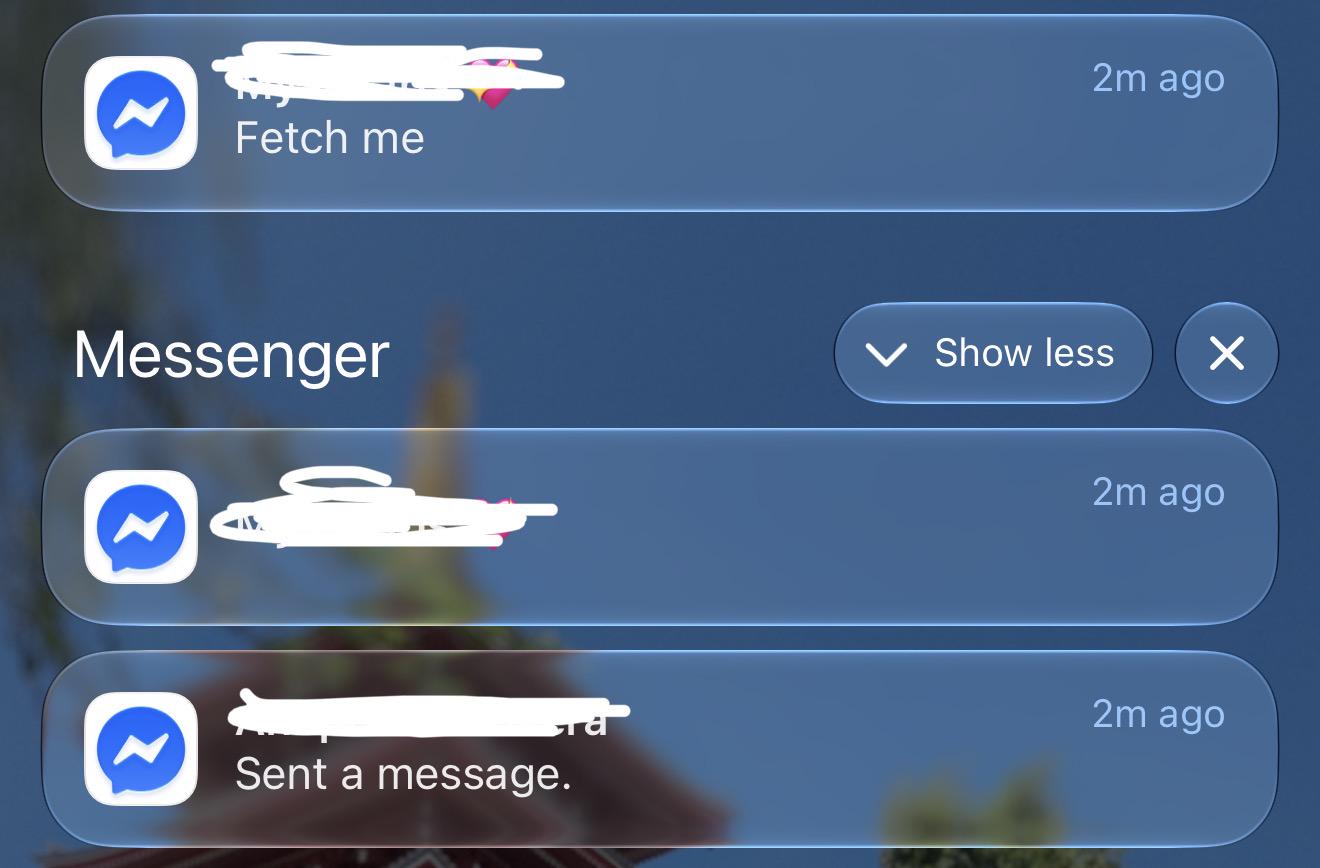
Question Facebook Messenger Double / triple Notification

Post image
1 Upvotes

I have sideloaded the messenger app (it complements my FB app; im tired of ads) and the issue is that it sends out multiple notifications per message. It happens with a chat but it doesnt if a group chat messages me.

Does anyone know what happens and is this solvable?
Is this an app bug or a signing issue?

I use flarestore to sign my apps.
Thanks.


r/sideloaded • • 16h ago

Question Is it normal and can I delete it!?

Post image
2 Upvotes

What do you think !?


r/sideloaded • • 1d ago

Update [UPDATE] Vesper - Native iOS Content Hub

Post image
16 Upvotes

Here’s some of the stuff that’s been added in v0.5.4:

◦ SIMKL two-way sync and scrobbling

◦ New app logo

◦ Added widgets for Up Next, Continue Watching, and Library

◦ Added iCloud sync for syncing library and addons

◦ Enriched actor information page

◦ SubDL integration for importing external subtitles during playback

◦ MDBList integration for IMDb, Letterboxd, and Rotten Tomatoes ratings in the content detail page

Get it here.


r/sideloaded • • 1d ago

Release FlowDownload v1.0.0 — Native iOS download manager + libtorrent client that bonds Wi-Fi & Cellular + 1-click Windows/macOS USB installer (1-App-ID mode included)

Post image
44 Upvotes

Hey r/sideloaded, I built FlowDownload, a native SwiftUI iOS download manager and libtorrent client, plus a desktop USB installer so you don't need AltStore/SideStore to get it on your phone.

What FlowDownload does on iOS:

Desktop USB Installer (Windows .exe**/.msi & macOS .dmg):**


r/sideloaded • • 9h ago

Question Is LiveContainer still being worked on?

0 Upvotes

The last release was months ago. No updated release for iOS 27 and I remember the GitHub being down several times. Is it still being worked on?


r/sideloaded • • 17h ago

Question Which Signing Apps Also Include an “App Store Built-In?

1 Upvotes

I have been using Signulous for a few months and it has been ok. I like it because it has a “Store” of apps built into it so I can stay in the signulous app and pick an app, sign it, and install it in a few clicks in the app. Because I’m new to all this, Signulous was a good entry point. Are there any other signing apps that have a built-in “App Store” for an all-in-one experience? I have 4 other iOS devices in my home that need a signing and app install capability and would love to explore other options that are still pretty easy for a beginner.


r/sideloaded • • 23h ago

Discussion Does turning off Developer Mode between uses make sideloading with Signulous safer?

2 Upvotes

I’m thinking about using Signulous on my personal iPhone, which I also use for company-managed Teams and Outlook.

If I only enable Developer Mode when I want to use a sideloaded app, then turn it off afterward, does that meaningfully reduce the risk? My main concern is whether a malicious or compromised IPA could expose my work email or Teams data.

For anyone who’s used Signulous on a phone with managed work apps, what’s your experience? How much does toggling Developer Mode matter compared with where you get the IPA?


r/sideloaded • • 20h ago

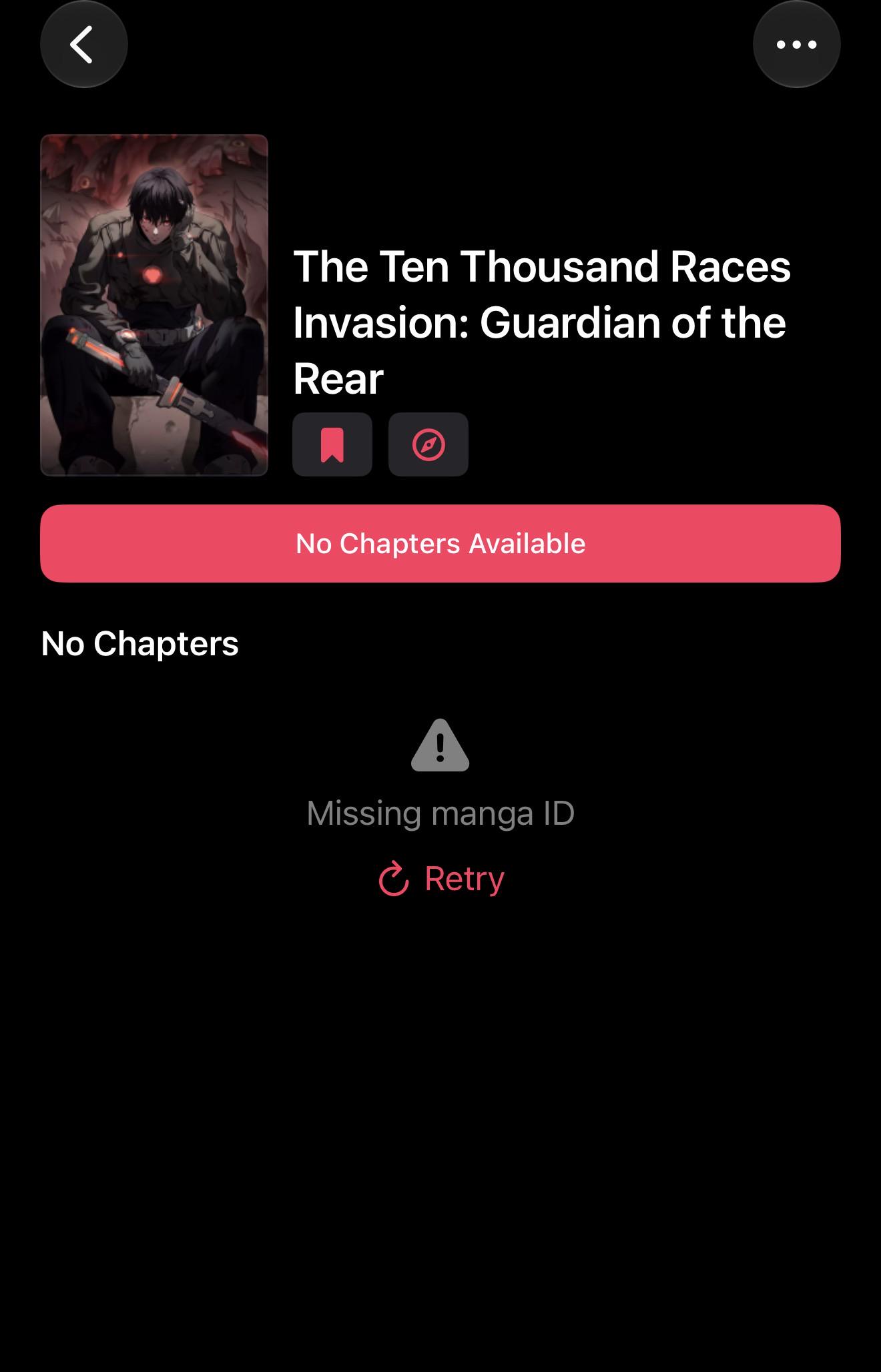
Question It says no manga is for aidoku after I added the source (aqua manga v2) on here

Post image
0 Upvotes

r/sideloaded • • 1d ago

Question how do you fix this error on sidestore?

Post image
2 Upvotes

I dont know how to solve it


r/sideloaded • • 1d ago

Question Getting Error While signing in

Post image
8 Upvotes

How do I solve this problem. Already connected to Both LocalDevVPN and Normal VPN.