r/sideprojects • u/Baphomet9206 • 3d ago
Showcase: Prerelease I built a macOS meeting copilot whose overlay doesn't show up in screen shares
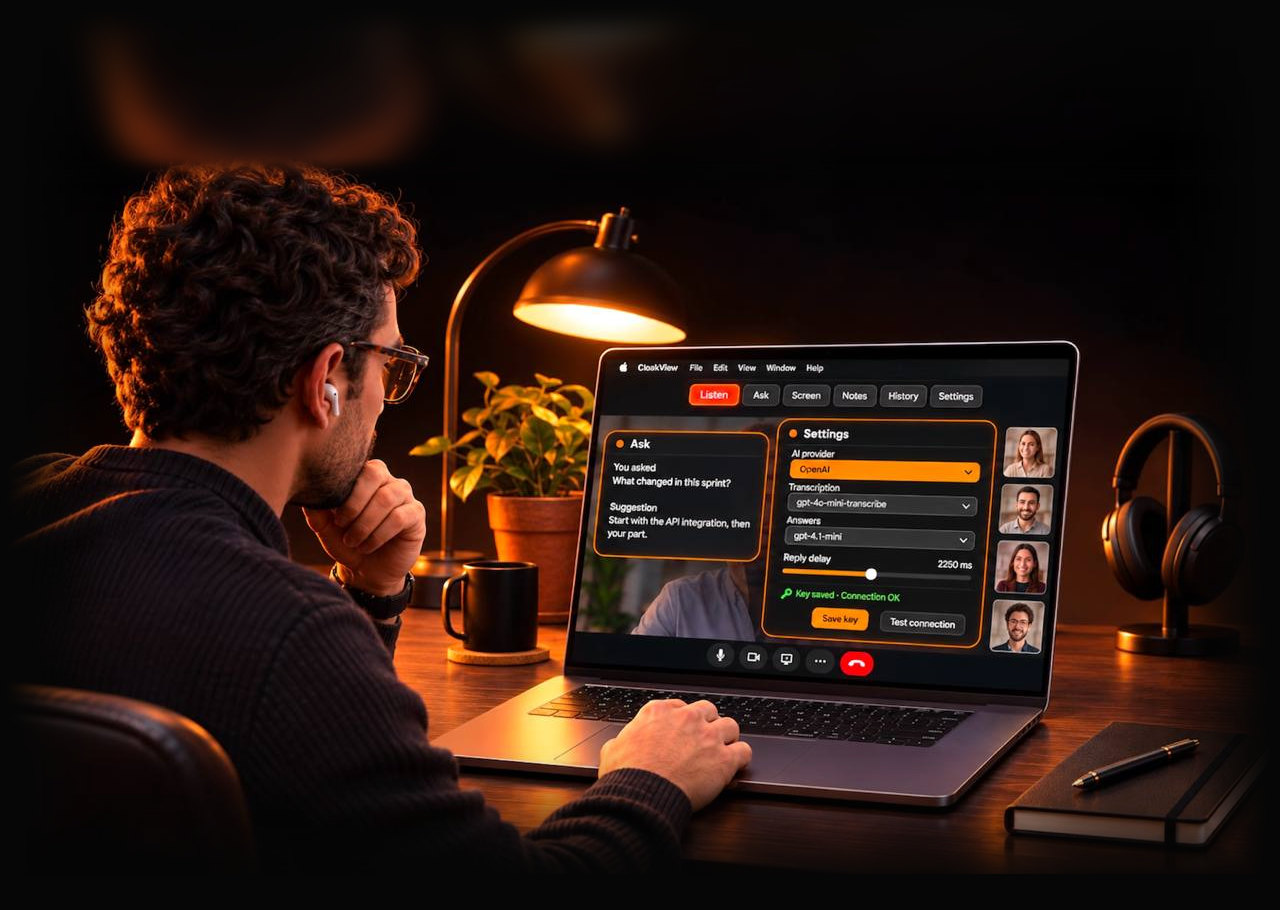
Every call I take, someone asks me to share my screen, and every AI meeting tool I tried puts its suggestions right there in the capture. CloakView renders the transcript and suggested answers in an overlay that stays out of the shared window.
How it works: it runs locally on your Mac, transcribes on-device, and uses your own OpenAI API key — no account, no backend of mine, nothing leaves the machine except the model call you authorise. macOS 14.2+ on Apple Silicon.
The app is free and useful on its own (listening without the mic, questions against the transcript). Pro is a one-time $99 and adds mic capture, screen reading and session history. Your OpenAI usage is billed to you.
I'm the developer. What I'd like from this sub: does the invisible-overlay angle make sense for how you actually work, and what would make you distrust a tool like this?
CloakView Pro, one-time $99: https://buy.polar.sh/polar_cl_ogcfheRmLpOwHZJtGYQlcNTJcoaNp58vHcpiY30iI2g
Site: https://getcloakview.com · Screenshot of the overlay in a live call: https://getcloakview.com/media/desk-hero-window.jpg
X: https://x.com/CloakViewPro · Instagram: https://www.instagram.com/cloak_view/ · LinkedIn: https://www.linkedin.com/in/cloakview-pro-a2b072451/ · GitHub: https://github.com/baphomet444/cloakview