r/silhouettecutters • • Jan 20 '16

MOD POST Post your Etsy (or other shop) links in this thread ONLY

37 Upvotes

I'm reposting this because the title of the first stickied thread was ambiguous.

Please post your online shop (Etsy, Artfire, etc) links in this thread only. Shop links posted in other threads will be removed.


r/silhouettecutters • • 1h ago

Upgrading from Cameo 5 & Cricut to Graphtec CE8000-40 + ASF1-30 Auto Sheet Feeder for glossy sticker/stickers packs ? worth it?

Thumbnail reddit.com
1 Upvotes

r/silhouettecutters • • 14h ago

Questions Help with pixscan or cutting a printed pdf to correct scale?

Post image
1 Upvotes

I am having trouble figuring out how to help my aunt with cutting out printed & laminated furniture shapes to move / arrange on a grid layout (so shapes must be sized to scale!). Anyone have ideas or advice?? I’m not an expert at any of this, and YouTube has been confusing so far…
I have a cameo 3 & have a pixscan mat (but no scanner, only my iPhone camera) and I have never figured out how to use it right…
Especially making sure it’s to scale for her grids. (1/4 inch)

She also purchased a cricut Joy xtra but I know EVEN LESS about how to use anything cricut… but if there is some easy way to show her using that, even better ….


r/silhouettecutters • • 10h ago

Silhouette CAMEO 4 Plus – inaccurate cuts even after calibration. What else can I try?

Thumbnail
gallery
0 Upvotes

I'm still having trouble with cutting misalignment on my Silhouette CAMEO 4 Plus.

The cut lines align perfectly with the image in Silhouette Studio, but the actual cuts are misaligned. The direction and amount of misalignment vary depending on the position on the paper.

I've already checked or tried the following:

- Registration mark calibration

- Distance calibration

- The paper and cutting mat are not shifting during cutting.

- The dimensions and page size settings are correct.

- I'm using the latest version of Silhouette Studio.

How I create my cut lines:

I use Inkscape to trace the original image and create separate cut lines. When I trace the original PNG directly in Silhouette Studio, small unwanted pixels and excessive path points result in jagged cut lines.

My current cutting settings:

- Machine: Silhouette CAMEO 4 Plus

- Blade: AutoBlade

- Blade depth: 3

- Speed: 2

- Passes: 2

- Force: 20

- Overcut: Enabled

Despite checking all of these things, I still haven't been able to resolve the misalignment.

Could creating the cut lines separately in Inkscape be causing this problem? Or is there another possible cause that I haven't considered?

I would really appreciate specific troubleshooting steps, recommended settings, or tutorials that could help me solve this issue.

Thank you for your help!


r/silhouettecutters • • 1d ago

Assistance Artifacts in 'send' screen with Cameo 5a

Post image
3 Upvotes

Hi all,

Since we've upgraded our Cameo 4 to Cameo 5a after more than 5 years, we've been having problems with cutting results. Same MacOs, same Silhouette Studio (latest version), same templates & files, no changes made whatsoever. The artifacts are not the same for all letters for example. If I type AAAAAAA, the first A will be different than the third and so on.

The problem is everything looks good on the 'design' tab (zoomed in as far as possible), but if I proceed to the 'send' tab the preview 'adds' artifacts. What we have tried so far:

- Enable/disable 'overcut line'
- Enable/disable 'software-overcut'
- Change packet size
- Export design to SVG and import again
- Import SVG from Affinity studio
- etc...

It seems Silhouette Studio (Business) adds the artifacts, but nothing helps.

Any ideas?

Many thanks in advance,

Have a nice day!


r/silhouettecutters • • 18h ago

Portrait 3 cuts shifting

1 Upvotes

I use a silhouette portrait 3 on silhouette studio 5, and if I cut 2 sheets in a row the cut marks will all skew to the left or upwards. They’ll look normal in the document but come out about 1-2mm off and I make small stickers sheets so it’s very noticeable. The only fix is to completely restart my computer and machine in between cuts and sometimes this doesn’t even work. Is there any way to fix this for real?


r/silhouettecutters • • 1d ago

Any new Silhouette sale coming up?

3 Upvotes

Planning to buy cameo5 for my sister, is there any sale coming up?

She mentioned she would like to make stickers, vinyl print etc so thinking cameo would be a good start.


r/silhouettecutters • • 3d ago

Looking for a blog about settings

1 Upvotes

Someone once linked me to an amazing blog that had visual diagrams of how depth / force / passes / speed worked, and which things to adjust in which order. Does anyone know what this was ir how to find it?


r/silhouettecutters • • 4d ago

Help please, has anyone had the same problem?

Post image
0 Upvotes

r/silhouettecutters • • 5d ago

Has anyone used a cutting plotter + Foil Quill (WRMK) on Skivertex for book titles? Looking for real-world feedback.

Thumbnail
gallery
1 Upvotes

Hi everyone,

I’m deep into hand-binding my own books (using custom book cloth and coated papers like Skivertex), and I'm currently struggling with the age-old dilemma of titling. Traditional brass types and hot-stamping presses are amazing, but for one-off personal editions, the cost and setup are just too prohibitive.

I’m considering a compromise: using a cutting plotter (like a Silhouette) paired with a heated foil pen (such as the We R Memory Keepers Foil Quill) to apply foil titles directly onto Skivertex.

My main concerns are:

  1. On smooth materials I believe there should be no problems, but what about "grainy" patterns like ubonga? Hot foil quill uses almost no pressure and I'm worried this will not look good on peaks and valleys.
  2. General aesthetics - how does it look? Is the edge sharp? Does it peel off?

The thing is - I'm not interested in debossing as much as I am in just adding a nice looking title. Let's ony focus on the looks of it. I know plotter is more elastic in terms of what I can print, but let's leave that and other concerns. Please take a look at the photos for an example of what I'm looking for (those are old library book).

I’ve looked into traditional copper/brass type sets and presses. Honestly, I wouldn't mind investing more money in them if I knew for a fact that a plotter simply couldn't achieve a clean, decent result. However, my primary material is Skivertex, which lacks the natural thickness and "meatiness" of leather. I’m genuinely worried that the true potential of a metal type setup would be wasted on such a thin, flat substrate anyway, so I might spend a fortune on a pro setup that is overkill for the material.

Please share your experiences with plotters and hot foil quills and Skivertex-like materials. Maybe you did some projects and you can share insights & photos?

Thank you!


r/silhouettecutters • • 6d ago

¿Cricut o Silhouette?

5 Upvotes

Esto no es una crítica, es una pregunta en serio. Yo compré una cricut explore air 2 de segunda mano (debido a que eso es lo que me permitía mi economía), y comencé a utilizarla mayormente para cortar vinil adhesivo y sobre todo vinil textil, aunque algunas veces cartulina. La usé solo un año y medio y ya me indicó la luz roja.
La fui a revisar y me dijeron que básicamente ya no servía, ahora tengo más posibilidades que comprar otra máquina nueva.

Soy diseñadora y he trabajado en imprenta por lo que adaptarme a distintos software no es un problema, pero quiero invertir mi dinero de manera correcta. He leido y visto que recomiendan mucho la Silhoutte cameo 4, quisiera saber su experencia o frustraciones de ustedes usuarios que han utilizado para poderme orientar mejor.

Contexto adicional: Aunque sí la usé con cierta frecuencia, si hubo periodos donde no hacía nada con la máquina.


r/silhouettecutters • • 6d ago

Silhouette registration marks fail

Thumbnail reddit.com
1 Upvotes

r/silhouettecutters • • 6d ago

Assistance My brother started a new Silhouette Project

Post image
0 Upvotes

My brother is using this silhouette machine and started a new project.
I am not pretty sure which machine is this and he is not telling me much too T-T so please help me identify and give tips so that I can help my brother out and he can also acknowledge me and include me in these things.


r/silhouettecutters • • 8d ago

My Silhouette 4 having trouble cutting 1.2m x 28cm rectangle

1 Upvotes

I bought my Silhouette 4 second hand and it seems to have had little use but it is keeps having issues on large pieces.

Its been great with vinyl cutting but now I am having issues.

First I put some lampshade parchment (seems like 1.5mm plastic sheet) through. I needed 18cm by 80cm for that one and the problem it had was that the media would not not cut straight. I tried less pressure and the same thing happened. It only would mess up the big bits and we couldn't afford to waste any more material.

No I am trying to cut thickpaper off a 36" (90cm) wide roll. With medium paper at default settings, the paper was left untouched - no cut or score at all. So I turned the depth of cut up to 6 and mid way through the blade jammed, the feed carried on and i had to quickly turn it off.

Seems like the machine is either faulty or its very fussy. Anyone have any experience.


r/silhouettecutters • • 9d ago

Silhouette Curio 2 emboss/deboss faux of genuine leather

Thumbnail
silhouettecanada.ca
1 Upvotes

Can the Silhouette emboss tool be used with faux or genuine leather? I understand theirs the leather carving tool but I’m not a fan of how that looks.


r/silhouettecutters • • 9d ago

Assistance portrait 3 refusing to register/align

Thumbnail
gallery
0 Upvotes

basically as it says. ive watched plenty videos, read the instructions..i cannot for the life of me work this out. it either cannot register at all or if it does register, the alignment is totally out. you can see here the test shape i sent which is so far away from where it should be.. im using a4 paper and ive set all the relevant things to a4. ive always struggled with this thing and it's incredibly frustrating - i think ive only had success with it once or twice in the whole time ive had it lmao.... any advice? something obvious im missing?


r/silhouettecutters • • 10d ago

Tired of waiting Silhuette Studio Mac update, built my own

Post image
0 Upvotes

Hi everyone!

Just released another update on Cutline, this one is all about color :)

New features:

  • gradients (linear and radial, only for what prints, the stroke is still the cut)
  • a color picker like Illustrator’s, just double-click the fill or stroke
  • color profiles, if you print with FOGRA39 or SWOP (off by default, so nothing changes if you don’t use it)
  • opacity and blending modes per layer
  • Track Enhancing in the Send window, for thick or slippery material

I couldn’t test Track Enhancing on my Portrait 4 yet, so if anyone tries it, please let me know how it goes.

If you already have it, just go to Cutline › Check for Updates…. If you want to test it out, check https://cutline.joaocorrea.design


r/silhouettecutters • • 11d ago

Assistance From Cricut maker 3 to Silhouette curio 2 ?

0 Upvotes

So basically I am thinking of making the switch from cricut maker 3 to sillhouette curio 2. But I just cannot find much info about them online I would prefer to go into a store and test one out but ordering online is the only way. I cut 1.5mm card stock best way to describe it is like beermat material. The cricut works fine but my god is it slow and the knife blade replacements are a nightmare. 20 euro everytime I need to replace it. I wanted to upgrade for a while now but there really isn't many options unless I go for some industrial digital die cutter which is around 5k and I am in no position right now to invest in that let alone have that in my bedroom. Is the curio 2 worth it? From chatting to an AI it said the curio 2 would have cheaper blades and would probably be faster. The cricut was very very slow. Depending on the shape, a sheet of 6 shapes could take up to 45 minutes. I tried the deep cut blade but the settings on the cricut were just not versatile enough for me to get it right, so I just stuck with the knife blade. New blades take about 3/4 passes to cut through and towards the end of its life, takes about 7/8 passes. Anyway sorry for the massive piece of text just want to know what people think and is the curio 2 worth it ? My budget is 1000 euro but I cannot really find any middle ground between these ones and then an industrial die cutter.


r/silhouettecutters • • 11d ago

Assistance I built a free Android app to cut on my CAMEO 4 over Bluetooth, without Silhouette Studio

0 Upvotes

Hi everyone! I run a small sticker and print shop, and I got tired of keeping a PC next to the cutter just to run Studio. So I made CutLink, a free, open source app that drives the CAMEO 4 from an Android tablet over Bluetooth.

What it does right now:

  • Opens SVG, DXF and .studio3 files (you can skip the images and load only the cut lines, handy when files are heavy)
  • Print & Cut with registration marks
  • Fills the sheet automatically and tries staggered rows, so I fit 28 round stickers on an A4 page instead of 24
  • Shows a clear summary before every cut: material, speed, pressure, blade

So far I've only tested it with a CAMEO 4 (firmware 1.20). Other machines might come later.

Page: https://foxen2005.github.io/CutLink/
Code: https://github.com/foxen2005/CutLink

I'd love your honest opinion. What would you need before you'd use something like this? What annoys you most about Studio? And if you have a different Silhouette model and want to help test, let me know!


r/silhouettecutters • • 12d ago

Stickers sometimes cutting out strangely!

Thumbnail
gallery
4 Upvotes

I've been using a Silhoutte Cameo 3 and have tried sooo many different settings for sticker sheets. It sucks because sometimes most of the stickers will peel fine but then some of them will end up coming off oddly like that and I'm unsure why :(

The sticker paper I've been using is QYH Printable Vinyl Sticker Paper Matte Waterproof White 8.5x11 and Gwybkq Premium Printable Vinyl Sticker Paper Matte Waterproof

( and Avery laminate paper!)

My settings often vary (tho they all lead to this - sometimes the sheets come out great and sometimes not)

An example:

Autoblade: 4

Force: 3

Speed: 5

Pass: 1

If there's any advice on why this happens or how to test it out more please let me know!

Update:

Changing the blade seemed to have worked out for me (so far at least fingers crossed)
And coming up with these settings as well

Blade: 2 Force: 11

Speed: 5 Passes: 2

Line Segment Overcut: On

Paper setting: Sticker paper, holographic (I actually don't know if this matters)

Thank you everyone 😄


r/silhouettecutters • • 13d ago

Registration little black square is missing

1 Upvotes

r/silhouettecutters • • 13d ago

Registration marks. the black square does not show on my print and cut registration marks ?

Thumbnail reddit.com
1 Upvotes

r/silhouettecutters • • 14d ago

Siser EasyWeed vs EXTRA

Thumbnail reddit.com
1 Upvotes

r/silhouettecutters • • 14d ago

Cameo 5 cuts worse on the left side

1 Upvotes

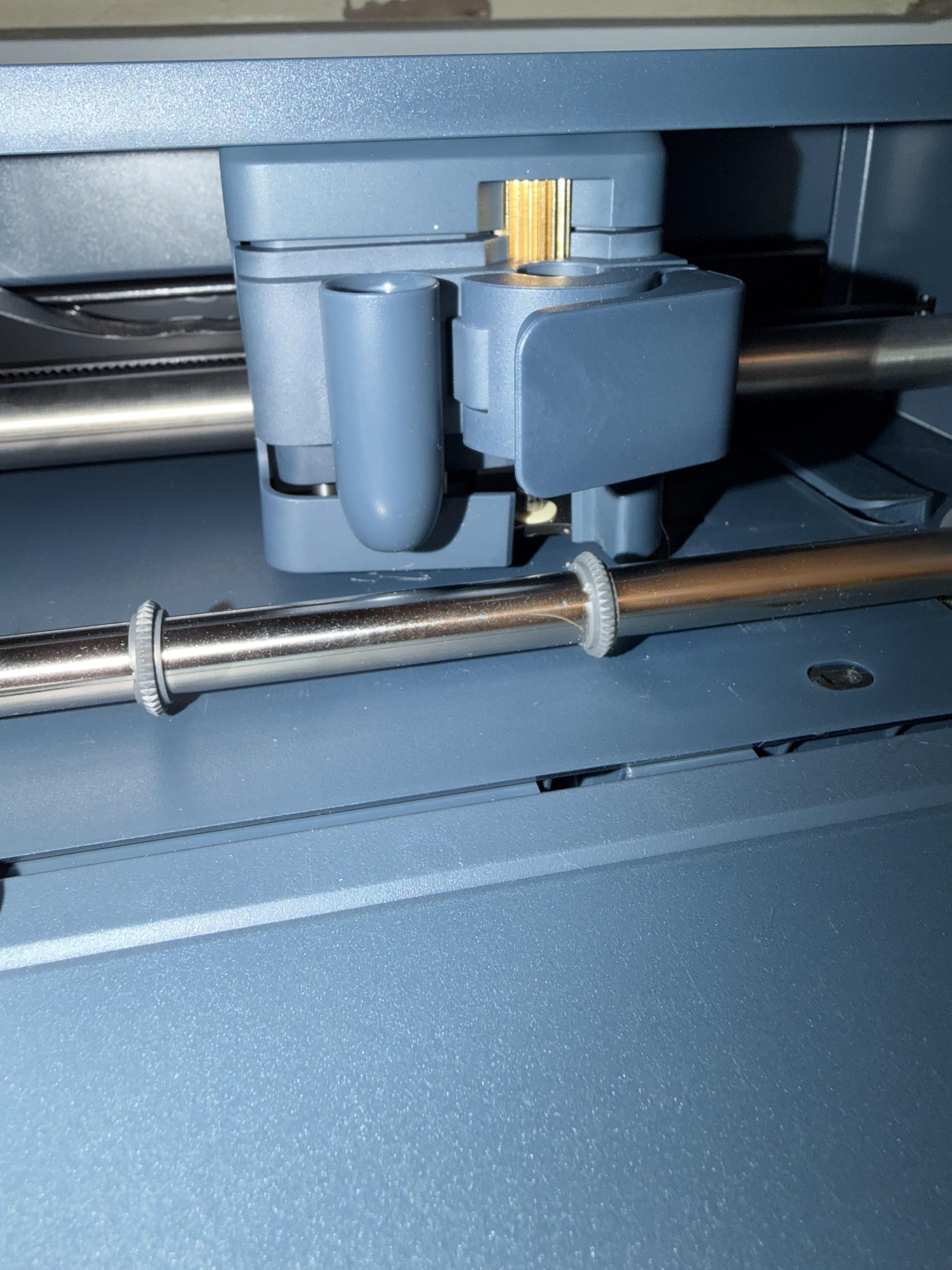
I have a cameo 5, i usually cut from A5 format cardstock, laminated on one side. i use the autoblade, depth 8, force 33 speed 1, and it cuts the top, the bottom and rightside great, but always the left side not. I can cleanly rip it off myself so it is just barely did not cut through it, but it is really annoying. And i think i can use lower settings for cleaner cuts but then the right side gets worse. and sometimes it cuts great for a while and i think i fixed it with some tweaking and then back to not cutting the right side again. What could cause this?