r/thesims1 • u/Ellie_Rulze18 • 9h ago
Opinion/Discussion 2001, Nostalgia.

553
Upvotes
What do you think the Fun rating On GTA 3, PS2 would've been?
r/thesims1 • u/LadyBlackheartStorm • Apr 13 '25
What's different from the other Sims games?
A guide by SirenShadow (socrstchik in the TS1 community, LadyBlackheartStorm on Reddit)
Welcome to new (and returning) Sims 1 players! So you wanna give TS1 a shot? Awesome, its a great game - but it can be difficult. Here's a list/explainer of differences in this version versus TS2-4.
You can only build 2 storeys high.
There are lots of cc that let you fake higher levels though. Look for items called '3rd floor' (or 'storey'), or sometimes '4th' and/or '5th'. These will be objects that float in the air to simulate (lol, GET IT?! *ahem* sorry...) taller buildings. Those higher levels are NOT playable, however. Same with foundations/basements.
Speaking of cc, terminology is quite different than what you're used to.
'CC' is capital letters refers to the final version Maxis/EA released: Complete Collection. 'cc' in lower case is the same - custom content - but isn't really a term that was commonly used previously. Similar with 'MM': in TS1 terms, that refers to the final EP, Makin' Magic.
What later games and players call 'mods' are called 'hacks' in TS1 - if they alter gameplay from the original code. For example, a bookcase that allows you to gain more skills than the default Cooking and Mechanical would be referred to as a 'hacked bookcase'. A bed that has been altered to use more graphic animations would be called 'adult hacked' or possibly just 'adult' - and these are intended ONLY for 18+ players.
'Mods' referring to custom objects are just called 'objects'. Same for walls, floors, etc.
You have 2 types of lot: home and away. The type of away lot depends on the objects you put there. The game calls it retail if you place a functional cash register or a restaurant if you have a functional dining podium. You can have more than one type on the same lot, but if you overload the game might crash. i.e. maybe that multi-level shopping mall is best left for another version of The Sims.
Neighborhoods are generally referred to as just 'hoods'. The game gives you 9 of these at startup, and each one is different (in the sense of population and custom builds, not shape/size. Each hood has seperate Towns. In no particular order, with the English-language EP they came in: Old Town (Unleashed); Downtown (Hot Date); Vacation Island (Vacation); and Magic Town (Makin' Magic). Apologies, I don't know all of the non-English titles.
Poses are only used with the SimPose program (officially called SimPose-ium), used to make preview images of custom skins. It could also be used to edit or create new animations, although this feature may not work (or work correctly) anymore.
Neato. Now, what the heck is going on with my body/head cc?
Skins in this game are divided into a body skin and a head skin. Heads are typically organized by hairstyle, and you can't change the appearance without editing the bitmap itself.
Body skins are broken down into type:
'B' means 'body' and is an everyday skin. This is what your Sim will wear most of the time and can be changed by clicking on a dresser or wardrobe/armoire. (There are some hacked dressers out there that might be different objects, like a coat rack.) The other types (below) are referred to as 'buyables', because to change them from the default version means you have to 'buy' them from a shop on a commercial lot, like Downtown in Hot Date.

'L' means 'lingerie' and is your Sim's sleepwear

'S' is for swim - swimwear, obviously

'F' is for formal, or what your Sim wears to get married or when a hacked object calls for formalwear (I know there's at least 1 hacked doorway and 1 dancefloor).

'W' is for winterwear and is the clothing your Sim will wear on Vacation Island's winter lots. (There aren't seasons in TS1 without using hacks.)

'H' is for high fashion and is what your \*celebrity\* Sim will wear in Studio Town. Visitors to Studio Town stay in their eveyday clothing.


Further body notes:

	'N' means nude and is what your unclothed Sim looks like. Not every skin download will include a custom nude - they aren't necessary unless you're altering the base skintones (like with tattoos) or have a custom skintone (like Pale). Also, not every skinmaker made custom nudes for their skins - game coding changed with later EPs (Hot Date, I \*think\*) and opened up the ability to make full custom skins, nude included.

	'H' bitmaps are your hands. Same applies from the Nude skin - you only need them for altered or custom tones. You may find a hand bitmap that uses 'G' instead of 'H' - that means 'glove' and is the old, pre-code change way of having gloves attach to a skin. The best example of this is the original male formalwear was a tuxedo with white gloves.
Program alert!! You can use SimWardrobe, by Paladin, to customize your Sims' wardrobes without having to buy the different outfits. You can also customize the Townies' outfits! The companion program to SimWardrobe is SimMetamorphoser (also by Paladin), which allows you to change your Sim and Townies heads.
There may be other, small bitmaps in your Skin download.
These are typically accessories of some sort: a hat, jewelry, glasses, etc. They can be named anything. The CMX file tells the game what goes where. The SKN file is the mesh, and you may also have more than one of those. Each item needs a mesh (SKN) and those aren't always integrated into the body mesh. The TL:DR version is you might have a body SKN and a hat SKN. The CMX pulls it all together.
Troubleshooting! In CAS, if you are *missing* part of the body or head, its a missing or corrupt MESH (SKN). If everything shows but is *solid white*, its a TEXTURE (BMP) problem. This could be a missing BMP, or something like the wrong color scale on the BMP or the BMP being the wrong size.
I want this chair to show up on my away lots but its not in the catalog there.
Yeah, its not catted (cataloged) for those lots...
BUT I WANT IT THERE!
Okay, okay... no problem. You just need a program that lets you edit that. Program alert!! SimCategorizer by Paladin allows you to edit individual IFFs (objects) or items in .FAR (a compressed package of IFFs). SimOrganizer by Garrett Berg of Millennium Sims allows you to edit individual AND multi-part IFFs. SimCat will read a multi-part IFF but you can only edit the 'top' part (the first item listed). There's probably some others but those two are the mack-daddies and the best ones. One thing to note, though. Some items intended for away lots will NOT work on home lots. Its the way those items are coded.
What about walls and floors?
I mean those are gonna show regardless of lot...
No, silly. I really, really like this custom wallpaper but holy heck is it expensive.
Save your Simoleons.
*------*
Lol, okay. SimWallCat (Paladin) is what you want. He made a good chunk of our Very Useful Sims Programs.
You can add more 'hoods.
Just copy the UserData folder you wish and rename it. So, copy UserData3 and rename it to UserData10. The next time you boot up the game, you can navigate to this new hood. It will have everything the original hood had in it. You can have up to 99 hoods.
Final reminders: the Build catalog has a cc limit. No one knows what it is for sure. That's not meant to be cute or funny, its truth. The limit can vary by computer, but at some point you might see your Build catalog start looking funny - a stuck thumbnail or clearly non-Build item showing up. You'll know you hit your limit at that point. Its why you'll see lots of non-building objects, like plants and trees, cataloged in Buy instead. My general rule of thumb for Build cc was 'does it have growing states?', like a harvestable crop? If yes then it went in Build; if no, Buy catalog. Trees (those larger than a big shrub) also went in Build. That left Build for just windows, doors (ya know, architectural stuff) and the aforementioned plants. Walls and floors do count to this limit.
IF AT ANY POINT YOU SEE A STUCK THUMBNAIL IN EITHER OF YOUR CATALOGS, immediately save your game. A stuck thumbnail means something's wrong and your game is probably gonna lock up or crash (or both). It might be as soon as you click that stuck thumbnail or when you try to place the object, but its gonna happen.
I think that covers most of the basics.
HAVE FUN!!!
Here's a link to a SFS folder with Paladin's programs in it. Thanks for sharing, Bulbasaur001!!
https://simfileshare.net/folder/87836/
And here's an Archive.org link to SimOrganizer: https://archive.org/download/sim-organizer/SimOrganizer.zip
r/thesims1 • u/AutoModerator • 2d ago
Sul-sul simmers! In an effort to keep feeds cleaner for everyone, while also maximizing players' chances of getting their issues fixed, you are highly encouraged to post any technical issues on this thread! This includes problems with bugs, glitches, compatibility, files, etc.
Note that the existence of this thread doesn't mean you can't post about technical issues on the sub! You may do it at your own discretion.
Before posting new technical threads, please consider using the search bar in the sub to see if the issue has already been posted and/or solved.
If you are having issues with the Legacy Collection in particular, please make sure to report them on EA's official channels as well! This helps you and other players to get your voice heard by Maxis/EA and fixes be added as official updates in the future.
r/thesims1 • u/Ellie_Rulze18 • 9h ago
What do you think the Fun rating On GTA 3, PS2 would've been?
r/thesims1 • u/starcount_games • 9h ago

The goal is to have smooth zoom like in The Sims 2. However, that also means more rendering and memory usage.
I work on this mod as an addition to the Neighborhood Extension widescreen mod:
Let me know what you think!
r/thesims1 • u/Ellie_Rulze18 • 6h ago

Since the game uses static images, for the TV and sounds. You can go into the files of the game, and replace the static images, and sounds with shows or movies that actually exist. Unfortunately you can Apparently not have any moving scenes, but It's still cool. I've never done it, I am wondering if anyone here has. 🤔
r/thesims1 • u/lgd_2905 • 17h ago

Hi, friends! Thanks so much for all the support and amazing feedback on the early access launch of Weathercast v1! I implemented some of the feedback in early access v1p1, and I also added new features for a nice blend of fixes and novelty. I hope you enjoy it! Stay tuned for more!
See download and installation instructions on my dedicated Patreon page: https://www.patreon.com/lgd_2905/posts/weathercast-mod-176063867?utm_medium=clipboard_copy&utm_source=copyLink&utm_campaign=postshare_creator&utm_content=join_link
Thanks!
-----------------------------------------------------------------------------------------------
Welcome to the Weathercast Mod Expansion Pack (v1p1) Early Access! (Last Version Update: 11/22/26)
Hello fellow Simmers, are you enjoying this rainy season? Sims all over SimCity are now reacting to the rain. You can see Sims and pets going inside to catch a break from the rain and dry out. Just don’t forget to mop the floors and get rid of the rainwater the dog dragged inside. [achoo] Was that a sneeze? Bless you! Better stay dry to avoid catching the flu.
You can expect to see in the early access version v1p1: (please delete the v1 folder and replace it with v1p1; see installation instructions inside the download file below)
New Features:
1. Reactions to rain: Sims and pets, including visiting neighbors and NPCs, will now react to the rain with animations and thought balloons.
2. Wetness system: Now Sims and pets have a hidden wetness motive. They will get wetter when outside in the rain and drier when indoors, or outdoors after the rain stops. If they become too wet, they will complain and run inside. This also includes pets, greeted neighbors, and NPCs.
3. Dripping puddles: When wet Sims and pets finish drying, they will leave behind a dripping puddle. Like the rain puddle, you can mop it or wait for it to dry on its own. Dripping puddles also don’t ruin the room score.
4. Sickness system (Flu): Sims that refuse to go indoors after getting soaked and stay outside longer will catch the flu. There are mild, moderate, and harsh strains, which will determine how long the Sim will be sick. Make sure to stay dry, and your Sim will recover from the flu. While not lethal, the constant coughing and sneezing that comes with the flu will pose a new challenge for your Sims.
5. Different versions: Download either the Regular or the Fancy version based on your computer specs. (read more below)
Fixes and feedback:
1. Faster rain propagation: Now, when it starts raining, the rain spreads much faster throughout the lot. (please let me know if you notice lag)
2. Less stuttering when changing speeds: Rain animation was reworked to have a smoother transition when switching from higher to lower simulation speeds. I was asked why rain (and fog) won’t move faster at speed 3, and that is because the game was crashing when trying to process rain at that speed throughout the entire lot. The compromise was to keep rain and fog speeds nearly the same at different speeds.
3. Improved performance when raining: The same tweaks in the script to reduce stuttering when switching speeds also resulted in slightly improved performance when raining.
4. Slightly faster rain animation at faster speeds: These tweaks also made it possible to slightly increase the rain animation speed at simulation speeds 2 and 3. (Please let me know if you notice lag)
5. Rain puddles blocking cars: Cars can drive over rain puddles now and they will no longer get stuck honking non-stop until disappearing into work/school.
6. Visuals: My goal is to stay true to the original game visuals to make it feel like these mods could’ve been part of an original Maxis expansion pack - and I was very happy to see that many people appreciate that! Regarding the fog, I am working on a replacement sprite by repurposing another existing sprite that may be a better fit. Because some people are happy with the fog as it is, I decided to leave this tweak for a future update.
7. Different versions: To address the amazing feedback I received while also trying to balance the game for different computers, I decided to launch 2 different versions calibrated according to my 2 computers (a Steam Deck and a ROG gaming laptop). The Regular version has slower-moving and less transparent rain. If the rain is looking too slow for you, you may be able to switch to the Fancy version. This latter version has faster-moving and more transparent rain to make it look less visually noisy. Object transparency unfortunately affects game performance. Please delete one version when switching to the other; the game will not be happy to have duplicate items in your game folder.
Thank you again for your incredible support and feedback!! More updates with new features will be coming soon. I will also continue to work on feedback and bug fixes. 😊
AI disclosure: This mod pack was not developed by AI. All my mods are made with IFF scripting, which I write myself. I repurposed and coded existing game features to look different and perform new functions. Google AI search was helpful for finding old community blogs, posts, and hard-to-find information about the game (e.g., IDs for the conversation bubble icons).
r/thesims1 • u/haint--blue • 14h ago

Now that Alfred has officially moved into town, he is finding his bearings and getting settled in the community. When shopping for his inventory downtown, he meets his first Sim, and it is her.
If you saw my first post about Alfred where I was looking for a playable version of him in/game you will know who she is....
Alfred & one of my Sims fell in love with each other and thanks to the help of SameClerk2608, now they are going to be dating and in due time, Alfred will move into her castle and become a millionaire (like the ones he has been employed by for so long).
You can get Alfred for your game here: Alfred the Butler is ready to become a star in your neighborhood! : r/thesims1
I have Alfred settled in Magic Town for the time being at 'Alfred's B&B'.
I feel he must have owned and operated it in the past - wonder how he feels being back there after so long.
Since moving to town, the hussies have been out in full force - seems all the ladies want them some Alfred.
However, Alfred is spoken for.
r/thesims1 • u/SameClerk2608 • 7h ago

Hi!! Now that several very innovative mod creators are currently emerging for this game, and it's more accessible than ever, I want to ask or propose a suggestion to see if it's possible.
She asked me if it's possible to expand the skin tone catalog so they don't mix. For example, there's always been a "Pale" tone that we almost always put within the "LGT" group. Would it be possible to create a new one, for example: "B302FaFitPal_Dress.bmp", and have the game recognize this code as a new skin color category?
I'm not sure if I've explained myself well... I hope you understand.
All the best!
r/thesims1 • u/Ellie_Rulze18 • 23h ago

Sims 1 had tons things that were either to ambitious for the hardware, or just didn't make the time constraint. But since EA has no plans for another Sims game instead focusing purely on 4. Why not release a new EP, for Sims 1 that adds everything cut from the game back in.
r/thesims1 • u/Sims1Hero • 14h ago
r/thesims1 • u/Hansi_Haifischli • 1d ago
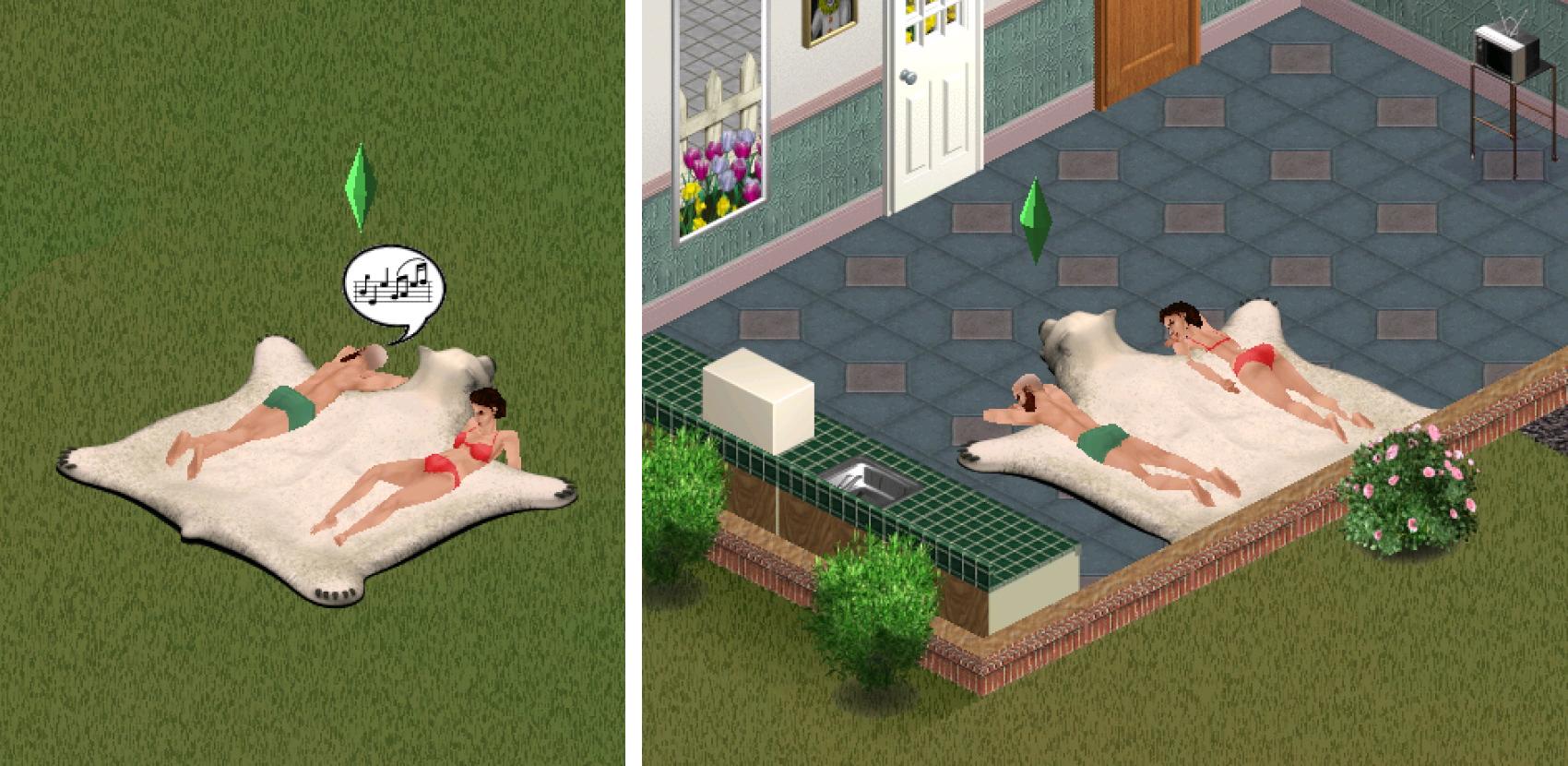
This polar bear rug has much in common with the picnic blankets from Hot Date and Vacation and apparently the Sunbathing interaction accidentally was left as an option. It's possible to choose this interaction when the Sims wear swimsuits and when it's daytime. Sunbathing even is possible when they are under a roof. :)
And I also noticed a not so nice thing: This polar bear rug is quite expensive. But the high price is compensated by the interaction possibilities and by providing a room score of 8.
But unfortunately, the object doesn't actually improve a room. No matter if this polar bear is present or not, the room's quality stays the same. :/
r/thesims1 • u/Sims1Hero • 1d ago

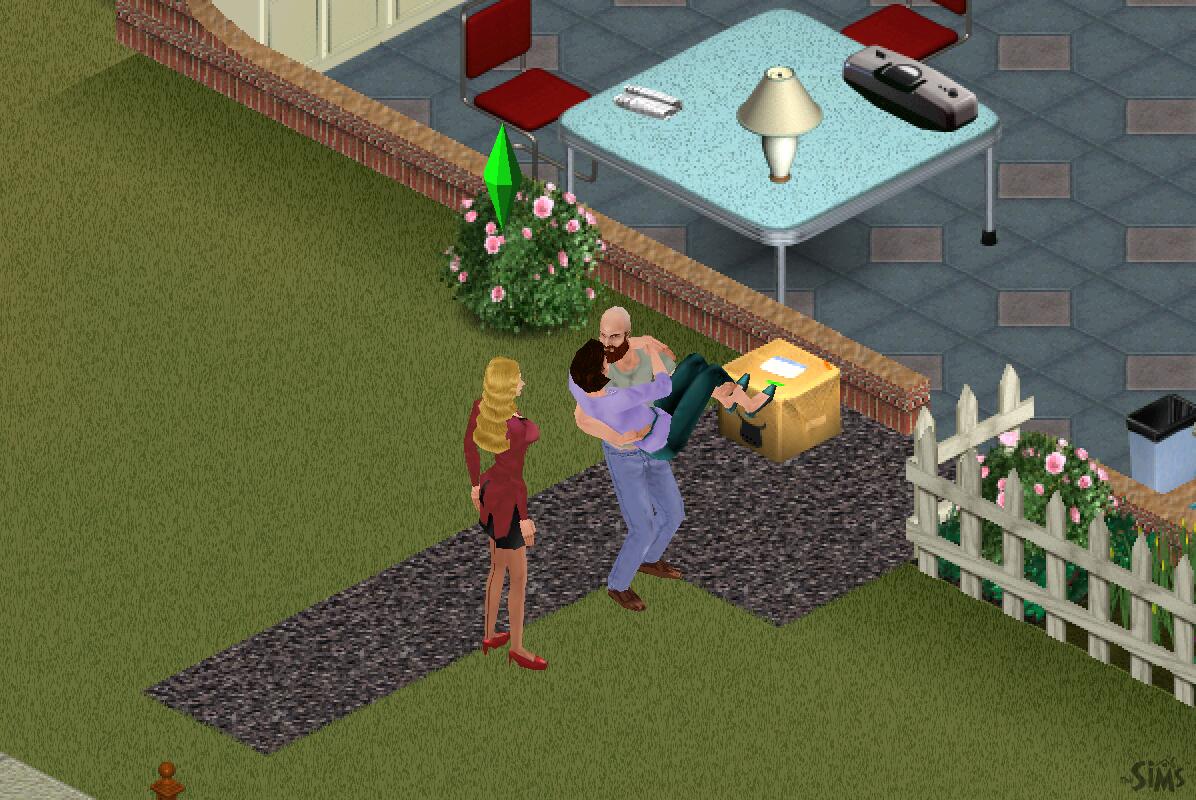
On a side note Bob tried to tickle Betty and she freaked out.
r/thesims1
•
u/Alternative_Day_6455
•
1d ago

A complete functional treadmill for The Sims 1. (All versions)
Includes the treadmill object, embedded graphics, and all animations
No separate treadmill CC, mesh or texture necessary for download.
Requires an installed copy of the game; native sounds and animations come from the game.
FEATURES
Adult-only Jog interaction; Body skill gain; Energy, Hunger and Hygiene usage,
slower jogging, footsteps, motor hum, animated rear step-off.
Buy Mode: Miscellaneous / Exercise.
Price: 950 simoleons.
DOWNLOAD IT HERE:
https://www.patreon.com/simangelo/posts/ts1-functional-175974983
----------------------------------------------------------------------------
(Decorative mesh CC reference: SpaceCadet, Fight Club Gym treadmill).
Archived creator website:
https://web.archive.org/web/20210615002700/https://spacecadetssims.weebly.com/
r/thesims1 • u/SameClerk2608 • 1d ago

Remember Alfred, the classy butler from The Sims: Superstar (Expansion Pack 6)? Well, now you can take him out of his NPC role and turn him into a fully playable Sim!
This skin lets you bring Alfred into your own game, give him a new life and, of course, put him to work... although this time he might have to make his own bed! 😂
What's included?
Now Alfred can stop serving the stars and become one himself!
Let the show begin!
I hope you enjoy him, and that Alfred behaves just as well in your game as he did in Studio Town!
I'm uploading this skin at the request of a Reddit user u/haint--blue who was looking for a playable version of Alfred. We tried searching for it, but couldn't find it anywhere! So, if anyone else happens to be looking for it in the future, I hope this little corner of Patreon helps them find and download it.
r/thesims1 • u/blindsidesonny • 1d ago
Later games' organization has spoiled me, and I can't seem to find anything close to what I'm looking for on Google. Are there any mods out there that will sort items by keyword or type, like carpet or flowers or a color keyword?
On a related note, are there any mods or ways to remove some skins and heads from Create A Sim? I'd like to hide the sci-fi costume skins (listed in the game files as stuff like ChemTrooper or GDIPowerSuit) but I have no clue how to do this.
r/thesims1 • u/DreamyOwl_01 • 1d ago
Hello players,
What are the best Christmas mods I can download for the Sims 1?
I truly need a Christmas tree in this game, it doesn't matter if there are no seasons, I still want to decorate my house with holiday themed things like I can do in The Sims 4
r/thesims1 • u/haint--blue • 2d ago

Does anyone else have this strange issue of Tiffany Burb drowning in all of their pools on day 1 of moving in? (meet the neighbors day)?
This has happened more than twice in two different neighborhoods with three different Sims the day they move in. Some pools have CC water, others do not. (And yes, the ladders are intact 😂)
Everyone else could find their way out - even Brad.
IDK...maybe her and Brad aren't getting along. I notice it the most when they have had an argument or something ... I have to keep a close watch on her or block the pool entry so she doesn't get in or she will do it.
(I pulled her out of this one...and in the other ones, I didn't save - so she is still alive.)
I'm getting concerned about her, I mean....I've been playing for a year now and this only started happening about a month ago.
I'm thinking of having her and Brad read a few magazines, and maybe take them on vacation together (somewhere without a pool, just in case)
r/thesims1 • u/rocklee_pl • 2d ago
Version steam is worth option? Is exist regular patch? Can i play on Linux?
r/thesims1 • u/haint--blue • 3d ago

Sorry if this question has been posed or answered - did a quick search in the thread and didn't see any results.
Wanting to fix broken portraits in my EA Legacy Edition game.
One is a 'frog prince' who immediately came w/ a broken portrait - the other is a Maxis Sim that was normal at first and now has a broken portrait.
(I also have a custom head that has NO portrait - in case anyone knows how to fix that also)
r/thesims1 • u/SimReMod • 4d ago

More than 2 floors were already possible in FreeSO, but not in the original The Sims client.
This mod lets you build 2 additional floors in The Sims 1 Legacy Collection!
Download link: https://github.com/SimReMods/SimsModLoader/releases/latest/download/sims-multistory.zip
Note 1: this works ONLY with The Sims 1 Legacy Collection from Steam. It does not work with the Complete Collection, cracked versions, etc.
Also note 2: this mod is experimental and makes deep changes to the game. In particular, lots with a 3rd or 4th floor WILL NOT LOAD AFTER YOU UNINSTALL THE MOD.
Please back up your save files (%USERPROFILE%\Saved Games\Electronic Arts\The Sims 25) and play on a copy. If you uninstall the mod, it is advised to go back to your old files!
How does it work? This mod changes the game code while it runs to allow more than 2 floors, similar to ASI mods for The Sims 2.
It also works together with the Visit Your Neighbours mod.
Have fun! (snow is not included!)
Note 3: Yes, this mod has been created with AI assistance. I am a Software Developer, but coordinating all necessary changes would be extremelly difficuly otherwise.