r/tinycam • • 1h ago

IR light control for Wyze

1 Upvotes

Now that spotlight control is part of wyze cams. Wondering if IR light control could, or will be implemented for Wyze cams in the future?


r/tinycam • • 2d ago

tinyCam 20.0.0 released

14 Upvotes

✨ NEW FEATURES

- Added Events screen in app drawer to show all local or cloud events. See https://www.reddit.com/r/tinycam/comments/1xzblgl/new_feature_events/ for more info.

- Added ONVIF Profile G support for recorded event playback (see video). Tested with Dahua and Hikvision cameras. You can now record footage to a NAS or SD card and play back recorded events directly in the app.

To check if your camera supports ONVIF Profile G, open app's camera settings, tap Camera Status, and look for "Profile G (recordings) - yes".

- Added m3u8 (HLS) and mpd (DASH) protocols support via Generic URL.

- Added Reolink to "Add cloud camera".

- Added INSTAR new cameras.

- Added Frigate NVR.

- Added Scrypted NVR.

- Added iSpyConnect Agent DVR.

🎨 FIXES

- Decreased HW3 decoder memory use. Better stability.


r/tinycam • • 3d ago

Camera Widget Homescreen Refresh Rate.

1 Upvotes

Hello, thank you very much for the improvements & efforts. I noticed the widget (beta).refresh is one minute, can this be decreased? Thank you.


r/tinycam • • 6d ago

App Changelog New feature: Events

13 Upvotes

Introducing Events - a new screen for showing all your events in tinyCam app.

Main features:
- See cloud events from all your cameras in one place, combined across every cloud provider.
- Filter events by type: person, pet, vehicle, sound, and more.
- Jump to any date and time.

Local camera playback supported:
- ONVIF Profile G
- Blue Iris Alerts
- tinyCam PRO Web Server
- More to come

Supported clouds:
- Arlo
- Blink
- DoorBird
- Eufy
- EZVIZ CloudPlay
- Reolink
- Ring
- Smartz
- Tapo Care
- Wyze
- Xiaomi
- Yi
- Zmodo
- More to come

Coming in tinyCam version 20.0 available for public beta testing https://play.google.com/apps/testing/com.alexvas.dvr.pro

Any feedback welcome!


r/tinycam • • 8d ago

M3u8 stream

4 Upvotes

HI is there a way to setup and view a m3u8 stream in tinycam?

https://s63.ipcamlive.com/streams/3fmkkopg68cqyh1vc/stream.m3u8


r/tinycam • • 9d ago

Camera

0 Upvotes

I want to watch through my iPhone12 camera through my android mobile. I want to use my android mobile as a remote for my iphone camera to open and i want to watch or monitor through my Android phone


r/tinycam • • 11d ago

IP cams stopped working on Android TV after 19.2.2 update

4 Upvotes

I switched over from Wyze to generic IP cams and I was able to add them using the "scan network" feature, and I had them on my Google TV Streamer (4k), working flawlessly for a couple of months, but they stopped working after the latest update. I get the message, "Video failed (Timeout, check hostname and port number)", on my android TV.

Meanwhile, I am able to connect via the android mobile app without amy issue whatsoever. I used "scan my network" and still got the same error message. Then I deleted my cameras on my android TV and used the "import from cloud" option to import the working settings from my mobile app, just to be completely sure I was setting up my cameras correctly, and still have the same error message.

I have a 2nd Chromecast (older model) and it also has issues connecting to my IP Cams. Again, the app on my android phone works flawlessly. I am guessing it's a bug with the latest version. Anybody experiencing the same issue? What steps should I try to get it working? I'm at a loss here, not sure what next steps to take.

Edit: Changing RTSP engine from ffmpeg (DEFAULT) to RtspClient fixed the issue. Seems like whatever was wrong was due to that default setting, and there was nothing inherently buggy about the current version of the app.


r/tinycam • • 10d ago

HELP WITH CAMERAS IP/ONVIF

1 Upvotes

Hi everyone, I was hoping someone could help me view an IP camera using TinyCam. I have a Chinese IP camera, model X6E-WEQ.

I currently have a DVR set up with an external port of 8554 and an internal port of 554, which allows me to view the cameras from anywhere using a 4G connection. However, I’m unable to view this specific IP camera. I first tried assigning it an external port of 9554 and an internal port of 554, but that didn’t work either.

I also opened port 8899 for ONVIF, but that didn’t help either. The strange thing is that I can view the camera in TinyCam when I’m connected to my local Wi-Fi, but it fails to load when I switch to mobile data.

Could anyone help me out? I have port 554 open, and I also opened port 8899, but it’s still not working.


r/tinycam • • 11d ago

Cinnado d1 t23n sc2336 atbm6012bx : date and time: offline

1 Upvotes

I am trying to set the date and time of this camera.

This camera is on a local network with no access to the internet.

I have a time server on this network.

I can not find where to change the time manually.

Can someone give me direction.


r/tinycam • • 17d ago

App Changelog Greatly improved web server's live view coming in tinyCam 19.2.0

26 Upvotes

New web server features:

  • Up to 25 simultaneous live camera streams at their original resolution.
  • No video re-encoding on the web server, resulting in very low CPU usage.
  • Real-time one-way audio support in single-camera view.
  • Works on all modern browsers.

r/tinycam • • 16d ago

eufy cloud dont work

1 Upvotes

r/tinycam • • 17d ago

Reolink E1 Zoom

1 Upvotes

Hi,

is there any chance to get a Reolink E1 Zoom camera natively supported by TinyCam?

I would like to be able to use PAN/Tilt/Zoom/Focus feature of it natively with TinyCam. So far i always have to switch to the Reolink app to setup the Camera and then switch back to TinyCam as Baby Monitor.

regards


r/tinycam • • 17d ago

Spotlight control on OG cams

1 Upvotes

I noticed on 19.2.0 beta 5, on Android TV. The LED light buttons turns on/off the spotlight. Strangely enough, the latest Android phone app which is 19.2.0 beta 9, does not control the spotlight on OG cams.

Also wondering if IR light control will be implemented for Wyze cams in the future


r/tinycam • • 18d ago

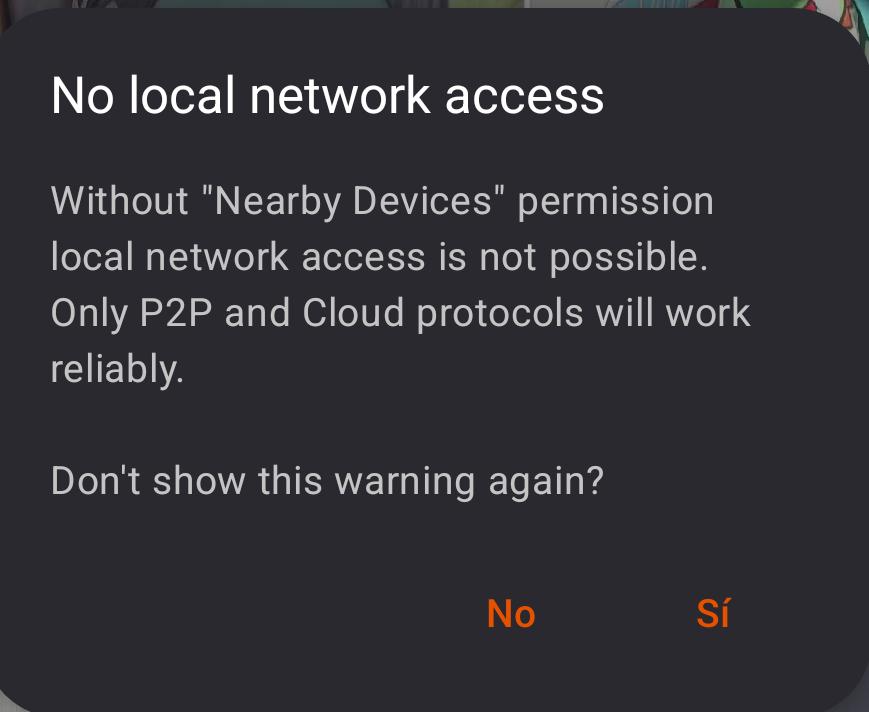
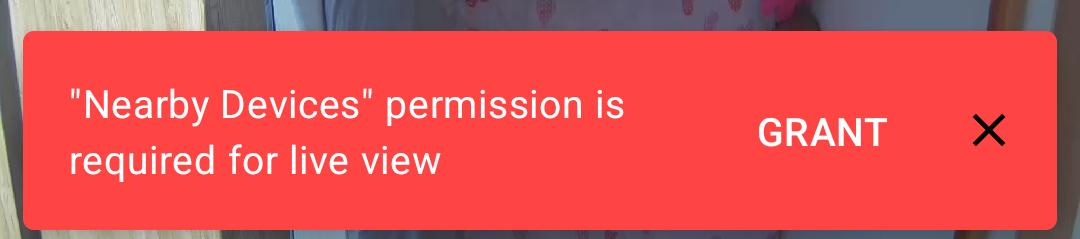
TinyCam keeps asking for nearby devices permission that I do not need.

2 Upvotes

Since my phone (Samsung Galaxy s23 ultra) updated to the latest One UI 9 (Android 17) each time I open TinyCam it shows a red banner about missing nearby devices access.

If I close the banner a pop-up comes where I can theoretically mark as "not show again". But doesn't matter what I choose, it Keeps appearing each time I open the app or if I just toggle apps.

It is annoying since I do not beet that functionality.

Each single time...
Choosing "No" or "Yes/Si" makes no difference.

Is this a bug? Can I disable that somehow?

Thanks


r/tinycam • • 18d ago

Floating window or PIP no longer working on Homatics Box 4K

1 Upvotes

I've been upgrading tinyCam PRO on a Homatics Box R 4K Plus (Android 14, Android TV) as a baby monitor, with Frigate restreams as generic RTSP cameras. I want a small always-on-top window, and it took a lot of digging. Sharing what I found in case it helps others, and in the hope that the developer can take a look.

Please note that before upgrading I was probably using a version before 17 and everything was running correctly on the same box with the same Android version.

Setup: tinyCam PRO 19.1.0 from the Play Store. The box reports its manufacturer as SEI Robotics.

1. The PiP button does nothing on boxes without PiP support

The box doesn't report the system feature android.software.picture_in_picture. In 19.1.0 the app seems to treat every Android TV device as PiP-capable anyway, so the button shows up. Pressing it logs Requesting PiP... and then nothing happens, with no error message.

2. The floating window button is hidden on most Android TV devices

From what I can tell, on Android TV the floating window button only appears if the manufacturer is MBX, ZeroDesktop or MINIX. Setting "Floating windows & PiP" to floating doesn't seem to override that in 19.1.0. So on my box the app offers the PiP button that doesn't work and hides the floating window feature that does.

Floating windows work perfectly here once started with my workaround, which makes me think that list is out of date.

Workaround: starting a floating window without the button

tinyCam's Tasker plugin interface can start a floating window, and that path works on my box. Tasker should be able to do this with the tinyCam plugin action, though I haven't tried Tasker itself, and the plugin editor may need the floating mode set first. I wrote a tiny TV app instead. It sends this broadcast:

  • Action: com.twofortyfouram.locale.intent.action.FIRE_SETTING
  • Component: com.alexvas.dvr.pro/com.alexvas.dvr.automation.FireReceiver
  • Extra com.twofortyfouram.locale.intent.extra.BUNDLE, a bundle containing:

    • com.alexvas.dvr.automation.extra.INT_VERSION_CODE = 1 (int)
    • com.alexvas.dvr.automation.extra.START_SINGLE_CAM_FLOATING = your camera name (string)

"Display over other apps" has to be enabled for tinyCam. It works even when tinyCam is fully stopped: the window appears in about 2 seconds. I also trigger it from a Home Assistant dashboard button using androidtv.adb_command.

Suggestions for the developer

  1. Check android.software.picture_in_picture before showing the PiP button on Android TV, or show a message when PiP can't start.
  2. Let the "Floating windows & PiP" setting force the floating button on any device, or drop the manufacturer list.
  3. Show a clearer message when no app can handle export.

r/tinycam • • 18d ago

Home Assistant integration with tinyCam Monitor PRO web server

3 Upvotes

Demo how to add tinyCam Monitor PRO web server into Home Assistant


r/tinycam • • 20d ago

Positive post alert 🚨

12 Upvotes

Well 19.1.0 finally fixed all my issues I was having since 19.0.1 got released. From frozen app, v4 pan not working, no permission errors, no connection errors…. The app now works flawlessly for me. Seriously, I was eyeballing a reolink system but the 19.1.0 saved me prolly over $1,000.

Currently using a 24” fire tv running Tinycam Pro. With a Wyze doorbell cam, v4, v4 pan, and the Wyze light bulb cam. Tried the pan duo but not a pan of the small screen from the duo cameras. It’s all good though. All get about 20fps.

Using the fire tv was just the best case scenario for me in the kitchen. Can flip from tv, YouTube, Spotify, then have it on my 4 cam live feed the rest of the time.

Thanks again for resolving the new update issues, for me at least. We only post about the issues but not about the good things.


r/tinycam • • 21d ago

[Solved] TinyCam Pro + Tapo + Nest Cam issues on Chromecast with Google TV — RtspClient and go2rtc workaround

5 Upvotes

I wanted to share my troubleshooting experience in case someone runs into similar compatibility issues with TinyCam Pro, especially when using multiple camera brands on Chromecast with Google TV.

I had a combination of Tapo, Google Nest and Wyze cameras. Some streams would not display in TinyCam, even though they worked perfectly in other applications. I eventually got all cameras working simultaneously without downgrading TinyCam or losing Wyze Cam Dual support.

1. My setup

Streaming device

  • Device: Chromecast with Google TV
  • Android: 14
  • SDK: 34

Software

  • App: TinyCam Monitor PRO (beta)
  • TinyCam package: com.alexvas.dvr.pro
  • RTSP server: go2rtc
  • go2rtc version: 1.9.14+dev.21548de
  • RTSP transport: TCP

The exact TinyCam beta build number was not recorded during testing.

Cameras

TP-Link Tapo

CameraFirmwareHardware revision
Tapo C200 (Sala)1.5.7 Build 260918 Rel.63858n5.0
Tapo C100 (Pasillo)1.5.7 Build 260709 Rel.28020n5.0
Tapo C200 (Entrada)1.3.17 Build 260112 Rel.54862n1.0

Google Nest

  • Model: Google Nest Cam (exact generation not recorded).
  • Video codec: H.264.
  • Resolution: 1920 × 1080.
  • Frame rate: 15 FPS.
  • Firmware version: Not recorded.

Wyze

  • Camera: Wyze Cam Dual.
  • Exact hardware model and firmware version: Not recorded.
  • Important: I wanted to retain support for this camera, which was one of the reasons I did not want to downgrade TinyCam.

2. Problem #1 — Tapo cameras would not display video

Two of my Tapo cameras refused to display video in TinyCam, while a third Tapo camera worked normally.

Before changing anything, I tested the problematic cameras in VLC on the same Chromecast, using their RTSP credentials and stream path.

Both cameras played successfully in VLC.

This helped rule out:

  • Camera connectivity.
  • Incorrect RTSP credentials.
  • RTSP stream path issues.
  • General network connectivity problems.

Solution:

I changed TinyCam's global RTSP engine to the experimental:

RtspClient

After switching to this engine, both previously failing Tapo cameras started displaying video.

3. Problem #2 — Nest Cam connected but showed no video

My Nest Cam was already integrated into go2rtc and had previously worked with TinyCam's original RTSP engine.

After switching to RtspClient to fix the Tapo cameras, the Nest stream connected but no video was displayed.

The ADB logs showed:

  • RTSP connection successful.
  • H.264 software decoder initialized.
  • RTP video packet gaps.
  • Dropped video access units.
  • No H.264 frames decoded.
  • Eventually, Read timed out.

I also tested UDP transport, but go2rtc returned:

461 Unsupported Transport

So I kept RTSP transport set to TCP.

4. Nest Cam solution — Create an additional FFmpeg stream in go2rtc

The solution was to create another stream in go2rtc using its built-in FFmpeg source syntax.

Original stream:

nest_outdoor

Additional stream:

nest_tinycam_test

Source configuration:

ffmpeg:nest_outdoor#video=copy

The video=copy option copies the existing video stream without re-encoding it.

I first tested the new stream using FFmpeg. It successfully identified the H.264 video stream at 1920 × 1080 and 15 FPS and decoded frames correctly.

I then changed the Nest camera's RTSP source in TinyCam to use the new stream:

nest_tinycam_test

Result: The Nest Cam started displaying video in TinyCam using RtspClient.

5. Make the workaround persistent

Initially, the additional FFmpeg stream was created dynamically through the go2rtc API.

I then added it to the persistent go2rtc.yaml configuration:

streams:
  nest_outdoor: "YOUR_EXISTING_NEST_SOURCE"
  nest_tinycam_test: "ffmpeg:nest_outdoor#video=copy"

The original Nest source remained unchanged.

I restarted the go2rtc Docker container to verify that the configuration survived a restart.

After restarting:

  • go2rtc loaded the YAML configuration successfully.
  • The additional FFmpeg stream was available.
  • FFmpeg could still decode the stream.
  • TinyCam reconnected successfully.

This confirmed that the workaround was persistent and not just a temporary runtime configuration.

6. Final working configuration

TinyCam

  • RTSP engine: RtspClient
  • RTSP transport: TCP
  • Tapo cameras: Their original RTSP streams.
  • Nest Cam: Additional go2rtc stream nest_tinycam_test.
  • Wyze Cam Dual: Retained and working.

go2rtc

  • Original Nest stream preserved.
  • Additional FFmpeg stream using video=copy.
  • Configuration stored persistently in YAML.

Final result

All cameras now display video simultaneously in TinyCam on Chromecast with Google TV:

  • Tapo C200 (Hardware 5.0)
  • Tapo C100 (Hardware 5.0)
  • Tapo C200 (Hardware 1.0)
  • Google Nest Cam
  • Wyze Cam Dual

The important part is that I could keep the current TinyCam beta and retain Wyze Cam Dual compatibility.

No camera firmware changes were necessary, and I did not have to downgrade TinyCam.

My takeaway: When RTSP streams work in VLC but fail in TinyCam, the issue may be related to the RTSP client/decoder implementation rather than the cameras themselves. Switching to RtspClient fixed the Tapo cameras in my case, while using a separate FFmpeg video=copy stream in go2rtc solved the Nest compatibility issue.

Hopefully this helps someone else running a similar multi-brand camera setup on Google TV.

r/tinycam • • 21d ago

Channel # missing

2 Upvotes

The channel # setting is missing from the Camera Settings>Advanced Settings in TCP v 19.1.0


r/tinycam • • 22d ago

Changing order of cameras not working

1 Upvotes

I cannot change the order of my cameras in Manage Cameras. It appears to move, but the name actually changes and nothing changes in live view. See the attached screen recording.


r/tinycam • • 22d ago

App Changelog tinyCam 19.2.0 Beta released

8 Upvotes

✨ NEW FEATURES

• Added Google Drive support

• Added Microsoft OneDrive support

P.S. Please test that and let me know if you have any problems. Should work on TV as well.


r/tinycam • • 23d ago

Not Working

1 Upvotes

I have 10 cameras, ! Wansview K2, 4 Wansview K3s, and 5 HoSafe HX-PT1s.

They all worked perfectly under version 17.x of this app on Amazon Fire HD 10 tablets and an Amazon Fire Cube 3. They all displayed video & audio worked perfectly.

Now, with v19.1 of this app from the Amazon App Store, the K3s work. The K2 can be heard but with no display. None of the of The HoSafe HX-PT1s will run audio for more than a minute or two.

Please help or recommend an app that actually works.

Thanks


r/tinycam • • 23d ago

Shortest widget update interval 1 minute?! Why?

1 Upvotes

I use(d) this app mainly for the widgets. I have an android TV box connected to a monitor that acts like a media player and dashboard. I am pretty sure there used to be much shorter interval options (like 1 second), because I switched from IP Cam Viewer Pro because it couldn't update faster than once every 5 seconds. An interval of 1 minute makes the widget pretty much useless in my opinion. Any chance I can downgrade to an older version?


r/tinycam • • 23d ago

Tracking beast

0 Upvotes

FYI. Within a few minutes of installing this app, tracking via Google was blocked over a thousand times for about 35 tracking parameters, including personal information. Unfortunately, this is common today with many "free" apps.