r/vitahacks • • 11d ago

Discussion Bi-Weekly Questions Thread (new edition)

2 Upvotes

Welcome to the r/vitahacks Bi-Weekly Question thread!

Please post all questions here.

!!NEW!! 3.65-3.74 USERS: Use HENlo to install Henkaku WITHOUT PC/Content Manager/PSN account!!!

PSN ACCESS/LOGIN ON VITA MAY REQUIRE ADDITIONAL VERIFICATION, SEE HERE

Before you post a question, please note:

-Please refer to the Official Vita Troubleshooting Guide; this is a comprehensive guide (maintained by Cimmerian_Iter) that covers a wide range of common issues and how to resolve them

-The vita hacking guide covers everything from 'what is homebrew' to hacking the vita and installing essential plugins

-For a comprehensive database of all available vita homebrew, please refer to VitaDB. You can access it and install homebrews directly from your Playstation Vita using the official VitaDB Downloader app.

-The older app VHBB made by u/devnoname120 is not currently supported.

-Rule #1 - "No discussion of piracy/backup/warez/dumps" is strictly enforced; there are other resources to discuss this subject matter

3.65-3.74 Users:

-HENlo replaces Hencore2

-Use Vitadeploy to downgrade firmware/install ENSO

Firmware Guide:

Vita Firmware VersionAvailable Hack(s)1.03-3.57Update to *3.60 or 3.653.60*3.60 Henkaku/Enso3.61-3.63Update to 3.653.65*3.65 H-encore/Enso3.65-3.74Install Henkaku/Vitadeploy using HENlo (via Vita Browser)

*Recommended

3.74 Firmware notes:

-Change requiring 2-step verification for PSN login/access

3.73 Firmware notes:

-Very minor changes. See here (Credits to PSSDude for the report)

3.72 Firmware notes:

-3.72 firmware was released by Sony for...System stability?

3.71 Firmware notes:

-3.71 firmware was released by Sony to patch the Trinity exploit

-3.71 firmware also breaks Modoru by adding checks in lv0

3.70 Firmware notes:

-The Vita master key was changed in the 3.70 firmware release, shortly after it had been publicly "unveiled" by the vita hacking community

-Game decryption keys have not been changed with the 3.70 release (reF00D/compatibility packs have not been broken)

3.69 Firmware notes:

-3.69 firmware was released by Sony to patch the h-encore exploit

PSN Access for 3.60-3.73 Users:

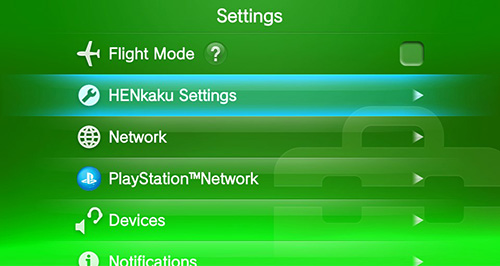
-Open Henkaku settings and enable Version Spoofing and set 'Spoofed Version' = 3.74

-Setup your network with Henkaku DNS settings

Sync Legit Trophies? -YES

Online Multiplayer? - YES

PSStore Access for Purchase and Download? - YES

Use Vitacheat and TropHAX online? - At your own risk

Prevent your Vita from Updating:

NOTE: PSVita firmware updates are not a typical modern-day concern, since downgrading firmware is available and simple to execute. Known exploits continue to work on most recent firmware (3.74). Preventing update is still a good practice in general.

-To disable the download of automatic firmware updates: Settings --> System --> Auto-Start Settings --> Uncheck "Download automatic update files"

-Setup your network with Henkaku DNS settings for an additional layer of update prevention. See here.

-If your console has downloaded the 3.73 update file, simply deleting the notification in LiveArea should remove the file from your system. Otherwise, firmware update files can be found in ud0:PSP2UPDATE/*

-Remember, unless you are running your vita in Demo mode, your console will not spontaneously install/update firmware software. There are legal reasons for this. Installation of any new software on your device requires your consent, (EULA).

Essential Vita Plugins/Homebrew Applications:

0syscall6 lv0 secure_kernel syscall6 patch - can replace reF00d (SKGleba)

Adrenaline Software that converts the official Vita PSP emulator into a PSP 6.61 with custom firmware (The FloW)

DolcePolce PSTV blacklist hack, replacing Antiblacklist and Whitelist (Silica)

Download Enabler Allows the user to download any content from the vita web browser (The FloW)

ElevenMPV-A Vita music player that supports a wide variety of formats (GrapheneCt)

iTLS-Enso Adds TLS v1.2 to devices running Enso (SKGleba)

Modoru Vita firmware downgrader (The FloW)

Modoru 2.1 Vita firmware downgrader, required for 3.71/3.72/3.73 users (SKGleba)

PSVShell Overclock application that supports per-app profiles; highly recommended (Electry)

reF00D Allows user to bypass firmware requirements on games and system applications (dots-tb)

rePatch Serves as a replacement for ux0:patch; can be used to load decrypted content on 3.60+; required for use of "compatibility packs" (dots-tb)

Save Manager For dumping and restoring decrypted save files (d3m3vilurr)

Shellbat A simple plugin that displays the battery percentage in LiveArea (nowrep)

Simple Account Switcher Allows the user to change/delete PSN accounts without a system restore (Silica)

Storage Manager A Kernel plugin that automatically mounts/redirects any storage device to any mount point; Popular plugin for mounting sd2vita (CelesteBlue)

VitaDeploy Tool that makes homebrewing the Vita/PSTV easier (SKGleba)

VitaGrafix Allows user to change resolution and FPS caps on vita games (Electry)

vita-udcd-uvc Stream your vita to a computer using USB (xerpi)

YAMT sd2vita/Remount tool for vita running Enso

Vitahacks AutoModerator

Note on AutoModerator: AutoModerator seeks keywords in comments/questions that may indicate piracy, but is not always proficient. In order to keep it under control, we have been monitoring the Automod for faulty dismissal of posts/comments. If you believe Automod has made an error in deleting your question/comment, please contact the moderator team, and we will review the question/comment and validate it (when possible).

2:00 am Greenwich Mean Time (GMT) every 2 weeks is the current new schedule.


r/vitahacks • • Sep 17 '26

Discussion Bi-Weekly Questions Thread (new edition)

14 Upvotes

Welcome to the r/vitahacks Bi-Weekly Question thread!

Please post all questions here.

!!NEW!! 3.65-3.74 USERS: Use HENlo to install Henkaku WITHOUT PC/Content Manager/PSN account!!!

PSN ACCESS/LOGIN ON VITA MAY REQUIRE ADDITIONAL VERIFICATION, SEE HERE

Before you post a question, please note:

-Please refer to the Official Vita Troubleshooting Guide; this is a comprehensive guide (maintained by Cimmerian_Iter) that covers a wide range of common issues and how to resolve them

-The vita hacking guide covers everything from 'what is homebrew' to hacking the vita and installing essential plugins

-For a comprehensive database of all available vita homebrew, please refer to VitaDB. You can access it and install homebrews directly from your Playstation Vita using the official VitaDB Downloader app.

-The older app VHBB made by u/devnoname120 is not currently supported.

-Rule #1 - "No discussion of piracy/backup/warez/dumps" is strictly enforced; there are other resources to discuss this subject matter

3.65-3.74 Users:

-HENlo replaces Hencore2

-Use Vitadeploy to downgrade firmware/install ENSO

Firmware Guide:

Vita Firmware VersionAvailable Hack(s)1.03-3.57Update to *3.60 or 3.653.60*3.60 Henkaku/Enso3.61-3.63Update to 3.653.65*3.65 H-encore/Enso3.65-3.74Install Henkaku/Vitadeploy using HENlo (via Vita Browser)

*Recommended

3.74 Firmware notes:

-Change requiring 2-step verification for PSN login/access

3.73 Firmware notes:

-Very minor changes. See here (Credits to PSSDude for the report)

3.72 Firmware notes:

-3.72 firmware was released by Sony for...System stability?

3.71 Firmware notes:

-3.71 firmware was released by Sony to patch the Trinity exploit

-3.71 firmware also breaks Modoru by adding checks in lv0

3.70 Firmware notes:

-The Vita master key was changed in the 3.70 firmware release, shortly after it had been publicly "unveiled" by the vita hacking community

-Game decryption keys have not been changed with the 3.70 release (reF00D/compatibility packs have not been broken)

3.69 Firmware notes:

-3.69 firmware was released by Sony to patch the h-encore exploit

PSN Access for 3.60-3.73 Users:

-Open Henkaku settings and enable Version Spoofing and set 'Spoofed Version' = 3.74

-Setup your network with Henkaku DNS settings

Sync Legit Trophies? -YES

Online Multiplayer? - YES

PSStore Access for Purchase and Download? - YES

Use Vitacheat and TropHAX online? - At your own risk

Prevent your Vita from Updating:

NOTE: PSVita firmware updates are not a typical modern-day concern, since downgrading firmware is available and simple to execute. Known exploits continue to work on most recent firmware (3.74). Preventing update is still a good practice in general.

-To disable the download of automatic firmware updates: Settings --> System --> Auto-Start Settings --> Uncheck "Download automatic update files"

-Setup your network with Henkaku DNS settings for an additional layer of update prevention. See here.

-If your console has downloaded the 3.73 update file, simply deleting the notification in LiveArea should remove the file from your system. Otherwise, firmware update files can be found in ud0:PSP2UPDATE/*

-Remember, unless you are running your vita in Demo mode, your console will not spontaneously install/update firmware software. There are legal reasons for this. Installation of any new software on your device requires your consent, (EULA).

Essential Vita Plugins/Homebrew Applications:

0syscall6 lv0 secure_kernel syscall6 patch - can replace reF00d (SKGleba)

Adrenaline Software that converts the official Vita PSP emulator into a PSP 6.61 with custom firmware (The FloW)

DolcePolce PSTV blacklist hack, replacing Antiblacklist and Whitelist (Silica)

Download Enabler Allows the user to download any content from the vita web browser (The FloW)

ElevenMPV-A Vita music player that supports a wide variety of formats (GrapheneCt)

iTLS-Enso Adds TLS v1.2 to devices running Enso (SKGleba)

Modoru Vita firmware downgrader (The FloW)

Modoru 2.1 Vita firmware downgrader, required for 3.71/3.72/3.73 users (SKGleba)

PSVShell Overclock application that supports per-app profiles; highly recommended (Electry)

reF00D Allows user to bypass firmware requirements on games and system applications (dots-tb)

rePatch Serves as a replacement for ux0:patch; can be used to load decrypted content on 3.60+; required for use of "compatibility packs" (dots-tb)

Save Manager For dumping and restoring decrypted save files (d3m3vilurr)

Shellbat A simple plugin that displays the battery percentage in LiveArea (nowrep)

Simple Account Switcher Allows the user to change/delete PSN accounts without a system restore (Silica)

Storage Manager A Kernel plugin that automatically mounts/redirects any storage device to any mount point; Popular plugin for mounting sd2vita (CelesteBlue)

VitaDeploy Tool that makes homebrewing the Vita/PSTV easier (SKGleba)

VitaGrafix Allows user to change resolution and FPS caps on vita games (Electry)

vita-udcd-uvc Stream your vita to a computer using USB (xerpi)

YAMT sd2vita/Remount tool for vita running Enso

Vitahacks AutoModerator

Note on AutoModerator: AutoModerator seeks keywords in comments/questions that may indicate piracy, but is not always proficient. In order to keep it under control, we have been monitoring the Automod for faulty dismissal of posts/comments. If you believe Automod has made an error in deleting your question/comment, please contact the moderator team, and we will review the question/comment and validate it (when possible).

2:00 am Greenwich Mean Time (GMT) every 2 weeks is the current new schedule.


r/vitahacks • • 7h ago

AI assisted NFS Hot Pursuit 2 v0.1.0-alpha - Now Available

62 Upvotes

Hello all!

Shortly after starting work on my NFS Underground 2 port, I had started attempting to create a native port NFS Hot Pursuit 2, but specifically, the PS2 version - commonly considered to be the better version of the game. Well, after a lot of work and some yelling at my computer trying to figure out the damn PS2 hardware, I finally got it to a point where it's ready for you all to enjoy too! For this to work, you'll need the PAL version of the game (not provided), version 1.00 (SLES-50731). Then, extract the game data (ZDIR.BIn and ZZDATA.BIN to ux0:data/NFSHP2. Log files will also be written to this folder.

For the most part, it'll maintain 30fps (locked, will most likely include a switch to unlock in a future build), although some heavier tracks with lots of particle effects will dip it to mid 20's. I do aim to continue to improve that, so don't worry.

I hope you all enjoy it, and if you have any issues, please open a Github issue and I'll do what I can to get it resolved as soon as possible!

Available for download here: https://github.com/elmnt22/vita-nfshp2

Twitter for frequent updates: https://x.com/tbgports

UPDATE: Some people have reported that the game can sometimes crash after finishing a race. It was related to running out of memory, got the order mixed up and it didn't unload the race before loading the next/main menu. Managed to reproduce it, fixing it now, update 0.1.1-alpha will be out very shortly.

UPDATE 2: Version 0.1.1-alpha is out now to fix said crash when finishing a race and returning to the menu. Not every race was impacted, but enough were to warrant getting this out fast. Sorry to those who already downloaded it!


r/vitahacks • • 14h ago

AI Vibecoded [UPDATE] YouTube on Vita v0.65 – Improvements, Fixes, New Controls, UI Sounds and More!

Thumbnail
gallery
82 Upvotes

Hey everyone! Good day and Wolff's here again!

I've just released v0.65 of YouTube on Vita, bringing more features, fixes and improvements to the original YouTube on TV experience on PlayStation Vita, powered by Cobalt/Starboard.

Alright, let's dive into what's new!

New features:

  • Aspect Ratio: Original, Zoom and Stretch modes.
  • Video Filtering: Bilinear and Nearest.
  • Analog Controls: Navigate with the left stick, adjust volume and brightness with the right.
  • UI Sounds: New sound effects inspired (leaked) by Apple TV, with adjustable volume.
  • Startup Animation: New 60 FPS animation with sound.
  • Sleep Timer: 5-minute option, countdown and automatic Black Screen.
  • Inverted Screen: Experimental 180° screen rotation (I did this because sometimes I would charge my Vita while it was facing the wrong way ;v).
  • YouTube Shorts: Portrait videos up to 480×854 are now supported.
  • Vertical Mode: Hold your Vita sideways like a phone to watch Shorts fullscreen. Swipe to navigate and tap to pause/resume.

Improvements and fixes:

  • Better MP3/MP4 downloads and download notifications.
  • Improved compatibility with different video resolutions.
  • Memory and rendering optimizations.
  • Network reconnection improvements.
  • Fixes for visual artifacts, playback issues and crashes.

Full and Lite versions:

Both versions are available:

  • YouTube (Full): Recommended, with extended memory.
  • YouTube Lite: Lower memory usage.

Note: Some features, including Full HD, Inverted Screen and certain Shorts controls, are still experimental. The app requires kubridge v0.3.1 or newer.

Download and source:

GitHub: https://github.com/WolffsRoom/YouTubeOnVita

Wolff's Room: https://wolffsroom.github.io/WolffsRoomSite/posts/youtube-on-vita/

There's still more work ahead, especially regarding playback stability, downloads and performance.

Thanks to everyone who's been following the project, testing it and reporting issues!

Vita means life!
.

.

.

AI NOTICE

Oh, and btw, yeah! This project was created using AI (GPT and Claude Code). I wouldn’t say it’s impossible to do without AI, but it would be so labor-intensive that I (and probably anyone else) would likely just stick to watching YouTube on a phone, right?


r/vitahacks • • 5h ago

Release Turbo GreenVita — a performance fork of GreenVita: Xbox Cloud Gaming on PS Vita that runs at 60 fps

13 Upvotes

Turbo GreenVita is a fork of https://github.com/Day-OS/green-vita that focuses on making xCloud playable on the Vita. The original was already a working client — this fork is mainly about the latency and picture-quality problems that made it hard to play.

What's different from the original:

No more macroblocking at 60 fps. This was the big one. During fast movement in busy scenes the picture used to break into visible blocks (the decoder was dropping frames and concealing the damage). Gone now.

Inputs react immediately. There was a delayed-response feeling — the character always seemed a step behind your button presses, and it got worse the longer you played. Fixed.

No dropped frames. Unique frames shown per second went up significantly, because frames were being discarded at two points in the pipeline.

Late frames are repaired, not discarded. A packet that arrives a little late used to kill the whole frame, which broke the reference chain and forced a keyframe — and a 720p keyframe saturates a 5 Mbps link. Now missing packets are retransmitted and the frame lands in order.

DMA picture upload. The 720p frame upload ran on the CPU out of uncached memory at ~69 MB/s, which capped the display at ~30 fps. It runs on the DMA engine now: 20,481 µs → 1,057 µs on device.

Sound stays in sync. The audio was lagging the picture by roughly a third of a second, and the brain anchors on the sound — so this alone felt like a big latency.

The display flips at a true 60 Hz, including in simple scenes, with the uploads, GPU waits and flip gaps all visible on the HUD.

A Max bitrate setting (2–10 Mbps) for weak or congested Wi-Fi. I found that 3 Mbps gives the best experience.

Install:

Download turbo-green-vita.vpk from the https://github.com/PoissMi/turbo-green-vita/releases/latest

Install it with VitaShell

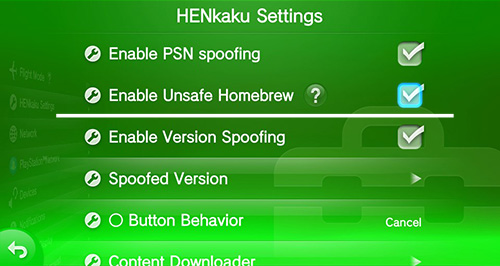
Enable Unsafe Homebrew in HENkaku Settings (the hardware video-decoder module is needed)

Sign in with the device code

Source: https://github.com/PoissMi/turbo-green-vita


r/vitahacks • • 17h ago

AI Vibecoded Azahar 3DS Beta 1

Thumbnail
github.com
125 Upvotes

After couple weeks of playtesting, the reworked Azahar emulator is good enough for a release. I've switched away from the old versioning to avoid confusion with the other 3DS emulator, hence the Beta 1 label.

There are definitely still problems, often times you need to play around with the settings
Since AI again got better since the initial 0.1 release, I just let it vibecode and only verified that the code in the end has the architecture that I've described the AI to do.

Thanks to all the playtesters reporting bugs and crashes.

https://youtu.be/mqC4ZIpJz8k?si=yyHo7gQaqiwV0LdD
https://youtu.be/i6bUfmrqz2c?si=E6rFpHIpGdwqR-WV
https://youtu.be/4C5oVEu4ZbM?si=cWZDJ9BZ9Ga1bbWe
https://youtu.be/9xy2iXSiU9c?si=q2TlNZlDc7Xnw1kh
https://youtu.be/5tFnMzBHPWE?si=vewUu8d7J9VhaTGt
https://www.youtube.com/watch?v=MDqPGFM_m08


r/vitahacks • • 6h ago

Release [PS Vita] GreenVita v0.2.0 Beta – 15 Mbps xCloud Streaming + Experimental Xbox One Spoofing | GTA VI Testers Wanted!

11 Upvotes

Hey everyone!

I've been working on a fork of GreenVita, a native Xbox Cloud Gaming client for the PlayStation Vita, and I've just released a new experimental beta!

The main goal is to improve streaming quality, stability, and input latency while also investigating whether the xCloud service can recognize the PS Vita as an Xbox One.

What's new?

  • Up to 15 Mbps adaptive streaming bitrate (previously 8 Mbps).
  • Improved controller responsiveness and reduced input processing delays.
  • Lower audio buffering for improved latency.
  • Improved RTP packet recovery and streaming stability.
  • Automatic reconnection after certain streaming interruptions.
  • Additional network and streaming diagnostics.
  • Hardware-accelerated H.264 decoding, limited to 720p.
  • Experimental Xbox One device identification using the xgpuconsole offering, with automatic fallback to regular xCloud connections.

I've already tested the client on my PS Vita, and streaming has been very stable so far!

GTA VI – Community testing needed!

As some of you may know, GTA VI on Xbox Cloud Gaming is restricted to Xbox consoles.

I've been experimenting with Xbox One identification and the xgpuconsole authentication flow, but I haven't confirmed that the server accepts the Vita as a genuine Xbox console.

That's where I could use your help!

If you own GTA VI on Xbox and have access to Xbox Cloud Gaming, could you test this build and check:

  1. Does GTA VI appear in your GreenVita game library?
  2. Can you select the game and attempt to launch it?
  3. Does the streaming session start, or do you receive an error?
  4. If it fails, what error message appears?

Even if the game appears in the library, that doesn't necessarily mean it can be streamed. I'm especially interested in finding out whether the server rejects the session with a device restriction.

Please don't purchase the game just for testing. If you already own it and can help, that would be awesome!

Download and source code

GitHub release:
https://github.com/joaopedr00000/green-vita-xconsole/releases/tag/v0.2.0-beta.1

Source code:
https://github.com/joaopedr00000/green-vita-xconsole

The beta includes Portuguese and English release notes.

Special thanks & credits ❤️

A huge thank you to Day-OS, the original creator of GreenVita!

Original project:
https://github.com/Day-OS/green-vita

None of this would have been possible without the original GreenVita project and the work that went into bringing native Xbox Cloud Gaming to the PlayStation Vita.

My project is an independent fork focused on experimenting with streaming performance, stability, latency improvements, and Xbox console compatibility.

Full credit to Day-OS for creating the original foundation. I'm simply building upon that work and exploring what else this amazing little handheld can do!

I'd also like to thank the open-source homebrew community and everyone contributing to PS Vita development.

Help with testing

If you're testing, please share your results in the comments! Screenshots of the game library or error messages would also help. Just make sure not to share authentication tokens or personal account information.

GTA VI compatibility is NOT confirmed. This is an experimental test, not an announced bypass.


r/vitahacks • • 7h ago

Release ReBOX - Multi-Arcade board emulator

Thumbnail
github.com
4 Upvotes

Another great release, this guy is on fire


r/vitahacks • • 17m ago

Release Poke Survivors Vita v0.9 (Pokemon Emerald style Vampire Survivors)

1 Upvotes

I made this Vampire Survivors style homebrew for the PS Vita for myself and decided to put it up on GitHub. It is still v0.9 so expect some rough edges. I used free Gemini and free Claude to help me build it.

There is no prebuilt vpk or ROM in the repo because it extracts the maps and tilesets straight from your own Pokemon Emerald (USA/Europe) gba ROM.

It requests 444 MHz CPU and 222 MHz GPU on boot, and supports 500 MHz if you run PSVshell. There is also an optional Windows build for quick testing.

Requirements (read this first)

On your PS Vita, libshacccg.suprx is required for vitaGL shader compilation. Install and open ShaRKBR33D (or run CrystalPSM once) to set it up automatically. PSVshell or PSVshellPlus is optional if you want the 500 MHz overclock.

On your PC to compile it, you need your own Pokemon Emerald (USA/Europe) gba ROM, Python 3 added to PATH, and VitaSDK with VITASDK andVITASDK/bin added to PATH.

How to build and install:

Drop your Pokemon Emerald (USA/Europe) gba ROM into the root folder (any .gba filename works) and double-click BUILD.bat. When it finishes, install build/poke-survivors-vita.vpk with VitaShell and copy build/data/poke-survivors-vita/ to ux0:data/poke-survivors-vita/

For the optional Windows build, run python tools/build_pc.py --target pc with Visual Studio 2022 cl.exe installed.

Credits:

AI help from Antigravity (Gemini) and Claude. Pokemon sprites from PMDCollab SpriteCollab (CC-BY-NC), Emerald tileset from Pokemon Emerald (Game Freak / Nintendo / Creatures Inc., ref: pokeemerald), and DS/Modern buildings, trees, and relief adapted from CC-BY-NC-SA 4.0 tilesets. Custom UI, VFX, world maps, SFX, and title/end art were made for this project and are free to reuse with credit. Built with VitaSDK, vitaGL, stb, miniaudio, and Python/Pillow.

https://github.com/Eurycake/poke-survivors-vita


r/vitahacks • • 21h ago

Port PS Vita developers: Why aren’t the Venezia multimedia cores used more often in homebrew ports?

44 Upvotes

I’ve been following the incredible progress of the PS Vita homebrew and porting community, especially projects like the recent Final Fantasy XII port.
Something has caught my attention: the PS Vita’s Venezia multimedia processor seems to receive relatively little attention in discussions about homebrew performance optimization.
As many of you know, the Vita has four main ARM Cortex-A9 CPU cores, but it also includes a dedicated Toshiba MeP-based multimedia processor known as Venezia.
This hardware was designed to handle certain multimedia workloads independently of the main CPU.
What I find particularly interesting is that tools to explore this hardware already exist.
Existing projects and resources:
VVNZRunner by GrapheneCt: Allows developers to execute custom MeP code on Venezia and exchange data with its local memory.
https://github.com/GrapheneCt/VVNZRunner
FFmpeg-vita: Demonstrates the integration of Vita-specific hardware-accelerated multimedia decoding.
https://github.com/fish47/FFmpeg-vita
Of course, I’m not suggesting that these additional processing resources would magically double performance or that every workload could benefit from them.
I understand that the architecture is different, synchronization introduces overhead, memory transfers have costs, and custom Venezia code can be difficult to integrate.
However, I wonder whether this hardware could help improve performance in certain CPU-intensive ports.
For example:
Offloading suitable audio or multimedia processing tasks.
Hardware-assisted video and audio decoding.
Running specific parallel computations outside the main ARM CPU.
Freeing up CPU time for game logic, rendering preparation or other demanding tasks.
Investigating whether reusable VitaSDK libraries could simplify Venezia integration.
I would love to hear from developers who have worked on native Vita ports, emulators, vitaGL, multimedia libraries or hardware optimization.
A few questions for the community:
Why isn’t Venezia used more frequently in PS Vita homebrew development?
Are the limitations primarily related to documentation, tooling, synchronization or actual performance?
Have developers benchmarked ARM versus Venezia for practical workloads?
Could a reusable library make hardware offloading more accessible to port developers?
Are there existing ports that already make effective use of these capabilities?
My goal is to encourage technical discussion, experimentation and potentially collaboration.
The PS Vita development community has achieved incredible things with limited hardware resources. I’m curious whether further research into its dedicated processing hardware could unlock additional optimization opportunities.
I would especially appreciate hearing from experienced Vita developers and anyone familiar with VVNZRunner.
Thanks to everyone continuing to develop and optimize games for this amazing handheld!


r/vitahacks • • 21h ago

AI Vibecoded NFS Carbon on PS Vita – v0.1.5 update: quick races with supercars(tested with Lamborghini) load again, no more freeroam/race freeze

33 Upvotes

Hey everyone, here's a new update on my port of Need for Speed Carbon (PC v1.4) to the PS Vita. It's a static recompilation of the PC game, with Direct3D 9 translated to the Vita's GPU.

Fixed in the last few releases:

• v0.1.5: Quick races no longer freeze while loading when you pick a teammate and wait for his car to show up in the menu. Two threads were each waiting on the other.

• v0.1.4: Races with top-tier cars like the Lamborghinis load again. The game's car memory was too small for a grid full of exotics.

• v0.1.3: No more 20 s to 2 min freeze in a race/freeroam. The game's track unloader was rewritten as native code.

• v0.1.2: Widescreen and working headlights.

New icon and LiveArea art by u/Either-Version-9577.

What you need: your own copy of NFS Carbon PC v1.4 (the exact NFSC.exe is checked at startup). No game files are included. Install the VPK and copy your game folder over; the README has the steps.

Download: https://github.com/Swisha33/NFSCVita/releases/tag/v0.1.5

It's still a pre-release, so expect bugs. Bug reports are welcome on GitHub (issues), ideally with ux0:data/NFSCVITA/nfscvita.log attached.

Unofficial, non-commercial fan port, not affiliated with or endorsed by EA. Built with a lot of help from AI (Claude Code).


r/vitahacks • • 1d ago

AI Vibecoded [RELEASE] vita-turbo-bluetooth - support for modern BT headsets, lower latency, higher bitrates, less stutter, less input lag, and channel avoidance with 2.4GHz WiFi (3.60–3.74, taiHEN)

Thumbnail
gallery
264 Upvotes

Hey all, after the success of the vita-turbo-wifi plugin I've had requests to sort out the Bluetooth side too. It's all on the same chip, so a bunch of the research had been done already. In any case its been quite a testing slog to get this plugin release ready.

The Vita's Bluetooth audio has always had rough edges. A lot of modern earbuds connect and then play nothing at all. When Wi-Fi is busy the sound stutters and lags behind the picture. The console's own sound settings never reach your headphones, you can't see how much battery your headset has left, and headsets that only speak the newer hands-free protocol never get their microphone used.

Bluetooth Turbo is a taiHEN plugin that fixes those, with its own page in Settings → Devices. Switch it off and the console is exactly as it was.

What it does

  • ✅ Modern earbuds play: fixes the timing of the sound sent to them, so earbuds that stayed silent now work
  • 🔋 Headset battery: the level your headset reports, right in Settings
  • 🪫 Low headset battery notifications at 20%, 10% and 5%, over the Home screen or in a game
  • 🎙️ Headset microphones on newer headsets: hands-free headsets can now use their microphone on the Vita, for voice chat and anything that records
  • ⏱️ Less lag: Low and Lowest latency keep the send queue short (~245 ms → ~75 ms), so sound can't fall far behind the picture
  • 📶 Fewer drop-outs: the new Stable profile lost 0 packets where the console's own setting lost up to ~4300 a minute at the edge of range with Wi-Fi busy
  • 🎧 More detail: High and Highest send each ear separately, up to ~670 kb/s (+88% over the console's own)
  • 🎚️ Your own sound: presets (Warm, Bright, Bass Boost, Lively) or a five-band equaliser
  • 🔀 Mono, swap left and right, and balance, for one earbud or one ear
  • 🔊 Volume cap and finer low steps for earbuds that are too loud
  • 🎮 Snappier wireless controllers: no more power-saving delay on their input
  • 🔌 When headphones disconnect: mute, pause, or keep playing on the speaker
  • 💤 Reconnect after standby: your headphones come back when the Vita wakes
  • 🏷️ Custom Bluetooth name, so you can tell two consoles apart
  • 📡 Pairs nicely with Wi-Fi Turbo: with both enabled, Bluetooth stays clear of the full 40 MHz Wi-Fi channel, so the two never clash
  • 🔋 No measurable battery cost: every setting within about 1 mA of the plugin switched off, in my tests
  • 🌍 20 languages, following your system language
  • 🛟 Safe by design: memory only, every change checked first, and holding L at boot skips everything

Download and install: https://github.com/juanjsebgarcia/vita-turbo-bluetooth. Three files to ur0:tai/, three lines in config.txt, reboot. The README has the full steps. If you've used my other plugins, this will feel familiar!

⚠️ One thing to do after installing: ensure turbo bluetooth is enabled in the settings and then remove your headset in Settings → Devices → Bluetooth Devices and pair it again once, so it sees the new connection; for a headset's microphone, tick Prioritise Bluetooth® Device Microphone at the bottom of that page. ⚠️

Firmware 3.60 to 3.74, tested on one console (a PS Vita 1000 on 3.60) with two headsets. If you try it on a Slim, a PS TV or another firmware, or with your own earbuds, please let me know how it goes, and if something doesn't work, open an issue with your headphones' model and ur0:data/bluetoothturbo/bluetoothturbo_kernel.log.

As always hope it's useful, it pairs very nicely with Turbo WiFi (they keep their channels separate) so you can both have your cake and eat it.

Enjoy


r/vitahacks • • 22h ago

Discussion I feel like we need an archive or wiki for Vita plugins, ports, homebrew etc

19 Upvotes

It feels like we get a new plugin, port, homebrew, mod, or hack every 2 days. While the communitys activity is as high as its ever been due to AI, it is getting really tough to navigate

​Some of them do the exact same thing, some don't work at all, some fly completely under the radar, and some could actually soft brick your Vita.

​I feel like there should be some moderation, and by moderation I don't mean stop making plugins or ports. I mean more like a community archive or wiki that catalogues what's good, decent, outdated, or risky.

It would make it so much easier for newcomers and returning users to figure out what's safe to install and what the best alternatives are.

​Please let me know if something like this already exists, otherwise you can ignore this. But if not, is this something the community would actually be interested in setting up?


r/vitahacks • • 1d ago

PSP Native resolution Adrenaline!

154 Upvotes

https://gbatemp.net/threads/adrenaline-native-resolution-plugin.686741/

How it differs from GePatch

https://github.com/Divi-0/adrenaline-native-res#how-it-differs-from-gepatch

GePatch (TheFloW) was the first plugin to show PSP games at a higher resolution in Adrenaline. NativeRes's PSP side hooks the GE functions the way GePatch does, but everything after that is different:

GePatchNativeRes
Who draws the pictureSony's PSP emulator: GePatch rewrites the game's display lists in place (scaled viewport and scissor, doubled vertices), so the emulated GE renders a bigger framebuffer
Cost of the higher resolution4x the pixels for the emulated GE: a big frame-rate loss
Colour16-bit (RGB565)
The game's display listsModified
Movies (frames the CPU drew)Some games don't show them (GePatch's known issues)
What you installA PSP plugin (ge_patch.prx in seplugins/game.txt)
AdrenalineAdrenaline 7 or higher

r/vitahacks • • 19h ago

Utility [Release] OCRAM (Beta) — A GUI tool to port modern PC Terraria (1.4.x) texture packs, audio, music, and translations to PS Vita

Thumbnail
gallery
8 Upvotes

Hey everyone!

I’ve been working on OCRAM (Old-gen Console Resource & Asset Manager), an open-source, cross-platform GUI modding tool that automatically converts modern PC Terraria (1.4.x) resource packs into working `data.vfs` archives for Terraria on PS Vita (Legacy 1.2.4).

Why couldn't we just drop PC texture packs into PS Vita?

Unlike the PC version, which uses thousands of loose `.png` files, the PS Vita port (based on Legacy 1.2.4) packs everything into shared Sony `.gxt` texture atlases (`_sheetSprites`, `_sheetNPC`, `_sheetTiles`, `_sheetWalls`, `_sheetSolid`, `_sheetBack`) using hardware-swizzled Morton Z-order layouts, strict 8-bit/16-bit indexed palettes, rotated sprites, HEVAG `.vag` sounds, ATRAC9 `.at9` music, and custom binary `.str` string tables.

What OCRAM can do right now:

One-Click VFS2 Unpacker & Repacker: Extracts your decrypted `data.vfs` and rebuilds valid PS Vita archives with proper compression and uncompressed `.at9` audio alignment.

Automatic Texture Pack Porting: Ships with a pre-built coordinate map (`vita_atlas_map.json`) covering thousands of items, tiles, walls, bosses, and logos. It automatically crops, rotates, downscales oversized sprites, and allocates new colors into the `.gxt` palettes without breaking vanilla colors.

Visual Sprite Editor & Live Overlay: Inspect atlases, zoom/scroll smoothly, preview your modded sprites directly over the PS Vita sheets before building, adjust frame offsets, or replace standalone sheets (like title logos and UI).

Sound & Music Manager (`.VAG` / `.AT9`): Automatically converts PC `.wav` and `.xnb` sound effects to PS Vita `.vag` during the build, lets you preview audio via `vgmstream-cli`, and supports `.wav` to `.at9` music encoding via `at9tool` with selectable bitrates.

Binary Text & Localization Editor (`.STR`): Search, edit, or export/import `strings_*.str` files to JSON with automatic offset recalculation.

Tested on Real Hardware

Tested on a real PS Vita (via `rePatch`) with heavy packs like the Calamity Texture Pack — items, bosses, custom logos, all load and run in-game.

Links & Setup

GitHub Repository: https://github.com/M1ndElectr1c/Ocram/

Note: No copyrighted game assets are included. You will need to dump your own decrypted `data.vfs` using VitaShell (Open decrypted) and place the built archive into `ux0:rePatch/<TITLE_ID>/data.vfs`.

This is the first public beta (`v0.9-beta`), so feedback, bug reports, and vita_atlas_map.json pull requests (especially for unmapped 1.2.4 furniture/backgrounds) are super welcome!
You can contact me in Telegram - \@memoryburner

(And yep, its vibecoded, but it works)


r/vitahacks • • 1d ago

Port WIP - Celeste VITA - Full Menu - Chapitre 1 - Sounds

88 Upvotes

Celeste on PS Vita is coming along nicely! 🍓

Gameplay is fully implemented, with graphics, sound effects, and music all in place.

All 38 levels in Chapter 1 are playable, and the menu and intro are in too!


r/vitahacks • • 21h ago

Release [Release] Blobby Volley 2 — PS Vita Port (v1.0)

9 Upvotes

Hey everyone! I've ported Blobby Volley 2 (the classic beach volleyball arcade game) to the PS Vita.

Everything is packed into a single VPK — no extra data files or plugins required, just install and play.

Features

* Single player against adjustable Lua bots

* Local 2-player mode on one Vita (Player 1 uses Left Stick + L1, Player 2 uses Right Stick + R1)

* Touchscreen support for menus and replay controls

All 10 rule scripts *included (*Default, Classic, Blitz, Firewall, Tennis*, etc.)

* Replays recording and playback (compatible with PC `.bvr` files)

* 6 languages: English, German, French, Italian, Spanish, Czech

* Custom LiveArea bubble and assets

(Note: Online and LAN multiplayer were removed from the menu as networking isn't supported in this port).

Download & Installation

  1. Download `blobby.vpk` from the GitHub Releases page.
  2. Transfer it to your Vita and install via VitaShell.
  3. Launch from LiveArea.

Source code & full documentation: https://github.com/Sanya-arbuz/blobbyvolley2

Feedback and bug reports are welcome!


r/vitahacks • • 1d ago

AI assisted Cosmo's Cosmic Adventure (Enhanced) – PS Vita Port

Post image
15 Upvotes

I've been working on Cosmo Enhanced, a modernised port of Apogee's classic 1992 DOS platformer Cosmo's Cosmic Adventure, and I've just released an experimental PlayStation Vita version!

If you grew up playing DOS games in the early '90s, you might remember this one. It's a colourful side-scrolling platformer featuring a little green alien with suction-cup hands.

The project aims to preserve the original experience while introducing some modern improvements.

What's included:

  • Native PS Vita homebrew port (VPK)
  • The original shareware Episode 1: Forbidden Planet
  • D-pad and analogue stick movement
  • Native Vita button controls
  • Optional smoother scrolling and animations
  • CRT and scanline effects
  • Original and remixed soundtrack options
  • MP3 music playback
  • Original and softened sound effects
  • Customisable character colours
  • Bundled widescreen and other gameplay mods

Download:

https://github.com/GITitdoneboi/enhanced-cosmo/releases/tag/v0.5.0

Source code:

https://github.com/GITitdoneboi/enhanced-cosmo

The project is open source, with Windows and Android versions also available.

A few notes:

This is the first experimental Vita release, so there may still be bugs and compatibility issues. Currently, only Episode 1 is supported on Vita.

You'll need a homebrew-enabled PS Vita, or you can try the build with Vita3K.

Bug reports, suggestions and contributions are welcome on GitHub.

Enjoy revisiting a little piece of DOS gaming history on the Vita!


r/vitahacks • • 1d ago

AI Vibecoded Terminator 2D: NO FATE Vita Port

196 Upvotes

r/vitahacks • • 1d ago

AI Vibecoded Just made a pgm2 emulator for the vita!

Thumbnail
gallery
39 Upvotes

*NOTE: If you hate vibecoding projects then man the heck up and walk away.

Anywho, I just made pgm2vita, a WIP emulator for the vita that runs pgm2 games like oriental legend 2. Knights of valor 3. & my favorite one, kof98 um hero. Will release the vpk + updates once i polish it up into a full release. Thanks and have a wonderful weekend!


r/vitahacks • • 1d ago

Release Boltgun ZDoom port for Vita

22 Upvotes

Ever played that game and thought "I'd be having more fun if this was on the Vita?"

Designed specifically work work with the amazing port of ZDoom by MrAzarel1 this is a mod I designed to bring Boltgun to the Playstation Vita. I've tried to stuff as much as I could down into this, we've got all the weapons, most of the monsters, complicated and interesting enemy behaviors and attacks, an angle towards having it as a tactical shooter, and also an exceedingly helpful and personable Servo Skull!

It's designed to be compatible with other mods, and also to handle most map packs, giving a massive range of playability.

I also discovered that Claude could be leveraged to playtest the mod, so demanded that it playtest and find all the bugs! I playtested it so hard with Claude that it asked me to stop - AI was harmed in the making of this mod! AI was also really useful because I know nothing about modding ZDoom so relied on it heavily to learn.

The other thing I did was lean heavily on making sure that all systems were optimized for the Vita, and that the game was imply brimming with settings for the user to tailor their play how they wished.

I've had a ton of fun making this and play it daily - enjoy!

https://www.moddb.com/mods/boltgun-for-zdoom


r/vitahacks • • 1d ago

AI assisted Tiny Thief - Open Beta Release

Post image
16 Upvotes

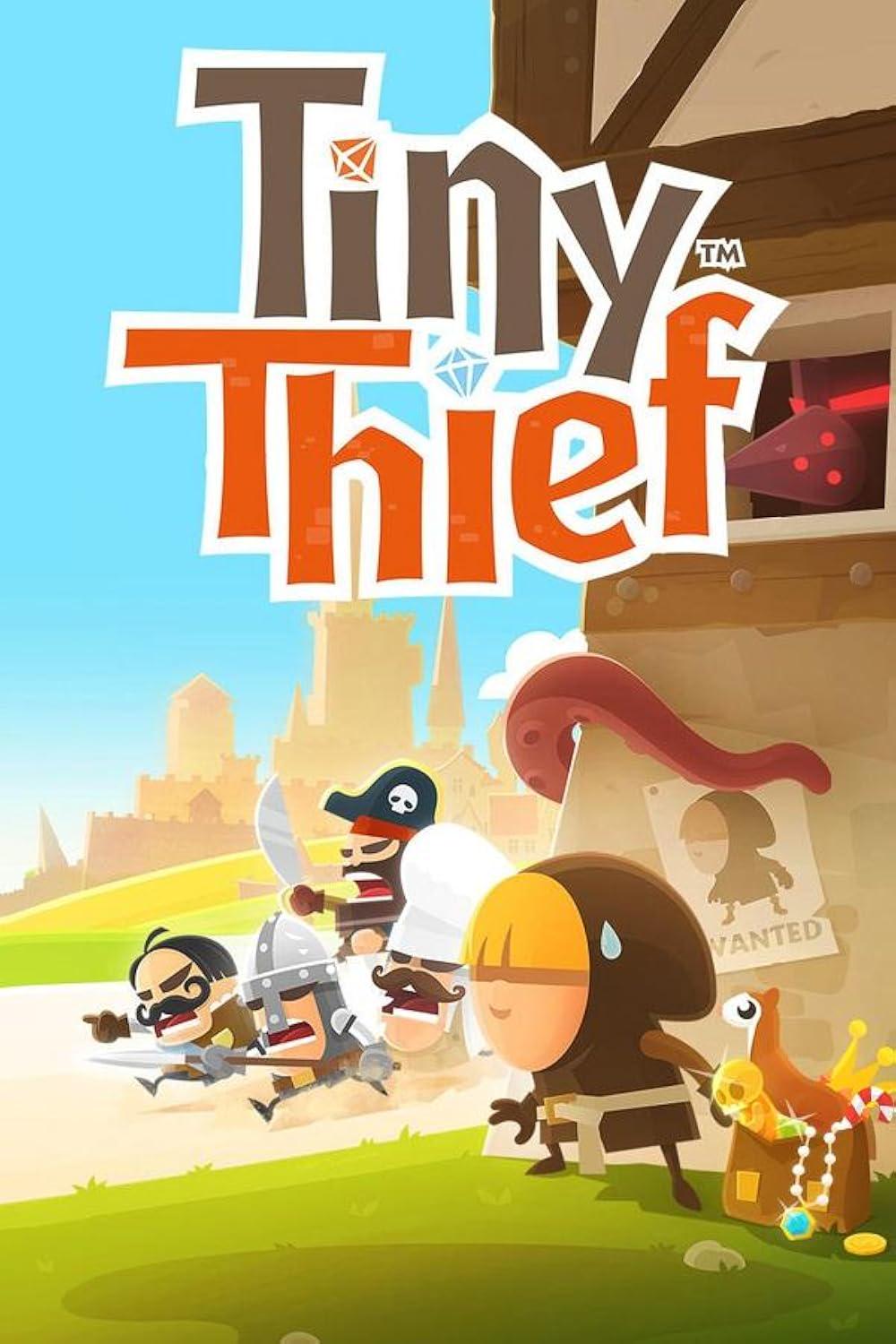
Hey everyone! I’ve been working on a childhood favorite of mine- an unofficial Vita port of Tiny Thief, and it’s ready for open beta testing.

How to play

  • Build your own VPK. Open the builder, drop in your Tiny Thief 1.2.1 .xapk, click Build the VPK, then Save TinyThief.vpk. Browser based builder

OR

  • Download the prebuilt VPK(I did the steps for you). TinyThief.vpk

Install with VitaShell. You’ll need kubridge and libshacccg.suprx.

Give the first launch a little extra time to prepare shaders.

So far under my own testing, i haven't experienced any performance or crashing issues.

If something breaks, drop your Vita model, firmware, level, and what happened in the comments. Thanks for giving it a shot!

GitHub repo


r/vitahacks • • 1d ago

Port Release Raptor Vita Port v1.4.1 – New name, new LiveArea & smooth custom music · Paxrisen/Raptor-Vita-Port

Post image
17 Upvotes

⚠️Transparency note: This project was created with the help of AI (Claude by Anthropic). The AI wrote the code.
My part was the ideas and all testing on real PS Vita hardware.

🏷️ RAP-Vita is now "Raptor Vita Port"

With the permission of the developer, the project now carries the name Raptor Vita Port. Many thanks for the kind permission! 🙏

  • New app name on the home screen: Raptor Vita Port
  • New bubble icon (pilot helmet) and new LiveArea artwork
  • The update installs over RAP-Vita (same title ID). Saves, medals and settings are kept.

🎵 Custom music without loading pauses

  • Custom WAV music is now streamed: it starts immediately and is converted in the background.

    • Before, the whole file was loaded first, which froze the game for several seconds, e.g. when entering the hangar or starting a mission.
    • Thanks to the player who reported it with a video and a log!
  • More WAV formats are supported: 8/16/24/32-bit, 32-bit float, mono or stereo, any sample rate.
  • If a file can't be read, the reason is written to the log and the original music plays instead.

📦 Installation / update

  1. Install Raptor-Vita-Port_v1.4.1.vpk with VitaShell.
  2. Your own Raptor game data (FILE0000.GLB … FILE0004.GLB, e.g. from GOG) stays in ux0:data/Raptor/.
  3. Custom music (optional): WAV files go in ux0:data/Raptor/music/. The file names are listed in the README.

1.4 Version

🌍 Online multiplayer (P2P)

New connection type Internet (code), next to Ad-hoc and Wi-Fi.
Direct connection between the Vitas using a short code. No server and no account are needed.
The router port is opened automatically via UPnP where the router allows it.
If the port stays closed, the players swap codes and the Vitas connect directly (hole punching).
Online co-op uses a larger input buffer so it stays smooth over the Internet.

🏆 Highscore hunt & KO hunt (2–4 Vitas)

Available over Ad-hoc, Wi-Fi and Internet.

Highscore hunt: everyone flies the host's mission with their own pilot and hangar. The most money earned wins.
KO hunt:
    The player with the least money is out after 1 minute and again after 2 minutes.
    The last two go into a boss duel: whoever beats the boss first wins.
Live ranking in the HUD and a results screen after every round.
Guests keep their money, and their own campaign position stays untouched.

🖥️ Live windows (optional)

Your own view in the centre.
Up to 3 other players live in small windows, showing enemies, explosions, shots and destroyed buildings.
A scoreboard bottom right with the time or KO countdown.

💬 Chat & voice

R tap = write a message, R hold = chat history.
L = microphone on/off. A red MIC shows while it's on.
Works in the hangar and in missions, in co-op and in both hunts.

🎨 Menus

The host picks the game type (Co-op / Highscore / KO) in a dialog.
Small or large menu font (no more overlapping text).
4 menu designs: light, dark, plain light, plain dark.

🐞 Fixes

Crash with live windows.
Left/Right on the connection row now cycles all connection types.

No plugins required. Based on the reverse-engineered source code of skynettx/raptor (GPL-2.0). The full source is in this repository.

If you want to track progress more closely, give feedback, or join the discussion: 🔗 Discord Community:https://discord.com/invite/xkSFYMCgHH


r/vitahacks • • 2d ago

AI Vibecoded [RELEASE]YouTube on Vita v0.58 - First Release! (Full and Lite version)

Thumbnail
gallery
492 Upvotes

EDIT 1:

New update release:
Release YouTube on Vita v0.65 - Update · WolffsRoom/YouTubeOnVita

---

Hey everyone, how's it going? Wolff here again!

Some of you may remember my first post about bringing the native YouTube TV experience to the PS Vita, followed by a little showcase.

Well, I'm happy to announce that YouTube on Vita v0.58 is finally available as its first public release!

This isn't a recreation of YouTube's interface. It's the actual YouTube on TV experience, running through Cobalt and Starboard, adapted to the PS Vita.

What's included?

- The genuine YouTube on TV interface.

- Google sign-in and persistent sessions (enhanced security).

- Native button and touchscreen controls.

- Microphone integration.

- Hardware-accelerated H.264/AAC playback, up to 720p, with support for compatible 60 FPS videos.

- A native Add-ons menu with player settings, display controls, screenshots and more.

- MP4 video and MP3 audio downloads.

- And, ofc, custom LiveArea, animated splash screen and optional UI sounds.

Two versions available!

  • YouTube (Full) - Recommended

    • Uses extended RAM for a better playback experience.
  • Lite YouTube - to perform multiple tasks

    • Uses less RAM, making it a better option if you want to keep other applications running in the background.

Notes!
Both versions can be installed separately.
And... this is necessary because the Vita’s RAM management is somewhat "dumb." Either an application sets a 265MB ceiling (which allows for native apps to run in the background) or it sets a 365MB ceiling.

Unfortunately, there’s no swap memory or dynamic behavior here. Just some limitations ;/

A quick note about performance

You might notice that FPS counters sometimes show low values in static menus. That's normal Cobalt behavior: it avoids rendering unnecessary frames when nothing changes, which can also help save battery life.

I've also tested video playback at 222 MHz CPU / 111 MHz GPU, with good results!

Known limitations...

AdBlock is currently partial, and occasional crashes can still happen when switching HD videos, especially while downloading audio. I'm continuing to investigate these issues.

Source:

https://github.com/WolffsRoom/YouTubeOnVita/

Download:

Release YouTube on Vita v0.58 - First Release · WolffsRoom/YouTubeOnVita

You can also find it on Wolff's Room and through the Wolff's Store app!
Wolff's Room – Traduções, Modificações e muito mais.

Thanks to everyone who followed the development, shared feedback and helped test the earlier versions. There's still room for improvement, but it's great to finally share this with the community!

Vita means life! ❤️

.

.

.

AI NOTICE

Oh, and btw, yeah! This project was created using AI (GPT and Claude Code). I wouldn’t say it’s impossible to do without AI, but it would be so labor-intensive that I (and probably anyone else) would likely just stick to watching YouTube on a phone, right?

The artwork and editing were done by my hand (using Photoshop and Photopea, following Google/YouTube’s brand guidelines): https://brand.youtube/