r/VITURE • • 10d ago

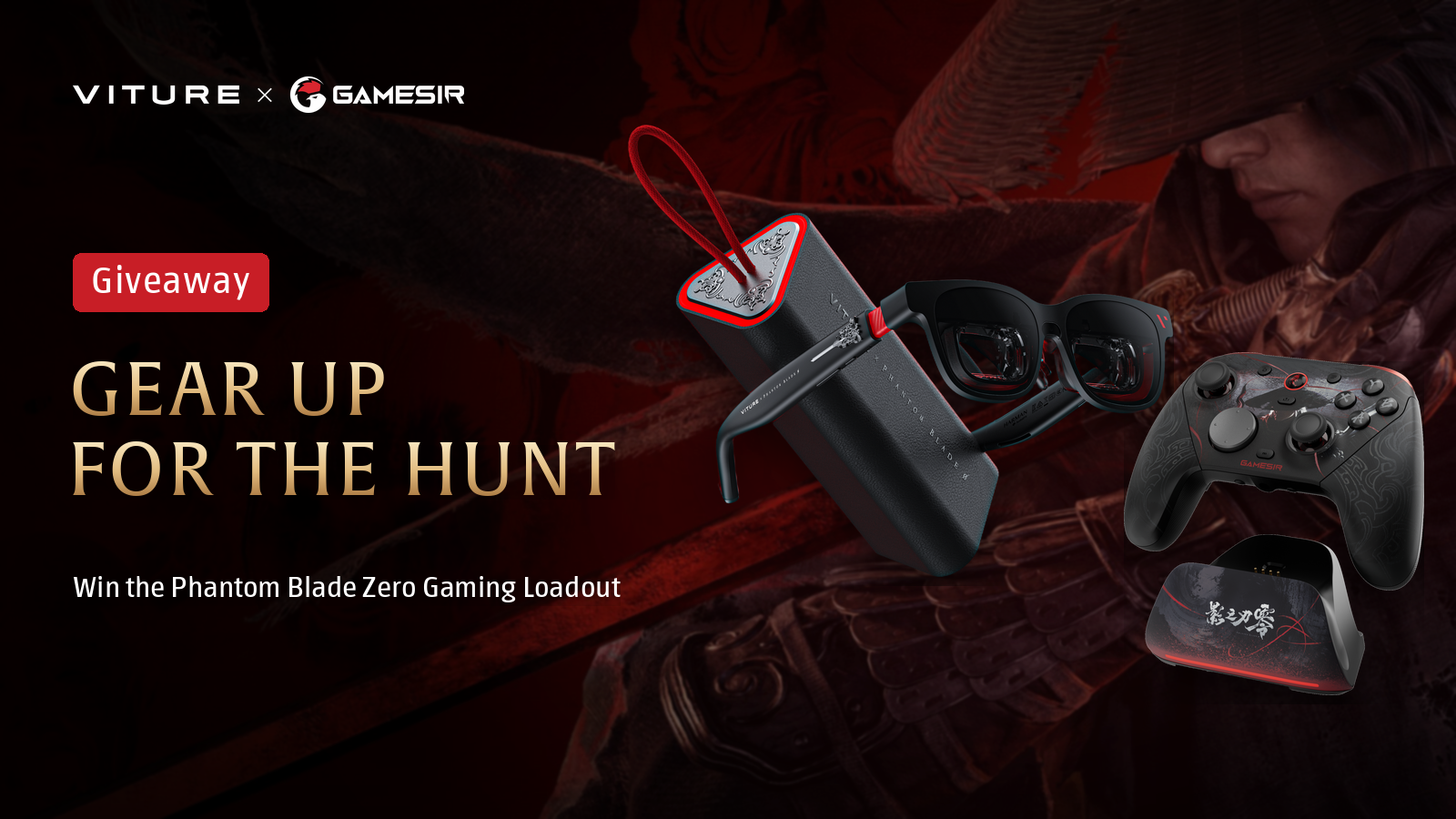
Announcement [Giveaway] Gear up for the hunt: win the full Phantom Blade Zero loadout (VITURE Phantom Beast glasses + GameSir G7 Pro 8K PC Phantom Blade Zero Edition controller)

Post image
153 Upvotes

Hey everyone, Lucius from the VITURE team here.

To celebrate our Phantom Blade Zero collab gear, we're teaming up with GameSir for a special giveaway across both communities, r/VITURE and r/GameSir!

Here's the question we want answered: Which weapon are you wielding in Phantom Blade Zero? Blade, spear, something heavier...
Tell us your pick, and feel free to tell us why.

šŸ† Grand Prize (1 winner): 1 VITURE Phantom Beast glasses & 1 GameSir G7 Pro 8K PC Phantom Blade Zero Edition controller
šŸŽ® Runner-up Prizes (2 winners): 1 GameSir G7 Pro 8K PC Phantom Blade Zero Edition controller each
- Comment below with the weapon you'd choose, and share your reason
- Join both communities: r/VITURE and r/GameSir
- Account 30+ days old with 10+ comment karma
- Ends Dec 1, 11:59 PM PT. Winners will be drawn at random and announced on Dec 3

Want more chances to win? This giveaway is also running on X and Instagram. All platforms share one prize pool, and entries on GameSir's posts and in r/GameSir count too, so every post you enter is another chance.

Open worldwide. Winners are announced in this thread, on X, and on Instagram right after the draw.

So what's it gonna be? Drop your pick below and good luck. Gear up for the hunt! āš”ļø


r/VITURE • • 29d ago

Announcement Finally. The HDMI to USB-C Adapter Cable is HERE.

Post image
124 Upvotes

The wait is over: the VITURE HDMI to USB-C Adapter Cable has arrived.

ā€œCan I use my glasses with my PS5?ā€ ā€œMy PC doesn't have a USB-C video port, what now?ā€ You've asked us these questions more times than we can count. This cable is our answer, and we built it with your feedback in mind.

What's new

The HDMI to USB-C Adapter Cable is the bridge between your consoles, PCs, and VITURE XR glasses. PlayStation, Xbox, desktop PCs, laptops: if it has an HDMI output port, it’s ready for a giant, private screen. No USB-C video port needed.

It works with the entire VITURE XR glasses lineup, including Pro 2, The Beast, and the Luma series, and keeps what makes them great: 3D Mode, 120Hz, and up to 1200p.

The full feature set:

  • Console gaming, supersized. Connect your PS5 or Xbox Series X|S and turn any room into your own private big screen. No TV, no fighting over the remote.
  • Your PC, unlocked for XR. On Windows PCs, the USB-A connector also carries data, bringing SpaceWalker and Immersive 3D to desktops and laptops without a USB-C video port: multiple virtual screens, real-time 2D-to-3D conversion, and glasses controls, all from your computer.
  • Your streaming library, ready to watch. With HDCP 1.4 / 2.2 support, shows and movies from Netflix, Disney+, and other major streaming services play on your XR glasses.
  • Up to 1920Ɨ1200 @ 120Hz in 2D, and up to 3840Ɨ1080 @ 60Hz in 3D. Available resolutions and refresh rates depend on your device’s video output and your settings.

How to connect

It's one simple Y-shaped cable:

  1. Connect the USB-C port to your VITURE XR glasses.
  2. Plug the USB-A connector into a USB port to power your glasses. On Windows PCs, plug it into the PC itself to enable SpaceWalker and Immersive 3D.
  3. Plug the HDMI connector into your console or PC.

And with Phantom Blade Zero now out on PS5, there's no better time to take your first fight to the big screen. āš”ļø

→ Shop VITURE HDMI to USB-C Adapter Cable: https://www.viture.com/product/viture-hdmi-to-usb-c-adapter-cable

→ Shop VITURE Phantom Beast HDMI Cable Pack: https://www.viture.com/product/viture-phantom-beast-hdmi-cable-pack

→ Setup guides & details: https://www.viture.com/academy/adapters/hdmi-to-usb-c-adapter-cable#overview

Warmly,

The VITURE Team


r/VITURE • • 3h ago

Six months with the VITURE Beast: are the major issues ever going to be fixed?

15 Upvotes

I’ve been using the VITURE Beast since June almost six months now - and the main problems I had when I first got them are still there. Over time, I’ve noticed that I’m using the glasses less and less. At this point, I barely reach for them anymore because the issues keep getting in the way of enjoying them.

The latest update arrived on November 23, and the previous one was on September 18. That’s over two months of waiting. I was hoping this update would finally address at least some of the major problems. Instead, we got a handful of minor fixes while the issues affecting my everyday experience remained unresolved. After all that waiting, it honestly felt like a slap in the face.

Here’s what I’m still dealing with:

1. Image drift in 3DoF mode

Every single time I connect the glasses, I have to turn them upside down, place them on a table, and wait 10–15 seconds for the image to stabilize before I can use them.

Why does this have to be part of the routine every time? I expect to plug the glasses in and get a stable image, like with XREAL. Having to repeat this calibration ritual whenever I connect them is ridiculous.

2. Black crush and lost shadow detail

Dark scenes in games and movies lose so much shadow detail that it can be difficult to make out what’s happening. Areas that should contain visible textures and subtle shades just blend into black.

This directly affects the viewing experience. A sharp display doesn’t mean much if details disappear whenever a scene gets dark.

3. Visual artifacts at 120 Hz

At 120 Hz, I occasionally see four or five thin lines right in the center of the screen. They look almost like cat scratches, alongside what appears to be image tearing.

These artifacts come and go, but they’re distracting whenever they appear. Almost six months in, I’m still dealing with this.

4. No built-in Half-SBS mode for 3D content

Full-SBS content displays properly, but Half-SBS content doesn’t - the image proportions look wrong, and there’s no built-in Half-SBS option to correct them.

Most of the 3D movies I find on online streaming sites are in Half-SBS. Full-SBS versions are much harder to find, which makes this limitation especially frustrating.

Why not add a Half-SBS / Full-SBS toggle directly in the glasses, like XREAL offers? Being able to switch between these formats without relying on external workarounds would make watching 3D content much more convenient.

5. Where are the useful new features and settings?

An electronic IPD adjustment option, similar to what XREAL offers, would be a welcome addition. Being able to fine-tune the image to better suit my eyes and potentially reduce blurriness around the edges would make a real difference.

Instead, I’m still waiting for both fixes to existing problems and meaningful improvements to the experience.

And that’s before we even get to working 6DoF, which people have been waiting almost seven months for. Where is it, and when can we realistically expect it to be usable?

I can’t simply return them or switch to another brand.

What makes this especially frustrating is that I don’t have a practical way to return or resell the glasses, and buying another pair from a different brand isn’t an option for me.

I don’t live in the US or another officially supported market where I could buy directly and have access to an official return process. The Beast isn’t officially sold in my country at all. I had to get mine brought over from Europe through a local company that specializes in importing products that aren’t available here.

So ā€œjust return themā€ or ā€œbuy XREAL insteadā€ isn’t a solution available to me. I’m stuck with the glasses I already paid for, hoping that software updates will finally improve the experience.

That’s why this is so disappointing. After almost six months of ownership, the main problems I experience still haven’t gone away, and I’ve gradually stopped using something I was originally excited about.

I can’t know what’s happening internally at VITURE, but from an owner’s perspective, it feels like the updates are doing just enough to show activity while the bigger problems remain untouched.

VITURE, what is the actual plan for the Beast? Which of these issues are being worked on, and when can owners realistically expect fixes? A clear roadmap and an honest progress update would at least give us something concrete to go on.

Are other long-term Beast owners experiencing the same problems - and finding themselves using the glasses less because of them?


r/VITURE • • 2h ago

Announcement BIG NEWS! VITURE Beast and Pro 2 are in stores now at Best Buy! šŸ™Œ

Post image
3 Upvotes

Walk in, try them on, and take your favorites home the same day!

And just in time for Black Friday, Best Buy is joining the celebration with our lowest prices of the year! šŸ”„

šŸ“ Find a store near you: https://www.viture.com/store-locator

šŸ›’ Shop Black Friday deals:


r/VITURE • • 8h ago

VITURE Beast 6DoF still shaky but getting tighter

7 Upvotes

The app shown is a WebXR app that puts an image onto a detected plane and should keep it in place because eventually I want to use it as a drawing overlay where I can trace images onto paper.

My custom slam feeds the plane to the app using the standard spatial openxr extensions.

The image looks a bit shakier than what it actually is because filming with a camera through the glasses is not that easy, but even for real it's still a bit too shaky


r/VITURE • • 6h ago

Handheld Consoles Between the Viture Beast and the Luma ultra which of the 2 would better suit my need of play playing games on my PC amd steam deck

3 Upvotes

So iam currently using some Xbx A01+ and there great but I been told they are entery level and iam trying to jump on the black friday sell. Show moslty for gaming and a bigger FOV/ screen would best suit my needs i was personal thinking on getting the luma Ultra since its the next best thing under 600 and the 1K+ aura but then i saw that the ultras would need a extra accessory to fully unlock it potential so I ended up looking at the Viture Beasts .

Viture Luma Ultra

Viture Beast

Viture ulma Basic

Which one would be a worthy upgrade and buy should I really go all in and the Ultra or beast

Or is the Luma basic

Its the 3rd option the bottom of the best units


r/VITURE • • 23h ago

Review VITURE Pro 2 and PS5 Pro Hotel Setup!

Post image
33 Upvotes

With the release of GTA 6, I’ve honestly haven’t had this much fun gaming in such a long time, had to take a week trip, so I decided to bring up my PS5 pro with me to the hotel as well as my VITURE pro 2, since it’s super light and comfortable to wear for long hours. Honestly, the experience has been incredible, I rarely ever use a TV anymore. I’ve just been using XR glasses, and I’m loving it, playing GTA in the hotel, honestly feel unreal, and if you haven’t tried this type of setup yet, definitely do. It will change the way you game!

A little bit more about these glasses, I actually prefer using them over the BEAST, although with those, I get a bigger screen, I love that these are just super lightweight, thin and has edge-to-edge clarity, the entirety of the game is super sharp and bright at 1600 p.m. of brightness. It’s truly next

You can’t beat it for the price. Highly recommend trying one out


r/VITURE • • 11h ago

Help New ro Ar galsses - the beast

1 Upvotes

Hi, I bought the VITURE Beast (Regular) from Amazon.sa, and I'm using prescription inserts. My IPD is 64, which is the center of the Regular size.

In 0DoF mode, the upper left corner is much blurrier in my left eye than in my right eye.

Is this normal, or is my unit defective?


r/VITURE • • 1d ago

Apps & Software My New IPTV App with XR Glasses and External Glasses Support

13 Upvotes

Hey everyone. I got tired of watching Plex and other video apps through my glasses while having to keep my phone screen on the whole time, so I built my own app that does it properly.

Veil IPTVĀ sends the video to your glasses as a real external display, not a mirror. You can turn the phone screen off and keep watching without the video stopping. The phone essentially becomes the remote with the UI changing upon connecting XR glasses or an external monitor.

I tested it on my pair of 1s with an iPhone 15 and iPhone Duo.

It’s free to try on the Apple App Store: HERE | Website/Guide: HERE

TVOS is available as well. Android versions are actively being worked on.

It’s a shame more apps don’t support external displays like this. If you try it, I’d love to hear how it works on your setup, and if something breaks, tell me your glasses and iPhone model so I can fix it.


r/VITURE • • 19h ago

I caved to Black Friday sales..

3 Upvotes

Hi All - just bought myself the Beast XR AR GlassesĀ with the Pro Mobile Dock from JB Hi Fi (Australia).

Anyone have tips or tricks I should know?


r/VITURE • • 1d ago

Took a day off for GTA 6. First boat ride on the Beast and I literally said something out loud to no one.

Thumbnail
gallery
54 Upvotes

Vice City loaded and I just stopped. The lighting, the water, the way everything moves. All the details people were losing their minds over in the trailers. It's all real. Game of the century might not be an exaggeration.

Took the day off, put the kid to sleep early, came downstairs and plugged the Beast straight into the PS5 with the new HDMI adapter cable. No dock, PS5 powers the glasses directly. Didn't turn the 4K TV on. Pushed the screen out to 3m, darkened the lenses a few clicks. Needed this.

Playing Lucia in this setup feels like you're actually in Vice City, not watching it. Palm trees, golden hour light on the water, NPCs that actually feel alive. Everything I wanted this game to be, it is.

Been running 3dof through the chases. Keep catching myself leaning into turns like that's going to do anything lol. It never does. But the screen stays locked no matter how much I move, which makes it so much easier to track what's happening when things get chaotic.

Best day off I've taken in years.


r/VITURE • • 1d ago

Neckband Neckband pro alternative

5 Upvotes

Anyone knows good alternative to neckband pro?

Using it with viture beast and battery life is terrible. 2hrs +-. Any better alternatives? Can't use my phone as not compatible.


r/VITURE • • 1d ago

Oakley nose pad

Post image
5 Upvotes

Hey guys! I've read that some of yous are replacing the nosepad with the Oakley ones. Is this the correct nose pad that people have been using? If so, is there any tutorial or tips on how to install them? Tyty


r/VITURE • • 17h ago

Help Thinking about getting the Luma pros, but I have astigmatism. How bad is it actually?

1 Upvotes

Hey everyone! As in the title I’ve been wanting Luma pros for a while now and it seems like the best time to get them soon! I am reading how having astigmatism can make things more blurry and smaller text not as readable? I was wondering how bad it really is for others who’ve tried it before or without at all extra lenses. I’m thinking about getting them, but just wondering if it’s night and day difference for others, or if it’s bearable. I’m sorry but I don’t have an exact number for my astigmatism right now, but I do know it’s bad enough to affect my driving at nighttime. Thanks everyone so much any help is appreciated!


r/VITURE • • 1d ago

Help Torn between the Luma Ultra Vs Beast: Stick on lenses query

2 Upvotes

I am lookign to get either the Luma Ultra or the Beast.

Ultra: I like the built in Myopia adjustment, so me and family can use them.

Beast: I like the auto 9 level Electrochromic Film/ Dynamic Tint Control and the look down transparency feature.

I am leaning towards the beast, but wanted to check if anyone has used those stick on Myopia lens inserts on with the beast?

One of my use-case is to sue them while doing morning walk :) so automatic tinting would be helpful.


r/VITURE • • 1d ago

Portable Google TV & Google Theatre with Viture Beast: My two RayNeo Pocket TV Pro setups

Post image
13 Upvotes

(Check the image to see how I used a MOKiN USB-C splitter to parallel-connect the Pocket TV Pro to both the Viture Beast and the ARZOPA monitor, giving me a private cinema and a shared screen at the same time!)

I recently added the RayNeo Pocket TV Pro to my gear collection, and it has completely changed how I consume media on the go. Because it runs native Google TV, it’s essentially a pocket-sized, fully certified streaming box.

I wanted to share the two distinct ways I use it, depending on whether I want a private cinema or a traditional screen experience.

šŸŽ¬ Setup 1: The Portable Google Theatre
• Gear: RayNeo Pocket TV Pro + Viture Beast

• The Experience: I connect the Pocket TV Pro directly to my Viture Beast glasses for the ultimate private movie theater. I get a massive virtual screen with native Google TV apps (Netflix, YouTube, etc.)

• āš ļøImportant Note: To get this to work with the Viture Beast, you cannot just plug it in directly. You need adapter ( USB-C XR Charging Adapter Ultra
) from Viture to bridge the Pocket TV Pro's output to the Beast's USB-C video input. Once connected, it works flawlessly.

šŸ“ŗ Setup 2: The Portable Google TV

• Gear: RayNeo Pocket TV Pro + ARZOPA Monitor

• The Experience: When I'm traveling with family or want to share a screen, I plug the Pocket TV Pro directly into my ARZOPA portable monitor (via USB-C or HDMI). It instantly transforms the monitor into a fully functional, portable Google TV. No laptop or phone needed, just a pure, standalone TV experience that anyone can use with a remote.

Why the Pocket TV Pro is awesome:

It has proper Widevine L1 certification (so you get high-quality HD/4K streams), a microSD slot for my offline movie library, and a solid battery life that doesn't drain my phone.


r/VITURE • • 1d ago

XR Glasses Any way to try VITURE glasses in Europe (Italy) before buying, or community/beta testing programs?

4 Upvotes

Hi everyone,
I’ve been following the XR glasses space closely for a while and I’m really intrigued by VITURE’s lineup—especially for replacing a bulky desk/living room setup with a clean, portable screen for laptop productivity, 3D movies, and console gaming (Xbox Series S).
My main hesitation—which I think holds a lot of people back—is eye comfort and optical fit (IPD, nose pads, eye strain over longer sessions). Since there are no physical retail stores or demo units anywhere near me in Italy, buying blind feels like a gamble, and I’d prefer to avoid ordering just to deal with a return if my eyes don't get along with birdbath optics.
Does VITURE ever run community trial programs, beta testing, or demo units in Europe/Italy, or are there any retail partners that carry them on display? I’d also love to hear from European users who have sensitive eyes about how they adapted.
Thanks in advance


r/VITURE • • 1d ago

I could use some advice having Beast issues. Should I get the XREAL one pro or pro plus instead?

3 Upvotes

I really want a pair of AR glasses. I love tech, and I have done hours of research. I don’t want to cheap out but I don’t have $1000 either. I know that I will not use them every day, but I was looking for something that I could multitask on my MacBook with my PS5. I got the viture beast glasses today, and they’re cool, but even their menu is blurry. My PD is a 62 and I got the regular. Viture is saying to return them but not answering my questions. Should I return the beasts and get the xreal one pro instead? If so the one pro or spend the extra money on the one pro plus?

Also for my PS5, I really don’t want a wire going all the way across my living room, so I am assuming that I need to buy one of their docks. Any feedback would be sincerely appreciated, while the sales are going on!


r/VITURE • • 2d ago

New Beast Firmware

Post image
16 Upvotes

r/VITURE • • 1d ago

jitter/shake on the ultra with screen pinning?

2 Upvotes

Hi all, I just receive my ultras. There's a lot to like, but I'm having extreme screen jitter when moving my head with screens pinned in place. It makes it entirely unusable. everything looks great when i turn off all 3 pinning angles ie fixed in front, but that's not my use case. I got the utlra specifically for 'the best 6DoF in the viture line'.

Anyone have similar experience and/or a solution? I'm about the return these because they're not usable as intended with the shaking/jittering for productivity use.


r/VITURE • • 1d ago

Steam machine 2026 / question

3 Upvotes

Anyone uses the viture beast with a 2026 steam machine for gaming ? I heard USB c does not work directly and you'd need an adapter. If so, what adapter are you using ? Can you play in ultrawide like 21:9 ? Thanks (if anyone has xreal glasses expƩrience, same question)


r/VITURE • • 1d ago

Audio with XR glasses on a plane

4 Upvotes

I just got the Luma Ultras—my first pair of XR glasses, and I have a flight coming up next week. Up until now, I've been watching videos on flights on my iPad with Beats Powerbeats Fit for audio with noise cancellation. What do you guys do with your XR glasses on flights? Do you use the built-in audio only or something else for audio and noise cancellation?


r/VITURE • • 2d ago

XR Glasses AR Tracking with VITURE Beast glasses

19 Upvotes

I've been working on a way to get WebXR running with the Viture Beast. It's not quite ready, tracking is still slightly floaty but it's already very promising as you can see in this video.

What you see here is just the raw tracking map visualized not a WebXR demo, but I already have a way to show simple WebXR apps too.

The downside is that there is not input device, so no hand tracking or controller ( yet? we'll see how it goes )


r/VITURE • • 2d ago

Help Luma ultra, beast or Pro 2

6 Upvotes

Hi all!

I have recently lost my luma pro in my trip to China. I'm looking to buy new ones and I have those prices for renewed units:

X2 pro - 250

Luma ultra - 299

Beast - 399

I mean, the money matters !! Haha I was really happy with the pro (aftee some hours maybe a bit heavy). I was using them 90% for gaming (Rog ally) and 10% with my Windows pc creating desktops to check something from my work. I would like to try the X2 pro but Im a bit worried if they feel like a downgrade and in terms of ultra and the beast, to feel only a small upgrade... And too heavy maybe.

PD: I do not want to buy luma pro again because I feel idiot cause losing them so in my head I'm switching the device


r/VITURE • • 2d ago

INAIR POD instead of Neckband?

3 Upvotes

I have been doing some reading here about the Inair pod being used instead of the neckband for the Luma Ultra and Beast. What I specifically want to know is can you use the gestures and spacial features with Inair pod the same way you can with the neckband? I purchased the Inair pod for less than the neckband and heard it was much better. Again, can you skip the neckband and use the Inair pod instead with all the same features?