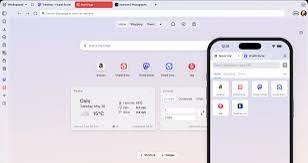
This is mostly a duplicate post regarding the BleachBit utility now including support for the Vivaldi browser for Windows and Linux. BleachBit is a free and open-source disk space cleaner, privacy manager, and computer system optimizer. Please note that I am in no way affiliated with BleachBit (other than being a user) and have received no compensation of any kind for posting this information.
My original post immediately followed the beta release of BleachBit that initially included support for Vivaldi. I am reposting for those of you that would rather use fully tested stable releases.
Here's a lightly edited version of my initial post:
_______________________________________
Some time ago, I reached out to the folks that develop BleachBit system cleaning, asking them to support the Vivaldi browser, specifically the "Vacuum" function which defragments the browser's SQLite data. Today I received word that Vivaldi is fully supported in the latest BleachBit beta release (5.1.2). (As stated above, BleachBit 6.0 (stable) includes support for Vivaldi.)
For those of you that face performance issues with Vivaldi, one thing that I suggest is defragmenting the SQLite data. In the past, I recommended the somewhat outdated Speedyfox app, so it's good to know that an actively developed, FOSS application is now available to perform this task.
With the recent news of Auto-Hide Interface being available in Vivaldi Snapshot releases, there have been several questions regarding Snapshots... what they are? how to get them? etc. Here's a brief tutorial on the topic of Snapshot releases:
(Note: Comments for this post should focus only on the general Snapshot topic, and should not be used to report issues found with Snapshot releases. Please use the specific version's release notes for reporting issues.)
What are Snapshots?
Think of snapshots as "beta" releases. The purpose of snapshot releases is to allow users a chance to preview upcoming changes, and to help ensure the quality of the latest fixes and improvements, before they are added to the stable release. If you prefer something that was already widely tested, stick with stable releases.
Where are Snapshot release downloads found?
There are several ways to navigate to the snapshot release installations. You can simply visit the Vivaldi Blog page, where both stable and snapshot releases are listed:
You can also check in r/vivaldibrowser, where new stable and snapshot releases are announced, along with a link (Open button) to that release.
Can Both Stable and Snapshot versions be installed on the same device?
On desktop systems, yes. On mobile devices, no. If Vivaldi stable is already installed on your desktop device, you can use the Snapshot Standalone installation.
What if I find a bug or other issue when testing a Snapshot release?
Issues that are specific to the Snapshot release can be reported in that release's post in the Vivaldi forum (requires a Vivaldi account). If the bug or issue that you have identified is not specific to that snapshot release, it should be reported using Vivaldi's standard bug reporting process.
Also, but sure to look for Known Issues before moving forward with installing or updating a Snapshot release. Generally, the known issues are nuisances and not show-stoppers, but you should use your own discretion before moving forward.
Any idea what other setting might be causing this? On both Android and PC browser, I will see a series of redirects, even with direct match turned off. Just now I entered Amazon.com but instead was sent to: vivaldi.com/bk/amazon and this is with every direct match setting I can find turned off. Is this just the default behavior?
Can you add the possibility to sync vivaldi browsers across our devices via a words channel code like Brave Browser does please? And not forcing an email.
I don't want to link my sync to an email account.
I like having words used to sync between devices.
This is the main thing preventing me from using Vivaldi as my main browser.
I was just checking for excessive IO writes on my nvme, due to that nvidia driver issue lately, and luckily i haven't found any excessive IO rites from nvidia apps/drivers...
But I found from your browser, that im using for years!
This is on windows 11 ltsc, with very few add-ons (basically ad-blockers) Version8.1.4087.70 (Official Build) (64-bit)
Chromium Version150.0.7871.253Extended Stable channel (may also include additional security patches)
ChannelOfficial Build
Platform / OSWindows 11 Version 24H2 (Build 26100.8246)
68 GigaBytes written in 3 hours of semi-activity (was off the pc for the most part)
Is this with some nvme selling deal that you made with manufacturers? You make our nvme`s wear off much faster, or what?
Have been monitoring situation with Firefox, and IO writes are waaaay lighter, more than 10 times with same usage case (several yt videos, same amount of tabs opened, same web sites...)
Btw, for the rest of you who want to check how is vivaldi wasting your nvme: Open Task Manager, go to Details, right-click a column header, select Select columns, and enable I/Owrite bytes*.* you should be able to see similar thing.
Wersja: 8.3.4191.47 (Wydanie oficjalne) (x86_64)
Wersja Chromium: 156.0.8078.110
Kanał: Wydanie oficjalne
Platforma / OS: Linux - cachyos 7.3.4-1-cachyos
Ścieżka pliku wykonywalnego: /opt/vivaldi/vivaldi
Wiersz poleceń:  /usr/bin/vivaldi-stable --enable-gl=desktop --ozone-platform=x11 --flag-switches-begin --flag-switches-end
I just discover and play with feature "Rules for new tabs",
But its UI is buggy (its connect is clipped),
and feature it self too, when I set rule to "start with",
then it didn't do that, instead it started to block me for moving tabs with
those urls to given workspaces,
This feature would way useful if we could not only do this for URLs,
but also with web page Title, I use my workspaces in way: topic - workspace.
I have to admit, Vivaldi has made some really impressive improvements, especially on Android.
Its new ad blocker is probably my favourite improvement. When set to Aggressive mode, it can block virtually all Facebook ads in my experience. That's impressive, considering how difficult Facebook can be to deal with when it comes to ads. The new blocking levels and custom filter list options also give users much better control.
At first, I honestly found Vivaldi's interface a bit messy and old-fashioned. But after using it for a while, I've started to appreciate its layout and features. It has grown on me, and now I actually enjoy using it.
Extension support is another big plus, making the mobile browser more flexible and useful.
The only thing I think really needs attention now is the UI. It still feels somewhat dated compared with modern browsers. It needs a more modern, polished and consistent design. The overall experience could be much better with a UI refresh.
Other than that, Vivaldi is moving in a great direction. Its Android version deserves much more recognition.
When you scroll far down the Reddit homepage on mobile, it's hard to access the header bar without scrolling all the way back up. This script fixes it.
It can be used on Vivaldi on Android with Tampermonkey. Click the Raw button to install.
version is 8.3.4191.47 (says newest as of posting time), using win11
Hey heyy i seem to have a problem with feeds for 3days ish now, i mainly use feeds for following reddit subs, but at that point i stopped receiving any update on them, new profile seems to do the same, i also tried turning off and on the feeds and it hits me with this:
when i try clicking restore it loads a few secs and then goes back to the same.
has there been any issues with the reddit feeds system? or is it my vivaldi?
Most times my workspaces are there when I boot the browser. I have the option to restore previous sessions upon start up set to on. I also use the "exit" feature when closing the browser.
Randomly, though, sometimes I open Vivaldi, and all of my sessions are gone. which is extremely inconvenient, as i set them up purposely to have them available as i need it. I end up having to reopen my tabs, as well as remember what was open bc it doesnt always save it in ny history either.
idk how to stop this issue. it has been happening for awhile. i keep Vivaldi updated so it's not bc its out of date. I cannot find anyone else having this issue online. im not sure how to fix this. this has been happening for awhile. thanks in advance for anyone who helps.
I am running version 8.3.4191.47 64-bit on Windows 11
so my set up is to have the tabs vertical on the right side of the screen and the adress bar with the extension is on the top.
it's already all very compact but i would like to be able to go into full screen mode and still keep the panel on the side with the tabs, that would be the best for me but i did not find said options in the already extensively customizable settings.
if anyone knows would be of great help, thank you for your time.
In this snapshot we bump through two more versions of Chromium (to 160), fix a couple of significant problems with the Ad Blocker, improve panel extensions and resolve some tabs issues.
Changelog
[Ad Blocker] Disable the Fanboy Social block list by default (VB-133253)
[Calendar] Improve the UX of the inline editor (VB-132123)
[Calendar][Panel] Shows “Add your first calendar account” after every start (VB-133191)
[Chromium] Update to 160.0.8157.0
[Crash][Menus] Opening context menu “Spellcheck → Language Settings” in form field (VB-133376)
[Crash][OOM][Ad Blocker] Normalize the data in the stats database to lower its size (VB-133436)