r/wowhardcore • u/Prestigious_Cap2724 • 5d ago
Forever Help needed, please read 🙏
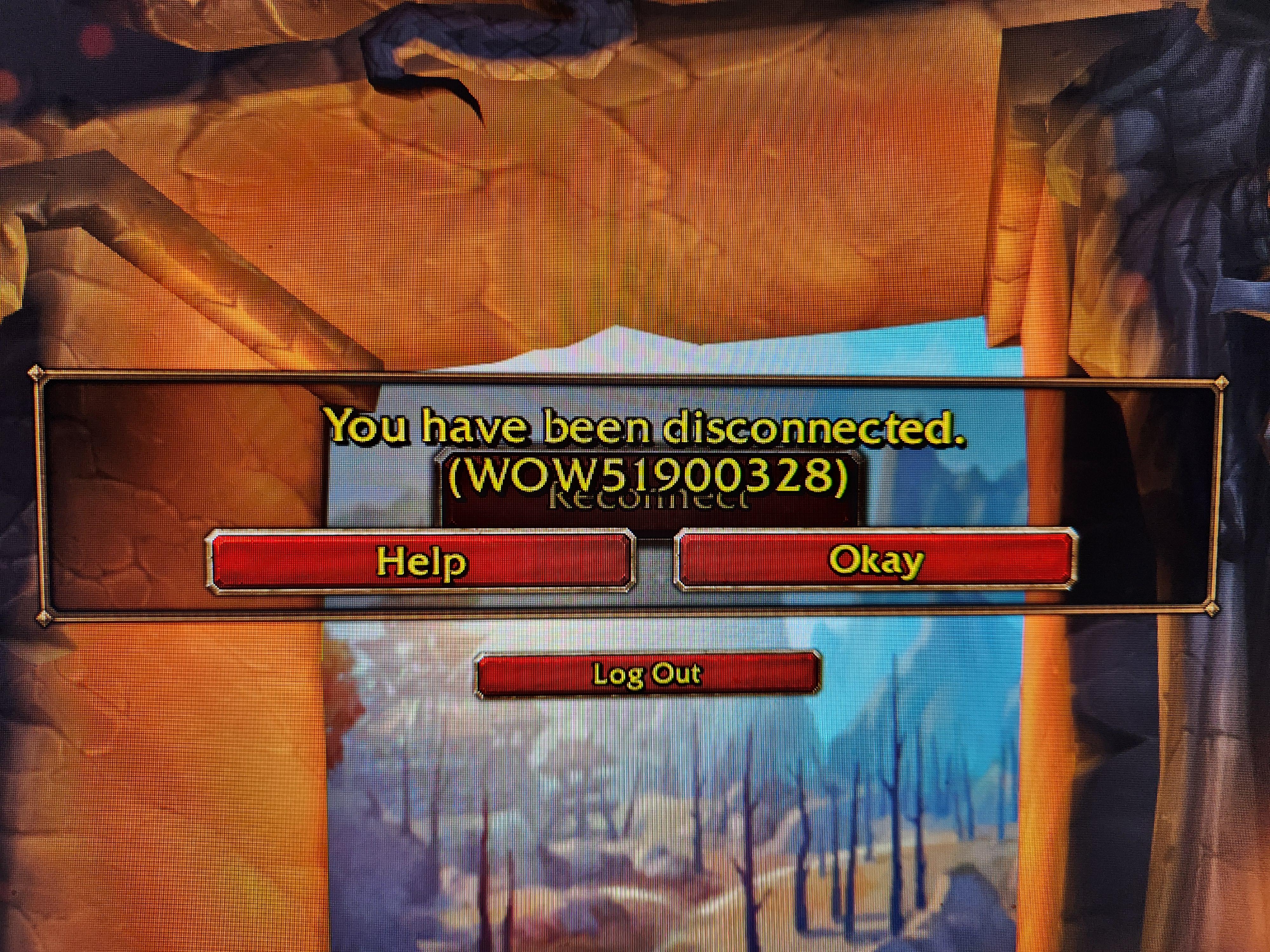
UPDATE: FIXED!!! Thank you everyone for the advice. What ended up working was installing a free VPN and launching it from there. No idea why this worked but I am so happy I found a solution 😁😁
I am trying to play wow forever and it worked for the first week or so. 3ish days ago I could not connect and keep getting this error message (pictured). I have googled, uninstalled/reinstalled, updated drivers, EVERYTHING that I've seen suggested, I have tried.
Does anyone have any other suggestions? Even off the wall ones are welcome, I am desperate at this point 😩
-sincerely a gal just trying to wow.
3
u/Significant-Net487 5d ago
Any chance you are booting up multiple instances of wow on your computer? Sometimes I'll click launch twice and it will auto disconnect me on the second attempt at launching the game.
4
u/Super_Mushroom9761 5d ago
Okay Iv been having this issue since beta and it took me quite a while to figure out how to get around. Reinstalling or repairing the game does absolutely zero and it’s NOT any type of interference with firewalls or antivirus (at least for me)
This isn’t a solution that’s going to fix it FOREVER but it can make it playable AND save your add-on set up without having to redo everything, every single time… I’m currently away from home so I’m doing all this from memory and I apologize if I miss something small.
1 - Create a desktop folder
2 - Open battle.net app. Right click on the cogwheel and select “Show in folder”
3 - Select the “World of Warcraft” folder then select the “Forever” folder then “WTF” folder then “AccountName” (it will be named whatever your accounts name is - not literally AccountName) then “Saved Variables”
4 - Copy and Paste everything in that folder into the NEW FOLDER YOU CREATED ON DESKTOP. Rename the folder with the current DATE. Eg - Backup Nov.19,2026
5 - Go back to the folder which has the “WTF” folder in it. Rename the “WTF” folder “WTFOLD”. Do this with “CACHE” and “INTERFACE” as well.
“WTFOLD” “CACHEOLD” “INTERFACEOLD”
6 - Exit out of all those folders and go to the battle.net launcher and launch WoW Forever. Let it run its course and allow the error message to occur.
7 - Reopen your “World Of Warcraft” folder then your “Forever” folder. Now you will have 3 new versions of WTF, CACHE, and INTERFACE folders. DELETE THE ONES THAT YOU RENAMED “OLD”
8 - Cntrl, Alt, Delete and exit ALL instances of WoW Forever AND BattleNet.
9 - Restart your computer
10 - Go into your New desktop folder and COPY everything you had previously pasted into it
11 - Reopen your WoW folder and navigate your way back into your “Saved Variables” folder like you did in step 3
12 - PASTE the information you copied back into the folder. You may get a prompt that says “there is already a copy of whatever whatever, would you like to REPLACE them?” Select Yes.
13 - Go to Curseforge or whatever you use to download addons and Select “reinstall” or “update” on all the addons that you had previously
14 - Exit out of your folders/Curseforge and launch WoW Forever and it should work as well as saving all the settings for the addons you had when you copied them into the backup folder you created. Your Sound setting in game will be back to default but that’s easy enough to fix once in game.
IF THIS DOESNT WORK - I had multiple versions of WoW downloaded on my computer even tho I only play Forever. I had to do the same process with each of these versions of the game even just to launch WoW forever. I simply uninstalled every other version of the game so I wouldn’t have to do it with these other versions.
It all sounds a lot more complicated than it actually is but once you figure out how to do it, it takes less than 5 minutes and I only have to do it every few gaming sessions. Annoying as fuck but it’s a work around.
Hope this helps.
1
u/Raymiing 5d ago
You didnt happen to only have the free week version right? You have a full paid subscription?
1
u/rainman_95 5d ago
Have you called blizzards account management?
1
u/mggirard13 5d ago
Are you in charge of your router or could your tech savvy parents have blocked Blizzard's IP?
2
u/Complex-Stretch420 5d ago
Check that you're connected to whatever zone you play in in Battlenet. I was connected to Americas as an EU player after a reinstall