r/CYBERPOWERPC • • 1d ago

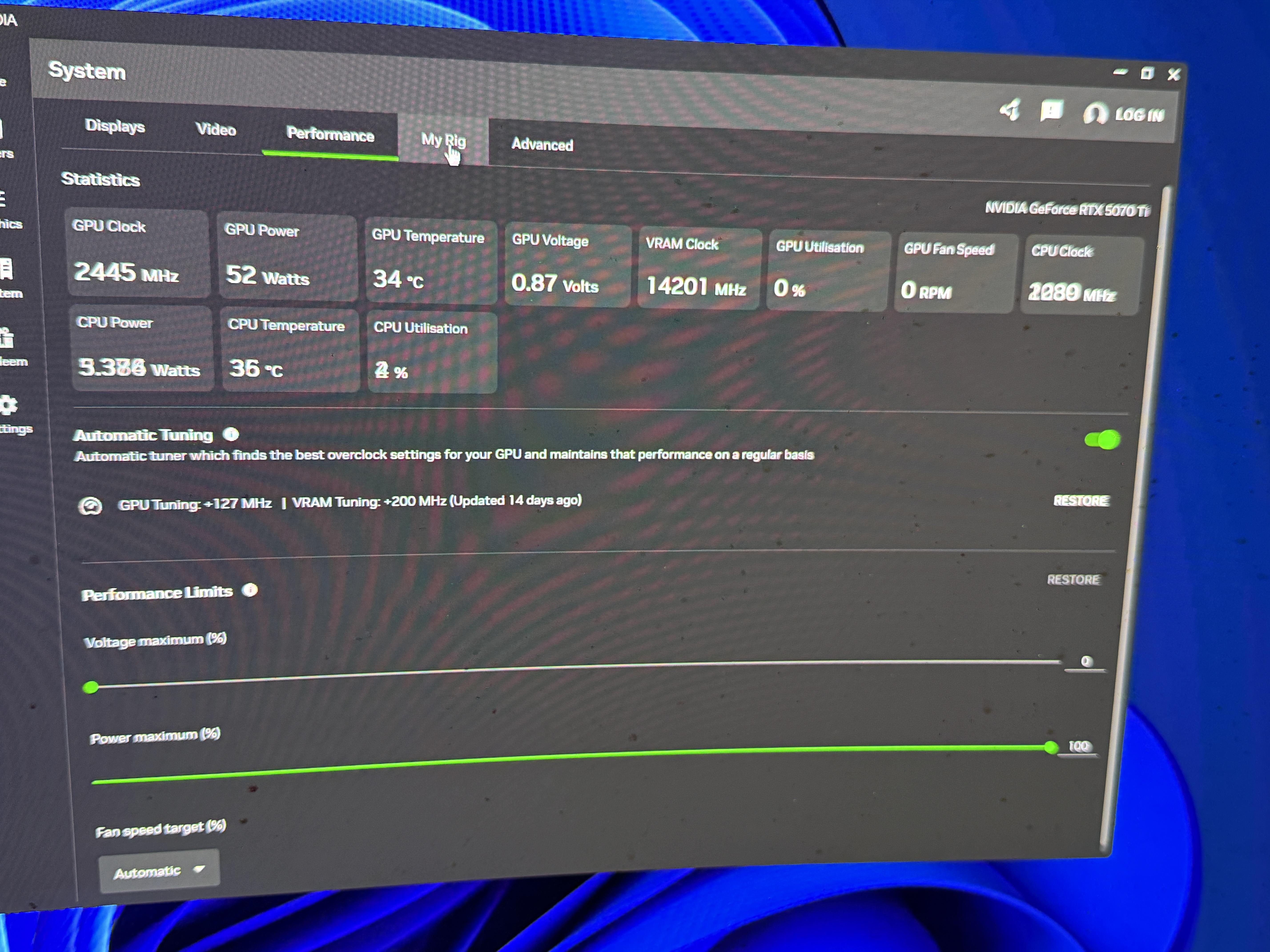
Discussion Nvidia app voltage/power. Does this look right? #cpsupport

Post image
4 Upvotes

I have a RTX 5070 ti and never changed or messed with these settings. Can anybody tell me if the voltage and power seems right? What does 0 mean on voltage. Thank you


r/CYBERPOWERPC • • 1d ago

Resolved Fan display not working need driver #cpsupport

Thumbnail
gallery
3 Upvotes

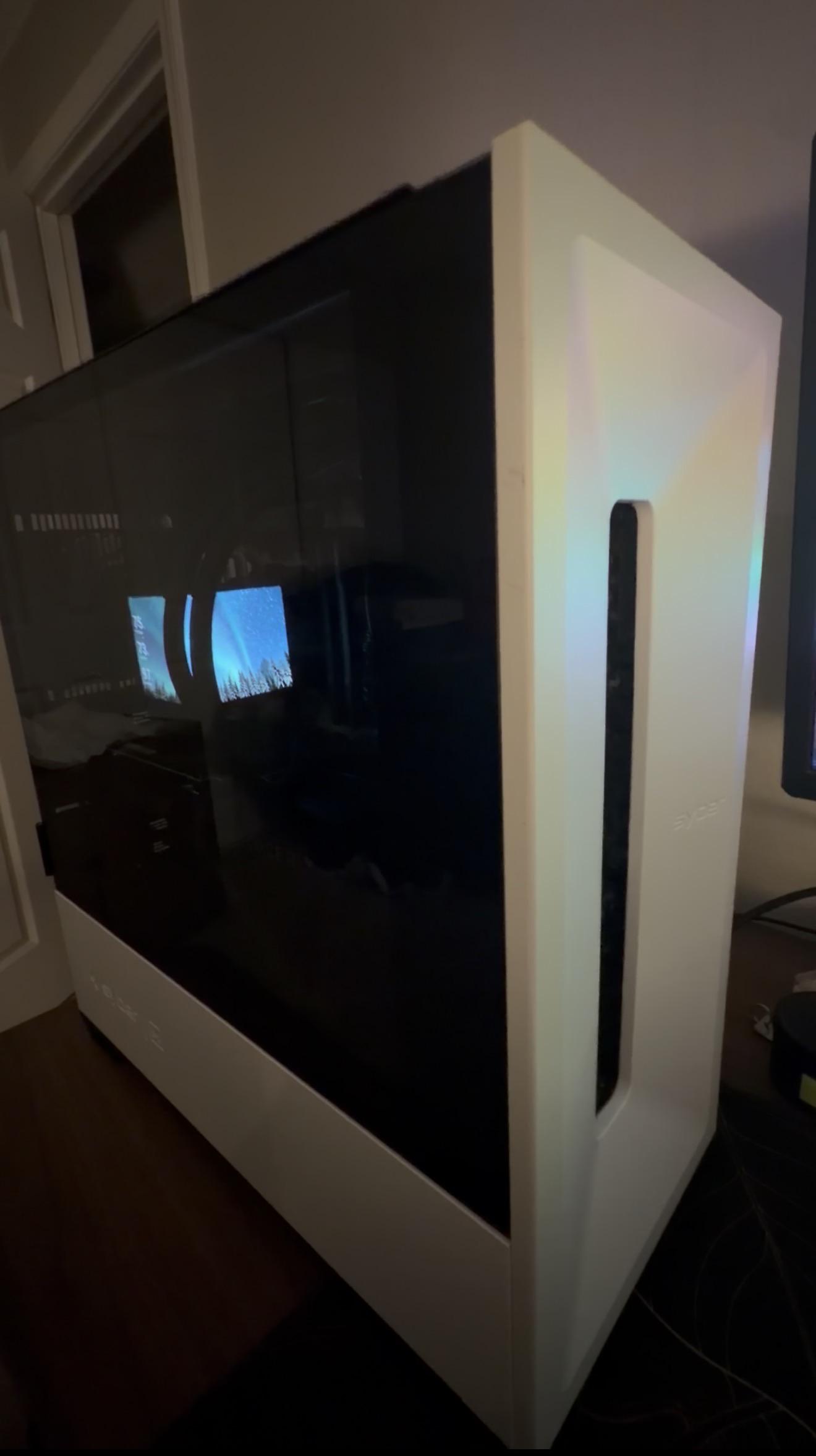
Had to reinstall windows. Microsoft removed drivers and programs during the reset. Need the driver back to run fan display. Sent email to support and after to emails the automated thing stopped responding. Any ideas where to get this driver? Publisher unlisted. Pics of it working, and list of removed programs.

UPDATE: CP customer support emailed back today. They sent a link and the fan display is back up and working!

THANK YOU CYBERPOWER FOR RESPONDING.


r/CYBERPOWERPC • • 2d ago

Setup Anyone active here that can help me set up my new pc? #cpgeneral

1 Upvotes

r/CYBERPOWERPC • • 3d ago

Question My RGB lights are not working. Press the button near the power button but still it won’t work. #cpsupport

Post image
4 Upvotes

r/CYBERPOWERPC • • 3d ago

Question Want to upgrade ram but dont know anything #cpsupport

Thumbnail bestbuy.com
1 Upvotes

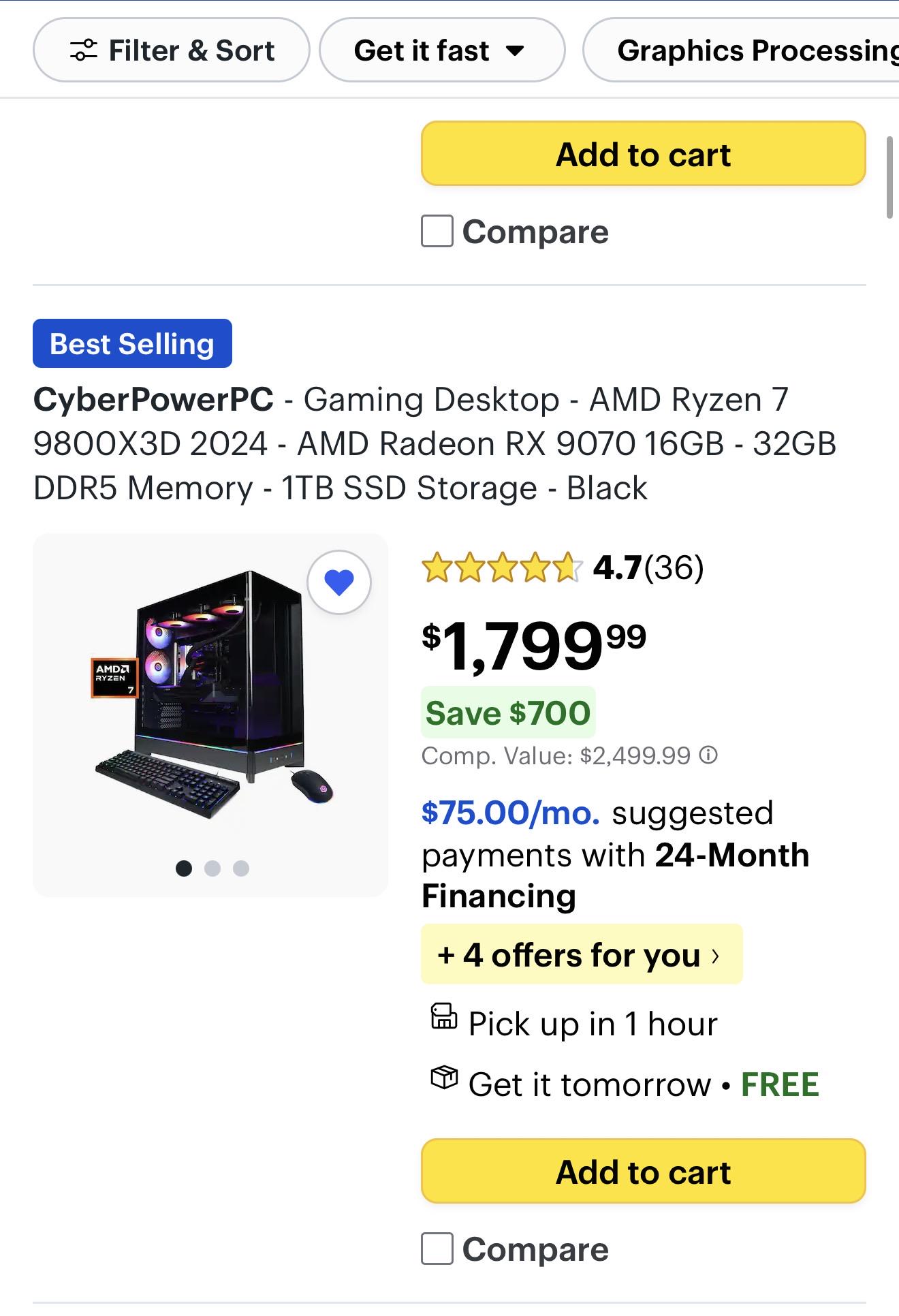
Hey I have this computer just bought, want to get another 16 or 32gb ram stick(s). But don't know which one is compatible. I know its ddr5 but currently i have 5600 megahertz installed. Will 6000 mghz work or does it have to be 5600? Let me know please! Thanks!


r/CYBERPOWERPC • • 3d ago

Issue New prebuilt not coming out of sleep/hibernation. #cpsupport

2 Upvotes

Hi, I just got a cyberpowerpc yesterday, and booted it up and everything seems to be running well. However, I noticed that when it goes to sleep, it does not come out of sleep, and requires me to hard reboot it. The pc will light up like it’s running but there is no signal to the monitor. There is also no power going to mouse/ keyboard either since their lights are out, but if I click on the mouse or hit a key it will light up but goes off as when I let go. I end up having to hold the power to restart and it’ll come back up.

Haven’t had a gaming pc for 20 years so pretty new to this generation.

Any help would be appreciated.


r/CYBERPOWERPC • • 3d ago

Issue #cpgeneral My fx 6300 keeps looping into Award Module

1 Upvotes

As the title says My PC for idek what reason is not letting me go To Windows (Windows 11) and it was just working last night

Is there something wrong? How can I fix this problem?

Sorry for the Camera


r/CYBERPOWERPC • • 4d ago

Setup Need help idk what to do #cpsupport

Post image
5 Upvotes

I just opened it up and took out the foam do I have to do anything else on the inside?

Can I just connect all the wires and turn it on?

Also there’s a bunch of lil parts in the bag…

I’m a complete newbie by the way this is my first PC

Please help 🙏

Thank you


r/CYBERPOWERPC • • 7d ago

Setup Need help tut #cpgeneral

Post image
3 Upvotes

I cannot for the life of me get this glass cover off so I can set up the inside of it. If someone has the same model or case can you show which screws is needed to get this off??


r/CYBERPOWERPC • • 7d ago

Question #cpgeneral help on power supply

2 Upvotes

I got a 5060 pc witha. R7 8700f. Its the gamer master line. It has a apevia 850w psu, and from what I've heard its pretty shitty. Should I upgrade sometime in the future or now just as a precaution?


r/CYBERPOWERPC • • 7d ago

Tech Support New GPU’s display not working #cpsupport

1 Upvotes

Specs:
-ASRock Z690 Phantom
-11th gen i9 UHD 750 integrated graphics (don’t remember exact model)
-(NEW) XFX Swift AMD Radeon RX 9060xt (2 DP 1HDMI)
-(NEW) 32gb(16x2) DDR4 tridentZ gskill
-Nonmodular Apevia PSU (ATX-PR800W)

Recently bought a XTX Swift 9060xt and new ram, and today when I installed it, I received no display from my monitor on either of the gpu DP ports or the HDMI port. The machine itself is a bit old being a cyberpower prebuilt I bought in 2022 and I’ve had problems with it in the past. The last gpu (a gigabyte 3070 ti) stopped working from what I assume is constant sagging for 5 years (i’m an idiot and didn’t know shit about computers when i bought it and still learning). Coming here to see if maybe there’s an easy fix I’m not seeing or something I don’t know about.

I tried my mobo’s different pcie ports, tried every dp and hdmi port the gpu has, tried different cables, different monitors and nothing seemed to alleviate the issue.

My most likely culprit is the motherboard. Weeks ago, I tested the pc with its integrated graphics, everything worked fine, and left it there, but today (before I installed anything) I booted the machine with no gpu installed and the iGPU wasn’t being displayed.


r/CYBERPOWERPC • • 7d ago

Issue New CyberPowerPC getting “USB Controller Resources Exceeded” with only 5 USB devices connected #cpsupport

4 Upvotes

I recently purchased a Skytech gaming PC and ended up exchanging it for a CyberPowerPC. Both computers were brand new, and all my USB devices worked fine on the Skytech. Since switching to the CyberPowerPC, I’ve been having issues.

PC specs:

  • CyberPowerPC Gamer Supreme (SLC4400BSDFV8)
  • Ryzen 7 9800X3D
  • Radeon RX 9070 16GB
  • Gigabyte B650M C V3-Y1 motherboard
  • 32GB DDR5-6000
  • Windows 11 Home
  • BIOS FA8d

USB devices connected:
All connected directly to the rear motherboard ports.

  • Razer BlackWidow keyboard (USB-A)
  • Razer Naga Pro wireless mouse (USB-A)
  • Razer mousepad (USB-A)
  • Astro A50 Gen 5 base station (USB-A)
  • External SSD (USB-C)

Windows is giving me this error:
“USB Controller Resources Exceeded. The controller does not have enough resources for this device.”

I’m also having issues with my Astro A50s. Windows recognizes both Game and Voice audio outputs, but only Voice produces sound. Game doesn’t work even when testing directly through Windows.

The exact same headset and peripherals worked without issues on the brand-new Skytech.

I’ve only completed Windows and driver updates and installed Gigabyte Control Center, Razer Synapse, Logitech G HUB, Battle.net, Discord, and CurseForge. No BIOS changes, overclocking, or hardware modifications.

I’ve tried different USB ports, reinstalling the Astro audio device, resetting the headset, updating drivers, and changing Windows audio settings. Nothing has fixed it.
Device Manager also shows warnings for AMD PSP 11.0 and TPM 2.0. Not sure if that’s related.

Has anyone dealt with this on a Gigabyte B650 motherboard or AMD system? I’m trying to figure out whether it’s a driver issue, something I’m overlooking, or a problem with the new PC that warrants an exchange


r/CYBERPOWERPC • • 8d ago

Question What is the case model? #cpsupport

2 Upvotes

(This is my first post on this sub, tell me if theres any extra info I need to add)

What is the case model? I cant tell.

Model:

CyberPowerPC Gamer Master Gaming PC, AMD Ryzen 7 8700F 4.1GHz, GeForce RTX 5060 Ti 8GB, 16GB DDR5, 1TB PCIe 4.0 SSD, WiFi Ready & Windows 11 Home (GMA2900A2)

Yes, i did also check all the stickers on the back of the pc, I still cannot figure out the case model.


r/CYBERPOWERPC • • 8d ago

Question New PC has no obvious place to add 5.25” disks. #cpsupport

2 Upvotes

Can anyone recommend where in the case I can mount a pair of 5.25” disks? I have 2x 18TB data disks from an old PC that I need to use with the new PC.
Am I going to be forced to buy an external USB-C enclosure?
I would have expected the case, mb and ps to supporting adding disks.

update - I meant 3.5" disks, not 5.25" (these are not optical drives)

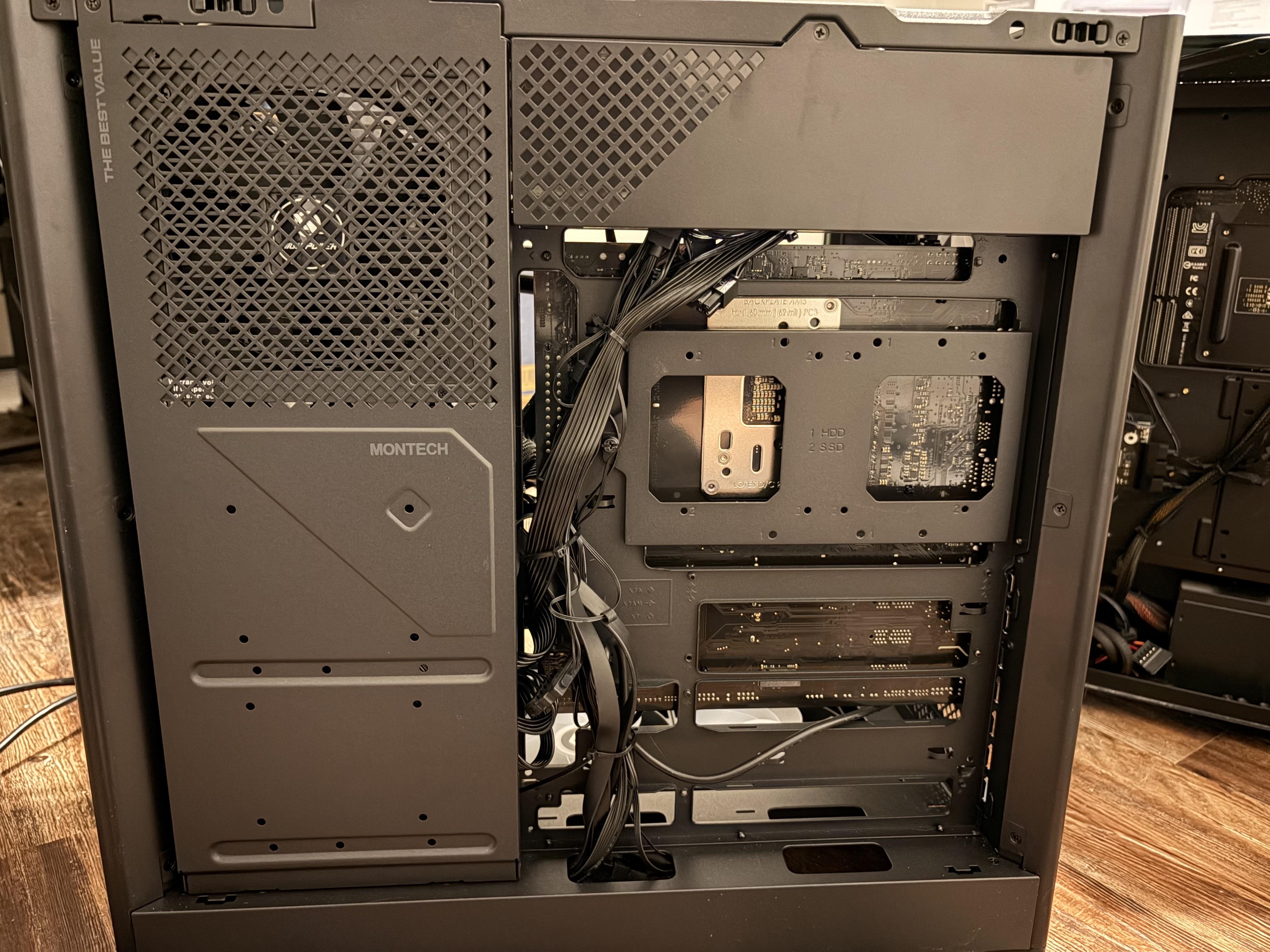
Update 2 - AI explained where to look, once it determined the exact case I had. Turns out there are 2 spots - one each on 2 separate brackets behind the MB / PSU. Apparently I’m spoiled by the old days when I built my own and had manuals for everything. This build came with almost no instructions on how to do anything.


r/CYBERPOWERPC • • 9d ago

Issue CyberPowerPC prebuilt randomly hard-freezes, even inside BIOS. Repeated POST beeps, Boot Failure Detected, and intermittent no-POST. Faulty PSU, RAM, or motherboard? #cpsupport

4 Upvotes

Hi everyone,

I'm experiencing increasingly severe stability problems with my CyberPowerPC prebuilt desktop. I've been troubleshooting it for several days, but I haven't been able to isolate the faulty component.

PC specifications:

- CPU: Intel Core i7-12700KF

- GPU: Gigabyte GeForce RTX 5070 12 GB

- Motherboard: Gigabyte B760 GAMING X WIFI6E GEN5

- BIOS: F2 (19 June 2025)

- RAM: 32 GB (2 × 16 GB) ADATA DDR5-4800, part AD5U480016G-B

- PSU: InWin B65E 650 W, 80 PLUS Bronze (original CyberPowerPC PSU)

- Main SSD: ADATA LEGEND 700 1 TB NVMe

- OS: Windows 11

  1. Complete system freezes

The PC randomly freezes after varying times of stable operation. sometimes 2 hours or even the first 5 mins since boot and sometimes even in BIOS it would just randomly freeze on the last shown frame on the desktop display..

What exactly happens:

- The monitor remains on, displaying the exact last frame.

- The Windows clock stops updating.

- Keyboard and mouse become completely unresponsive.

- TeamViewer can no longer connect to the PC.

- The system does not show a BSOD.

- The PC sometimes remains frozen until I manually force a shutdown or restart.

- The GPU continues outputting the frozen image to the connected monitor.

This is not just Blender or another application crashing. The entire system appears to hang.

2. Freezing inside BIOS/UEFI

The same kind of freezing has occurred inside the BIOS interface, before Windows loads.

This is the most concerning symptom because it suggests the problem isn't limited to Windows, installed drivers, or corrupted system files.

3. POST failures and repeated beeps

The PC has also developed intermittent startup problems.

I've observed:

- Four short POST beeps on one startup, followed by a successful Windows boot.

- Three short beeps repeated approximately three times on another startup.

- The motherboard displaying "Boot Failure Detected."

- Sometimes the PC powers on with internal lights illuminated, but initially shows no BIOS screen, no display output, and no audible POST beeps.

- After a delay or subsequent initialization attempt, the Boot Failure Detected screen appears.

- Selecting Load Optimized Defaults and Boot sometimes allows Windows to start successfully.

I've also noticed a yellow/amber light near the CMOS battery, but I haven't positively identified which motherboard indicator it is.

4. Windows diagnostic evidence

I collected Windows Event Viewer, Reliability Monitor, WHEA, and hardware diagnostics.

Findings include:

- Kernel-Power Event 41 and EventLog 6008 after unclean shutdowns.

- Many of these may be consequences of manually forcing a restart after a hard freeze, rather than evidence of spontaneous power loss.

- A WHEA-Logger Event ID 1 fatal hardware-error record containing Intel Crash Log Technology / PMC diagnostic data.

- No specific faulty component identified by that WHEA record.

- Some NVMe administrative-command timeouts and USB storage-related errors.

- Windows update and recovery problems, including a failed cumulative update and a failed cloud reset attempt.

I also observed the RTX 5070 negotiating PCIe 5.0 x8 under a GPU-Z render test, despite the card and primary motherboard slot supporting x16. I haven't established whether this is related.

5. Troubleshooting already performed

- Loaded BIOS Optimized Defaults several times. This temporarily restored functionality but did not permanently solve the problem.

- Disabled DDR5 performance-enhancement settings during troubleshooting, but later restored defaults.

- Tried Windows Safe Mode and clean boot. These appeared to help temporarily, but the freezes returned.

- Investigated Windows corruption and attempted recovery.

- Checked CPU temperatures; approximately 30°C in BIOS, with no evidence of CPU overheating.

- Checked SSD health; no confirmed internal SSD media failure.

- Identified the original PSU as an InWin B65E 650 W.

- MemTest86 has been recommended but I haven't completed a four-pass test yet.

- I haven't tested a replacement PSU or individual RAM sticks yet.

6. Current hypotheses

I'm considering:

  1. Faulty motherboard or motherboard power delivery.
  2. RAM instability, memory-controller issues, or failed DDR5 training.
  3. Faulty or unstable InWin B65E PSU.
  4. BIOS/firmware instability.
  5. GPU or PCIe-related hardware fault.

The computer sometimes boots normally and works for a while, but then hard-freezes again. Startup reliability also seems to have deteriorated.

I'm considering replacing the InWin B65E with a Corsair RM750e (2025) 750 W ATX 3.1, but I don't want to spend money replacing parts unnecessarily.

Questions

Given that the PC also freezes inside BIOS and intermittently fails POST, would you prioritize testing the PSU, RAM, or motherboard?

Has anyone experienced similar symptoms with this Gigabyte B760 motherboard, ADATA DDR5 memory, or InWin B65E PSU?

Could this be a memory-training or BIOS issue rather than a physical hardware defect?

Any suggestions for the most useful next diagnostic test would be appreciated.

I can provide Event Viewer logs, WHEA records, motherboard photos, and videos of the POST behavior.

Region: Germany.

r/CYBERPOWERPC • • 9d ago

Question #CPsupport Strange firmware(?) files appearing in Downloads folder (BIOS.ini & Drvdata)

2 Upvotes

I just recently bought a CyperPowerPC computer with a Gigabyte motherboard around a week ago and I noticed these weird files in my Downloads folder. I haven't been to any weird sites or installed anything odd. I don't believe they're from anything malicious but does anybody know what these are for? They seem to change their modification time every time I boot up my computer.


r/CYBERPOWERPC • • 9d ago

Question CPU cooler display not lighting up gma7300wst v2 #cpsupport

Thumbnail
gallery
3 Upvotes

This morning when I turned on my pc i noticed the display that shows my temp wouldn't come on. The CPU cooler app thats installed for it shows no data either when you open it, all zeros.

Ive had no problems with my pc other than this today, after i couldn't find much after googling except that many of these models have loose plugs that turn the rgb lights off sometime.

any help is appreciated.


r/CYBERPOWERPC • • 10d ago

Question is there any specific app or something to turn off the RGB For the fans? #cpgeneral

3 Upvotes

can sm1 lmk what I can do to turn the RGB for the fans off?


r/CYBERPOWERPC • • 10d ago

Discussion #cpgeneral

Post image
3 Upvotes

I was gifted this brand new maybe almost 2 years ago. Any thoughts?


r/CYBERPOWERPC • • 10d ago

Question #cpsupport

1 Upvotes

I have the pc slc9000bstv4, it has only 3 rgb fans on top rest arent, is this normal or not?


r/CYBERPOWERPC • • 10d ago

Question Cyberpower pc hasnt come in yet #cporders

3 Upvotes

Ordered it october 28th and estimated shipping date was nov 5th. Its the 17th and it still says in progress only. I ordered the syber GRVTY mainstream gaming pc with a 5070ti and 7800x3d. Is this a common theme for shipping time?


r/CYBERPOWERPC • • 11d ago

Question Question regarding motherboard-controlled RGB #cpsupport

3 Upvotes

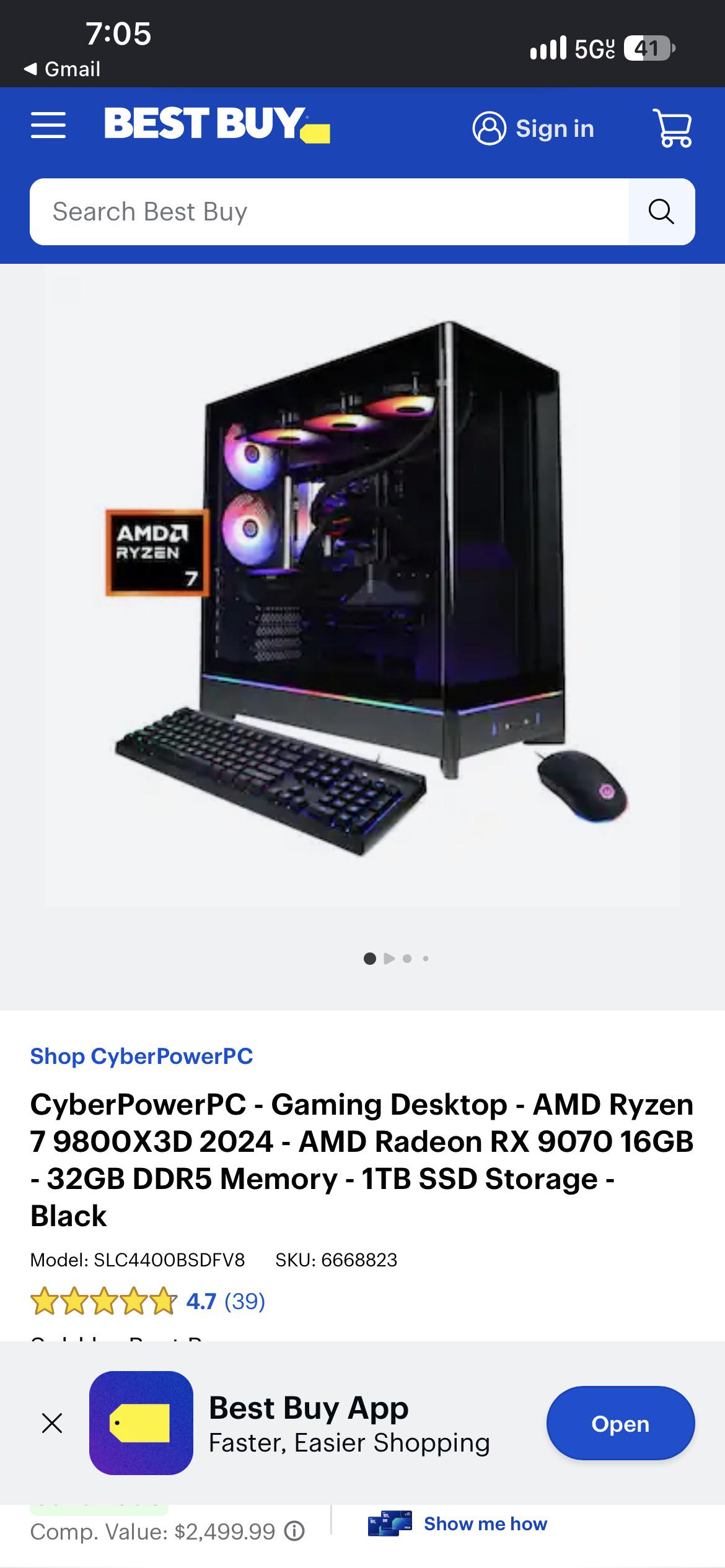
I recently bought this PC(https://www.bestbuy.com/product/cyberpowerpc-gaming-desktop-amd-ryzen-7-9800x3d-2024-amd-radeon-rx-9070-16gb-32gb-ddr5-memory-1tb-ssd-storage-black/J3L7GQWRZC/sku/6668823).

Currently RGB shuffles through a preset number of modes controlled via the reset button on the case. I would like to connect it to the motherboard and control it through software.

I did some digging and found that the RGB controller is a basic PCB that does not support motherboard wiring. I was thinking to buy a cheap controller and replace it but for the life of me cannot figure out whether the existing RGB on this PC is a 12V RGB or 5V ARGB. The ports on the PCB seem to be inline with a 3-pin ARGB layout but there’s no way to be sure. Could anyone confirm?


r/CYBERPOWERPC • • 11d ago

Question Installing HDD in new pc #cpsupport

Post image
1 Upvotes

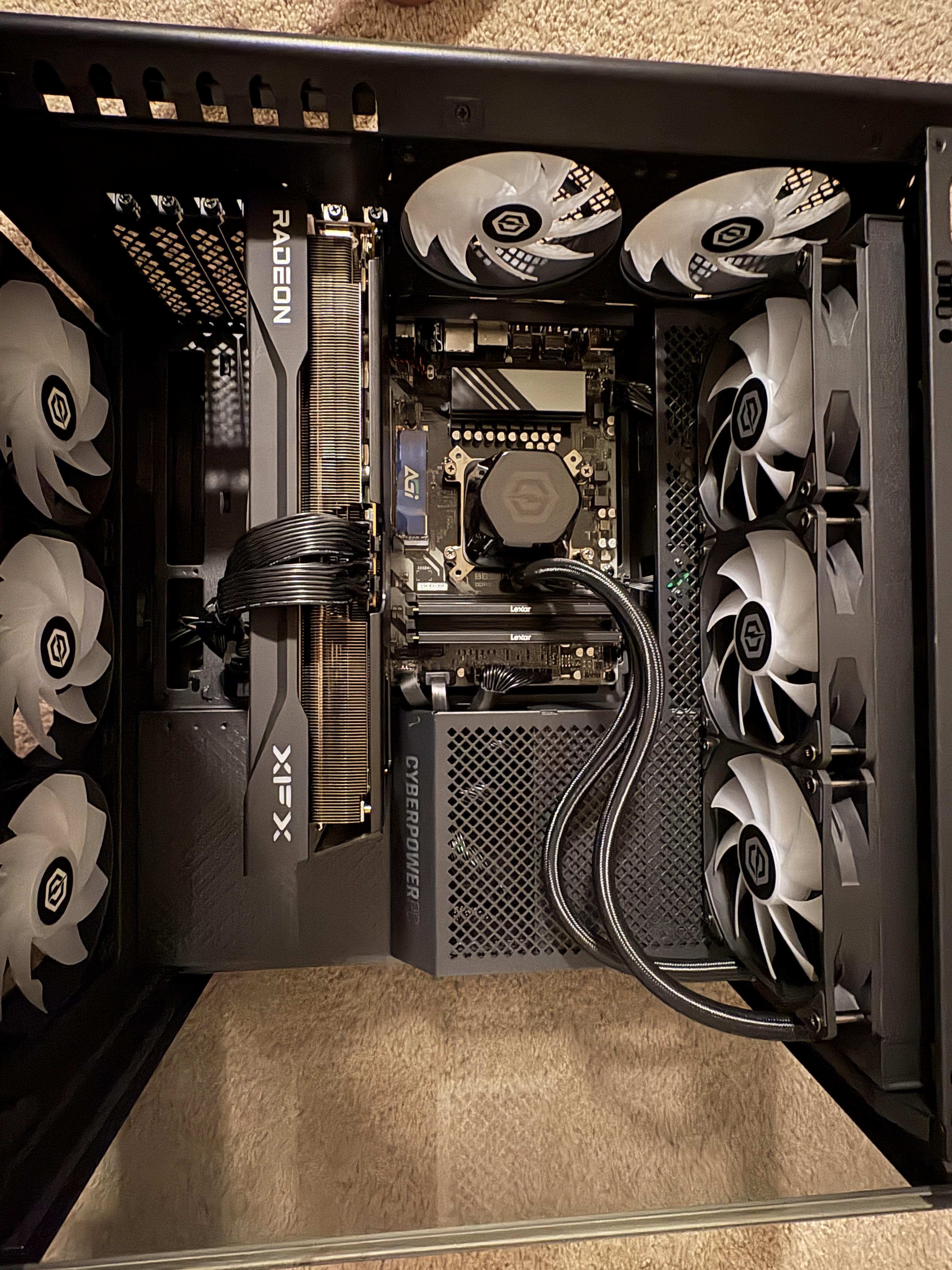
I just purchased this ( https://www.bestbuy.com/product/cyberpowerpc-gaming-desktop-amd-ryzen-7-9800x3d-2024-amd-radeon-rx-9070-16gb-32gb-ddr5-memory-1tb-ssd-storage-black/J3L7GQWRZC/sku/6668823 ) pc and was planning on moving my two 3.5 HDDs from my old pc into the new one but I’m not seeing any drive bays anywhere. It says on the listing that it included two 3.5 bays… Can anyone help?


r/CYBERPOWERPC • • 11d ago

Question Does anyone else have this case? Not sure if I like it… #cpgeneral

Post image
0 Upvotes

This is the Syber M3 Mid-Tower Gaming Case w/ Tempered Class & Swing Door Panel. I’m happy with the parts inside that I selected (5080, 9800x3d, 32g DDR5 ram), but I’m kinda regretting the PC case due to the front of the case having a small slit for air intake. The case comes with 3 ARGB fans in the front. Then I have my AIO radiator, and behind it are 2 “be quiet! Silent Wings 4 120mm PWM - 1600 RPM Premium Low Noise Cooling Fan”s. That small slit seems like a terrible design flaw for air intake, and when playing Cyberpunk on ultra (ray tracing on low), the fans are pretty loud. For comparison, my older 3080 PC would run the same settings and wasn’t this loud. I have 3 more of the “be quiet” fans at the top of the case for exhaust, and they put the last “be quiet” fan at the rear, which is another intake fan.

Does anyone else have this case and feel like it is loud? My bios, chipset, gpu drivers, ram speed etc are all updated, so idk. This case’s design seems bad, but I also don’t know the physics of airflow here.