r/Calibre • • 2d ago Heartwarming

Patch Notes v 9.19

48 Upvotes

https://calibre-ebook.com/whats-new

Release: 9.19 [21 Nov, 2026]

New features

  • Edit book: Add grammar checking and suggestions for rewriting sentences Grammar, style and typography issues are underlined in the code view as you edit, with suggested corrections available by right clicking. Tools->Check grammar lists the issues in the whole book, allowing them to be corrected, ignored or their rules disabled. For English text, a neural network can also suggest rewrites of sentences for grammar, fluency, clarity, simplicity, formality or paraphrasing. The data needed for checking a language is downloaded, with confirmation, when first needed. All processing is local to your computer and no AI is used.
  • PDF Input: Greatly improve detection of paragraphs, headings and columns Paragraphs that continue across columns and pages are joined, headings wrapped onto several lines are joined, words split over two lines are de-hyphenated, columns with narrow gutters are detected and running heads such as chapter titles are removed.
  • Content server: Allow downloading metadata and covers in the book metadata editor
  • Content server and E-book viewer: Many more accessibility improvements for keyboard and screen reader users, including dialogs, the footnote popup, the Read aloud and audio ebook controls, the color scheme and selection bar settings and rating books at their end
  • Content server: Allow non-ASCII passwords Closes tickets: 2173690
  • Get books: Use a browser to search the Amazon stores, so that stores other than Amazon US return results Closes tickets: 2173873
  • Conversion: Speed up building large Tables of Contents and splitting large HTML files for EPUB output
  • Edit book: Check book: Speed up fixing many link and id errors
  • Auto-add: Improve detection of files that are still being downloaded Closes tickets: 2173688

Bug fixes

  • Fix a regression in 9.16 that broke restoring the sort of the book list when it included fields that cannot be sorted on Closes tickets: 2173593
  • RTF Output: Fix nested lists and other nested block elements being run together into a single paragraph Closes tickets: 2173530
  • RTF Input: Fix conversion of files using East Asian, Thai and Vietnamese code pages
  • ebook-meta/ebook-convert: Fix the --rating option being interpreted as out of ten instead of a number of stars
  • Edit metadata dialog: Fix setting metadata from a format doubling the rating
  • Edit book: Check book: Fix case mismatches in the OPF manifest causing the auto-fix to delete the file Closes tickets: 2173877
  • Polish book: Fix updating the cover adding a new cover page each time
  • Fix extracting the cover from calibre generated SVG cover pages
  • Fix setting the title of EPUB 3 books whose first title is a subtitle
  • Conversion: Generate valid ids for non-ASCII Markdown headings
  • PDF Input: Fix Table of Contents entries that link via JavaScript actions
  • Heuristics: Preserve page anchors when dehyphenating across pages
  • Fix reading damaged ZIP files whose data descriptors lack a signature
  • PDF metadata: Fix escaped strings being carried over from corrupted XMP metadata
  • Decode numeric HTML entities as specified by HTML5
  • Kobo driver: Handle boolean columns stored as either text or integers Closes tickets: 2173828
  • MTP driver: Show a clearer error message on Windows when the device stops responding
  • Fix icons in the system tray menu showing as missing on some Linux desktops Closes tickets: 2174504
  • E-book viewer/Edit book: Fix the close button in the Inspector toolbar not working Closes tickets: 2174668
  • Content server: Fix changed covers not being shown until the page is reloaded
  • Content server: Fix an error when pressing OK while editing a rating or enumeration whose value is not one of the choices
  • Metadata download: Fix camoufox being downloaded over and over when installing it fails

New news sources

  • Various Swedish, Finnish, Sami, Meänkieli, Romani and Yiddish news sources by Jonatan Nyberg

Improved news sources

  • Dagens Nyheter
  • Dagens Industri
  • Ekot
  • Fokus
  • Live Law

r/Calibre • • 10m ago

Support / How-To How do I change a specific book's book folder?

1 Upvotes

Every book is stored in their own individual "book folder" within the Calibre Library. It's where the data, cover, metadata, and the book file itself is kept.

Viewing the book folder is easy as hell. Click on any book, and, on the right side of the screen, you have Authors, Series, Ids, ect. At the bottom is Folder, and clicking on it opens the file path right up in File Explorer.

Or you can right click the book, hover over "Open book folder", and, well, click Open.

But how do I change what book folder it's pointing to?

I have the whole Maze Runner series, and, within the files, the Book Folders are all messed up. The first book was labeled "The Maze Runner (3)" and I hoped to just change it to "The Maze Runner (1)", and, now, an hour deep of tinkering, it's "The Maze Runner (68)".

All I want to do is just get it to point at (1) and not (68), and it seems fucking impossible to do the simplest damn thing. What am I missing, or is it actually impossible to make this simple change?

r/Calibre • • 47m ago

Support / How-To Is there a way to allow anonymous user to edit metadata?

1 Upvotes

Hi, is there a way to allow anonymous users accessing the calibre web interface to edit the books metadata?

Sorry for my awful English it's not my first language.


r/Calibre • • 2h ago

Support / How-To Odd error using Fanficfare

2 Upvotes

I've been using Fanficfare to download fanfics into Calibre. It's been working perfectly well, but I'm now getting an odd error with one specific work. https://archiveofourown.org/works/93381091

No problems with any other work I was updating at the same time.

The error is:

Bad Story URL: (https://archiveofourown.org/works/Liz_060) for site: (archiveofourown.org) Example: (https://archiveofourown.org/works/123456 https://archiveofourown.org/collections/Some_Archive/works/123456 https://archiveofourown.org/works/123456/chapters/78901)

It seems to think the URL I'm trying to use is https://archiveofourown.org/works/Liz_060, which is wrong and doesn't exist.


r/Calibre • • 4h ago

3rd Party Tool / Client I made an app that syncs books wirelessly and automatically from Calibre-Web, Kavita, Komga, Bindery (any OPDS server) onto your Supernote (No KOreader needed)

Thumbnail reddit.com
2 Upvotes

r/Calibre • • 10h ago

Support / How-To Fanficfare configuration - What did I mess up?

2 Upvotes

Hi!

I recently followed this amazing guide "Calibre + FanFicFare Optimization Guide" to set up fanficfare and I thought I followed it to a t but all my custom columns are empty so I assume I probably made a dumb mistake somewhere...

So I made the columns, I configured fanficfare according to the guide and I also edited my personal.ini according to the guide

I already had many epubs downloaded so when everything was ready, I tried both "get story url from selected books" and "update existing fanfiction books". It seemed to work, everything was loading well, but when it finished loading, nothing was added to the columns. The only thing that seemed to change was that the little colourful pins appeared next to the numbers.

Anyone know where I might have messed up?


r/Calibre • • 14h ago

Support / How-To Calibre and the new kindle signature edition

2 Upvotes

Im new to calibre, so I don't know if its something with the software. I loaded books from calibre to the signature edition kindle, but none of the covers transferred over. Does anyone know how to fix this? Or has anyone else run into this problem?


r/Calibre • • 19h ago

Off-Topic / Not Calibre Specific How do I make Calimob scroll vertically instead of pages?

0 Upvotes

Hi, so I came across Calimob which i believe uses a Calibre-type system but for Android/mobile? I like the filter system etc, and while I have to convert my files from MHT to PDF I can live with it.

Problem is it's formatted as a page-by-page book, and i prefer the vertical scrolling format most fanfictions use. I found an old thread about Calibre and a string of code to use in the "ebook preferences" but cant find a similar setting in Calimob.

(I've also tried Fictionly but can't get the filters to work)

Any advice is much appreciated, apologies if this does not fit the subreddit, I couldn't find any info anywhere about Calimob..


r/Calibre • • 19h ago

Support / How-To Is there a way to clone my Calibre to a new device?

2 Upvotes

I'm getting a new laptop on Wednesday, and I would sure hate to lose my calibre interface. I'm using an older version and I'd like to keep it - I also have D DRM and I'd like to keep that, too.

Will a microsoft backup contain all of my calibre information?

Any suggestions? Thanking in advance.


r/Calibre • • 1d ago

Support / How-To keystroke to access Calibre's main toolbar

2 Upvotes

I'm on Windows 11, and since I'm blind, screen reading technology and keystrokes is how I function on the computer. I'm surprised I haven't found this yet, considering I have either accidentally or on purpose, discovered the keystrokes for most functions. I also can't find the menubar, either; what used to be accessible via the Alt key. I'm running latest Calibre with latest Windows 11 Enterprise.

What initially brought this up is that I recently installed the Readest plugin to sync my Calibre library with Readest, and I'm not able to log into it since I can't find the button anywhere, or nowhere that's obvious. So any sort of help would be appreciated, because it feels like I'm missing something.


r/Calibre • • 1d ago

Support / How-To I want to browse my Calibre library from my Android phone to choose a book (no downloading/reading on the phone, all my books are already on my Kobo). I have a lot of tags and custom columns I sort through when picking a book. What's the simplest way?

3 Upvotes

r/Calibre • • 1d ago

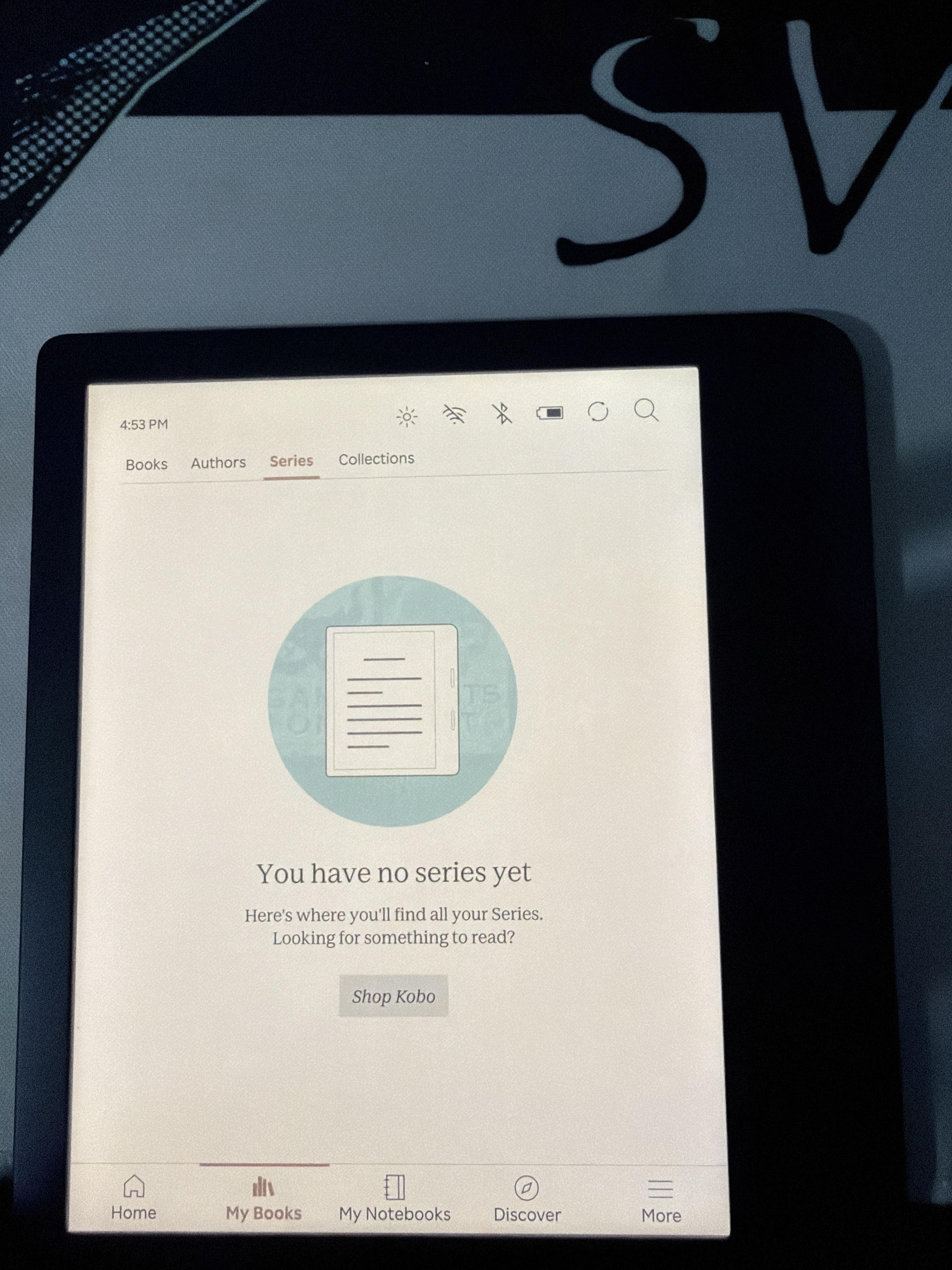
Support / How-To New to kobo

Post image
2 Upvotes

r/Calibre • • 1d ago

Support / How-To Petit problème Calibre sur la kindle

Thumbnail reddit.com
0 Upvotes

r/Calibre • • 2d ago

General Discussion / Feedback Making Calibre aesthetically pleasing

Post image
97 Upvotes

I've been running Calibre on my main rig, and I have content server running off of it, so I can access it from anywhere.

However, Calibre, while having excellent integration with Plasma, has never looked like it was part of the overall dark theme. So I changed up some settings, and I'm loving it now.

What I did:

  1. Here is the main settings that shows all the options, font, font size, corner rounded settings, etc etc. The Aptos font is excellent and very readable. I used the narrow version for a clean and compact look throughout the GUI.
  2. Download the Flat Design iconpack and install it. This can be done using Calibre's built in icon theme browser found in Preferences/Look and Feel.
  3. Hid the Search bar using the Layout button/Hide Search bar option.
  4. Organized all of my tags. If you want nestled tags like mine, just use periods in the tags. For example, for comics, I start the tag with comics and follow that with a period for subsequent tags. For example, for the Defiant comic series, I use the tag Comics.Star Trek.Defiant

For plugin icons that don't have icons in the Flat Design pack from the Calibre icon store, it's easy to modify the icons on the toolbar so they don't stand out like a sore thumb with bright colorful icons that don't match the flat black/white icons on the rest of the toolbar. What I did:

  1. Go to flaticon.com and search for icons for your plugin. For example, for my modify epub plugin, I just searched for epub and picked an icon that I liked. Download the .png
  2. Use Gimp or PS to invert the icon so that it matches the dark theme, if you have a dark theme like I do.
  3. Overwrite the .png.
  4. Go the Calibre configuration folder by going to Preferences/Miscellaneous/Open Configuration Folder
  5. Go to the plugins folder and find the .zip file for your plugin. For example, for Modify epub, this would be modifyepub.zip
  6. Delate and replace the .png file in the images folder within the zip. Make sure the replacement has the same name.

The process is pretty much the same for every plugin.


r/Calibre • • 2d ago

Support / How-To Ajout série

0 Upvotes

Bonjour,

J'ai télécharger des mangas en pdf pour mon fils. Une première tentative de transfert via "send to Kindle" a bien envoyé les pdfs dans la bibliothèque mais ils apparaissent comme des livres séparés (40 tomes, ça me pourri clairement ma bibliothèque 🫠)

Donc voulant les regrouper, j'ai édité les métadonnées via Calibre pour pouvoir y enregistrer une série et ainsi qu'ils soient dans un seul dossier.

C'est chose faite, mais que j'envoi en format PDF ou Epub via "send to Kindle" ou en PDF, Epub, AZW3 directement dans ma kindle les tomes restent indépendants les uns des autres. Je désespère un peu.
Savez-vous comment je peux faire s'il vous plait ?

Je vous remercie,

Mélissa

Modèle Kindle Scribe Colorsoft - Calibre version 9.18


r/Calibre • • 3d ago

3rd Party Tool / Client JustRead 6.0 (paid iPhone/iPad reader): three Calibre changes

Post image
0 Upvotes

AI CONTENT DISCLOSURE
Claude is used for design iterations, translations, writing code for bug hunting and for performance testing.

Hello to all, developer of JustRead here, a short post: 6.0 has three Calibre changes, all from user requests:

  • If JustRead reads your Calibre library folder (say in iCloud Drive), editing a title or author in Calibre no longer turns the book into a new one. As you know, Calibre renames the folder and the file, and JustRead now matches the book by its Calibre number, so it keeps its place, highlights, bookmarks and reading time.
  • Content server: a new switch, Remove Books Deleted in Calibre, off by default. With switch on, a book you delete in Calibre goes to Recently Deleted on the phone, where you can restore it for 30 days.
  • A book downloading from the content server keeps downloading when you lock the phone or switch apps.

Thanks are going to all JustRead+Calibre users who are still having ideas. Thank you.

Full changelog here.


r/Calibre • • 3d ago

Support / How-To access to libby borrow files

0 Upvotes

does anyone know if there is a way to access the books you borrow from libby from the kobo device itself? my manga that i borrow from libby does not show a way to download them off of libby


r/Calibre • • 3d ago

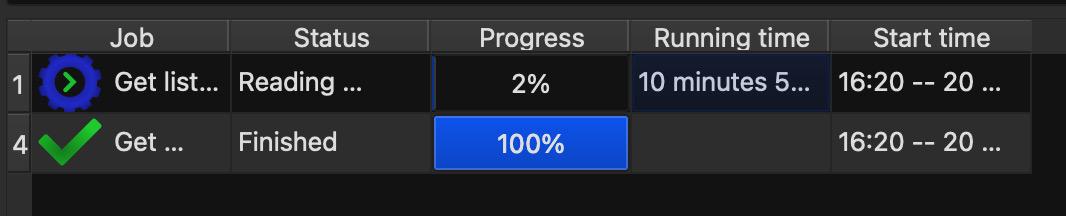
Support / How-To Cannot Stop Hung Job in Calibre

Post image
1 Upvotes

Hello.

I have a job stuck in Calibre..getting a list (from my device?)

I've uninstalled the app on my Mac, removed the leftovers, and rebooted the machine.

I've reinstalled Calibre but that old job is hung and prevents me from using the app at all.

Any idea how to fix this?

Thanks in advance.


r/Calibre • • 3d ago

General Discussion / Feedback OBOK Plugin not working on new books

2 Upvotes

Is anyone else having issues using Obok Plugin to DeDrm New Books?

I've never had an issue when buying books from Kobo, I've bought 5 in the last week and only 1 of them has removed the DRM. Cover Shows but all pages are blank.

Using v10.0.9 with latest Calibre Software.


r/Calibre • • 4d ago

Support / How-To Adding Crossover tag after fandom normalization

1 Upvotes

Columns of interest:

  • #fandoms
  • #tag - used for the AO3's additional tags
  • tags - used to keep all tags, not separated into relationships or characters

In [defaults] I have fandom normalization to make all the Marvel things I have downloaded into just Marvel.

replace_metadata: 
 category=>^(Daredevil \(Marvel Comics\)|Black Cat \(Comics\)|Deadpool - Fandom|)$=>Marvel 

###############################################################CROSSOVER HANDLING ################################################################ Adds Crossover to tags and #tag if multiple fandoms PRIOR to normalization/condensing 
#add_genre_when_multi_category: Crossover 

## Adds Crossover to #fandoms if multiple categories remain AFTER normalization:
add_category_when_multi_category: Crossover

Is there a way to add Crossover to tags/#tags without it being added added to #fandoms, AFTER fandom normalization?

Thank you!


r/Calibre • • 4d ago

General Discussion / Feedback cpu high usage with read aloud high-quality voices

2 Upvotes

I am using the ebook viewer from v 9.18 to read aloud using a high-quality English voice.
The CPU runs at approximately 50% continually, even if the read-aloud is paused.

The PC is Win 11 on an AMD Ryzen 5, 6 core.

Is this normal?

I've tried a medium quality voice and when paused, will continue to have 50% cpu usage for a while, but then after about a minute, drops down to near 0%.


r/Calibre • • 4d ago

3rd Party Tool / Client Bouquin : an Android app to browse and read your Calibre library!

Thumbnail gallery
0 Upvotes

AI CONTENT DISCLOSURE : 99% of the code was written with Claude. Ideas for features still comes from my mind.

Hi r/Calibre,

I’m a developer and a (really) long-time Calibre user. I always wanted to have my library in my phone but did not find good free version for that. So I built an android app: Bouquin!

For now, you can:

  • Opens your Calibre library from Dropbox or a WebDAV server (Synology, Nextcloud...).
  • Search, filter by author, series or tag, sort, and jump through the list.
  • Read EPUB (that remembers your place).
  • Long-press a word to see its definition.
  • Edit a book’s metadata and save it back to the library
  • Keep books offline

Other cloud providers are on their way (OneDrive support is next).

Before going public with this app, I need to find testers (Google requirements).
If you are interested, here is how to help:

  1. Join the testers group: https://groups.google.com/g/bouquin-testers
  2. Opt in to the test and install: https://play.google.com/apps/testing/io.bouquin / https://play.google.com/store/apps/details?id=io.bouquin
  3. Keep it installed for two weeks, and give me many feedback!

More information: https://bouquin.io

Thanks!


r/Calibre • • 4d ago

Support / How-To Best practices for new setup?

6 Upvotes

I’m moving away from my iPad mini & Apple Books life onto a Kobo. I realize that my current Apple ebooks are stuck in that DRM walled garden, so I’m just looking for a setup for new purchases.

My goals are:
Be able to concurrently read the same book on both the Kobo and my iDevices, so reading position needs to sync.
Share books with my partner, hopefully each with our own bookmarks and reading positions.
Store the books in Dropbox.
Not go down the de-DRM rabbit hole.
Bonus: integrate with LibraryThing, but I realize that’s an import/export problem.

Is the Kobo app on my iDevices the only option for location syncing?
As most books I will buy will be DRM protected, which sellers are easier to integrate? Which ones, besides Apple and Amazon, are impossible or extremely difficult?
Any Calibre configuration settings or add-in advice?

TIA!


r/Calibre • • 4d ago

Support / How-To Is there a way to prevent the tags section from collapsing when I delete a tag?

7 Upvotes

Sorry if this has been asked before, if it has I can't find it.

Im trying to delete a bunch of useless tags by going through the tags section on the left and deleting them one by one, but every time I delete one it collapses the whole thing so I have to reopen it. Is there a way to stop it from collapsing? like to lock it open?

Ive tried disabling partitioning, but it still closes the entire tag section and I have to still reopen it after every time I delete a tag.