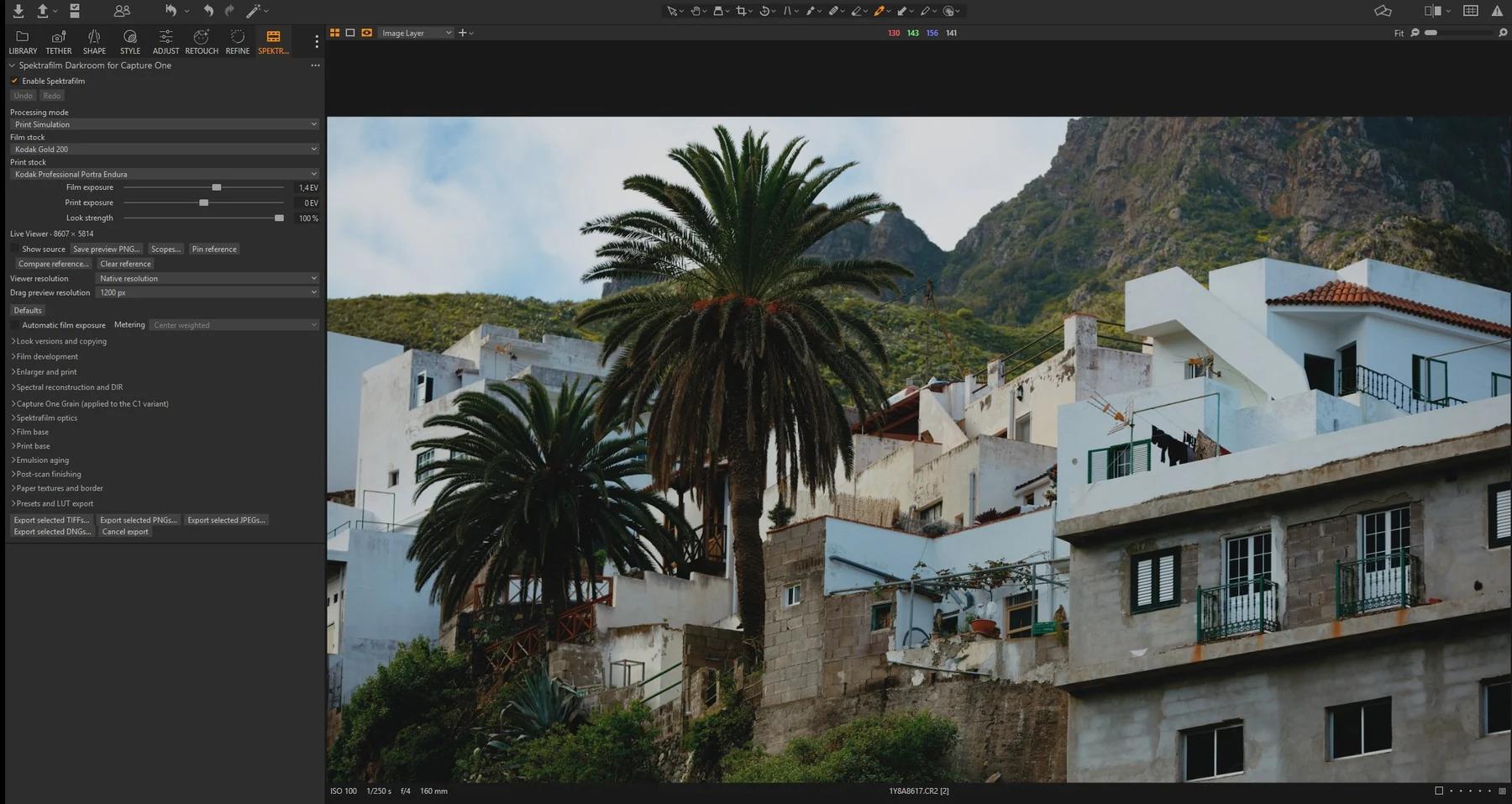
Hey everyone. A week ago Luka posted his Spektrafilm for Capture One here. I wanted the same thing on the current Capture One, so I took his experimental branch, moved it to Capture One 16.9 and kept going. The result is on GitHub as Spektrafilm Darkroom for Capture One.
Like the original, it starts from Capture One's own RAW development and shows the film and print simulation live in the Viewer, in a tool tab. What I added on top:
- Capture One 16.9 support (tested on 16.9.0.3894, Windows).
- A faster Viewer. Resolution follows the zoom and quick frames keep the sliders responsive on big files.
- Export through Capture One's own recipes. With the panel on, the normal Export writes the film image with every active recipe: folders, token file names and counters, JPEG, TIFF, PNG, PSD and PSB, the recipe's ICC profile and size, metadata, watermark and output sharpening. You get a list of the files before it starts, and an interrupted export can be resumed.
- Look history. Undo and redo in the panel, named look versions, presets, and copy/apply between photos. Settings are saved per variant.
- Post-scan finishing. Exposure, contrast, micro contrast, curves, toning, scan geometry, paper textures and borders.
- More darkroom controls. Enlarger filtration, preflash, print and film base, emulsion aging, several grain models, colour-only LUT export.
- A full user manual in English, 18 chapters with example images: what every control does, recipes for common looks and a troubleshooting chapter. It ships in the ZIP as offline HTML.
None of this would exist without the people whose work it connects. Andrea Volpato created spektrafilm, the open spectral model of film and print built from real sensitometry and dye data. Aedan Diez wrote the GPU-powered OFX port whose Vulkan renderer makes live adjustment possible. Luka Kauzlaric wrote the original Capture One integration that this project started from. All three projects are worth a look: Andrea's spektrafilm · Aedan's spektrafilm OFX · Luka's Spektrafilm for Capture One
Which one should you use? If you are on Capture One 16.4, use Luka's original; it is developed separately and supports that version. If you are on 16.9, this fork is for you.
The fine print. It is an unofficial, independent project: not made or supported by Capture One. It loads through a .NET startup hook and uses internal interfaces of Capture One 16.9, so a Capture One update can break it and you use it at your own risk. It needs Windows 11 64-bit, Capture One 16.9.0.3894 and a GPU with Vulkan 1.1. It starts Capture One through its own desktop shortcut; starting Capture One the normal way loads it without the panel. Nothing is sent over the network.
Install: download the ZIP, extract it, close Capture One, run Install Spektrafilm Darkroom for Capture One.cmd, then start Capture One from the Spektrafilm Darkroom for Capture One desktop shortcut and pick a catalog or session. Try it on a test catalog first.
GitHub repo, manual and install guide · Download v1.2.4
I'd love to hear what works on other GPUs, which film and paper combinations you end up using, and what breaks. Bug reports and pull requests are welcome on GitHub.
For transparency: I programmed this fork together with Claude, Anthropic's AI model. It wrote much of the code, the tests and the manual under my direction, and I tried the results in Capture One.
If you want to support the people behind the engine and the original integration: