r/Gamesir • u/Grig960 • 7m ago
Tarantula (Discussion) My stipend came in late but also at the best time!

1
Upvotes
just ordered !
r/Gamesir • u/Grig960 • 7m ago
just ordered !
r/Gamesir • u/Joseph_Arno • 1h ago
Does this controller have gyro for switch 2?
Is there a way to map switch 2 screenshot on this controller as there's no dedicated screenshot button?
r/Gamesir • u/Dry_Perspective6589 • 3h ago

Hey so I’ve been using the SE for a while now and I use hopefuls gamesir settings. Everything on it is good besides the triggers, you shoot slow asf. I switched it to adaptive and put it to 0-11 and it made it shoot faster. The only thing is that this switch made it feel different like enemies weren’t as sticky as when the hair triggers were off. If anyone who owns an SE or even pro could give me any recommends on hair triggers settings that’d be great or ur settings in general. I’m mainly trying to change it for Ashe and can see the difference between the
two clearly, but it’s just not as sticky. It also makes other characters not as accurate as when hair triggers are off. Also I had someone else try it and they said it felt different too. I’ve tried different weird combos but can get it right. If yall have it to where you can shoot fast on Ashe, but it still feels good in game please recommend.
r/Gamesir • u/ismainau • 4h ago
Hello guys,
i am looking to buy a controller but im lost, im a mouse and keyboard gamer that casually play with controller for single player games while relaxed in bed in front of my 4k tv , i have easy smx esm-9111 which have stick drift now and even periods where the joystick block in the upper right position, squeezing it solve the issue.
im also willing to try play with controller more often and learn to play shooters with it giving a moment of rest to my back from sitting in the chair for long period. for that i need to change and upgrade my controller.
i found a dualsense controller at around 60 usd , g7 pro at 71 usd , and a supernova wireless at 51 usd.
should i really upgrade to g7 pro with TMR or is it overkill and i won't notice a difference between TMR and HE since im originally m+kb player ? and supernova is enough?
can you enlighten me please ?
r/Gamesir • u/Jsprite09738 • 7h ago
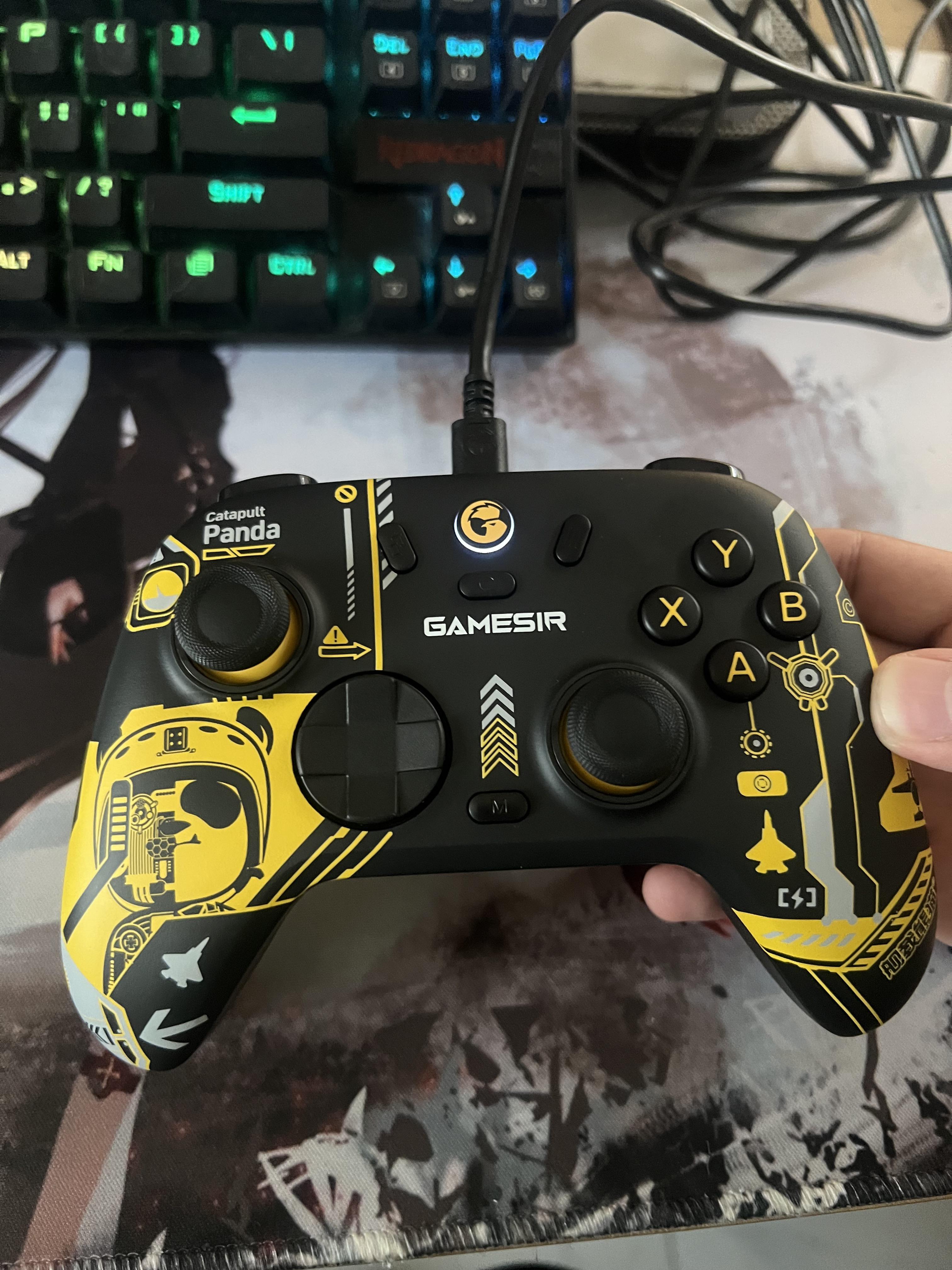
So I got the panda edition Nova 2 Lite cause I thought it looked cool, but when I got the controller it didn’t have a dongle included in the box. When I looked it up, it seems like some areas ship with the dongle and some don’t.
So which dongles are compatible with the Nova 2 Lite? Is the Nova dongle compatible with it or is it strictly for the Nova Lite 1 and Nova?
r/Gamesir • u/Muted_Government5143 • 9h ago
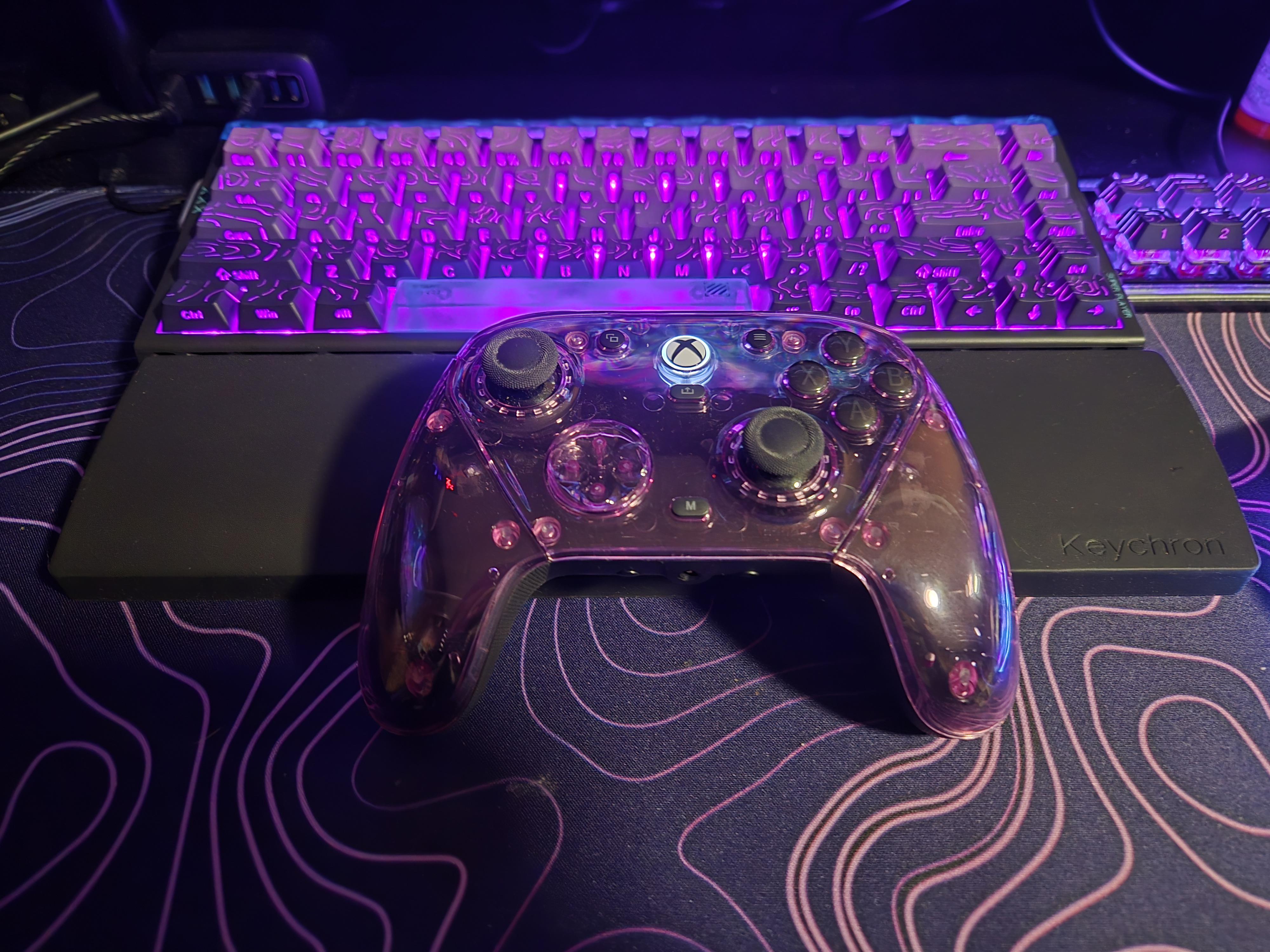
With lots of heavily modified controllers, this is by far the best. It's amazing right out of the box. No screens or gimmicks either. Circularity and feel in the sticks is damn near perfect. I've considered upgrading to the aimlabs version but for now this is my favorite controller. I wish I could use it on my ps5.
r/Gamesir • u/mmendozaf • 11h ago
I'm sharing my experience because I couldn't find a documented solution for this exact charging problem. Hopefully, this helps someone save their controller. No photos bc im lazy and was using the phone to diagnose.
My GameSir G8+ was working normally but kept reporting critically low battery.
Measuring USB power with an FNB58
I used an FNB58 USB power meter connected between my USB-C charger and the controller to monitor its power consumption.
Before the repair, the meter showed approximately 0.081 A (81 mA), and the charging LED immediately switched to green.
This was particularly suspicious because both batteries were nearly empty, but the controller appeared to think charging was complete.
The FNB58 measures current drawn from the USB supply, rather than current flowing directly into the batteries.
Monitoring battery levels with the GameSir app
I also monitored the troubleshooting process using the GameSir app on iOS.
To connect in the mode I used, press Home + Y to activate the red-indicator mode, then connect the controller to the app.
This allowed me to check the battery levels of both halves independently and see which side was reporting that it was charging.
Disconnecting and reconnecting BOTH internal batteries restored normal charging!
I disconnected both batteries for a few minutes and reconnected them.
Immediately afterward:
I suspect the power-management or charging circuitry was stuck in an abnormal state, although reseating the connectors may also have contributed.
I didn't tested if a full discharge would give same effect, but since some charging controlles keeps some charge at all times, and deep discharge could damage bat cells, and i wanted to continue playing No Mans Sky, i proceeded with the dissasembly.
Here's how I disassembled mine.
Step 1 — Remove the joystick caps and front covers
Gently pull both joystick caps off. This allows access to the removable front covers.
After removing the covers, you'll find two exposed screws on each side.
Remove these screws.
Step 2 — Remove the adhesive rubber grips
Unfortunately, some screws are hidden underneath the adhesive rubber material.
You'll need to carefully peel back the rubber to access them. I couldn't find a way to reach those screws without removing the adhesive covering.
Good news: I had absolutely no trouble reusing the rubber grips afterward!
The original adhesive remained effective, and the grips stuck back into place perfectly without needing any replacement adhesive.
Just peel them off carefully and try to keep the adhesive surface clean.
Step 3 — Disconnect the USB-C charging board flex cable
Once you've opened the corresponding half of the controller, you'll encounter a ribbon cable connecting to the USB-C charging board.
The ribbon cable uses a locking connector.
Gently lift the small black plastic locking tab upward, using a careful lever motion.
Once unlocked, the ribbon cable should slide out without force.
Do not pull the ribbon cable while the locking tab is closed. Ive pulled it. Fortunately, is still safe.
I personally hate these tiny flex cable connectors, but this one is manageable if you're careful!
On reassembly, just put the lever topmost and just slide the cable until no more movement us allowed, no strong push needed.
Step 4 — Open the other half (the trickiest part)
This is where extra caution is necessary.
There's a black adhesive label hiding two additional screws.
Carefully remove or peel back the label to expose and remove these screws.
The housing is also held together by pressure-fit plastic clips.
After removing the screws, carefully separate the housing using a thin plastic pry tool. A very thin blade could help release tight clips, but a nonconductive plastic tool is strongly preferable near the electronics.
Work slowly around the edges. Don't force the housing open.
VERY IMPORTANT — SHORT CIRCUIT RISK
There are two exposed conductive springs inside the controller that can easily touch each other when the housing is released. I dont know what data transport, but they are connected to a black and a grey cable. On another post ive read an user accidentally made a short circuit, so take the advice.
The mechanical pressure of the assembled housing normally keeps things positioned correctly. During disassembly, these conductive parts can move unexpectedly.
Also, the controller can accidentally POWER ON when the telescopic mechanism is extended while you're working on it. And it will. A lot.
A little anecdote from my repair:
I swear, I practically performed the entire surgery with the controller powered on! 😂
Not intentionally, of course. This thing has so many ways to turn itself on that every time I moved or extended something, it seemed to wake up again.
I was trying to perform delicate electronics surgery while the patient kept waking up on the operating table.
Thankfully, nothing shorted out, but I definitely wouldn't recommend repeating that part of my experience.
Before opening:
Disconnect the internal batteries as soon as they are safely accessible, before continuing to manipulate exposed electronics.
Step 5 — Disconnect both batteries
Both halves contain separate rechargeable batteries with detachable connectors.
Carefully unplug BOTH batteries by their connector housings, not by pulling on the wires. Idn what order to use but ive unplugged the left first, right then. Right batt seems to be the main one. When reassembly, ive used the reverse order.
Leave them disconnected for a few minutes.
Reconnect both batteries, ensuring the connectors are properly seated.
In my case, this was enough to restore charging.
I also confirmed something interesting about the G8+ design.
The two halves have physical electrical contacts that connect when the controller is fully collapsed. Take some time to check its health and gently push other contacts, just in case, for loosen ones.
When extended, USB-C charges the right-side battery.
When fully collapsed, the electrical contacts allow the left-side battery to charge as well. I though was a documentation error, but this seems to be real. I dont really know why this design desition, because there are some wires plugged. Maybe the extended detection mechanism is power related?
At first, when testing after re plugging the batteries, only one side was charging after my repair.
It turned out the physical contact between both halves was incomplete.
Once properly aligned and collapsed, both batteries started charging correctly.
I verified this directly using the GameSir iOS app, which displays the individual battery states.
This is worth checking before assuming the second battery has failed.
| Measurement | Before | After |
|---|---|---|
| USB meter | FNB58 | FNB58 |
| USB input current | 0.081 A | 0.406 A |
| Charging LED | Green almost immediately | Red, charging |
| Battery percentages | Not increasing | Both increasing |
| GameSir app | Both batteries critically low | Both charging correctly |
| Controller operation | Working, but low battery | Working and charging |
No battery replacement, soldering or firmware update was necessary.
Disconnecting and reconnecting the batteries solved the issue in my unit.
I can't confirm whether this was a power-management reset or a connector contact issue, and I can't guarantee it will fix every G8+.
If you attempt this repair, be extremely careful with the conductive springs and lithium batteries.
I hope this helps someone else avoid throwing away a perfectly good controller!
TL;DR: GameSir G8+ showing green charging LED despite empty batteries? Carefully disconnect both internal batteries for a few minutes, reconnect them, and check the physical charging contacts between the two halves. This restored charging on my controller. I confirmed the change using an FNB58 USB power meter and the GameSir iOS app in Home + Y (red-indicator) mode.
r/Gamesir • u/THE-REAL-BUGZ- • 11h ago
So, I started out with the G7 SE, then got the G7 Pro, then I wanted to try 8k gaming so I got a Tarantula. I also don’t like the way the Xbox style rollers fit in my hands. The Tarantula is super bulky but im slowly getting used to it. 8k at 8-bit res and my CPU being a 12700K overclocked paired with a 2080Ti, I definitely have the CPU power to be able to handle 8k at even 12-bit but I still notice tiny little micro stutters at 8 and 4k. So now im just back to using 1k for now. My main issue with the Tarantula are my sticks, for some reason, after playing a game for longer than an hour or so, my sticks DE-calibrate themselves and start to go all over the place until I unplug and plug the controller back in, and then I have to re-calibrate it. Was playing a game yesterday and noticed my right stick started feeling way too sensitive, turns out the stick was acting like it had a max deadzone of like 50. Before GameSir I was using a Dualshock 4 with the Sony back button and using the github overclock tool (yes, you can still bypass secure boot and TPM and have it work) so I was able to get my DS4 to around 1-1.5ms so 750-1000Hz polling rate but a used ds4 is costing like $100 now and Im not paying that. The control I feel on the TMR sticks is insane I just wish they had even more of mixture of sizes and shapes, or even build one with different back paddle placements. Im sticking it out for now, but im waiting on another PlayStation style GameSir! Sorry for the long, unformatted rambling. Also, Raw>Circle and 8bit>12bit
r/Gamesir • u/PetalStaticky • 11h ago
I've had a Super Nova for a while with no complaints, so I'm leaning GameSir for his Christmas present and want to buy in the Black Friday window. He splits his time about half and half between his gaming PC and his Series X, mostly shooters on both.
I keep going back and forth between the Tarantula Pro 8K and the G7 Pro and the comparison pages aren't helping me. Which one fits someone who plays on both?
r/Gamesir • u/Sea-Conclusion3679 • 12h ago
This is what happens when I try and connect the controller. This time it took about 15 seconds. Which is pretty average. However, it can also connect instantly after turning on, or turn on after a couple minutes. It also depends on how long the controller has been off for I feel. If I turn it off then on quickly. It seems to be near instant to only a couple seconds. While if I wait a couple minutes, it could range anywhere from 15 seconds to 3 minutes. These are averages and not exclusive. It takes longer when it does the flashing thing in the video. On, Off, flash, flash, flash, on, repeat. This happens whether it is wireless or wired. Though when I plugged it in to check for an update via the Gamesir Nexus Xbox app. It seemingly didn't receive power for a couple minutes, before doing the flashes and connecting. During one of these periods, it refused to power on even after being unplugged and switched to dongle mode, or just powered on in general. It also randomly does this same process when on. Where it will go unresponsive and do the flashing thing for a little while before reconnecting. Also, the controller is fully charged and charges correctly, with a normal battery life, before you ask. It has a few cosmetic nicks and wear. But after removing the faceplate, I can't see any visible dust or dirt or anything. The only thing else I can think to mention is that advanced stick center adjustment on both joysticks has both numbers fluctuating extremely fast though it doesn't register on the normal X or Y values. So, does anybody know what is going on or need more information?
r/Gamesir • u/darkangel56907 • 14h ago

Got it for $60 for black Friday on Amazon. First impressions are it feels hefty and quality build. Very nice so far
r/Gamesir • u/regexghost • 16h ago
Is there a concensus on the latency of the GameSir Nova Lite (1)?
Looking online there are lots of people saying its bad on firmware X, then other people saying its good on firmware Y. All posts over a year old, has anything changed since then?
r/Gamesir • u/Dear_Oil1831 • 16h ago

Why Can’t I have true 8k polling rate while using 8bit rate resolution on my sticks?
Can you they fix this with an update or its hardware limitation?
r/Gamesir • u/Eyad_2113 • 16h ago
Should i buy the game sir x5s or just fix my x5lite
Caus i realy want to get greater rumble and real gyro and if i did buy that i heard that the latency is worse than the x5 lite and i am all to fast paced shooter and rythm games on my phone and latency reallymatters what should i do ? Is the game sir x5s latency that bad or is it like okay ?
r/Gamesir • u/YearIntelligent3305 • 17h ago
Hello everyone, I recently got myself a G7 pro for my Series S off AliExpress, since the reviews were overwhelmingly positive. It was working completely fine during the first day, but after the second day, it started misinputting the D-pad down as the right shoulder button, and vibrating slightly by itself whenever it was disconnected from my Xbox, even after turning it off. When this started happening, I checked the Nexus app and updated the firmware. That solved the weird vibrating, but not the misinput, and now it's happening to the right trigger button if I use the hair trigger. I'm pretty it's not a mapping issue, because I never touched the mapping.
Has anyone had any similar issues? Is this something I can solve or should I get a refund?
r/Gamesir • u/SouthernSpecialist98 • 17h ago
I got a Gamesir G7 SE controller roughly a couple months ago and while I was playing gta 4 yesterday it just shut off and wouldn't turn back on. I've tried a myriad of different "fixes". I've checked and double checked. It is not the cable or my Xbox that is the issue. It's simply that the controller won't even turn back on. I've heard the consensus is that it needs a firmware update however how am I supposed to achieve that when it won't power on and hence I cannot get any device to acknowledge the controller and deliver an update. It was working perfectly fine until this sudden shut off.
r/Gamesir • u/DEANPRIME91 • 18h ago
I'm thinking of getting the G8 Plus but I'm worried about the latency. On YouTube most of the reviewers aren't mentioning issues with it but I've seen a lot of posts here saying otherwise.
I know I could just get the regular G8 or the G8+ MFI but the G8 Plus has certain editions that I like the designs of.
Is there anyway to use the G8+ wired if the Bluetooth latency ends up being really that bad?
r/Gamesir • u/JordanDude12822 • 18h ago
Genuinely confused and shouldn't rely on google ai to tell me if it exists or not. Searched it up and it said it was in the stick settings but there's nothing at all. Wondering if it exists in the mobile app or if its something i can change with the controller itself but exponential is pissing me off and i would love to switch to linear.
r/Gamesir • u/yxussef • 19h ago
I have G7 Pro ZZZ Edition, Is there any settings I could change on Gamesir Nexus to improve my gameplay on FC 27?
r/Gamesir • u/Jaro22222 • 19h ago
Is gamesir tegenaria lite a good pick for someone with smaller hands?
r/Gamesir • u/mono_10pancho • 20h ago
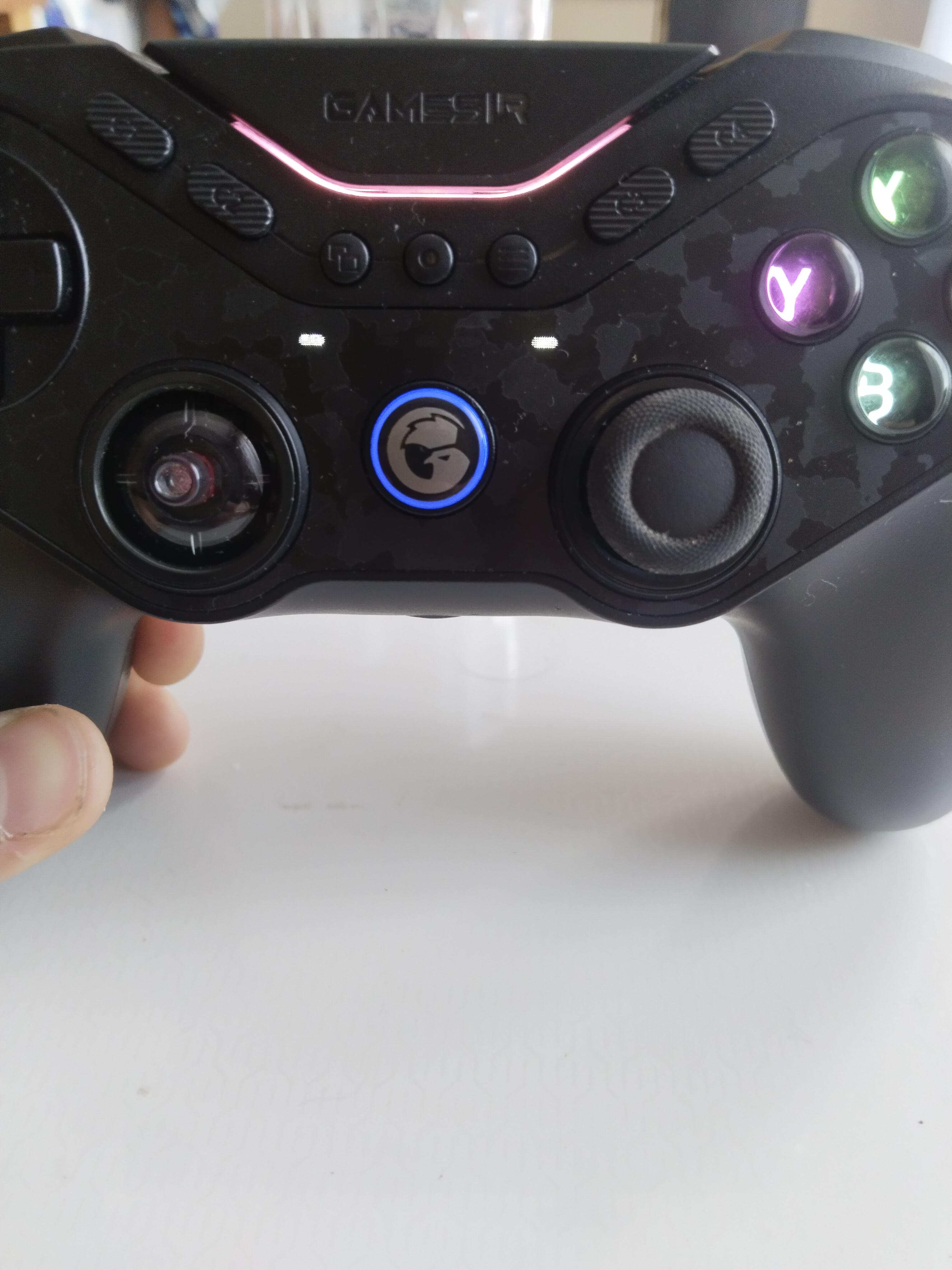
Se volvió el logo azul y mientras le presionó algunos botones no funciona foto de evidencia
r/Gamesir • u/Rokofur • 20h ago

Price: Unknown
Switches: Hall-effect
Case material: Aluminum
Source: https://www.bilibili.com/video/BV1LoyGzZEdJ
r/Gamesir • u/Skald_M • 21h ago

r/Gamesir • u/Clear_Dentist_6562 • 21h ago
I’ve seen a lot of talk about the StickLabs app and how amazing and useful it’s been for some people with gamesir controllers. I’m just wondering if there is any alternative for people with not 8k/PC controllers like the Xbox Tarantula Pro.
r/Gamesir • u/tmb1404 • 21h ago

Just got my G7 Pro Zenless Edition controller and wow, what a game changer, literally. Been pushing on through with my OG Xbox SX controller that I've had from day one with stick drift for the last year and a bit. I was expecting it to be nice to have a new controller, but this blows my expectations out the water!!
Everything is sensational! The magnetic faceplate, the big nerdy box, the docking station, the customisation, I could go on! And I've only used it once fir a few hours.
Any hints and tips on setups would be greatly appreciated. Of course at the moment I'm mainly playing GTA6. But I also play MotoGP, KCD2 and BF6. I know about the rear trigger locks and can't wait to test them out on BF6 soon.
Of course, any thing else to do with the controller, do share! Game on everyone!!