r/Govee • • Sep 29 '25

Frequently Asked Questions

13 Upvotes

There are so many different lights, which one would work best for me?

  • I suggest watching videos demonstrating them on YouTube.
  • While he doesn't review every product, Chris Maher's videos are informative and straightforward.

Do I really have to put those orange cubes on my TV screen?

Why are my immersion lights only showing one color?

  • The default setting upon finishing setup is on All. Choose Part.
  • Alternatively, All may be labeled Solid instead. Choose any option other than Solid.

Which devices are compatible with DreamView?

  • Devices with both Wi-Fi + Bluetooth connectivity are compatible. Devices that are only Bluetooth or only Wi-Fi are not.
  • A sync center such as T2, T3 Lite (also known as 3S in 3rd party stores), T3 Pro, Sync Box 1 and 2 are required for video DreamView, and sync centers cannot be synced with each other.

What can I do about my devices not connecting to Govee desktop via LAN control?

  • Check out this solution here

What are the differences between the camera kits?

  • The major differences are the camera hardware and the amount of LEDs on the light strip.
  • T2: Govee states that the dual camera identifies screen content faster and more accurately. The light strip contains 60 LEDs per meter.
  • T3 Lite: The single camera has an upgraded chip with fisheye lens correction. The light strip contains 30 LEDs per meter.
  • 3 Pro: Matter support, triple camera with HDR sensor. The light strip contains 75 LEDs per meter, with their LuminBlend management system.

Why get a camera kit when the sync boxes exist?

  • While the sync box does work faster and is less intrusive than a camera, not everyone can use it. The sync boxes require a signal independent from the TV. This means if you use the apps on your smart TV to watch content, the sync box is not for you.

Do I really have to put the camera on top of my TV?

  • Good news! There's actually a method to put the camera below the screen. The caveat is that when you add more lights via DreamView, you'll need to visualize the setup upside down when assigning the zones, which requires more concentration/effort.

How many lights can I add to my DreamView?

  • This is dependent on the device.
  • T2: 5 additional devices.
  • T3 Lite: 7 additional devices.
  • 3 Pro, Sync Box 1 and 2: 10 additional devices.

How do I create a DreamView?

  • Open the app. Tap the second icon on the navigation bar at the bottom. Then tap the 4-shapes icon at the top right. Here you can configure DreamViews, Tap-to-Run, and Groups.
  • It is highly recommended that you experiment with these features on the app as a whole. Familiarizing yourself with it will be highly beneficial if you have the time to spare. There are many customizable features for the LED lights that are usually achieved by a more hands-on approach that requires a computer. The features provided on the Govee app would be quite the large decision tree if there was a visual example shown, which is nothing short of impressive, despite it also being a little complicated. To put it simply: just explore the app by tapping buttons to find out what they do!
  • Tip: If your clock is on 12-hr time, please turn off the 24-hour clock setting in the app before you create schedules for your lights. Tap the last icon on the navigation bar, then tap the gear icon at the top right. Additionally, next to settings is a shirt icon; this is where you can change the theme of the app.

The immersion lights on my device are super inaccurate, what do I do?

  • Unfortunately, since every TV is different, there is no one-size-fits-all setting. However, you can start with jumping-off points. For sync box settings, go here.

For camera kits, try the following:

  • Make sure the room is dark to reduce reflections on the TV screen.
  • Reduce saturation, the common choice is all the way down to 1%.
  • Reduce the relative brightness. This is independent from the brightness setting. It's relative to how much light is emitting from your TV screen, which means during dark scenes, the lights will dim if you set the percentage lower. However, if your TV has backlight bleed, this setting won't be as effective.
  • Make sure it's on Part, not All. If the device's software updated, it should show Smooth, Vivid, or Solid instead. "Solid" works the same as "All" and shows only one color.
  • If you are still unsatisfied with the color accuracy, try the AI filter. Once you toggle it on, you'll need to change the preset. Tap the option, then scroll sideways over the sport presets. Under the Default preset, tap Apply.

My TV is 43 inches, can I use a 55-65 inch TV kit?

  • This is possible, but it requires more effort. See here.

I'm experiencing problems with my device, what do I do?

  • Try the search bar in the sub. If you're still experiencing issues, go to Govee's website and navigate to your product. Find the specs, then click the PDF of the manual to find the "Troubleshooting" section. Lastly, reach out to Govee support via the app. Tap the last icon on the navigation bar and tap "customer support" and then choose the applicable option. It is recommended to choose "express replacement" if you think you're experiencing a hardware issue on your device that is within warranty. Please note their warranty only covers purchases directly from them or approved vendors.

Can I advertise my services of Permanent Outdoor Lights installation?

  • Yes, but please keep it in the services thread. New posts of fresh installs for clients will be deleted.

r/Govee • • Aug 06 '25

Outdoor Installation Services Thread

12 Upvotes

If you offer services to install outdoor lighting on homes in your area, please post it here in the comments.

New, singular posts will be removed. Keep it here in the comments so that the people that do want these services can find them, and the people who don't require it don't have to be subjected to the advertising on the sub feed.

If your comment gets caught by Reddit's filters, do not worry and do not spam, the comment will be approved as soon as possible.

As for the people interested in the services, please do your due diligence in the vetting process.

Thank you.


r/Govee • • 1h ago

General Question Is my floor lamp basic too dim?

Post image
4 Upvotes

I recently purchased the floor lamp basic but I feel like the brightness can go higher. It's set at 100% but feels like it isn't 100%. Compare to the tv backlight its pretty dim. Or is it just me?


r/Govee • • 3h ago

New Install Planning advice for first time instal. Govee permanent outdoor lights elite.

Post image
5 Upvotes

Hey everyone! I am about to install Govee Permanent outdoor lights for the first time. I'm planning the install and have run into an portion I'm not sure what to do with. I purchased from Costco:

  • Govee 180ft Permanent Outdoor Lights Elite (Costco Item 1000158)

Here are my questions:

  • How does my planning look overall?
  • Does anyone have any ideas on how I can handle the top section I've highlighted in red? Should I just skip it altogether?

Thank you for any help you can give!

EDIT: One idea I had was to use extensions from where I have "END" marked, and run it through the gutters and back up to that top section. I don't know if that's crazy or not!?


r/Govee • • 11h ago

Setup Question Govee Permanent lights into vinyl soffit

Post image
16 Upvotes

Will i have any issue sticking then screwing the light brackets into this vinyl soffit, its hollow with nothing behind it


r/Govee • • 9h ago

Best installation path

Post image
11 Upvotes

I just got my 200'outdoor lights pro kit. I'm starting the install from the back left side of the house, a im trying to figure out the best way to run the lights from left to right. This is a mockup photo of my desired results. Should I complete the triangle by making a loop on the left, and then move under the eaves to the right, or do the top two sides of each triangle and have one long run returning under the eaves? I hope my question makes sense. Any advice would be greatly appreciated.


r/Govee • • 8h ago

Govee elite self-install questions

Thumbnail
gallery
5 Upvotes

We're trying to figure out the best way to install on our house. This is what the underside of most of our roof looks like. We did a trial install with the lights on the outer edge facing the house and i can't decide if I hate it. Looking for advice.


r/Govee • • 12m ago

Question about govee sync box 2

1 Upvotes

I have had the sync box 2 for less than a year and use the original HDMI and power cables for it, and I have never had any problems until I played GTA 6 on my Xbox. I noticed that during a cutscene, or perhaps because the box overheats (I never noticed how hot it can get), the Govee gets stuck on reboot with the flashing colors. I tried different games and it works just fine. I was wondering if anyone else has this problem just to make sure I am not going crazy.


r/Govee • • 4h ago

Bulbs out of time

2 Upvotes

So, got these bulbs in the front porch lights. I set them to “on - Christmas effect” with home assistant and drove up and they’re out of time. I stopped there and turned them off with the GoVee app, then back on, changed effect and changed it back to Christmas. They’re so poorly timed it’s not worth the effects, it just looks like someone randomly flipping switches.

Is this normal or am I just doing something wrong?

FWIW- I tried to put them on thread but that failed. So they’re on LAN control. Would I have better results through their cloud?


r/Govee • • 1h ago

Dream view issues

1 Upvotes

This is a backlight 3. It was working fine earlier today. I mistakenly touched one of the buttons on the control attached to the back of the TV and suddenly it is all jacked up. I actually deleted the movie dream view and re-added it, and this is what I have. Becoming more and more frustrated with this setup. What should i be looking at to fix it?


r/Govee • • 2h ago

The 12 Foot Cone Tree Is The Latest Addition to me Christmas Lighting Setup.

Thumbnail
youtu.be
1 Upvotes

In this video I do an unboxing, install and run through a bunch of the settings.

The 12 foot cone tree is massive and really adds a lot to the yard. It's way cooler than my other 2.


r/Govee • • 2h ago

Setup Question Little advice needed TIA

Thumbnail
gallery
1 Upvotes

New to the govee light game. Ton of neighbors have them, kids love them and Iam over getting on the roof every year. We want to get just the front of our house lit up. We are planning on having an electrician come out and install a soft outlet so we don't have cords running all over. Where would be the best place to install the soft outlet? Three upper roof, left side over the garage has a weird little split. How would we make the jump? Then how would we jump from over the patio to the roof line? Would that be to many extensions? We bought the 300ft govee pro lights. Any help us greatly appreciated! (That toothpick in the front yard has since grown back)


r/Govee • • 2h ago

Govee

1 Upvotes

Are Model

H617F cutable Govee RGBIC LED Strip Light


r/Govee • • 12h ago

I built an open-source Desktop Hub for the Govee Gaming Pixel Light (H6630) – Live Spotify visualizer, weather, flip-clock & solved Bluetooth audio stutter!

5 Upvotes

Hey everyone,

I was frustrated with the limitations of the official Govee Desktop app and DreamView for the Govee Gaming Pixel Light (H6630) — especially since DreamView turns off the 32×32 pixel matrix and the LAN API doesn’t support custom pixel art or frame streaming.

So I spent the last few weeks reverse-engineering the H6630’s BLE protocol (GATT command 0xA4 0x58) and built an all-in-one local Hub running on Windows/Linux:

GitHub Repository:
https://github.com/syqdur/govee-pixel-hub


r/Govee • • 4h ago

everything else Alberta time kerfuffle???

1 Upvotes

Hey folks

I live in Alberta. As ya may know, we did not switch to daylight savings time this year.

However, HALF of my smart switches did and half didnt..... wtf

So I use them for grow lights for my plants. Half of the lights (connected to govee smart switches), all operated through the same govee app, now turn on at 7am. The other half turn on at 8am. When I open all of them on the app they literally all show as turning on at 7am yet somehow half have switched to daylight savings time instead of staying on Alberta time.

Anyone else have this happen?? I cant find a setting in the app to control which time zone the switches are in....

Thoughts?


r/Govee • • 5h ago

General Question What Are The Best Permanent Lights To Get?

1 Upvotes

Have a very cookie cutter two story home I’m looking to put permanent lights on possibly in the front of the house and on the back of the house. Not looking to do the sides due to neighbors and not wanting the light to shine into their homes.

What would be best ones to look into getting while all the deals are going on? My partner prefers the strip light look, but open to all recommendations.

Thank you😊


r/Govee • • 1d ago

Bravo Rock⭐️

Thumbnail gallery
40 Upvotes

GTA6 is a Govee tester.


r/Govee • • 9h ago

General Question TV Backlight Pro + Home Assistant

1 Upvotes

Has anyone been able to add the TV Backlight Pro into Home Assistant? If so, would you mind sharing how you did this? Thanks in advance.


r/Govee • • 10h ago

Yellow looks green

1 Upvotes

Just installed 200 feet of Govee Pro outdoor lights and the yellow is very green. Has anyone else experienced this? There isn't an option in the app to calibrate the color


r/Govee • • 14h ago

New Install Installation advice

Post image
1 Upvotes

I am planning on the Outdoor Pro 2’s. I have this front porch overhang and the ceiling is sloped with the roofline. Should I install the lights on the outside of the beam or against the house?


r/Govee • • 16h ago

Setup Question Can i use a different external led driver for govee spotlight 2

Thumbnail
gallery
1 Upvotes

Hi everyone,

I don't have enough space in my ceilings to fit the driver box for spotlight 2 so im wondering if its okay to use a different 24v led driver ?

Thanks


r/Govee • • 18h ago

String HD 500 in Australia?

0 Upvotes

Just wondering when can we expect the fairy string light HD 500 to become available in Australia? (It just happens that the length of these strings is perfect to replace existing strings I have installed that have failed, so am particularly keen for this model and don't particularly want to buy an import with an international adapter required)


r/Govee • • 21h ago

General Question Govee light with shortcuts

Post image
1 Upvotes

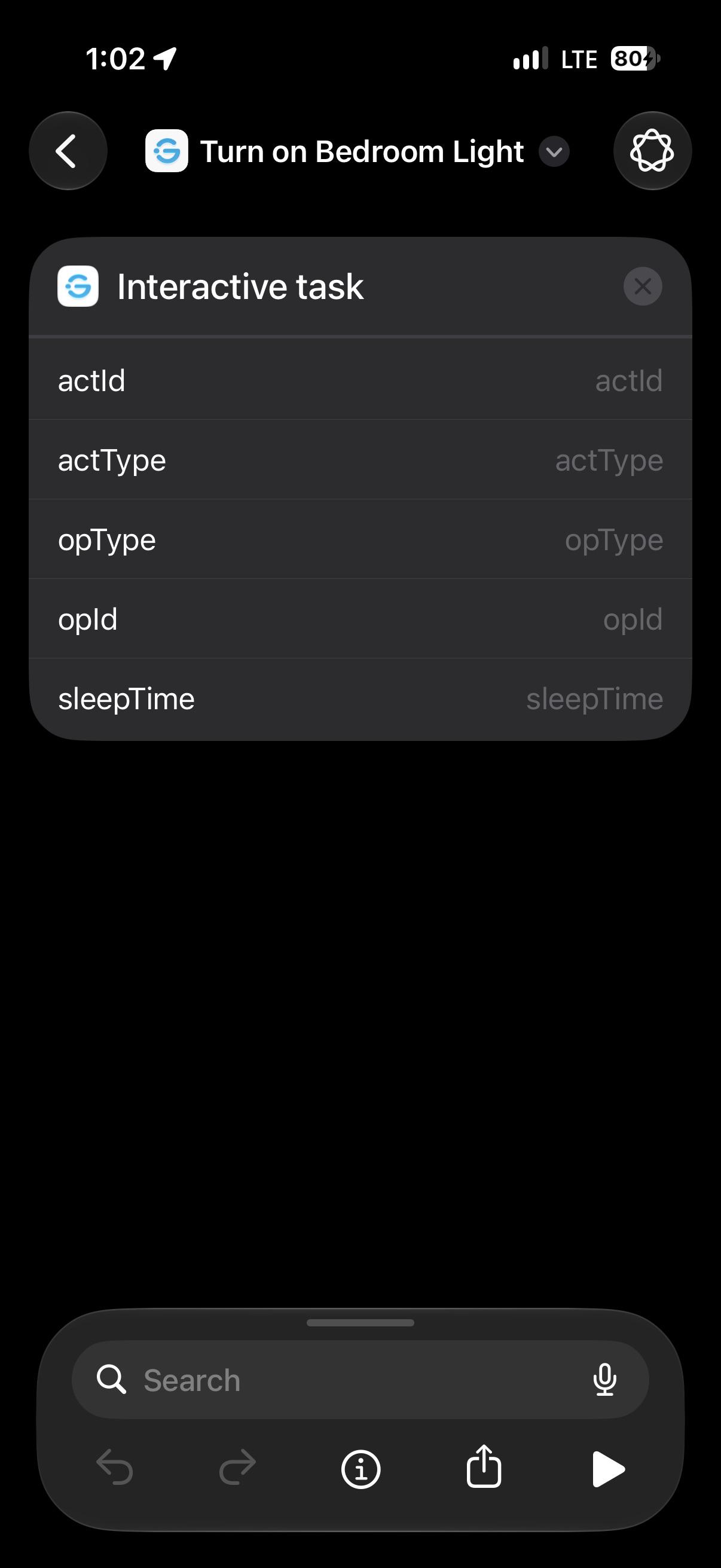
Why is it when I try to create a shortcut with govee this appears? I used to have no problems with using shortcuts with the govee app but not anymore.


r/Govee • • 2d ago

Second layer under garage

Post image
65 Upvotes

I didn’t like how the top layer was casting a shadow on the top half of the garage doors. So I added a second layer!
Prism lights