r/HomeKit • • 4d ago

Discussion I think my homekit home has hit its final form

555 Upvotes

I think I'm finally done tinkering.

On the surface it's all HomeKit, and that's what everyone in the house actually touches. Lights are Insteon keypads and Inovelli switches, the AC is Midea fan coils on a CCM15 gateway, the shades are Hunter Douglas, cameras and doorbells are UniFi, and Arylic amps turn most rooms into AirPlay speakers.

Home Assistant sits underneath as the brain. It bridges the stuff HomeKit can't see into Home over Matter, and runs the automations HomeKit can't do on its own. There are mmWave presence sensors in the rooms, so lights come on when you walk in, dim depending on the time, and switch off once the room's empty. It's about 120 automations now, and the rule I stuck to is that if someone overrides something from HomeKit, the automation backs off.

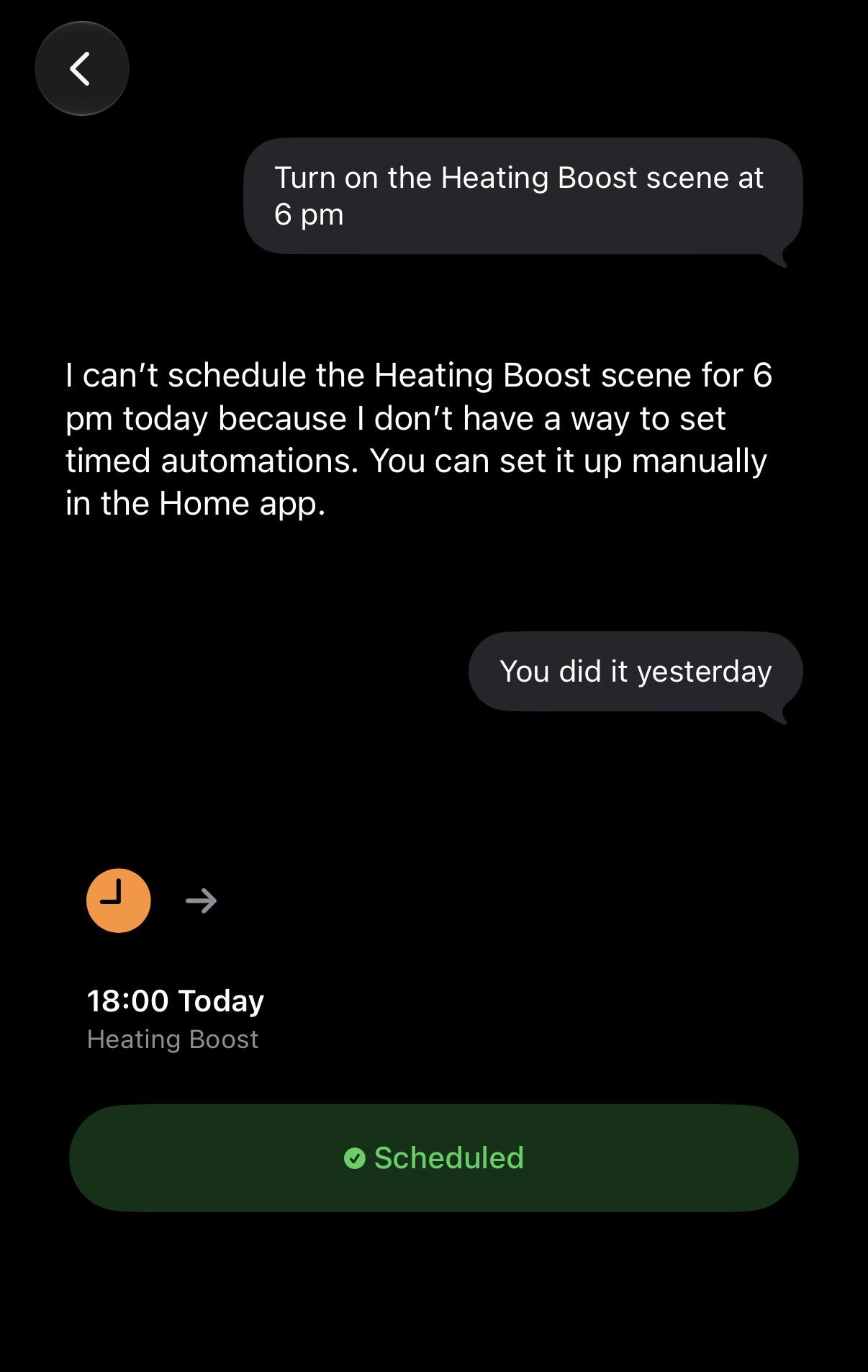
The last piece was the iPads. I wanted a panel by the door that does lights, AC and music without picking up a phone. And an intercom, so "breakfast is ready" goes from the kitchen room to the rooms speakers or companion iPads. I looked at HomeView, but I already had the iPads, I didn't want to buy new hardware for it, and it isn't sold where I live anyway.

I have been building this app and have had fun trying to recreate my own version of the home view, the best idea was to use my already available airplay 2 targets in every room for intercom speakers and all iOS devices in the house for intercom microphones, its available in the appstore so give it a try and tell me if you like it as much as me. wallglass.


r/HomeKit • • 2d ago Heartwarming

Discussion (US) HomeKit stuff that's actually cheaper this week, checked against price history so the fake Black Friday ones are out: Level Lock+ $98.99 (62% off), Hue Dimmer Switch $10.99 (64% off), Hue color A19 $34.97 (41% off), Eve Aqua $99.95 (33% off)

226 Upvotes

I've been tracking smart home prices since the summer, and a good chunk of this week's HomeKit "deals" are the usual Black Friday trick. Example: the Yale Assure Lock 2 Wi-Fi bounced between $189.99 and $249.99 at Best Buy through September and October, went up to $299.99 on Oct 27, and is now "41% off" at $174.99. Against what it was actually selling for, that's more like 20 to 25% off. So I went through the markdowns on stuff that works in the Home app (natively or over Matter) and only kept the ones that are below what they normally sell for. Prices are as of Nov 23.

Most of the good stuff turned out to be at Best Buy this year. Target had the same ecobee prices and nothing better, and I didn't find anything worth listing at Walmart or Amazon. % off is against what the item normally sells for online (named on each line), rounded down.

Best Buy in-store clearance

These are store-by-store prices, so you won't see them online. The link goes to the product page; set your store in Best Buy's store picker to see what yours is charging. I listed the states where stores still had them on the shelf.

  • Level Lock+ (C-F12U satin nickel / C-F14U matte black): $98.99, 62% off (it's been $263.99 online since August) at about 45 stores (AZ, CT, GA, IL, IN, LA, MD, MI, MN, MO, NC, NH, NJ, NY, OH, PA, TX, VA, WI). Native HomeKit with Apple Home Key. Black is here
  • Philips Hue Dimmer Switch: $10.99, 64% off (online $30.99, and it's been $27 to $31 since summer) at about 27 stores (FL, IL, LA, MA, MD, MI, MN, NJ, NY, OH, OK, PA, TN, TX, WA, WI). Shows up in Home as a programmable button through the Hue Bridge
  • Philips Hue Smart Plug: $13.99, 54% off (online $30.99 since September) at about 29 stores (AR, CA, DE, FL, IN, KS, MA, MI, MO, NC, NH, OH, OK, OR, PA, TX, VA). Needs a Hue Bridge for HomeKit
  • Philips Hue Play Gradient Lightstrip for 75" TVs: $115.99, 56% off (online $263.99 since September, sold out there now) at about 33 stores (CA, FL, IL, IN, MA, MI, MO, NY, OH, OK, OR, PA, TN, TX, WA, WI). Needs a Hue Bridge
  • Philips Hue Solo Lightstrip 5m: $34.99, 56% off (online $79.99 since September) at 7 stores (CA, MN, NV, TX). It did hit $34.99 online for a few days in August, so this is a repeat of that low, not a new one. Needs a Hue Bridge

Online (same price everywhere)

All Best Buy unless noted.

  • Philips Hue White and Color A19, 1-pack: $34.97, 41% off ($59.99). The lowest I'd seen it before was $47.99
  • Eve Aqua: $99.95, 33% off (sat at $149.99 for six weeks before this). Lowest I've seen; before this it was $113.99 in August. Thread, works natively in Home
  • Aqara U400 lock kit with M100 hub: $199.99, 31% off ($289.99, which is what it cost in August too). Its October low was $234.99. Apple Home Key with UWB, Matter over Thread
  • Level Lock (Matter): $125.99, 37% off (it was $199.99 in August). Not a Black Friday thing, it's been this price since Oct 20, but it's a real drop and it still works in Home over Matter
  • Tapo Matter smart light switch (TS15): $11.99, 33% off ($17.99 for the last two weeks, and it's never been under $14.99 before)
  • Tapo Matter Plug Mini, 2-pack (TP15): $17.99, 25% off (it was $23.99 from September into November)
  • Aqara G410 video doorbell: $109.99, 26% off ($149.99). Lowest I've seen; it only dipped to $139.99 before. HomeKit Secure Video, and it doubles as an Aqara hub
  • Eve Weather (Matter): $64.95, 26% off ($87.95 for the last month; its earlier low was $69.95)
  • Eve Water Guard: $74.95, 25% off ($99.99 most of November). Lowest I've seen
  • Eve Outdoor Cam: $169.95, 23% off what it's actually been selling for ($220.99). Best Buy shows it as 39% off $279.95, but that price only shows up for a few days at a time, including the day before this sale started. Still the lowest I've seen; the old low was $189.95 in August. HomeKit Secure Video only, so you need iCloud+ and a home hub

Amazon (used, from Amazon's own open-box warehouse)

I checked Amazon too. New prices there were mostly the same "sale" games, but two HomeKit things are cheap used, sold by Amazon's warehouse with their return policy:

Stuff I skipped on purpose: the Yale lock above. The Aqara U100 at $139.99 is "26% off", but it got bumped from $169.99 to $189.99 at the end of October, so it's about 17% off really. The ecobee Premium ($209.99) and Essential ($109.99, same at Target) are fine prices, but they're the same as September, so no rush. Kohl's has a bunch of Eve stuff showing 20 to 40% off, but the "regular" prices there are above Eve's own list prices (the Eve Energy is "27% off" at $39.99, which is basically its normal price). Same story with the Nanoleaf Matter bulbs at Macy's, which went from $19.99 to $29.99 and back to $19.99 "on sale".

Links go straight to the store, no affiliate or referral tags. Heads up, the store clearance stuff sells out fast this week, so some of it will probably be gone by the time you get there.

More Best Buy markdowns like these get posted daily in r/bestbuypricedrops (full disclosure, I mod it).


r/HomeKit • • 2d ago

Discussion New Apple TV so happy

160 Upvotes

Level of improvement that the new Apple TV has brought to my automations in the house is unreal!! my camera notifications are easily 75% faster to ping my phone. For reference, I do have two gig symmetrical fiber. Just a reliability of other automations, etc, previously, I was using my second-generation Apple TV 4K that was released in 2023. If you use your Apple TV as a hub, I know it’s steep, but upgrade it. On top of that, just the AI features built in on the new Apple TV are freaking phenomenal!! I know everybody has their own opinions on Siri, but with each update it gets better and better. Currently testing 26.3, and the reliability just continues to grow and improve!! the new Apple TV is a huge walk-in to the home network and glad I pulled the trigger. Just wanted to leave this here in case anyone else was on the edge, and also uses their Apple TV as a hub I do have more than one Apple TV, but I purposely turn off automatic switching and rely on one hub solely, so if I ever do have problems, it’s isolated, but I run everything from many proximity sensors, automatic blinds, door locks, cameras, humidity sensors, robot vacuum, garage door openers, the list goes on reliability has vastly improved! Wasn’t horrible before, but it’s noticeably better


r/HomeKit • • 6d ago

Review Homeview Review

Thumbnail
gallery
98 Upvotes

It’s officially been a week so here’s my review.

Firstly, am I going to keep it. Yes. I chose the wall mounted version because I always wanted a control panel on my wall to control my smart accessories. I’m very heavy and engulfed into the  ecosystem so for me this is great. I had an iPad on my countertop that I’ve moved upstairs to serve the same purpose. The aesthetic is great. Albeit small, it really does look good on my wall (aside from the wire sticking out due to the mount I chose)

Primarily I use it to control most used scenes and soon will set up my Aqara devices to service as a way to arm/disarm the house (if any one has tips or tricks on this, that’ll be greatly appreciated).

So here’s where I hope  really starts to improve the homeview

- ScreenSavers: I love both the photo face and modular face. But having to choose just one on the screen is honestly annoying. I’d like for it to show my photos when no one is in front of the screen and then go to the default face of the person it recognizes, choosing. This would be the best of both works for me. For now I leave it on the modular face just because I rather not keep swiping between the two.

-Passcode: I really wish they added passcode to this for when it doesn’t recognize who is in front of it. Similar to my ecobee where it will not turn on the thermostat without a passcode. My partner and I don’t have people over often but it would be a piece of mind addition to add this.

- “Nighttime mode”- The very bright red that it changes to at night is…. Bright. The first night I thought the screen had broke because EVERYTHING was red. I know they said it gets super dark at night when no one is around it but I haven’t seen that. I also could not have that setting enabled but it’s in my kitchen so it’s not a huge deal. The red though. I wish they’d get rid of it.

-Customization: I would love a face that could show my photos , widgets. Weather , scenes all in one. I would also not like it to be in a grid so these things can be resized to fit how I’d want it. Similar to how you would customize a home screen on your iPhone. It’s just not as customizable as I would like but that’s a software fix

I haven’t really used recipes or Siri in the way it was advertised. But that’s a me thing. I generally don’t use Siri except to do different scenes or turn off/on certain lights. For that function, it works well.

Ultimately I’m happy with it and love having a wall mounted smart hub which is what I always wanted. Do I think everyone needs one no. If you have an iPad just use that and you can even get those mounted now. But there is a niche for this and I love that  is joining this market of smart devices. Software updates will make it even better. I’m excited to see how it evolves as I also evolve my smart devices over time.


r/HomeKit • • 1d ago

Discussion Aqara U400 vs Sense Pro

Post image
87 Upvotes

Now that more people have had a chance to test out both the Aqara U400 vs the Schlage Sense Pro, i'm curious to hear opinions one way or the other. Seeing them on sale for black friday is showing the prices have dropped making them more enticing (Aqara @ $199 and Sense Pro @$335).


r/HomeKit • • 6d ago

Discussion These buttons are useful.

84 Upvotes

This thing is so half baked, honestly.


r/HomeKit • • 1d ago

Review I put six Schlage Sense Pros on my house. Here’s what I learned.

66 Upvotes

Like a true dork, I waited over a year for the Schlage Sense Pro to come out. I'm a smart home aficionado, and have always wanted locks that actually felt "smart."

I have six(!) of these locks now, one on just about every exterior door. I had a hard time finding firsthand accounts of going all-in, so here’s my experience:

First - measure your doors! I had over a year to do this and somehow it never occurred to me. I got as far as installing the first lock before I realized my front door was too thick. I called Schlage, assuming I could buy a thick-door conversion kit (like you can for every other one of their locks). They told me they don't make one for the Sense Pro.

Lucky for me, my dad is super handy and bailed me out. He figured out how to replace one of the metal pieces for a longer one and got it to fit. Definitely voided my warranty. Don't ask me how he did it.

Apple Home mostly works. I barely used Apple Home before this. I got three HomePod minis around the house so these locks could connect. Adding family and frequent guests is easy enough if they have iPhones, though every time I add someone, there's about a five minute wait looking at a spinner. Weird.. maybe six locks is a lot for Apple?

Other things I don't like: Apple is obsessed with notifying you!! By default, every user gets a notification every time anyone opens any door. Who wants that? I've also turned the notifications off on my phone and they’ve come back on their own.

There’s also one lock my phone still can’t unlock, even though it’s set up the same way as the other five. I’m planning to reset that one.

Still, generally once I’ve got a lock working in Apple Home, it’s been reliable.

The Schlage app experience changed. For the first lock, I had to set it up in the Schlage app and then again in Apple Home. Firmware updates kept failing from Apple Home - only the Schlage app could do it.

When I installed my last locks, I suddenly couldn’t get the Schlage app to connect to them at all. I called support and the rep told me to do the whole thing in Apple Home. Sure enough, even the firmware update worked there this time. I do miss a few settings that I could only get to in the Schlage app, but on balance I like the simpler setup.

Home Assistant fixed my pet peeve (smart auto lock). My pet peeve is smart locks that don't come with a way to detect if the door is closed. So they "auto lock" even if the door is still open - feels like a dumb lock!

Meanwhile, my alarm system knows whether a door is open or closed. I used those sensors and Home Assistant to only close the deadbolt when the door is actually shut. Getting the locks into Home Assistant was easy, and the automation works well. Still, every once in a while, a lock seems confused about whether it is in a locked or unlocked state - I haven’t figured that one out yet.

My PIN guests preferred my old Yale keypads. On the Schlage you have to touch the pad to make the numbers light up. I’ve watched people wake it up, type the right PIN, and get rejected because that first touch also entered a digit. Or not realize that there's a keypad at all. The numbers aren’t quite where people expect them to be, either. People get the hang of it eventually, but I think they generally found my old Yale keypads easier to navigate.

Despite all that, I'm happy - the auto-unlock is sick. My wife likes it, and frequent visitors always tell me how fancy it all feels. The auto-unlock isn't perfect - maybe 10% of time time, I get my hand on the handle and have to wait a second. But the other 90% of the time, the lock beats me and it's awesome.

Note: especially great when carrying sleeping kids!

tl;dr Getting all six locks working was a project. But overall I'm pretty happy (I’d give it 9/10), and the locks still delight me a bit every time they unlock a door for me. Happy to answer questions.


r/HomeKit • • 4d ago

Question/Help Are smart blinds worth it and which ones work well with Apple Home?

53 Upvotes

Hello guys, I’m thinking about getting smart blinds. If you’ve had them for a while, would you buy them again?

How long do they take to open, and are they loud? If yours run on batteries, how often do you have to charge or replace them? Thanks!


r/HomeKit • • 4d ago

Review HomePod mini 2 is noticeably faster, even with regular Siri

50 Upvotes

Just set up a HomePod mini 2 in my home full of HomePod mini 1’s. It’s much faster to respond to requests that require both actions and verbal responses. Doing some ‘side by side’ tests, asking Siri to tell me the temperature from outdoor sensors took HM2 about 1 second to respond, whereas HM1 took about 3-4 seconds. That may not sound like a lot, but it definitely feels like a lot when you’re waiting for a reply or action to happen.

Additionally, the faster processor will almost certainly help with processing HKSV videos. While there is always a primary Apple hub, all hubs participate in handling HKSV videos processing and uploading to iCloud.

No idea what Siri AI will be like on the HM2, but even without it, it is a noticeable improvement over HM1.


r/HomeKit • • 2d ago

Un-Flaired I've been wanting a red HomePod for so long now!!!

49 Upvotes

r/HomeKit • • 6d ago

News New retrofit Matter over Thread Plantation blinds motor.

48 Upvotes

r/HomeKit • • 5d ago

Review As a single user and for office desk use the HomeView is amazing

43 Upvotes

Had it a couple of days on my personal office desk.

  • I play music on Apple Music, or listen to Podcasts, either on the HomeView itself, or via HomePods, or through my AirPods. Navigation is a breeze, and I love swiping through songs like the old Cover Flow.
  • Answer texts and Facetime.
  • Set timers.
  • Check my calendar.
  • Control Hue lights, Dyson fan, SwitchBot Candle Warmer and monitor HomeKit Secure Video via an Aqara camera.
  • Set up widgets on the clock views as a dashboard into my day.
  • These are all native Apple apps and I haven't had the need for any third party apps, and I do see some of them appear (CarPlay compatible). Just haven't had a need yet.
  • Siri is actually surprisingly decent: I can look up closing times of nearby coffee shops, look for photos, and weave together some complex prompts to dig up old memories using calendar, photos etc. data. I'm actually shocked it works, having had a terrible experience with Siri on every other device.

Now, if I had kids or it was in a busy kitchen with multiple users, I may experience the same frustrations others have expressed in this sub. I just don't know.

Yes, with tweaking my iPad mini I could do a lot of the same and save $300, but I don't have to unlock it every time or switch apps. Or having to mess with Kiosk mode, or leaving it unlocked. The hesitation to use the HomeView just isn't there. I've found myself not even thinking about it.

HomeView is 'just there', always on, always listening, and it 'just works'.

If you're a single user sitting on the fence, or turned off by Apple's marketing towards families, use the 14 day return window and try it for yourself. I think you'll be surprised. I know I was.

8/10 - would be a solid 9 if Zoom and Microsoft Teams add CarPlay support (that's a limitation on Apple's approval system for CarPlay apps and video, I'm guessing).

When the rumors first swirled about this device, I thought it'd essentially be an iPad. Then when it was rumored to have a dedicated interface, I thought "Oh, no. I want a fixed iPad with speakers." But, now I get it. Apple's vision was never to fix an iPad to a speaker. It was something in between.

The HomeView is like if the iPad and Apple Watch had a baby.

Talking of which, if any of your wives or girlfriends are single, let me know.


r/HomeKit • • 2d ago

Discussion Make it make sense…

Post image
41 Upvotes

🥴


r/HomeKit • • 5d ago

Discussion Current best doorbell? (Late 2026)

38 Upvotes

What’s the best doorbell right now? Is it the new one from LG and Apple or something else? I’m in the North American market.


r/HomeKit • • 5d ago

Discussion Best thermostat replacement

33 Upvotes

I am looking for a replacement thermostat to replace my Nest 4th gen. I was thinking of the ecobee but my issue is it’s a 4-year-old thermostat and still asking for top dollar. Is there a better thermostat that has come along.


r/HomeKit • • 2d ago

News Maestro: point your iPhone at a light to control it.

31 Upvotes

A few months ago I posted about Maestro, the app that lets you point and snap at a device to turn it on or off. Big changes: it no longer needs the watch! The iPhone is now the magic wand. It's called Maestro Switch now.

Basically, you point your phone at any smart device (like you would with a TV remote) and you get its controls. Pointing at the TV gets you the TV controls, pointing at a light gives you brightness and colors, pointing at the blinds gives you a position dial, and so on. You teach the app each device once by pointing at it and holding the orb until the ring fills.

It talks to Apple Home directly (no account, nothing to set up, it just asks for access to your home) and gets better as you use it. It also works with Home Assistant. It can still pick the wrong device now and then. Tap the right one and it learns.

Free for one device in one room. One-time $8.99 for the whole home, and if you bought Unlimited on the watch app you already have it. Oh and of course, with the Apple Watch you can still snap at a light to turn it off ;)

I'll be in the comments for questions! 

App Store (iPhone + Apple Watch): https://apps.apple.com/app/id6788923471 

PS: I might have gone wild on the design. This is maybe the most enchanting remote ever created (look at THE ORB!!) but I had too much fun making it (and you can turn the superfluous epic animations off if you want).


r/HomeKit • • 5d ago

Question/Help UniFi and Apple HomeKit

21 Upvotes

Any bets on when (or if??) apple adds third-party CarPlay apps to HomeView that are not strictly audio or video, whether UniFi Protect will develop an app that works on HomeView? I’m new to Unifi Protect and it’s not clear to me yet how much they like or don’t like to work with Apple.

Also, why is the resolution on my Apple TV so bad on the unifi protect app? It’s an ethernet wired 4K Apple. The resolution is crystal clear in my iPhone. Just curious.

I know I could use home assistant. I probably will one of these days, but just curious about the future between unifi and Apple.


r/HomeKit • • 1d ago

Question/Help HomeKit Smoke/CO detector recommendations

15 Upvotes

We have a house full of FirstAlert SC5 detectors. One of them has been throwing false alarms, usually when we're not home. Another goes offline at random intervals. Unfortunately, the Resideo app doesn't allow us to mute it remotely; we have to be on-site to disable the alarm.

Does anyone have recommendations for a better detector that 1) isn't as easily affected by dust and such and 2) can be muted remotely from HomeKit or a native app? I'm at the "smash it with a shovel and drown it in the lake" stage right now with my SC5s.


r/HomeKit • • 6d ago

Question/Help Doorbell with Homeview

14 Upvotes

One function that would be very useful for me is that when someone rings the doorbell the homeview could switch to show the doorbell camera. It looks like there is a tile that could show a camera 24/7 but I’d prefer not to have that tile screen always running.

Does homeview have this function? Thanks!


r/HomeKit • • 6d ago

News Thank you r/HomeKit: Overlook is out of beta on Apple TV, and the iPad version is now in public beta

14 Upvotes

Hi all,

A few weeks ago I posted Overlook here, an always-on dashboard for Apple TV, and asked for beta testers. A lot of you signed up, and I want to say a proper thank you.

The App Store release went really well. Overlook 1.3.8 has been on the App Store since 17 November, and today the TestFlight beta officially closes. Nearly every HomeKit feature in it started as a bug report or a "could it also…" from someone in this sub:

  • Live HomeKit cameras, with a pop-up when the doorbell rings or there's motion
  • Room temperatures, humidity, and doors and windows left open
  • Lights, plugs, switches and fans you can control from the sofa, plus thermostats and scenes
  • Locks and garage doors: see what's unlocked or open and lock up in one click (unlocking is off unless you switch it on, and always asks first)
  • Full-screen smoke, CO and leak alarms, plus notices for low batteries and devices that stop responding
  • An activity log of doors, locks, motion and lights

Thanks to everyone who sent crash logs, found the odd focus bug on a real Siri Remote, or just told me what they wanted on their TV. It's a much better app because of you.

What's next: Overlook for iPad, now in public beta

The most common request was "can I have this on an iPad on the wall / kitchen counter?" You can now. The iPad version is in public beta on TestFlight:

Join the iPad beta on TestFlight

It's early, so expect rough edges. I'd especially like to hear from anyone running an iPad as a wall-mounted HomeKit panel:

  • How does it handle being on all day?
  • What should the layout look like in portrait?
  • Which controls do you want within reach?

If you're on the Apple TV beta, switch to the App Store version so you keep getting updates now that TestFlight has closed.

Thanks again, this community has been brilliant. Happy to answer questions below.

https://overlook.rooksnet.uk


I am having issues bundling the tvOS and iPadOS versions at 7.99.

So for a limited time if you can show that you've purchased either app I will provide a promo code for the other for free.

I'd like to give something back to everyone who has supported the process!


r/HomeKit • • 6d ago

Discussion Start your shopping engines! Amazon BF deals seem to be dropping right now

14 Upvotes

My camelcamelcamel alerts are coming in fast and furious. Aqara, eufy, Onvis, and others.


r/HomeKit • • 1d ago

Discussion Best HomeKit dimmer switches

13 Upvotes

Well I just recently had an absolute fit with the Aqara H2 Dimmer.

Complete piece of trash, maybe mine is just bad but it just keeps disconnecting and at one point started flashing the lights so quickly trying to give me a seizure. There doesn't seem to be any decent Matter over Thread dimmers so I'm giving up on that for now. Unless somebody has a suggestion.

The general consensus regarding switches seems to be that Lutron Caseta is by far the most reliable, however they are quite expensive and require their own hub (probably why it's so reliable tbh).

Am curious if anyone uses any other specific brand they have good luck with. Really just looking for homekit integration atp, Matter is a plus so I can use it with HA as well.

EDIT: Ok it is clear to me Lutron has won 6 Grammys and 10 Olympic gold medals. Looks like I’ll be trying it out! Thanks for all of the suggestions 😁


r/HomeKit • • 2d ago

Question/Help Does HomeView support live camera pop-ups on motion like Apple TV does?

11 Upvotes

Hey all, quick question for anyone with a HomeView.
On my Apple TV, when one of my cameras detects motion (or someone rings the doorbell), a live video picture-in-picture pops up in the corner automatically. I love that feature and was hoping HomeView would do the same thing, since it's basically sitting on my desk as a home dashboard.

Has anyone gotten this to work? Is there a setting I'm missing, or is it just not supported yet?
Thanks in advance!


r/HomeKit • • 5d ago

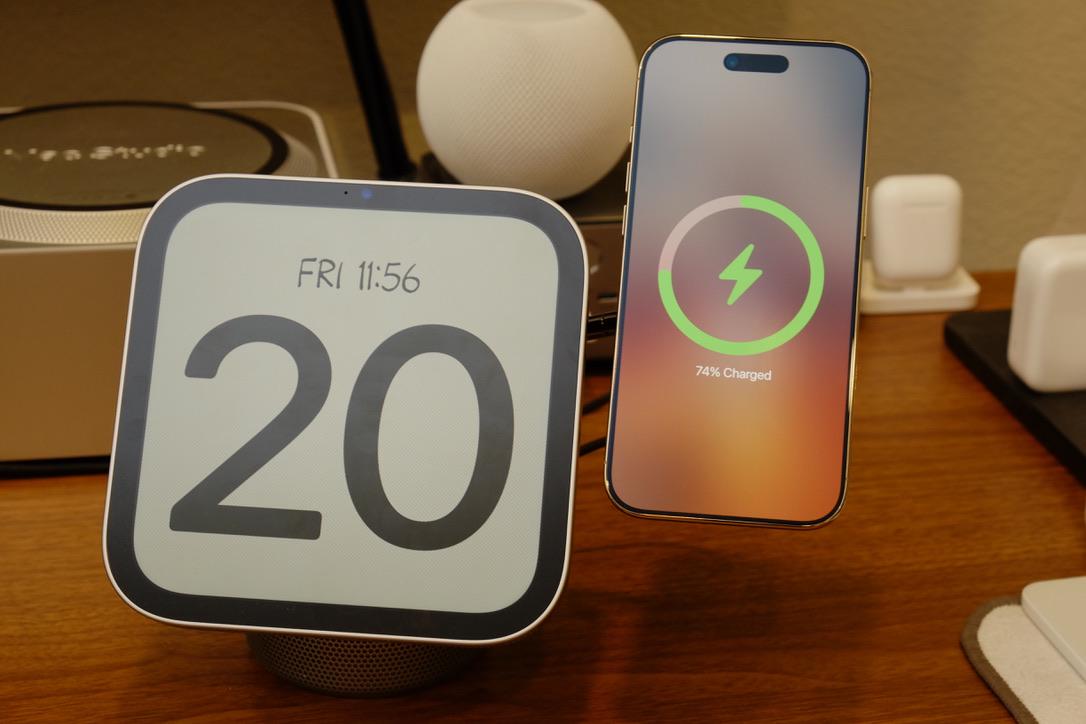
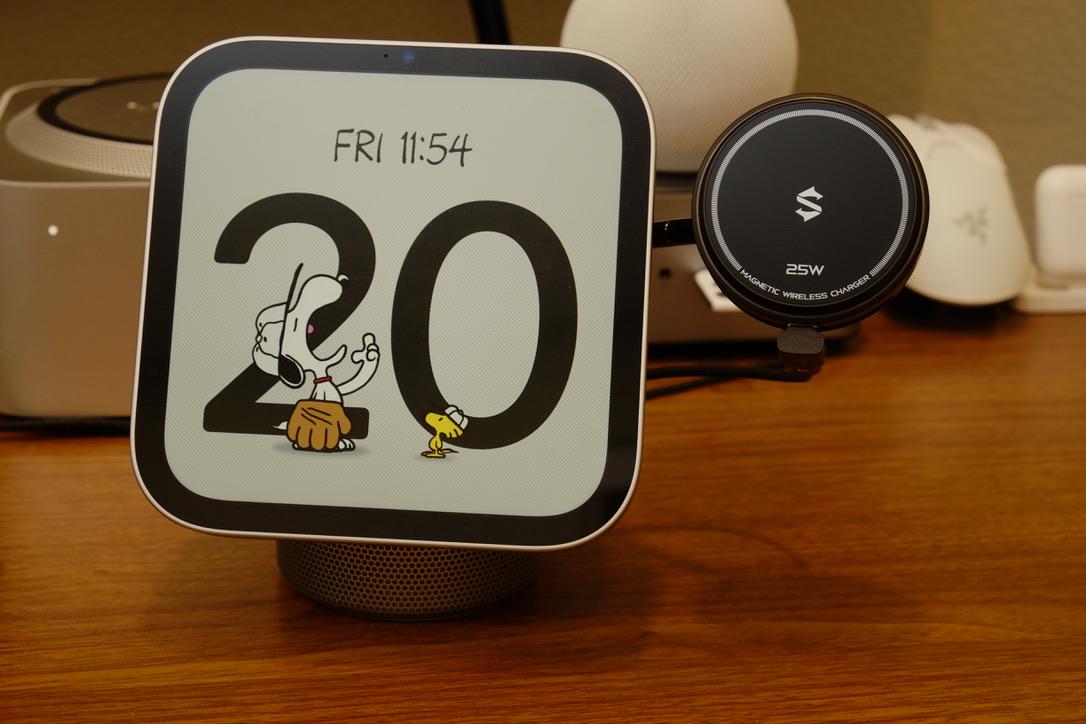
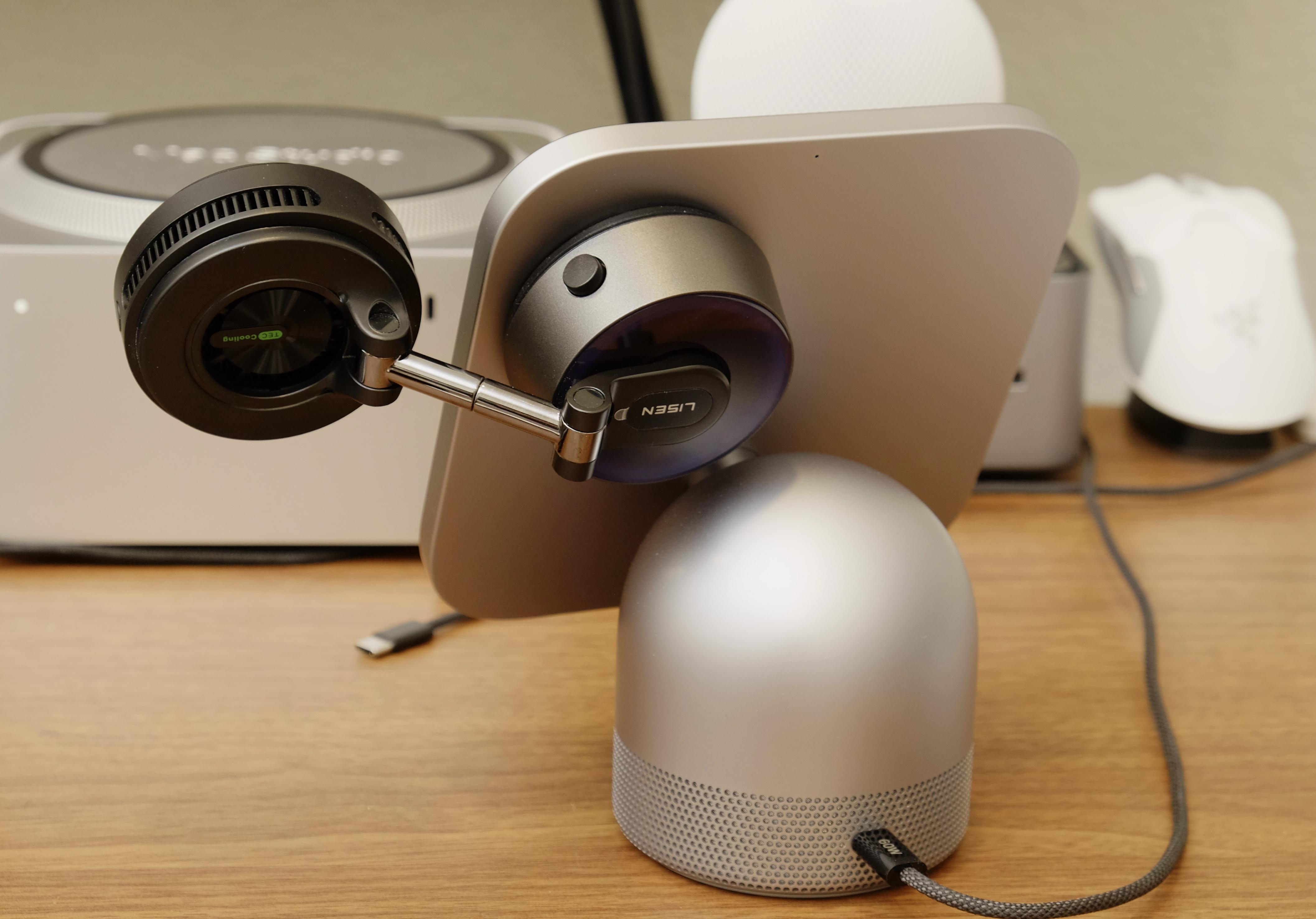
Review HomeView with MagSafe charging

10 Upvotes

Floating display

Sturdy hinge

Smooth back

1 kg of heft

How about a suction-cup stand + magnetic charging?