r/OpenVPN • • 23h ago

question Need a dev experienced with multi-node OpenVPN automation and billing integration

0 Upvotes

Putting together a turnkey VPN website and looking to hire someone who knows OpenVPN server architecture inside out. Need to automate user auth (FreeRADIUS or API-based) across multiple Linux servers and hook it up to a web billing system so accounts activate right after checkout. Open to full custom setups or WHMCS modules if you've done them before. Drop a comment or DM me with what you've worked on.


r/OpenVPN • • 3d ago

OpenVPN "TAP adapter is missing" error

0 Upvotes

I've been tormented by this thing all afternoon. I couldn't connect to a server node using OpenVPN, so I started by asking AI. It told me to delete the v9 driver, restart, and reinstall it. Following its advice, I found tap-Windows-9.23.1-I601. During installation, TAP Virtual Ethernet was checked by default, and it suggested I also check TAP Utilities. I wasn't sure if checking that box or not having my proxy turned on was the reason, as the progress bar got stuck halfway. I force-closed the installer, opened Device Manager, and found an even worse problem: my network adapter driver also had a yellow exclamation mark, and I couldn't connect to the internet. The AI suggested trying to delete everything, so I went ahead and uninstalled VMware and all the network drivers, but after restarting, there was still a yellow exclamation mark. I searched online and deleted a registry entry starting with 3d09 inside a CLSID folder, and after restarting, the network was back to normal. Then I manually downloaded tap-win9.23.1-I601 again, this time with my proxy turned on and without checking Utilities. There's no yellow exclamation mark now, yet it still shows an error.

​Before I started, the driver was named TAP-Windows Adapter V9 for OpenVPN Connect, and now it's just TAP-Windows Adapter V9. Also, I'm missing three drivers:

​Microsoft Kernel Debug Network Adapter

​Microsoft Wi-Fi Direct Virtual Adapter

​Microsoft Wi-Fi Direct Virtual Adapter #2


r/OpenVPN • • 14d ago

LockPlus 2: native WireGuard + OpenVPN client for macOS, kill switch enforced by macOS itself (free, MIT)

Thumbnail gallery
1 Upvotes

I've been working in IT for 30 years, as an IT engineer, and I use VPNs every day: WireGuard for my own servers, OpenVPN with one-time codes for work. I never found a Mac client I liked for both. Either there was no real kill switch for both protocols, or the UI was something I didn't want to look at every day. So I built my own. Version 1 was a Go app with a root helper and pf rules. It worked, but I wasn't happy with it. Version 2 is a complete rewrite as a native macOS app.

To be upfront about it: most of the code was written by AI coding agents (Claude). I set the direction, made the decisions, tested it and I'm the one accountable for it. Every security-relevant change went through separate AI security review passes, and I published those reports with their fixes in the repo. That is not a human audit, and LockPlus hasn't had one. If you want to look at the code or the reports and tell me what's wrong, please do.

What it does differently: the tunnel runs in a Network Extension, so there's no root helper and no admin password to connect. The kill switch uses macOS's own includeAllNetworks, which means macOS blocks everything outside the tunnel, also while it reconnects. OpenVPN sign-in with one-time codes works, including a new code on reconnect. That was my main reason to start this.

I measured the limits instead of guessing them. If the tunnel process crashes, macOS lets traffic through for under 2 seconds until it restarts the tunnel (1.3 to 1.7 s in my test runs). That's in the FAQ, together with the other limits.

It's my daily driver now. Before the release I tested it on my own MacBook with all my VPN profiles, and on macOS 26 and 27 VMs.

Limits: macOS 26+ and Apple silicon only, one tunnel at a time (on purpose, because the kill switch is built around one tunnel; several at once is on the list for 2.1), and no OpenVPN TAP, plugins, SSO sign-in or old ciphers like BF-CBC.

Repo, README and FAQ: https://github.com/steiale/lockplus Download (notarized DMG): https://github.com/steiale/lockplus-updates/releases/latest/download/LockPlus.dmg Review reports: https://github.com/steiale/lockplus/tree/main/docs/reviews

If you used LockPlus 1.x or WireGuide+: update to 1.2.0, it offers the move to 2.0 and takes your profiles along.

Feedback and criticism welcome, here or on GitHub.


r/OpenVPN • • 21d ago

OpenVPN Connect and Unifi

1 Upvotes

Hi!

We use OpenVPN Connect in an office environtment with our Unifi Dream Machine.
Now the Dream Machine says this:

And my question is how do I update the configuration file for all our users after this is done?
Where is it stored? I guess I should make some powershell script to copy the new file to its correct location?
Will username and passwords that are stored still work after this?


r/OpenVPN • • 25d ago

question OpenVPN "QA" AWS Marketplace builds

1 Upvotes

This was asked about here some years ago with no answer, but does anyone know why the BYOL AMI for OpenVPN on the AWS Marketplace uses "QA" in its name? It reads like a pre-release version, and prompts conversations with secops internally from time to time.

https://aws.amazon.com/marketplace/pp/prodview-y3m73u6jd5srk

It's been like this for years:

e.g "OpenVPN Access Server QA Image-fe8020db-5343-4c43-9e65-5ed4a825c931"


r/OpenVPN • • 27d ago

Raspi 5 showing incorrect ip?

Thumbnail reddit.com
0 Upvotes

r/OpenVPN • • 29d ago

Open VPN with pia on raspberry 5

4 Upvotes

Hello everybody, I am following a tutorial on YouTube to install Open VPN and Deluge. Things are going well but it seems the server side of openvpn is rejecting my password. I have a .conf file that does have my username and password and the ovpn calls to it. When I run openvpn straight like with Vietnam or something like that and ask for my username and password but it says auth_failed. I did see information about the auth-nocache But don't really know how to use that. At one point in my troubleshooting I did see an access denied when calling the .conf file that has my username and password. That doesn't make any sense. So any any information would be helpful. Thank you so much!


r/OpenVPN • • Oct 23 '26

Connection timeout Issue

1 Upvotes

The connection to the vpn suddenly stopped working im using client profile to connect it was working fine but suddenly stopped connecting

I tried restarting the laptop, the router, mobile hot-spot connection nothing, added and deleted the profile nothing worked

Any ideas of what should I do to resolve this issue ?


r/OpenVPN • • Oct 21 '26

Support of an old system.

Thumbnail reddit.com
1 Upvotes

r/OpenVPN • • Oct 21 '26

I want to trace individual user app-layer failures on our VPN servers. Is this even possible without massive overhead?

1 Upvotes

I run OpenVPN servers for our commercial VPN app. The mobile client grabs an .ovpn file from our API and connects. Right now, I log the standard connection metrics (auth success/fail, TLS handshakes, basic connectivity).

We have a recurring issue: A user connects successfully to the VPN, but the specific site they want to access is geo-blocked or has blacklisted our VPN IP (e.g., streaming services). The user assumes the VPN is broken and leaves a 1-star review.

My manager wants me to trace this on the server side. He wants the server logs to somehow identify when a connected user fails to access their intended site so we can troubleshoot it.

I told him this is a terrible idea and a massive overhead. Because of HTTPS, we can’t see if the site served a 403 "VPN Blocked" page - we just see encrypted packets flowing. To even guess at failures, I'd have to log DNS queries or sniff SNI headers (which kills our no-logs privacy stance) or do heavy DPI which will choke the servers.

How do other VPN providers handle this? I’m thinking synthetic monitoring (curling popular sites from the server IPs and exporting to Prometheus) or pushing client-side telemetry in the app.

Has anyone dealt with this exact management request before?


r/OpenVPN • • Oct 21 '26

Anyone get OpenVPN to work on airplane WiFi?

1 Upvotes

Spent a flight on Southwest today trying to get OpenVPN working. I was able to RDP into my work computer by NAT'ing RDP over 444/tcp (just temp ha), which allowed me to try all kinds of ports for OpenVPN. I thought for sure I'd be able to get it 53/udp working since they allowed DNS requests to any public DNS server. But nope, their packet inspecting must be decent since it didn't allow me to connect. I tried 443/udp, 443/tcp, 80/tcp, and 53/udp with no luck.

Anyone figure out a workaround yet? Once the airlines upgrade their fleet to Starlink, it should be useable. It's dogshit right now on their crap Anuvu satellite service.


r/OpenVPN • • Oct 20 '26

Looking for beta testers: Rouler - windows vpn split-tunneling

Thumbnail
reddit.com
1 Upvotes

r/OpenVPN • • Oct 18 '26

ovcp - OpenVPN Control Plane

4 Upvotes

yo. i've built ovcp over years of painfully configuring openvpn servers. working nice, looks cool. sysadmin friendly. MIT. lmk thanks need some free testers


r/OpenVPN • • Oct 14 '26

OpenVPN Client Debugging (Linux)

1 Upvotes

I have configurations for an OpenVPN server and a client I am trying to use. I believe the server configuration to be working as I do not experience any errors when starting up on the command line. This will be working over a tunnel connection (layer 3).

sudo openvpn /etc/openvpn/server.conf

I am less sure about my (Mint 22.3) client configuration. When I start up my client configuration, packets never reach the server.

sudo openvpn ~/openvpn/client.conf

I know that my firewall and connection are solid as I can monitor UDP packets going back and forth through a simple python program I use on the server and client. What I am most suspicious of is that there is no tunnel adapter on the client after starting openvpn. ifconfig on its on will not show any tunnel adapters. Supplying tun0, tun1, and tun2 shows the below for each with no packets or errors:

tunX: flags=4240<POINTOPOINT,NOARP,MULTICAST>  mtu 1500
        unspec 00-00-00-00-00-00-00-00-00-00-00-00-00-00-00-00  txqueuelen 500

I have been trying to find documentation on whether a tunnel adapter needs to be configured prior to running the client, or how to do so, but I can not find adequate documentation.

The client log ends with this line (there are no errors or unmanaged warnings):

2026-10-14 10:50:47 UDPv4 link remote: [AF_INET][REDACTED]

What would be my next steps for troubleshooting?


r/OpenVPN • • Oct 13 '26

question What proves an OpenVPN server migration is complete before the old endpoint is retired?

1 Upvotes

A new OpenVPN server can pass a basic connection test while dormant clients, embedded profiles, split routes, authentication backends, or monitoring still depend on the old endpoint. DNS changes do not prove that every `.ovpn` profile uses the hostname, and a quiet old server may only mean that a laptop or field device has not connected during the observation window.

A cutover gate could compare pushed routes and DNS settings, certificate and CRL state, authentication and MFA paths, client-specific overrides, firewall and NAT rules, IPv4 and IPv6 behavior, reconnects after a network change, and logging or alerting. The old endpoint could remain reachable but reject new sessions while its logs are watched for late clients.

What evidence do OpenVPN operators require before switching the old server off? How long do you watch for rarely used profiles, and how do you distinguish a client that migrated successfully from one that silently stopped connecting?


r/OpenVPN • • Oct 12 '26

Issues with OpenVpn

Thumbnail reddit.com
1 Upvotes

r/OpenVPN • • Oct 09 '26

VPN Suddenly unreachable

Thumbnail reddit.com
1 Upvotes

r/OpenVPN • • Oct 07 '26

Problem with openvpn-auth-ldap (Community Edition)

2 Upvotes

I have a new installation I'm trying to stand up on Ubuntu in AWS. I have the openvpn-auth-ldap plugin installed, the ldap.conf file made, and the server.conf file has been updated to include to plugin and conf file.

Th problem is the auth-ldap fails to start. When I run "sudo journalctl -xeu openvpn@ldap.service" is just says "Unrecognized option or missing or extra parameter(s) in /etc/openvpn/ldap.conf:1: LDAP (2.7.0)" Looks like it doesn't lie something in the <LDAP></LDAP> parameters in the .conf file.

I have no idea what it could be though, everything matches all the documentation and examples I have found. Here is what I have in the ldap.conf file:

<LDAP>

URL ldap://8.8.8.8:389

BindDN CN=SearchBind,OU=ServiceAccounts,DC=optivlabs,DC=com

Password P@$$Word

Timeout 15

TLSEnable no

</LDAP>

(IPs and creds obviously changed)

I've tried swapping the IP for hostname and getting rid of the port. Also tried adding and subtracting just about every option in the LDAP field. I get the same error after restarting.

I can run ldapsearch from the shell using the same account, pointing to the same server and it works fine.

syslog reveals the same error messages:

Options error: Unrecognized option or missing or extra parameter(s) in /etc/openvpn/ldap.conf:1: LDAP (2.7.0)

openvpn@ldap.service: Main process exited, code=exited, status=1/FAILURE

openvpn@ldap.service: Failed with result 'exit-code'.

Any idea what this things problem is?


r/OpenVPN • • Oct 07 '26

Need help with an issue

Post image
2 Upvotes

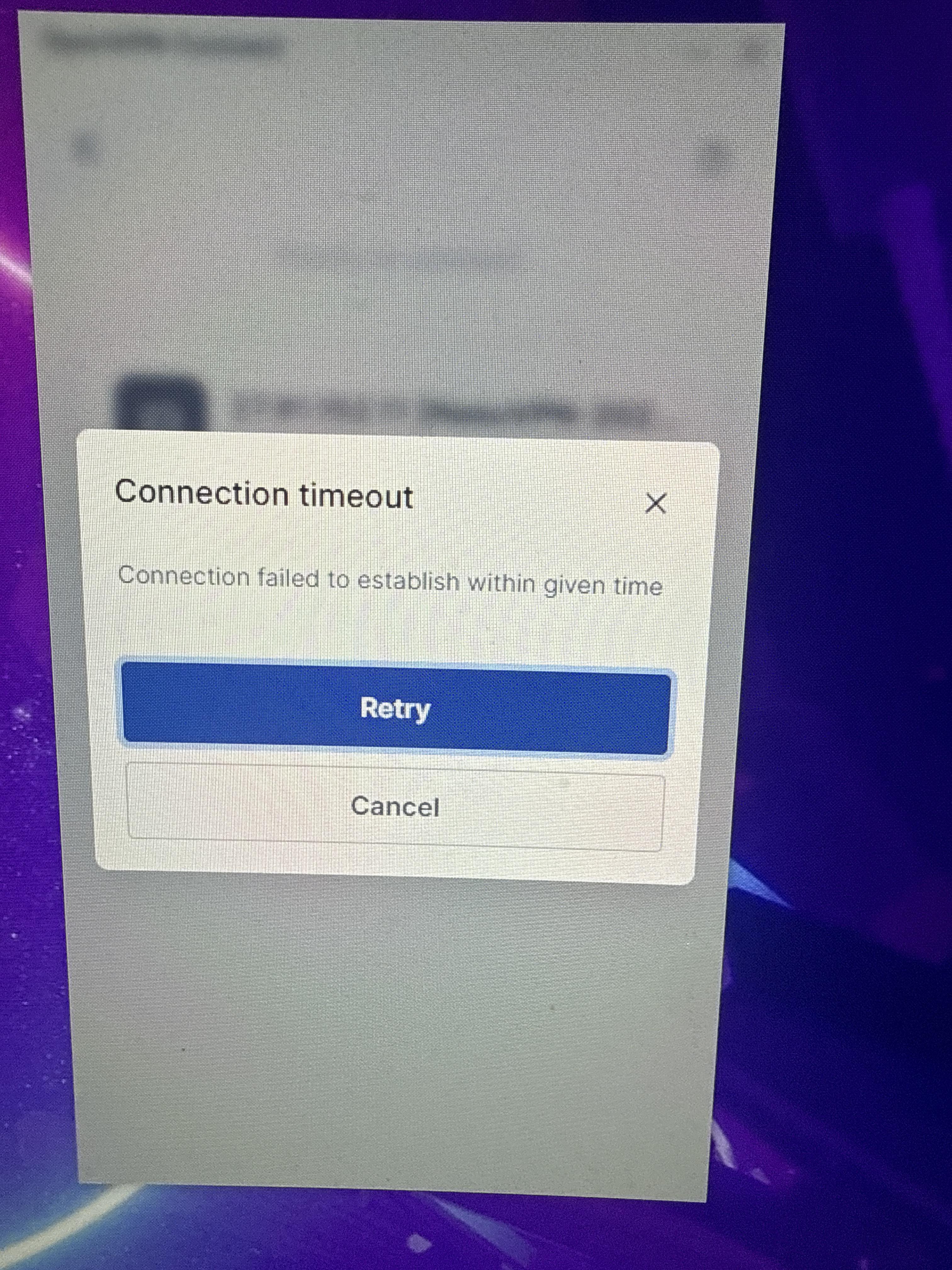
This pop up keeps appearing now everytime I try to connect to a vpn server. When I first downloaded it and used it once it worked perfectly fine but after that when id turn my pc on and it would attempt to connect it would either have a connection timeout or when id turn on “continuously retry” it would just keep going and going. I’ve checked my internet connection, ran it as an administrator and restarted my pc but still the same thing happen


r/OpenVPN • • Oct 06 '26

Décryptage

0 Upvotes

comment décrypter un fichier de configuration vpn , naspternet en particulier ( fichier npv) qui a été créé avec la clé publique spécifique à chacun du vpn en question aucun des bots telegram de décryptage que j'ai essayé ne résout mon problème


r/OpenVPN • • Oct 01 '26

Importing nested .OVPN files to UDM SE

2 Upvotes

I've got a couple of .ovpn files on my desktop machine, currently connecting using Viscosity. The way it's set up, I have to establish VPN_1 first, and then once that's up I can establish VPN_2. This all works perfectly fine on my PC.

I've tried importing them into my UDM SE, and I had to tweak the OVPN file a bit to get the UDM to not complain about overlapping subnets... basically, I compared the routing table on my PC between standard, with VPN_1 connected, then with VPN_1 and VPN_2 connected, then modified the OVPN files with "route-nopull" and static "route w.x.y.z sub.net.ma.sk" commands.

VPN_1 connects just fine, and seems to stay connected. When I try to establish VPN_2, it says the server is not reachable, and for some reason it bounces VPN_1 and occasionally says something about invalid config.

I've tried doing a policy-based route and a static route to the destination IP of VPN_2 to go over the tunnel interface from VPN_1, and a tcpdump on the UDM seems to suggest it's using the correct source interface to go out, but it still says "server unreachable".

Any ideas on how to nest multiple OpenVPN connections correctly on a UDM?


r/OpenVPN • • Sep 24 '26

Certificates on download link

3 Upvotes

After clicking download on my openvpn app(that was not up to date), i noticed the download link has no certificates, is this desired? the downloaded file is signed


r/OpenVPN • • Sep 24 '26

solved AT&T Internet Air - Passthru & OpenVPN

1 Upvotes

I configured Passthru ok ,but could access my home network when connected to my VPN. I had to change the dhcp settings in the AIR to not conflict with my home network (they overlapped).


r/OpenVPN • • Sep 19 '26

OpenVPN Client stopped working after firmware update to 1.3.5

Post image
2 Upvotes

After updating my Deco BE65 to firmware version 1.3.5, the OpenVPN Client stopped working. 
The OpenVPN configuration was working correctly before the firmware update, with no changes to the VPN configuration or network setup. 
After upgrading to firmware 1.3.5, the VPN client no longer connects/does not work properly. 
Please investigate whether there is an issue with the OpenVPN Client in firmware 1.3.5 and advise if a fix or firmware rollback is available.