r/PcBuild • u/Vignetted • 7h ago
Completed Build - Celebratory Feel like a new man. Goodbye 3600
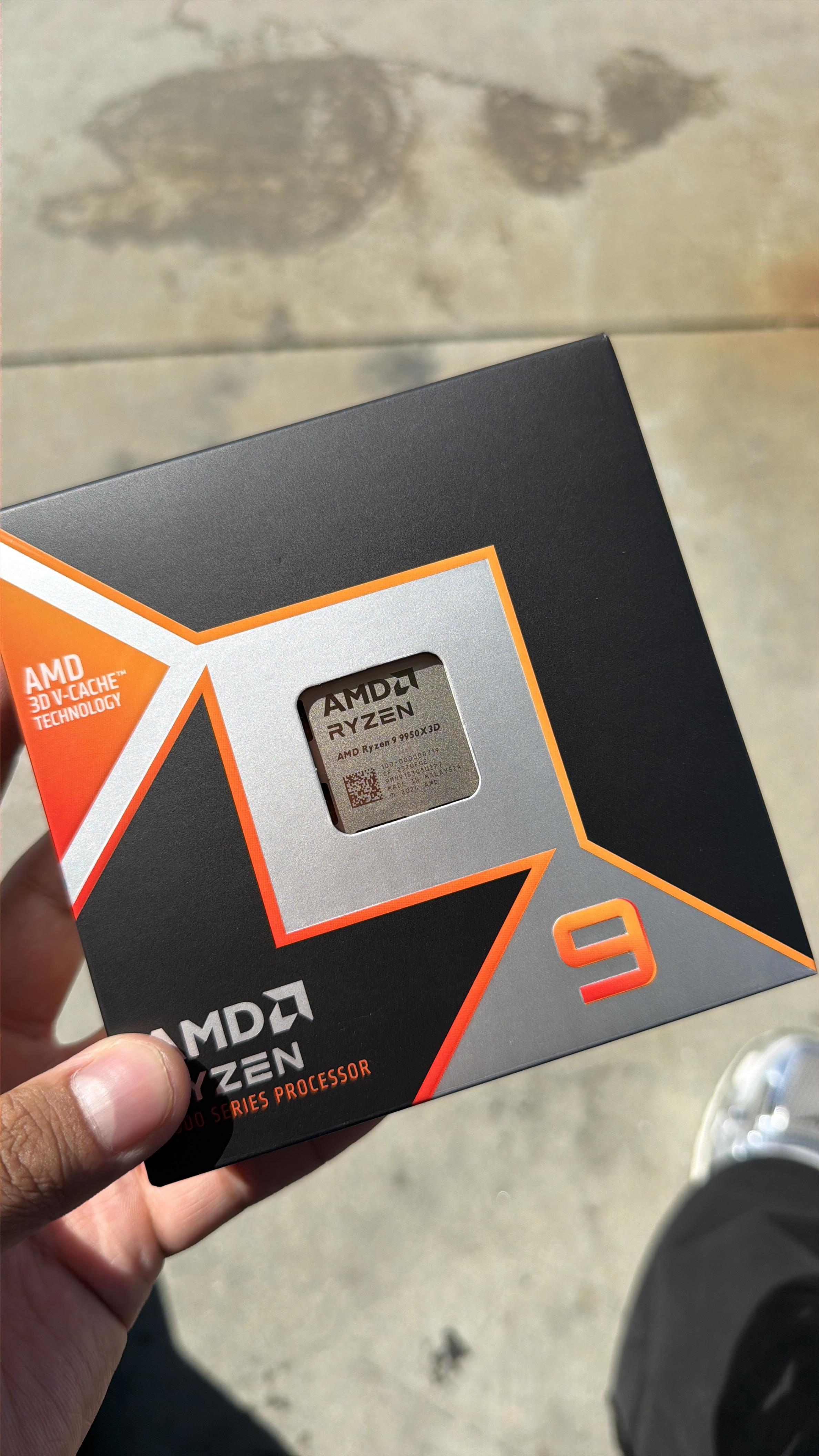
95
Upvotes
r/PcBuild • u/BEPSIBOTTLE666 • 23d ago

Hey Gang, im once again back with a review, this time on the sister to the AX9 Max, the iX9 Max!
Disclosure: VZMORE supplied this review unit free of charge. No monetary payment was received for this review. The testing, findings and verdict are my own.
Following my AX9 Max review, I tested the VZMORE iX9 Max to see how its Intel Core Ultra 9 185H handled everyday use, sustained loads, gaming and local AI. I was particularly interested in its cooling, connectivity and how far the fixed 24GB of RAM would stretch.
Price at the time of the review: US MSRP $949 for the 24GB RAM / 1TB SSD configuration.

VZMORE is a newer contender in the mini-PC space whose AX9 Max and iX9 Max focus on compact systems with vapour chamber cooling. The iX9 Max is aimed at productivity, creative work and development. Its dual Ethernet ports and storage expansion also make it interesting for a home lab, although the fixed 24GB of RAM is an important limit for larger virtual machines and local AI workloads.
The iX9 Max ships in a minimalist matte black presentation box sporting the outline of the device and the iX9 Max identifier, secured with tamper seals. Opening the magnetic lid reveals the main unit seated firmly inside a custom card insert, with all accessories neatly arranged in separate compartments and wrapped in paper.
Alongside the PC, VZMORE includes a practical set of accessories:
Measuring approximately 135 mm x 132 mm x 58 mm (5.31" x 5.19" x 2.27") and weighing roughly 777g, the iX9 Max occupies virtually the same desk footprint as a compact desktop headphone amplifier, making it easy to tuck under a monitor or mount behind a display, especially with the included VESA mount.
The chassis is made from rather nice aluminium with a dark grey finish that resists smudges and fingerprints quite well. It did not feel particularly hot to the touch during my testing. The plastic bottom plate has airflow slots and a rubber ring that acts as its foot. Four removable plugs provide access to the screws. Once those are out, four magnets in the corners also hold the bottom plate in place.
The sheer port density on a box this size is impressive, particularly the four high-speed USB-A ports across the front panel and the inclusion of a full SD 4.0 reader for creators, though having at least one front-mounted USB-C port would have made quick external SSD connections even more convenient.
Front Panel:
Side Panel:
Rear Panel:

Let’s get straight to the core specifications of the system:
Opening up the iX9 Max is straightforward:


A vapour chamber spreads heat across a broad, flat surface using the evaporation and condensation of a sealed working fluid. The complete cooling assembly, fan behaviour and power limits still determine how well a mini-PC handles sustained loads.
VZMORE’s V-Cooling™ design combines a vapour chamber with a 360-degree bottom intake and a vertical airflow path. The company claims a 40% larger heat-spreading area and 50% higher heat-transfer efficiency; those are manufacturer figures rather than measurements from this review. Heat is exhausted through the rear fin array.
I monitored thermal behaviour during a 60-minute session of separate Cinebench and 3DMark Steel Nomad runs at an ambient room temperature of 25°C.
Disclaimer: VZMORE positions the iX9 Max primarily as a productivity machine for tasks such as video/photo editing, development and data analytics. I also wanted to see what it could do with games and local AI models.
I also tested local LLMs on the integrated 8 Xe-core Intel Arc GPU under Ubuntu Linux with a 7.0 generic kernel, using llama.cpp build 11900 with the Vulkan/Mesa backend and Flash Attention enabled. These GPU-based tests do not measure the Intel AI Boost NPU.
For these tests, I worked with an approximate GPU memory budget of 15.2 GiB from the system’s shared pool.
I thought this was a useful experiment, especially as on-device LLMs are becoming more common among enthusiasts. The tests were automated, and I also fed the recorded results to one of the tested models to summarise the performance. That summarisation experiment is separate from judging the models’ answer quality. This is my first time including this kind of testing, so feedback is appreciated.
llama-bench measures prompt processing with 512- and 2,048-token inputs (pp512 and pp2048), plus sequential generation of 128 tokens (tg128). The additional 8k-depth results report pp512 and generation of 64 tokens (tg64). All speeds are in tokens per second (t/s), as recorded by the automated test script.
--n-cpu-moe 13).The following llama-server tests used zero-temperature generation. The table reports waiting times and generation speeds recorded by the automated test script. “Prompt wait” follows the script’s timing; its start/end points and model-loading/cache state have not been confirmed. “Passed” refers only to the script’s basic sanity checks. It is not a comprehensive answer-quality assessment.
| Model | Short-Prompt Wait | Context-Prompt Wait (~5.6k) | Avg Gen Speed | Gen Speed (Long Prompt) | Sanity Checks | Peak Memory |
|---|---|---|---|---|---|---|
| Qwen3.5 2B | 0.33s | 7.0s | 13.5 t/s | 13.3 t/s | Passed | 6.1 GiB RAM |
| Gemma 4 E2B | 0.33s | 43.4s | 10.7 t/s | 9.1 t/s | Passed | 7.4 GiB RAM |
| Gemma 4 E4B | 0.50s | 48.8s | 9.3 t/s | 8.8 t/s | Passed | 8.2 GiB RAM |
| Qwen3.5 9B | 0.89s | 21.2s | 6.7 t/s | 6.5 t/s | Passed | 10.7 GiB RAM |
| gpt-oss 20B (MoE) | 1.52s | 13.8s | 7.7 t/s | 7.4 t/s | Passed | 15.8 GiB RAM |
gpt-oss 20B was an interesting result on this 24GB system. Its listed model size is larger than Qwen3.5 9B (11.3 GiB versus 5.3 GiB), yet it reached 10.1 t/s in the synthetic generation test and 7.7 t/s in conversational tests, with 283.1 t/s at pp2048. Those results apply to the tested models and quantizations; this comparison does not isolate MoE architecture as the only cause of the difference.Qwen3.5 9B recorded a 21.2-second long-prompt wait, compared with 48.8 seconds for Gemma 4 E4B. That is useful evidence about these configurations, but different tokenizers, model architectures and runtime behaviour mean it is not a general ranking of how all Qwen and Gemma models scale on Arc.Qwen3.6 35B A3B at the tested 20.6 GiB quantization required a mixed CPU/GPU configuration and reached 3.8 t/s. The --n-cpu-moe 13 option keeps the MoE weights of the first 13 layers on the CPU, rather than offloading 13 individual experts. The test shows the performance of that configuration; it does not isolate the cause of the slowdown. Model fit depends on the actual quantization, context, KV cache and runtime allocations, so there is no universal 10B dense / 20B MoE cut-off. Smaller quantizations can reduce memory requirements, with a potential quality trade-off.For me, the iX9 Max makes most sense as a compact everyday PC with useful connectivity for a home lab. It performed well in the CPU tests, stayed unobtrusive during light use and offers plenty of ports. Gaming is more comfortable in the older titles I tested, while local AI is a useful extra if the model fits the available memory. The biggest long-term limitation is the fixed 24GB of RAM, so I would choose the system around the workloads I expect to run rather than assume I can upgrade it later.
At the $949 US MSRP for the reviewed 24GB/1TB configuration, I would be buying it for the compact design, low noise in everyday use and extensive I/O. The fixed 24GB of RAM is a significant compromise at that price, particularly for a home lab or local AI. I would recommend it most readily to someone whose workloads fit that memory ceiling and who will make good use of its ports; gaming would be a secondary use.
r/PcBuild • u/Potato_Plays844 • 2d ago
Feel free to ask questions, give advice, give us feedback on things you might want to happen in the subreddit, or just talk!
r/PcBuild • u/Vignetted • 7h ago
r/PcBuild • u/Vignetted • 7h ago
- XFX RX 9070 XT
- MSI RX 5700 MECH OC
- NVIDIA GT 220 🥹
r/PcBuild • u/DFisBUSY • 1h ago
Always wanted to build in white, and after picking up the 9070 XT + some spare parts I had - figured it was as good of a time as any.
Even though AM4 is pretty much EOL, since I already had white RAM it was going to be the cheapest way for me to achieve the white aesthetic.
That said, this is a showcase/gaming only rig for me so I think staying on AM4 should be fine. My main rig is on AM5.
Still figuring out the best place to mount the AIO screen, though.
CPU: AMD 5800 X3D
RAM: Corsair Vengeance DDR4-3200 32GB
GPU: Yeston 9070 XT
MOBO: Asrock B550M Pro SE
PSU: Corsair RM850x
COOLER: Thermalright Dynamic Vision Pro 360
SSD: Crucial P5 2TB
CASE: Thermaltake Tower 300
r/PcBuild
•
u/PossessionLeather264
•
1d ago
Hello!
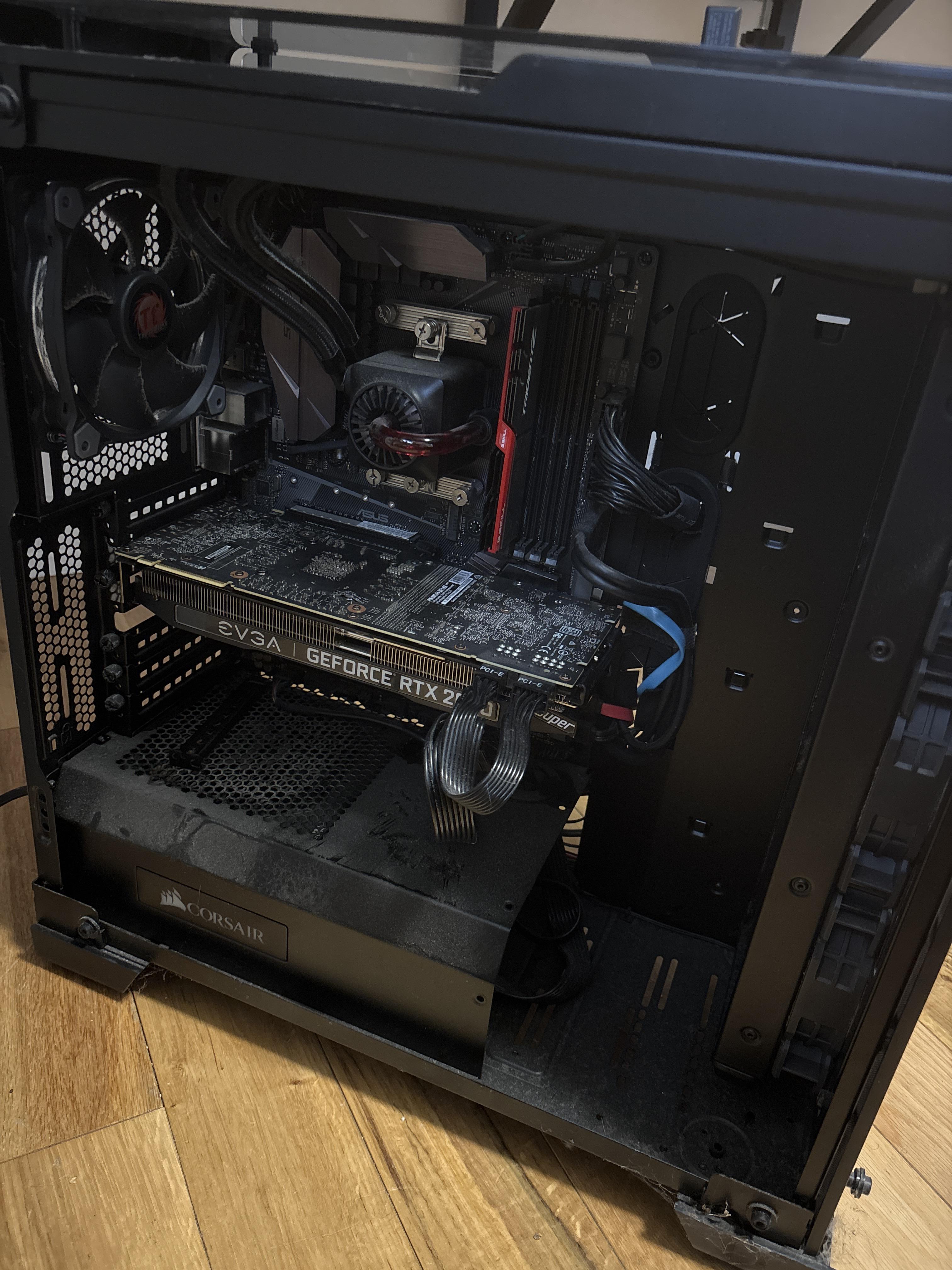
My husband has been working his butt off since I was laid off from my job in August, to keep our family afloat. I’m honestly so proud of him. He put in the hours and challenged is red-seal (Canada) welding exam, he got a better job that pays 30% more than he was previously making with way better benefits. This has been an uncomfortable transition for him, leaving a job he’s been with for 10 years, and I want to show him how much I appreciate him. He has mentioned multiple times that his graphics card on his desktop computer is failing.
He likes to play games online (I think) where he wears a headset and they all go around with guns and shoot at people. He has mentioned that once GTA comes out on the PC he would like to play it as we don’t have a game box, like a Nintendo. I really want to surprise him with a new graphics card but I don’t know where to start or what to buy. I really need help because I don’t understand this stuff. I asked my husband if he’d like to have a game box instead because it’s cheaper, but my husband likes to play with his internet friends. He also mentioned a subscription he would have to pay? I don’t know man, I use an iPhone because it’s easy.
I took a photo of his computer, if that helps.
My budget is $1000 CAD, I always like to buy my tech refurbished, but obviously I’m buying basic stuff- not a gaming computer.
I’m in Vancouver, Canada
r/PcBuild • u/Moist-Seneker • 1h ago

r/PcBuild • u/Eight_Sneaky_Trees • 2h ago

This is my first time building a PC.
I have a GPU seller asking for $555 for a used MSI 4070 Super and offer to shoot a video to conduct tests with it running. When I asked if he has any guarantees for a return if the card fails, he said he has his own warranty service that would bump the card's price to $599 for 1 week worth of warranty and $620 if its 1 month. What do you folks think about these pricings and what should I look for in the testing result video/image?
r/PcBuild • u/Vignetted • 45m ago
Size compared to an RX 5700
r/PcBuild • u/True-Vegetable-8575 • 1d ago

The NAND chips are missing when I compare the stock photo from Amazon....guys am I slimed? 😭✌️. My bro says the package is not tampered with. & He didn't open it yet.
r/PcBuild • u/N-THUSIAST • 16h ago
u heard the stories we all do brick mother boards not as common now tho but loosing power mid update and something messing up after boot or hell sometimes u dont even get to boot, get a ups people our rigs now is a price of use car lol protect it from an electrical failure and destroying ur unsaved work lol
r/PcBuild • u/Khaslana_71 • 6h ago
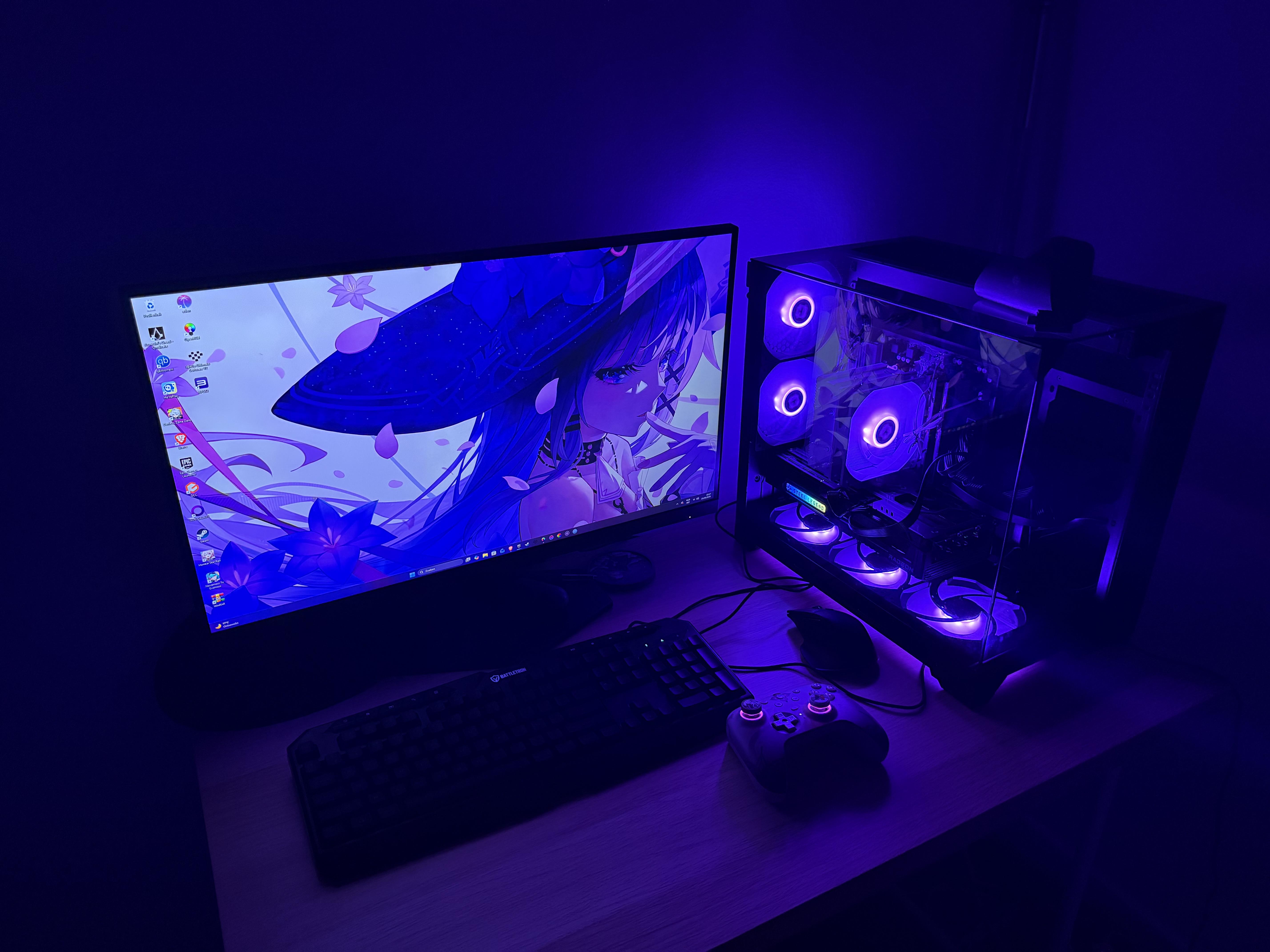
Graphics card: RX 9070 GRE 12GB
Processor: Ryzen 5 9600X
Motherboard: Gigabyte B650M Gaming Plus WiFi
RAM: Patriot Viper Venom 32 GB of DDR5
Storage: Lexar NM790 1TB and Intel NVMe 512GB
from my old laptop
Power supply: Cooler Master MWE 850W
CPU cooler: Thermalright Assassin X120 SE
Case: Lian Li O11 Vision-M
Case fans: 5 × Thermalright TL-C12C
It was assembled on August 2026
The cost was approximately 1,600-700 euros
The primary use is daily gaming
r/PcBuild • u/the_airt • 1h ago
Hey everyone, I'm putting together a no-nonsense, future-proof build and trying to finalize the GPU. Looking at actual local prices, the gap between the RX 9070 XT and RTX 5070 Ti comes out to roughly 16,000 CZK (~$650–700).
My main use case:
Here's my current reasoning:
What do you all think? For a competitive-focused QHD build with light editing, does that "future-proof / lowest latency / peace of mind" gut feeling with Nvidia hold any weight at a ~$600+ premium, or is it purely habit and going with the RX 9070 XT is a complete no-brainer? Curious to hear from you guys!
r/PcBuild • u/Hersical • 1h ago

my tempered glass has been holding just fine of a tile floor for ages because every time i need to open my damn case i take the pc out into a better place, and put the glass on a soft surface
r/PcBuild • u/yangerbang • 16h ago
Was changing graphics card and saw a rectangle pink rubber like structure above the peic port and underneath a component of the motherboard
r/PcBuild • u/Foundy1517 • 23h ago
After months of saving and many trips to MicroCenter, I finally finished and built my new system yesterday. This is my first PC since 2018 - I am finally putting my old 1080ti and 8700k to rest. And I now have dual monitors for the first time ever!
The build:
CPU - Ryzen 7 9850X3D
GPU - RTX 9070XT (ASRock Steel Legend)
Mobo - MSI Pro X870E-P WiFi
RAM - 32GB DDR5-6000
SSD - Samsung 9100 Pro 2TB
PSU - MSI MAG A850GL 850W 80+ Gold
CPU cooler - Montech HyperFlow 360mm Digital
Case - Corsair 3500X RS-R ARGB
Monitor - Acer Predator X27U 2K 240Hz QD-OLED (the second monitor is my old 1080p 60Hz)
Total cost roughly $2800 with tax.
This thing is gonna run Morrowind like a beast. My 1080ti can finally rest…
r/PcBuild • u/Additional_Shape4765 • 12h ago
I’ve always gone Intel and Nvidia, just built my new pc and finally got an amd cpu (9800x3d) upgraded from an i9 10900 and bought a used 3080 ftw 3 ultra for 350. Microcenter has a Black Friday deal so I picked up a 9070xt gaming oc ice card for $899. Sad to say that I got a deal on this card a 899 but it was going for $1200+ before this. After playing on it I have noticed a huge difference. I wanted a 5070 ti but figured for the price difference this was good enough and holy crap my games play so much smoother. Mw4 at all max settings runs 200+ fps no problem and feels smooth as can be. Such a good car for much cheaper than the Nvidia counterpart
r/PcBuild • u/Actionboi45 • 36m ago

Made in blender, printed, sanded and painted by myself ( Galarian Darumaka )
r/PcBuild • u/lisenalcaleb • 52m ago

Is this a good pc for games like Minecraft, Avatar, Fortnite, and party games? Not trying to spend more than 1200.
r/PcBuild • u/Swimming-Panic6711 • 54m ago
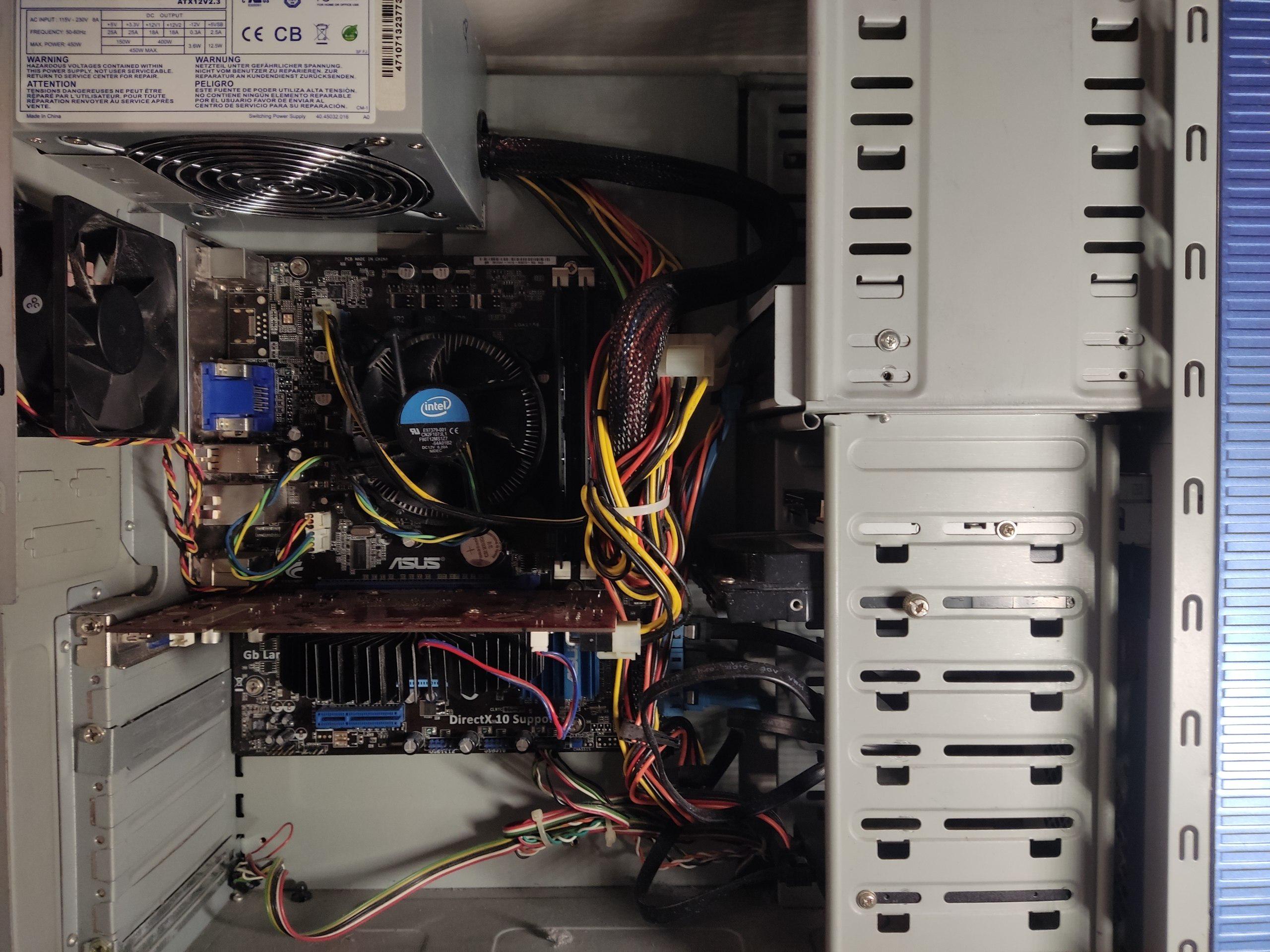
Attached is a photo of the inside of my PC. Looking to buy a brand new graphics card for gaming with a budget of around $100. Here are my current specs:
What is the best new GPU I can get for this setup? Thanks!
r/PcBuild • u/desidogeman • 8h ago

TL;DR: Bought the Sam's Club RTX 5080 + Ultra 7 270K Plus build for $2,649 after months of waiting. Including 3-year Allstate protection, taxes, same-day delivery and Plus membership, I spent $3,079.54. By stacking Rakuten, BofA CCR (6.75% + 1%) and Amex offers, my estimated savings are $250.21 (8.12%), bringing the effective cost down to $2,829.33, all-inclusive. Missed out on an additional ~$52 in Sam's Cash because I opted for delivery instead of curbside pickup. Some cashback is still pending.
i was looking to buy a PC since past 2-3 months, but the prices always kept me afar. i have a macbook pro 64gb, but i was, am and will always be a windows guy. so i wanted a desktop which lasts me like 4-5 years atleast. and my usecase involved AI, cuda processing, gaming and most importantly " a pc which can deal with almost everything". and then i saw about sams club build in this subreddit 4 days ago.
I initially wasnt going to buy it, but i literally did discussions with chatgpt for almost 6 hrs straight. and i finally decided to buy it, i even did some financial planning so here's what i did to save more:
-amex is giving 35% upto 42$(which is exactly 35% of 120$ lol) on sams club membership purchase (its yet to reflect on my purchase)
-rakuten gave me 9% cashback (11.69$), also if you never had rakuten before, take referal link from someone and you'll get extra 50$ cashback for the first purchase( if you got no person with a refer link DM me i can help with that).
2) now about the pc:
i bought the desktop + all state insurance for 3 years . my initial plan was to opt the curb side pick up. but i was devasted to know that , it was OOS at many places, i called few stores and finally in one store they literally had 1 left, i didnt want to risk with pick up, and i opted for same day delivery and paid 5$ extra for 3 hr delivery (to make sure i get it asap before it goes OOS). then i later learnt that the sams club plus membership's 2% cashback doesnt apply to delivery and shipping (because of which i lost potential 52$ savings cashback savings). and i have BoFA CCR on which i setup internet spendings as my category i get 6.75% cashback (i had the limit of 1500$) and the rest was 1% cashback.
so, Purchases and expenses: CyberPowerPC: $2,649.00, Allstate protection: $79.99, sales tax (estimated): $225.55, delivery charge: $5.00, Sam's Club Plus membership: $120.00. Total expenses: $3,079.54.
Cashback and rewards: Rakuten PC: $79.47 (tracked), Rakuten membership: $11.69 (tracked), BofA CCR 6.75%: $101.25 (expected), BofA CCR 1%: $14.60 (expected), Amex regular cashback: $1.20 (expected), Amex membership offer: $42.00 (expected), Sam's Club 2% cashback: not reflected and excluded.
Final summary: Total expenses: $3,079.54, total estimated savings: $250.21 (8.12%), final effective cost: $2,829.33.
i might be really broke for a while now, but im really happy with this purchase, opened it, did benchmark testing on all important components, checked thoroughly on the hardware. and i hope i dont need to upgrade any component for my usecase. its an all rounder build as the CPU is not only good in gaming but also with other basic tasks. tomorrow i might try some AI build and gaming on this. also ask me any questions if you want to know about this build, as there isnt much info on the website.
and the funny part happened later when my friend loved it so much that we again went on a hunt to find one more unit, found none, went to request for a display unit just to see that they found one left in the warehouse. and we bought it then and there. chapter close.
r/PcBuild • u/Sawblade10 • 3h ago
Looking to get a relative a PC with a budget of $500. Wanting to play modern titles at 1080p 60fps at the least. Wondering about building with likely used parts vs buying used off marketplace. I've built my own pc but other than that don't have much experience.
Also wondering if going the buying something used route what specs I should be able to expect for $500.
Any help would be appreciated, thanks
Edits: Peripherals not necessarily needed, have some used items sitting around
r/PcBuild • u/varad4real • 14h ago
1.T force 8gbx3 Ram 3600mhz
2.Ryzen 5600g
3.Gigabyte auros b450 w 2 nvme slots
4.gigabyte 450w bronze
5.antesports crystal cabinet
6.deep cool 360mm AIO
7.256gb ssd zebronics
8.1tb hard disk
r/PcBuild • u/FuriousFlamingo_YT • 15h ago

He wants to upgrade his PC, so I was thinking of buying this bundle from microcenter, buying a new SSD and PSU, and just reusing his 1660ti since he does not play games much.