r/SamsungDex • • 18h ago

Discussion DeX UI overhaul coming in One UI 9.5. It looks similar to Googlebook OS, and I'm not mad about it. Are we finally living in an age when the mobile desktop isn't an afterthought?

Post image
238 Upvotes

I just watched this video, and the new interface looks awesome!

There's a been some of activity around this sub about how DeX might be affected by the new Android Desktop OS. For example, this post, an effort to re-create a new Googlebook OS feature on DeX. Also, my own post that ended with speculation DeX might benefit from the "mainstream" Android development being easily ported across Android devices.

Thanks to the knowledge of this sub, I'm daily driving the Googlebook OS version of Chrome that intuitively resizes according to phone and mobile screens. Desktop Chrome plugins are working. But, for anyone who wants to try it, I don't think the version I installed from apkmirror auto-updates. It's also possible the regular version of Chrome will auto-update from the play store and overwrite the Googlebook version, I haven't been using it long enough to know exactly how this works.

And now this UI overhaul that mimics some Googlebook OS UI elements. I'm excited for the overhaul to come to the stable channel. And I'm beyond stoked to see this category of mobile computing finally getting the kind of attention it deserves. Let them cook!

r/SamsungDex • • 9h ago

Useful info HzUnlock works on my S25 Ultra – DeX at 120 Hz, no root.

54 Upvotes

Just wanted to thank the dev for HzUnlock and recommend it to anyone using DeX on an external monitor.

I tested it on my Samsung Galaxy S25 Ultra with a Rayneo air 4 pro, connected through usb c. Before, DeX was stuck at 60 Hz. With HzUnlock it runs at 120Hz and everything feels way smoother: moving windows, scrolling, the cursor, all of it.

Setup was easy: install Shizuku, start it with wireless debugging (no root needed), open HzUnlock, allow it in Shizuku and turn it on. The phone's own screen keeps working normally; it only changes the refresh rate on the DeX monitor.

Download (GitHub releases): https://github.com/npfp222/HzUnlock/releases

Original post from the dev: https://www.reddit.com/r/SamsungDex/s/FwtKPGF6VR

Great work, and thanks for making it free and open source!


r/SamsungDex • • 3h ago

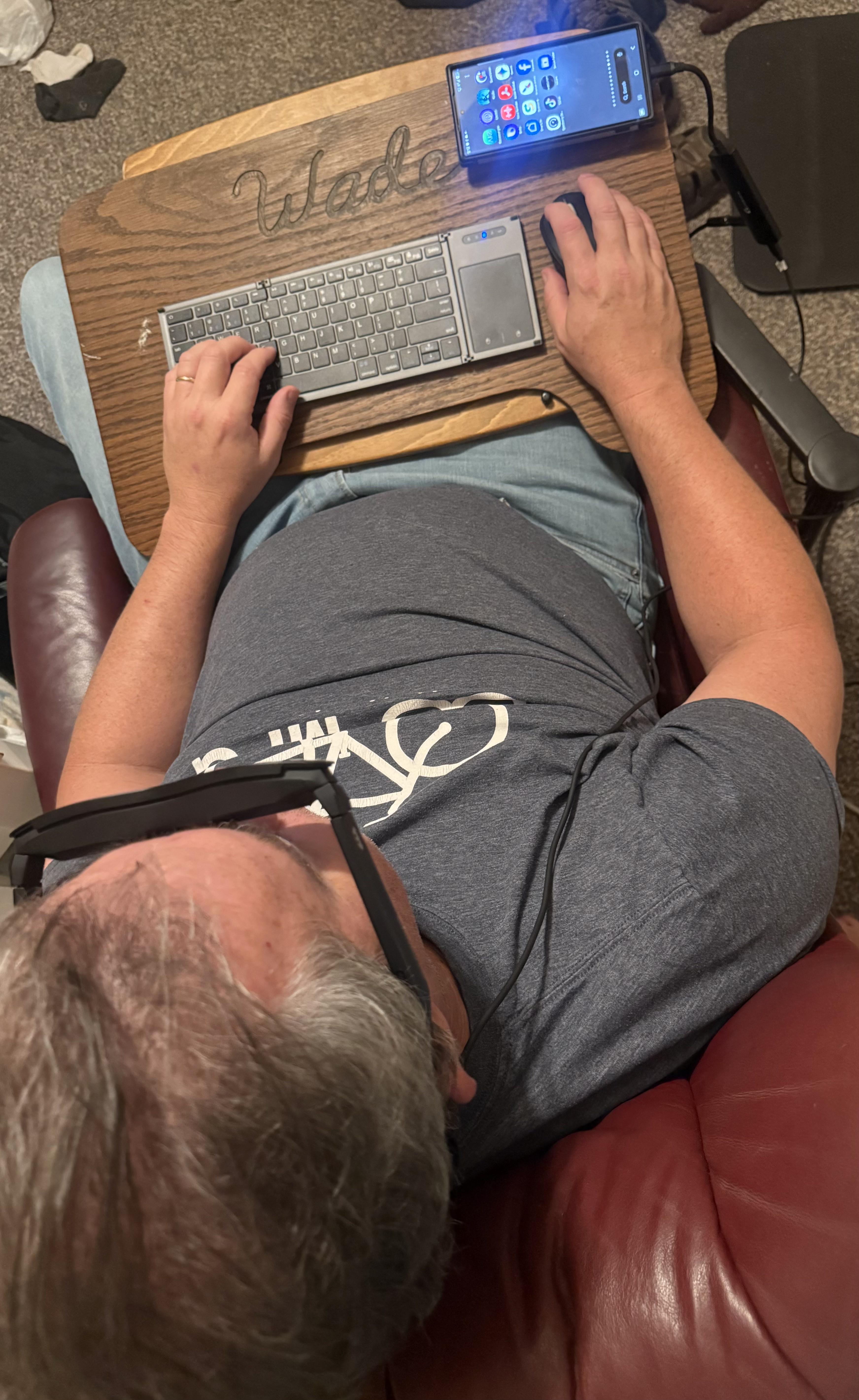
My Setup Personal Dex setup

Post image
14 Upvotes

Because I like ultra portable setups this is my new arrangement. Using RayNeo glasses with (sometimes without) a docking device https://a.co/d/0e0hmu9W

Foldable keyboard with tackpad and separate mouse.

Doing a lot of field work soon. Map editing by remoting into a virtual desktop for GIS and video editing. Just need my lapdesk and ready to roll! Samsung galaxy s23 ultra. Adding a 100 watt usb-c power supply and battery backup to the mix soon.


r/SamsungDex • • 23h ago

Useful info S21 Ultra + Dual BT Sonos Roam Setup 34” Ultra Wide Setup

Post image
8 Upvotes