r/androidafterlife • • 1h ago

Help Is it possible for someone to patch the old Xiaomi Market with lyano market?

Post image
1 Upvotes

Title ok ok ok yeah ok ok


r/androidafterlife • • 4h ago

Discussion Samsung Galaxy Y on Android 2.3.6 with working Play Store and Spotify 1.2.5.3 working for the most part.

Thumbnail
gallery
15 Upvotes

I bought that phone in like May 2023, logged into my google account in 30th May 2024 and till this day it somehow connects to google as shown on last pic and since then play store also works. Also, ofc with help of AI, we managed to get Spotify 1.2.5.3 working in like around 80%. Connects directly to Spotify servers.


r/androidafterlife • • 4h ago

Discussion Misu 1.2 bringing back android 4.1.2

Post image
0 Upvotes

r/androidafterlife • • 5h ago

Guide Android 7 Nougat - Ultimate Survival Guide 2027

3 Upvotes

Guide last updated: 24/11/26

I’m writing this to make it easier to answer questions from other users. I’ll try to make everything as straightforward as possible here and keep this guide up to date. If any links are broken, an app no longer works, or you have any suggestions for additional content, let me know in the comments!

(In this tutorial, I'm assuming that your phone has been completely reset to factory settings.)

1. Initial configuration

Once your phone has been reset to factory settings, the first thing I recommend you do is update the system certificates, since some of the default certificates in Android 7 have expired, causing problems with loading content from the internet and preventing you from using several apps on this list.

To update the certificates on Android, follow the step-by-step instructions in this tutorial here: https://www.reddit.com/r/androidafterlife/comments/1r2uk1l/guide_how_to_add_tls_certificates_to_fix_some/

Once all the certificates have been updated, you can proceed to the next step.

2. Updates and Services

I believe that, by default, systems like Android 7 and later still automatically connect to Google's servers and automatically update the Google Play Store, even allowing you to update the apps that come pre-installed on your phone through the store without having to sign in. However, if you don't plan to connect your phone to the internet, or if Android didn't update the app automatically, these are the latest versions available as of the time I'm writing this:

Google Play Store: https://www.apkmirror.com/apk/google-inc/google-play-store/google-play-store-54-3-08-release/
Google Play Services: https://www.apkmirror.com/apk/google-inc/google-play-services/google-play-services-26-46-32-release/

Even though I can still log in to the Play Store normally in this version so far, I don’t really like doing that, since it ends up increasing data collection and, consequently, background processes, which drain the battery and affect the overall performance of even high-end phones like the Galaxy S6. That’s why I prefer to use the Aurora Store, which is open source and doesn’t require a login, instead.

Aurora Store: https://store.auroraoss.com/

As for other apps pre-installed on the device, I recommend that you disable any that you won’t work anymore, such as Google+, Google Hangouts, Google News… Or apps you don’t really plan to use, such as Google Photos, Google Play Books… Doing this will free up some space and may even make your phone run faster by removing these unnecessary background services. Once they’re removed, you can download updates for the remaining apps (if there aren’t any updates available for them through the Aurora Store) via APKMirror, where you can search for compatible APKs using the search options.

https://www.apkmirror.com/?post_type=app_release&searchtype=apk&s=play+services&minapi-max=24&bundles%5B%5D=apk_files

Even so, if you want to sign in to your Google account on the device and are having trouble, try updating WebView; that usually fixes the problem of not being able to sign in.

https://www.apkmirror.com/apk/google-inc/android-system-webview/android-system-webview-114-0-5735-60-release/

3. Browsing the Internet

For browsing the internet, Firefox is undoubtedly the best option in this case. This is mainly because of its wide variety of extensions and the fact that the browser does not rely on the system's WebView to render pages.

https://www.apkmirror.com/apk/mozilla/firefox/firefox-fast-private-browser-143-0-4-release/

In Firefox, I recommend that you try out the recommended privacy extensions, but above all, I recommend that you install Adblock Origin. H264lify is also highly recommended if you want to watch YouTube in your browser.

https://ublockorigin.com/
https://addons.mozilla.org/en-US/firefox/addon/h264ify/

4. Communications and Social Media

The list of social media platforms that still supports Android 7 is currently short, and that number is likely to shrink further. Even so, you can still use these apps through your browser still work well. Currently, the social media platforms that still natively support Android 7 are:

(As I said, most of these apps are still being updated, so I recommend checking to see if there are new versions available. Or just let Aurora Store check and update them up for you, wink wink)

Another option for those who don't want to use the web version of the apps is to use alternative clients or patched apps. However, I am not responsible for your data—be careful with alternative clients or patches from unknown sources!

5. Games

As for this list of games here, I'll organize them from the least resource-intensive to the most resource-intensive, so if you have a more basic phone, you'll know which ones to choose.

If you have any other game suggestions for me to add here, just let me know in the comments!

I think that’s all. I’ll try to keep this guide up to date. As I said at the beginning, if any links are broken, an app no longer works, information is out of date, or you have suggestions for additional information, let me know in the comments! Thanks to everyone for your help.


r/androidafterlife • • 5h ago

Guide Android 6.0 Marshmallow - Ultimate Survival Guide 2027

3 Upvotes

Guide last updated: 24/11/26

I’m writing this to make it easier to answer questions from other users. I’ll try to make everything as straightforward as possible here and keep this guide up to date. If any links are broken, an app no longer works, or you have any suggestions for additional content, let me know in the comments!

(In this tutorial, I'm assuming that your phone has been completely reset to factory settings.)

1. Initial configuration

Once your phone has been reset to factory settings, the first thing I recommend you do is update the system certificates, since most of the default certificates in Android 6 have expired, causing problems with loading content from the internet and preventing you from using several apps on this list.

To update the certificates on Android, follow the step-by-step instructions in this tutorial here: https://www.reddit.com/r/androidafterlife/comments/1r2uk1l/guide_how_to_add_tls_certificates_to_fix_some/

Once all the certificates have been updated, you can proceed to the next step.

2. Updates and Services

Although it’s common practice to update the Google Play Store and Google Play Services first, I recommend that you don’t do that. Because even though Android 6 is still technically supported by Google in this regard, the latest versions of these apps—especially Play Services—can really drain performance and battery life, even on high-end phones from that era, such as the S5, for example. Plus, they collect a ton of data and can create new security vulnerabilities on the device.

Instead, I recommend using the Aurora Store along with MicroG Services. They are open-source alternatives to the Play Store and Play Services that do not affect device performance, do not collect user data, and do not require users to log in to use them or download apps.

Aurora Store: https://store.auroraoss.com/
MicroG Services: https://github.com/microg/GmsCore

As for other apps pre-installed on the device, I recommend that you disable any that you won’t work anymore, such as Google+, Google Hangouts, Google News… Or apps you don’t really plan to use, such as Google Photos, Google Play Books… Doing this will free up some space and may even make your phone run faster by removing these unnecessary background services. Once they’re removed, you can download updates for the remaining apps (if there aren’t any updates available for them through the Aurora Store) via APKMirror, where you can search for compatible APKs using the search options.

https://www.apkmirror.com/?post_type=app_release&searchtype=apk&s=&minapi-max=23&bundles%5B%5D=apk_files

Even so, if you want to sign in to your Google account on the device and are having trouble, try updating WebView; that usually fixes the problem of not being able to sign in.

https://www.apkmirror.com/apk/google-inc/android-system-webview/android-system-webview-105-0-5195-136-release/

3. Browsing the Internet

For browsing the internet, Firefox is undoubtedly the best option in this case. This is mainly because of its wide variety of extensions and the fact that the browser does not rely on the system's WebView to render pages.

https://www.apkmirror.com/apk/mozilla/firefox/firefox-fast-private-browser-143-0-4-release/

In Firefox, I recommend that you try out the recommended privacy extensions, but above all, I recommend that you install Adblock Origin. H264lify is also highly recommended if you want to watch YouTube in your browser.

https://ublockorigin.com/
https://addons.mozilla.org/en-US/firefox/addon/h264ify/

4. Communications and Social Media

The list of social media platforms that still supports Android 6 is currently short, and that number is likely to shrink even further. Even so, you can still use these apps through your browser; sites like Twitter and Bluesky still work well. Currently, the social media platforms that still natively support Android 6 are:

(As I said, most of these apps are still being updated, so I recommend checking to see if there are new versions available. Or just let Aurora Store check and update them up for you, wink wink)

Another option for those who don't want to use the web version of the apps is to use alternative clients or patched apps. However, I am not responsible for your data—be careful with alternative clients or patches from unknown sources!

5. Games

As for this list of games here, I'll organize them from the least resource-intensive to the most resource-intensive, so if you have a more basic phone, you'll know which ones to choose.

If you have any other game suggestions for me to add here, just let me know in the comments!

I think that’s all. I’ll try to keep this guide up to date. As I said at the beginning, if any links are broken, an app no longer works, information is out of date, or you have suggestions for additional information, let me know in the comments! Thanks to everyone for your help.


r/androidafterlife • • 6h ago

Discussion Old KineMaster 2019's version running in 2026

3 Upvotes

The version I'm running is 4.11.13.14060.DF ("chinese" apk mod from september), which, from what I've seen in the APK information in ZArchiver, is compatible with Android 4.1.


r/androidafterlife • • 6h ago

Discussion Information - T110 backports (old4-2goyas)

4 Upvotes

Greetings, I am Neptune, lead tester for this project named old4-2goyas, I suppose that prior to this you've seen my Android 4.0.4 backport post from the GT-P5100 to the SM-T110, well, I have updates and a coming soon list.

Initially, updates.

The 4.0.4 port should resume development tomorrow once our developer can go back to helping me and I will be able to help test, but there is a key difference this time: we are not porting the P5100, we're porting from the P3110 now.

  • Reasons for such: 7.0" UI, which fits our Galaxy Tab 3 Lite, probably more stability, aswell. The same development effort has also been made for the SM-T113, but it remains as a private project for now, but I can provide a video, only of the T113 version working.

Coming soon:

  • Honeycomb port to the SM-T110 from the Galaxy Tab 7.0" Plus
  • Honeycomb port to the SM-T113 from same device

Stay tuned on our work!

😉


r/androidafterlife • • 8h ago

Discussion Misu 1.1 bring android 4.1.2+ to the limit

Post image
0 Upvotes

r/androidafterlife • • 8h ago

Discussion Introducing Misu M Same experience as Misu but for modern phones android 9.0+

Thumbnail drive.google.com
2 Upvotes

r/androidafterlife • • 8h ago

Discussion Any apps recommended for this OG samsung galaxy camera? Gc120

Thumbnail
gallery
42 Upvotes

r/androidafterlife • • 9h ago

Guide Android 16 finally released for the One Plus One

Thumbnail reddit.com
1 Upvotes

r/androidafterlife • • 10h ago

Guide Mi A2 Lite with no battery now it's an always-on postmarketOS server

Post image
7 Upvotes

r/androidafterlife • • 17h ago

Discussion rate my phone

Thumbnail
gallery
48 Upvotes

r/androidafterlife • • 19h ago

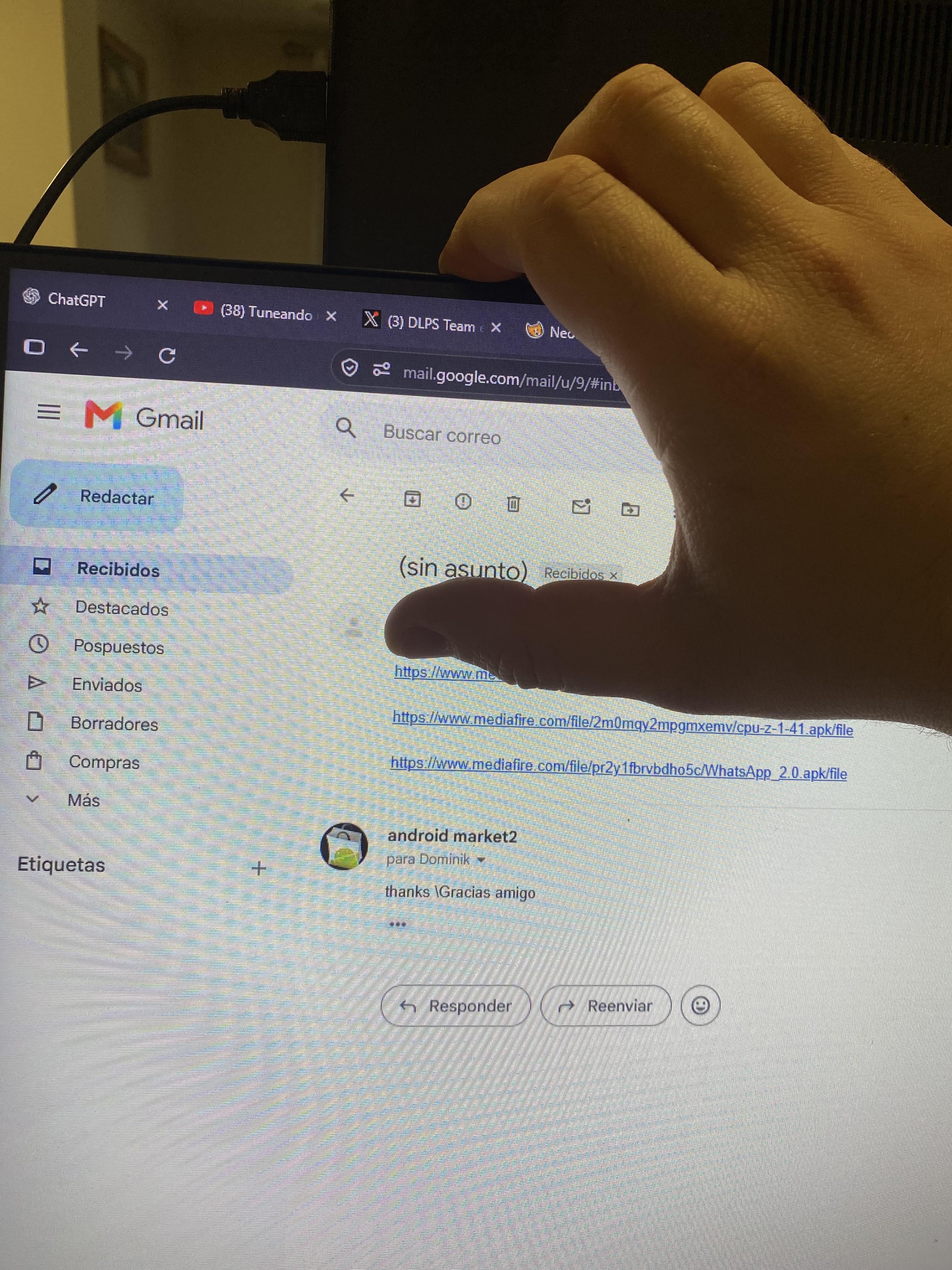
Discussion Gracias por seguir enviando apks al correo Estais manteniendo viva mi tienda

Post image
30 Upvotes

Muchisimas gracias. Poco a poco


r/androidafterlife • • 20h ago

Discussion Sharp Aquos PHONE 006SH (Android 2.3)

Post image
10 Upvotes

r/androidafterlife • • 1d ago

Help Need help porting OpenIBoot and Android 2.3 or 4.0 to the iPhone 4 (3,3/CDMA).

1 Upvotes

If any of you can help me try to port the OpenIBoot project and possibly Android 2.3 or 4.0 to the iPhone 4 CDMA (3,3/Verizon). I have been trying to use Qwen4 Max with OpenCode with no luck, I keep getting stuck at a USB port reset which the AI says I need to use a hub to get it to work, I'm not sure if that is actually what I need to do as according to the AI and from what I've been researching it seems to get stuck after sending the IBSS and it doesn't fully send and some bytes get reset. If anybody has any technical know how or a better, more smarter AI than Qwen4 Max and that would be greatly appreciated, or if you just have any technical know how I want how to do these things then that would be greatly appreciated as well

If you don't want to use AI then that's perfectly fine, all I'm looking for is help and getting this to work without having to buy a USB hub, maybe somebody could look at the aIs work and tell me how to fix it, it does seem to be a machine issue though and I also tried it on a different A4 device keep in mind that this is the CDMA iPhone 4, 3,2 (CDMA /Verizon) and I'm trying to adapt a port of Android and openiboot for the iPod touch 4. As they share some similar hardware to the iPhone 4 I'm working with.


r/androidafterlife • • 1d ago

Discussion Paquete de iconos chinos genéricos

Post image
1 Upvotes

r/androidafterlife • • 1d ago

Discussion WIP :p

Post image
69 Upvotes

I think you know what I’m booting next


r/androidafterlife • • 1d ago

Help So i have an old tablet

1 Upvotes

It hasnt been connected to wifi in over 3ish years its a very basic samsung tab 3 from like 2016 is there anyway i can like get it up to date without deleting everything on it?


r/androidafterlife • • 1d ago

Help what is the best youtube client for android 4.4 and 5.0 ?

1 Upvotes

the question in the title !


r/androidafterlife • • 1d ago

Discussion I made a music streaming app that works for android 1.5+

Thumbnail
gallery
78 Upvotes

Hey everyone! I made a free, open-source music app called Orpheum for old Android phones and tablets. It supports Android 1.5 and up (tested mostly on Eclair, Froyo, and Gingerbread) and the whole app is only about 234 KB.

Since modern streaming apps dropped old Android years ago and most websites won't even load on older devices anymore, I wanted something lightweight that can still turn a drawer phone into a real music and radio player. For now I'll only stick to unreleased musics; and i'm still updating the music library as I post this. Consider this a prototype.

What it can do:

- Stream music: Browse recent albums and tracks on the home screen, check out new releases, search for songs, and open full album tracklists.

- Download albums for offline listening: Save full albums (with cover art) to your SD card or phone storage so you can listen without Wi-Fi.

- Internet radio & shows: Browse and search TuneIn radio stations and on-demand shows/episodes, play them in the same player, and save your favorites.

- Full music player: Spinning circular album art, playback queue, seek bar, a Now Playing bar across the app, and background playback with a notification.

- Made for old devices: Works with trackballs and D-pads, keeps the app super tiny, and lets you check download storage or clear cached album art in Settings.

Where you can download: You can download it at HoloMarket (use this if it doesnt work). It used the same login info so you can use the same account that you made on HoloMarket (if you have registered there) in Orpheum.

Would love to hear your thoughts and input!


r/androidafterlife • • 2d ago

Discussion Its(NOT?)over..(update on the last post)

Thumbnail
gallery
15 Upvotes

link to the last post:https://www.reddit.com/r/androidafterlife/s/pQFuMdk84E

i was doing a farewell video on the core prime like a youtube client was running the video or something and it and it crashed and rebooted, then i decide to pull the battery out and for some reason i decided to plug it in and this happen, guess it was a software issue, this could be temporary but at least it can get some charge


r/androidafterlife • • 2d ago

Help Preguntas para mi tab 3 7.0 wifi

1 Upvotes

Hola tengo preguntas sobre que tipo de Revivals hay aquí por ejemplo si hay algún Revival de wunder list del 2011 porque quiero apps o juegos con diseño esqueumorfista o frutiger aero o cosas como el Roblox de 2014 en Revivals y sobre si demás del Hangouts de un usuario que conocí hay otro Revival porque el del usuario lo elimino porque lo dejo de lado al parecerle muy complicado y todo eso y también nececito apps juegos y cosas de utilidades y tutoriales de algunas apps vieja para mí Samsung galaxy Tab 3 de 7 pulgadas sin entrada sim como Polaris Office 5 y tiene 1gb de ram 1.2 ghz 64 GB de almacenamiento en una micro sd Samsung Evo y pocos GB en el almacenamiento interno y recomendaciones para mediante el ROOT que es super su flasheado con twrp recovery y no quiero tomar o retirar touch wiz Nature ux 2.0 y si pueden darme Revivals sobre juegos con buenos graficos o muy divertidos para mi tab 3 7.0 wifi


r/androidafterlife • • 2d ago

Help Trying to revive a samsung j3

3 Upvotes

So i've been with a dumb phone for like 4 months now and got no problem with it except for the fact that i basically need signal (app) and sometimes google maps (or osmand). However after factory resetting the phone i cant get google play store to work. Also when I try to download apks, apkmirror shows a blank page ( both from the internet app and google chrome app),while other apk websites the download buttons simply dont do anything. Android version is 5.1.1 .


r/androidafterlife • • 2d ago

Help I found my old phone, but this message keeps appearing. What do I do?

Post image
2 Upvotes