r/cricut • • 12h ago

** Project Showcase ** when it works, it works…

Thumbnail gallery
462 Upvotes

hosted my nieces bridal shower. 150 paper flowers and 75 paper leaves later it turned into table decorations and a selfie station. was weeks and hundreds of hours of work, but i got it done!


r/cricut • • 6h ago

**Look Ma! My First Project!** It’s the little things!

Thumbnail gallery
5 Upvotes

My cricut explore 5 got delivered today!! I had been eyeing one for a while but could never justify the purchase. Amazon had an early Black Friday deal and I got it for an absolute steal and used some Amazon gift cards I had sitting aside to purchase it. Within 10 minutes of it being delivered I had to add a decal of my golden boy to it :)


r/cricut • • 18h ago

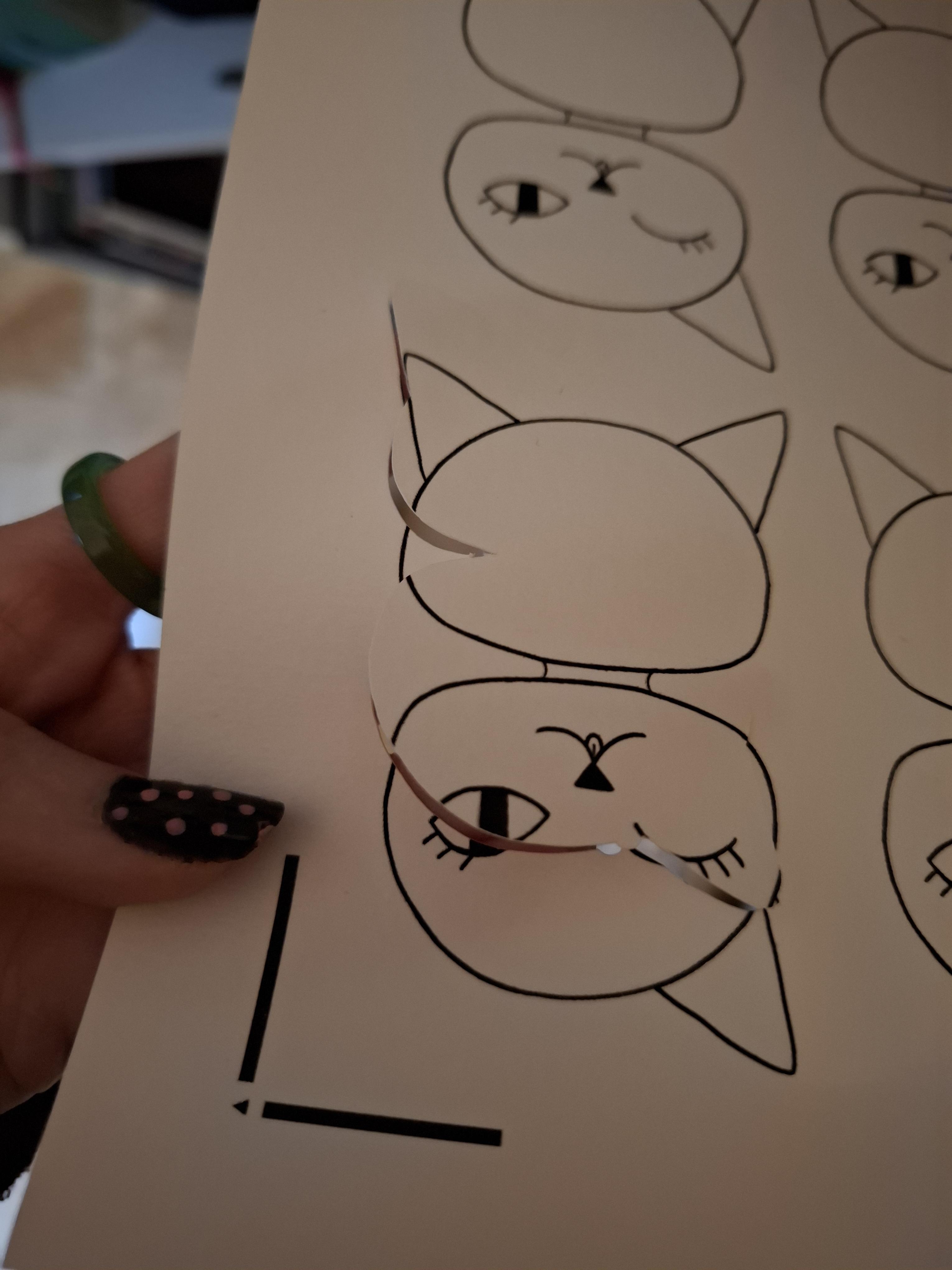
HELP! - Print then Cut Problems Cricut explore 5, takes long to scan the sensor marks and then cuts wrong

Post image
3 Upvotes

I have a cricut explore 5, i got it like less than 2 months ago. Never had issues once i learned how to use it, now when I do print then cut, my machine takes like 5-10 seconds to scan each black sensor mark when it used to be almost immediate, and then it cuts completely to the wrong side. Do i have to get a replacement or something? What's going on? I keep wasting materials


r/cricut • • 5h ago

HELP! - Design Space sucks Print and Cut

2 Upvotes

Hi,

I have a Cricut Air Explorer 2 and I've set up a Print and Cut project. It seems that I can only create a Print and Cut project if I select Stickers. When I do that, Design Space will not let me pick any other material than sticker material. I've even tried to modify sticker material and then it removes that from being selected as well. Additionally, it will only do kiss-cuts.

Is there a way to create a Print and Cut project with a thicker material and/or do die-cuts? Basically, anything that would allow me to print and cut, but make deeper cuts.

The only thing I can see to do which, doesn't work that well, is to run the cut job multiple times to get it to cut "better."

Any help appreciated!


r/cricut • • 12h ago

HELP! - Hardware woes brand new cricut maker 5… carriage not even coming close to making contact with paper/vinyl

2 Upvotes

so i just bought a maker 5 today— the starter kit. everything seemed like it was working until the “test” sticker didn’t even work. the blade wouldn’t go down low enough to reach the vinyl & even so much as scratch it, let alone cut anything out.

mod says there isn’t enough context so— it’s the Cricut Maker 5, i’ve used both desktop & mobile Design Studio, and i don’t have a video of it, but did cricut support does.

we contacted cricut support, they did the zoom call & are sending us a new blade. but what i don’t get is, we tried the pen tool on cardstock & yet AGAIN, the carriage didn’t come down low enough for the pen to touch the cardstock at all, loaded on a mat this time.

i’m just wondering if anyone has had this issue? i tried printing from desktop & from mobile, neither work. it seems more like a hardware issue.

if it is, do i need to return the cricut?? are they aware this is happening?? just curious. thanks !

r/cricut • • 15h ago

HELP! - Hardware woes What is Cricut machine error -45, 53

2 Upvotes

Keeps making me restart during print, then cut; the machine power button flashes red and white, and the screen of my Mac laptop (running Tahoe 26.5.1) gives me the message, "There was a critical error, and you need to restart your Cricut machine. -45, 53"

I have SO many holiday gifts and cards to make - and have already wasted so much cardstock - any guidance or suggestions would be appreciated!


r/cricut • • 12h ago

HELP! - Material issues What product is this?

Thumbnail gallery
1 Upvotes

I used a Makerspace at my local library to cut out these vinyl stickers on a Cricut. They are great for stained glass because they cut out patterns accounting for the foil thickness between pieces, plus the stickers are waterproof and stay on during grinding. However, the library only has a limited supply of the sheets and cuts them down to smaller sizes to save on costs. I want to print larger ones, so I'm trying to buy my own full-size sheets. When I bought Cricut Printable Sticker Paper, one of the makerspace employees told me that was the wrong product and that the stickers were vinyl. However, when I got Cricut Printable Vinyl, it was a single sheet, not the double sheet of vinyl sticker on front and then a backing. Does anyone know what product this is? I've looked on the Cricut website and there's so many different products, but none of them seem like the one I'm looking for.