r/n900 • u/Calm-Caterpillar2103 • 1d ago
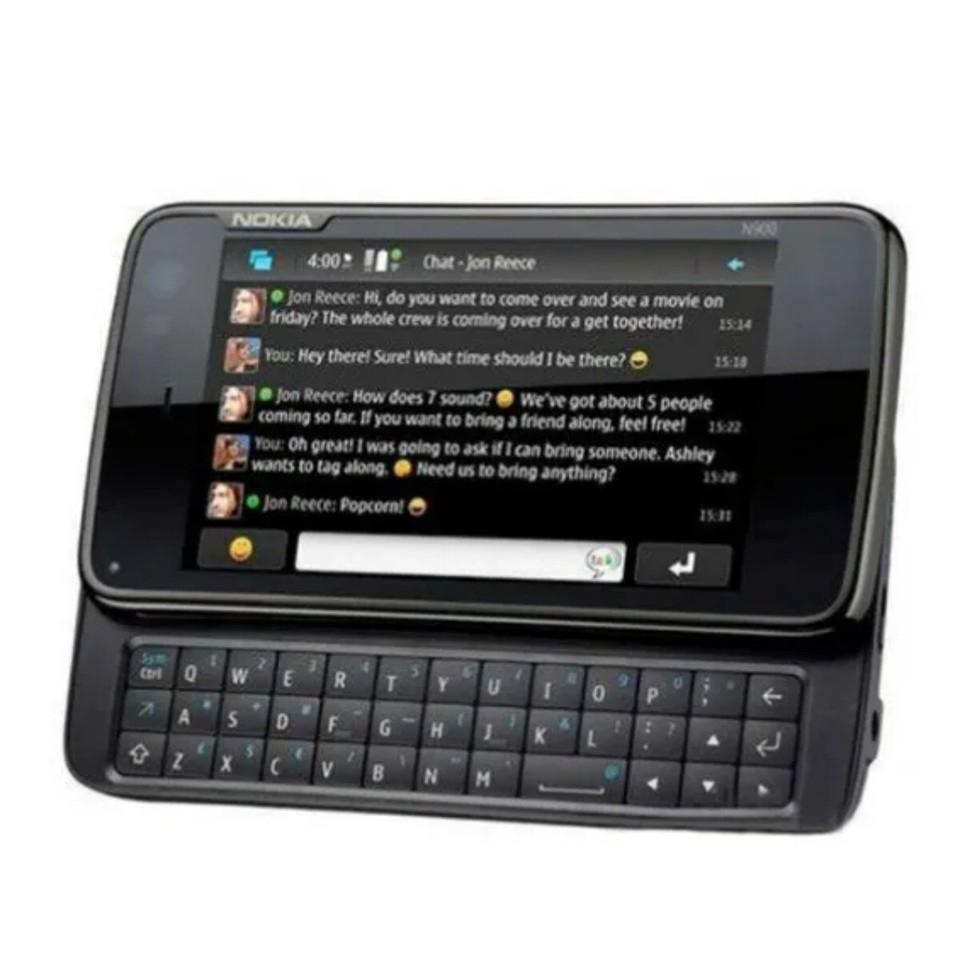
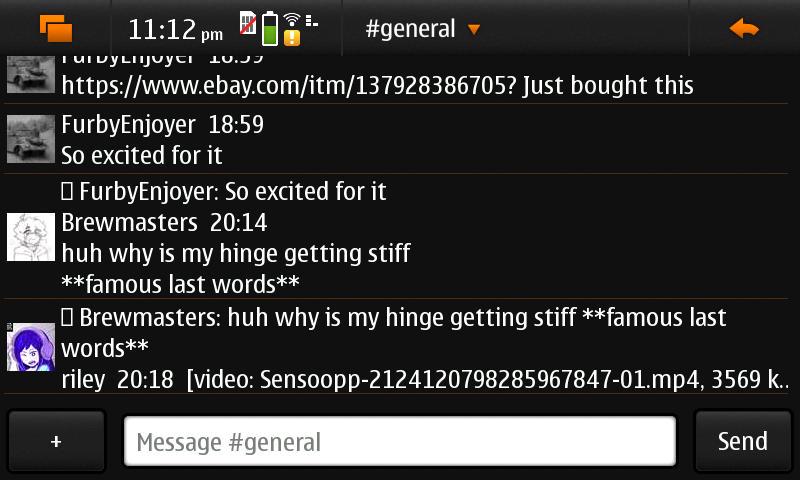
Discord on the N900
will push a deb file soon, but it works (based off of discofi and it requires the modern repos + tls patch)
r/n900 • u/Calm-Caterpillar2103 • 1d ago
will push a deb file soon, but it works (based off of discofi and it requires the modern repos + tls patch)
Follow-up to the podcast post, where I said YouTube on the phone itself was hopeless. It is not, if you stop asking YouTube directly and stop using the system's video decoder. Everything below was tested on one N900, and it is experimental.
How it works: NotPipe (a touch GUI in Python 3) asks a public Invidious instance for the search results and the stream addresses (so it is not YouTube's own API), downloads the video and the sound in 4 MB pieces with curl, and plays the two files with nplay, a small player I Claude'd on top of a modern ffmpeg 9 built for the N900. The idea came from notPipe for old Android phones (thanks to gohoski).
Why not the stock player: GStreamer's ffdec_h264 gives 5 to 10 fps even at 144p, and the DSP decoders only take the Baseline profile (YouTube sends Main/High). The ffmpeg build with NEON decodes 360p at about 39 fps and 144p at 159 fps. In practice: 240p is smooth, 360p mostly smooth, 480p is too slow.
What you get:
MyDocs/Videos, visible in the file manager), a queue, and a "Cached videos" list that plays without any network,notpipe-hildon, nplay, ffmpeg (and python3-hildonlite 0.5.0 for the thumbnails) in the apt repository (see post 2): apt-get install notpipe-hildon.Honest limits: it depends on public Invidious servers, and when I tested only one answered, so it can stop working any day. Some videos give HTTP 403 (YouTube refuses the instance's address). No live streams, no channels/playlists yet, and the video has to download before it plays. The phone has little free RAM, so close other applications.
Sources: https://github.com/n900-resurrection (apps/ffmpeg, apps/nplay, apps/notpipe-hildon in the main project). A longer write-up with the numbers is on the project site: https://n900-resurrection.github.io
r/n900 • u/nlogax1973 • 3d ago
I have two N900s with broken USBs and setting all of the recent developments in making N900 somewhat usable in 2026, I'd love to get them working again.
I am pretty crap at soldering but I can usually get the job done eventually.
Got my hands on this N900 (had one back in the day) and started hacking around since I want a device that makes remoting into my smart home machine etc easier with proper keyboard. Project is AI Assisted before somebody nitpicks on that. I'm C++ gamedev/build engineer as my day job so not fully vibeslop either.
Stuff so far:
- Installed onto EMMC
- Found a bug in mainline kernel causing the EMMC to work with 1-bit bus width instead of the 8-bit, boosting the disk performance by ~5x
- Brought in all of the N900 related kernel patches from Maemo Leste
- Overdriving the screen to 67hz. It seems to handle even higher numbers, but the GPU can't keep up with that. Might investigate more when I have time.
- First prototype of my own custom Shell written in Rust on top of Wayland, it's literally the first design that AI came up with. I have my own ideas that I want to implement, but I need to draw them down and make all of the assets first.
I really have no idea how far I'm going to take this. It might be that I just implement the stuff that I need and thats it or I keep working on it as a hobby.
Podcasts are a perfect N900 job: download over Wi-Fi, listen in the car or the pocket, and the phone has a good player. The stock gPodder 2.20.2 (Python 2.5, PyGTK + Hildon, by Thomas Perl) is worth saving, but today nothing downloads in it. Two reasons: HTTPS (Python 2.5 has OpenSSL 0.9.8, TLS 1.0 only, so https:// feeds fail like mail does) and YouTube (the old get_video_info way is long dead. YouTube now wants the player's JavaScript challenges and tokens).
What I Claude'd:
obsolete/maemo5 tag of gpodder/gpodder, December 2012, newer than the one on the phone) as a package of 628 kB. Your subscriptions in ~/.config/gpodder (the database and channels.opml) stay untouched by the update; make a backup anyway.curl 8 (TLS 1.3, from the curl package) for feeds and for downloading episodes, with resume after an interruption and progress for the window. Plain HTTP stays with the original urllib. A side effect: the same path also streams podcasts and any media over HTTPS.YouTube on the phone itself stays minimal, and here is why (measured):
yt-dlp and an external JavaScript runtime. Deno, Node and Bun do not exist for armel with glibc 2.5, so I built a tiny QuickJS in C. On the PC it works perfectly (formats listed, a valid MP4 downloaded).android_vr gives an address that YouTube refuses with HTTP 403, ios, mweb and web_safari say "No video formats found", tv says "page needs to be reloaded"./tmp on the phone is a 1 MB tmpfs and yt-dlp writes temporary files there ("No space left on device"), so it gets TMPDIR in the home directory.yt-dlp fills a Jellyfin library at home and the phone plays from Jellyfin (a DLNA check first, a small client over the REST API if that fails).Sources: https://github.com/n900-resurrection (gpodder, curl, quickjs are in the main project, in apps/).
r/n900 • u/balancechiang • 6d ago
I saw that someone recently made a LocalSend port for MeeGo on the Nokia N9, which inspired me to build one for Maemo 5 on the N900. It's called Maeshare.
I know using a cross-platform app like this might not feel as "hardcore" or cool as traditional Linux methods (like SSH/SCP), but I wanted to offer a much simpler and more accessible way to move files around.
Full disclosure: I used AI to help assist with the coding, compatibility tweaks, and debugging. This is just v1, so there are definitely some bugs or edge cases I haven't caught yet. If you're still daily-driving or tinkering with an N900 and need an easy way to transfer everyday files to/from your modern devices, please give it a try and let me know how it goes!
You can grab the installation package from the GitHub page here.
MicroB is Gecko 1.9.2 (Firefox 3.6 times) on top of NSS 3.12.6, which speaks TLS 1.0 at most, and its root certificate store is from 2010 (about 117 current roots missing, for example ISRG Root X1 from Let's Encrypt). So you get "SSL error" almost everywhere. Two packages, both undoable:
ca-certs-n900: adds 118 current Mozilla root certificates to your own private domain of the certificate manager (~/.maemosec-certs); the read-only system store is not touched, and ca-certs-n900 remove removes exactly what it added.microb-nss: replaces the NSS and NSPR libraries by NSS 3.28.6 / NSPR 4.16 (chosen on purpose: TLS 1.2, but still the old build system and the dbm database). I checked the ABI first: the engine imports 871 symbols from the old libraries and the new ones export all of them (all 29 symbol versions exist too). Three small patches: the PSM layer of Gecko turns all cipher suites off at start and enables only its old CBC/SHA-1 list, so a patch keeps the modern suites (AES-GCM, ChaCha20) on, SSL 3.0 is switched off, the bundled SQLite gets another name so it does not clash with the browser's own. The original sources of microb-engine (found in the Internet Archive; the MD5 matches) are archived in a repository of their own.Result: the stock MicroB opens https://www.seznam.cz/ with a verified certificate (before: "SSL error") and also a stylised page with a form (idos.cz), but that takes about 20 s and I do not know why yet (the handshake is fast, maybe the certificate manager with about 420 roots, slow crypto on 600 MHz, or Gecko with modern JavaScript). In a test program that configures NSS like PSM does, Google, Facebook and example.org negotiated TLS 1.2 with AES-GCM.
What does not work:
general.useragent.override).Experimental, tested on one phone. Things to know: the originals go to /usr/lib/microb-engine-orig; after installing, the browser daemon has to be restarted (/etc/init.d/tablet-browser-daemon.init restart) and an old stopped browserd process must be killed, because it keeps the old libraries. dpkg -r microb-nss brings the original libraries back.
Sources: https://github.com/n900-resurrection/microb-nss, https://github.com/n900-resurrection/ca-certs-n900, https://github.com/n900-resurrection/microb-engine. The packages are in the apt repository.
Mail is on the first thing you try on an old phone, and the stock Modest cannot log in to most servers any more: its library (camel-lite over NSS 3.12.6) speaks TLS 1.0 at most, and the server answers tlsv1 alert protocol version on ports 993 and 465. Modest then says "wrong port or settings", which is misleading: nothing is wrong, the server just refuses the old protocol. I Claude'd three ways around it:
camel-lite-ssl3). The sources of camel-lite (community-ssu/tinymail) have an OpenSSL backend written for 0.9.8, a patch ports it to OpenSSL 3 (TLS 1.2 minimum, SNI, host name check, the CA bundle of the curl package). OpenSSL 3.5 is linked in statically and its symbols are hidden, so it does not clash with the system libssl in the process. apt-get remove camel-lite-ssl3 puts the originals back. Close and reopen Modest after installing or removing. Use the full address as the user name for both IMAP and SMTP.mutt 2.4 with static OpenSSL 3 and ncursesw, UTF-8, the system has 1.5.20 with TLS 1.0 only). Sending goes through msmtp (my Mutt has no SASL). Example configs are in the packages.curl 8 for IMAP and msmtp for sending, and has an "Open Mutt" menu entry. It lists the 25 newest messages with paging, reads messages, replies with a quote, completes addresses from the phone's contacts, keeps a disk cache (so the list appears at once and works offline) and an outbox queue (a failed send is not lost).Honest notes: tested with one provider (IMAP over implicit TLS on 993, SMTP on 465, login with the full address). Not tested: STARTTLS on 587, POP3, attachments in mutt-hildon and folders other than INBOX. The first version of camel-lite-ssl3 crashed Modest right after the install (a missing g_thread_init link and hidden symbols that libtinymail-camel needs). Fixed, with a check in the post-install script. The clock must be right (ntp-sync) or certificates do not verify.
Sources: https://github.com/n900-resurrection/mutt-hildon and the other packages in https://github.com/n900-resurrection (camel-lite, mutt, msmtp are in the main project, in apps/). All of them are in the apt repository.
Writing apps with a GUI for the N900 is slow when each try means an install on the phone, and the old Scratchbox/Xephyr emulator cannot be downloaded any more, so I built my own. It is not perfect, but the look and the logic of the apps match what you see on the phone.
How it works: qemu-user runs the ARM binaries straight on the PC against the same libraries (GTK 2.14, Hildon 2.2) that are in my sysroot. The picture goes to a virtual 800x480 Xvfb screen. The theme, fonts and icons are copied once from your own phone (about 100 MB), nothing from Nokia is in the repository. Python 2.5 + PyGTK apps (mutt-hildon, gPodder) run too, with the interpreter copied from the phone.
What works now:
make hildon-run APP=<app> starts one app, with demo data and a screenshot option, optionally also a VNC view to click on it.make emulator starts my own small "desktop": a top bar like the N900's (clock, battery, the app name as the Menu button, a Back arrow), an app switcher with a card per running app and a launcher with the installed apps. Every .deb I build that has a .desktop file appears there automatically.com.nokia.icd (connection) and the MAFW player, so apps like gPodder start.What does not work:
hildon-desktop: it draws with clutter and OpenGL ES 2 on the PowerVR graphics (libIMGegl, libpvrPVR2D_*), nothing runs those on a PC. Options left: an old x86 Maemo 5 SDK rootstrap (the official download is gone) or building hildon-desktop for x86_64 with Mesa. If you still have an SDK rootstrap, please get in touch.PannableArea) can be tried only roughly.Next on my list: emulating the home screen widgets, and a build environment for them.
r/n900 • u/balancechiang • 8d ago
Maybe it's just hard to find a decent micro-USB OTG cable these days—even though I checked some community docs and the kernel seemed fine, I still couldn't get it to work. Then I remembered the N900 still has Wi-Fi! So I ended up using an ESP32 to bridge BLE to Wi-Fi, forwarding simulated MIDI SysEx signals to the N900, and finally got the device communicating!
The apt repository I have been posting about (see the overview) now has a home: https://n900-resurrection.github.io.
What is there:
Install guides, tested on real phones, including a clean one:
ssh n900 from your computer. The mirror maemo.plan9.de as a package source, openssh-server, why current OpenSSH refuses the phone ("no matching host key type") and the ~/.ssh/config block that fixes it, a table of the errors I hit.curl and apt-transport-curl come first (the stock apt speaks TLS 1.0 only), the three steps, apt-transport-curl-check when something is wrong, the Application Manager and the Fast Application Manager.apt-get install line and the download link. The page of a package is generated from the package itself (its control file and the icon that is embedded in it), so it cannot drift from what the repository really contains.The look is a small Jekyll theme in the style of the old Maemo community sites (maemo.org and talk.maemo.org): dark header, tabs, white boxes, the orange links. The CSS is derived from the style sheets of the Maemo community site as mirrored by Vinicius Paes at https://maemo.viniciuspaes.com/ (CC BY-SA 3.0; the credit is in the repository), drawn without the original image sprites and without any Nokia or Maemo logos. Thanks to Vinicius, and to the maemo.plan9.de snapshot, for keeping all this alive.
Honest notes: the repository is not signed yet, many packages have only a plain grey icon in the catalogue, and the site is new. Everything is Claude'd and tested on a few phones, so if a guide does not work for you or a package is missing, tell me here. The sources of the site and of the theme are on GitHub too (n900-resurrection/n900-resurrection.github.io, n900-resurrection/maemo-theme).
Here is the short version of how my packages get onto the phone.
The problem: the apt of Maemo 5 (0.7.20) fetches https:// URLs with its own method that uses an old libcurl with OpenSSL 0.9.8: TLS 1.0 only. GitHub (and GitHub Pages) refuse that: tlsv1 alert protocol version. So the repository cannot be added with a plain source line.
The fix: a package apt-transport-curl. It replaces the https method of apt with a short bash script that calls curl 8 (TLS 1.2/1.3). The original method is moved away with dpkg-divert and comes back when you remove the package. Certificates are always verified (the CA bundle of the curl package); Acquire::https::Verify-Peer is ignored on purpose, because the phone ships Verify-Peer "false" in /etc/apt/apt.conf.d.
Steps (sudo gainroot on the phone, the clock must be right, for example with ntp-sync, or the certificate check fails):
https://n900-resurrection.github.io/n900-repository/pool/main/curl/curl_8.23.0-1maemo1_armel.debhttps://n900-resurrection.github.io/n900-repository/pool/main/apt-transport-curl/apt-transport-curl_0.1-1maemo1_armel.debscp) and install: dpkg -i curl_8.23.0-1maemo1_armel.deb apt-transport-curl_0.1-1maemo1_armel.deb (apt-transport-curl needs the system package apt-transport-https)./etc/apt/sources.list.d/n900.list:deb https://n900-resurrection.github.io/n900-repository fremantle main
apt-get update and apt-get install htop3 (or tmux, ripgrep, mutt, ...).Notes:
Ign ... Release.gpg and asks for --force-yes to install.apt-get in a terminal. The Application Manager hangs on my phone while refreshing the lists ("Preparing installation, please wait"), I am still looking for the reason.apt-get install package=version.apt-n900, a friendlier apt command for the terminal (with dialog menus).apt-transport-curl and the stock method returns.Link to the repository: https://n900-resurrection.github.io/n900-repository/.
Sources of the repository and of every package: https://github.com/n900-resurrection (repository: n900-repository, the scripts that build it are in the main project).
I got my N900 out of the drawer this month and decided to see how far a 2009 phone can go with the tools of 2026. A lot further than I expected. I used Claude (Anthropic's AI) to do the heavy work: cross-building, patching and packaging. I tell it what I want and I test everything on the real phone, so I call the result "Claude'd". It is not an official anything, just a hobby project.
What works so far (stock Maemo 5, kernel 2.6.28, no custom kernel needed):
apt-get install htop3 and not a pile of .deb files.Everything is on GitHub: github.com/n900-resurrection.
Honest notes: the repository is not signed yet, the Application Manager hangs on my phone so I install through apt-get, and several things are experiments tested on one phone only. If something breaks for you, tell me, I would like to know. And if you have ideas what the N900 should still learn, I am listening.
I downloaded the latest builds for both the postmarketos and maemo leste, for the former I tried both the versions as nura edge and stable and the result is always that it won't boot after the postmarketos logo saying "starting" appears.
Maemo leste did boot up but it was so slow to use that it was unusable.
What version do you use on your devices of these respective OS? My understanding was that latest == better but it seems that is not the case
r/n900 • u/Specialist_Storage40 • 23d ago
there has to be a way without downloading directly from the internet
r/n900 • u/Original-Drawing-301 • 27d ago
It’s worth buying an N900. i say What do they use it for? it is not very powerful, how about the ir? you can use it as a universal remote, and you can put kodi or stremio, and any emulators?
also i was wondering about the nokia droid 4 (also know as Maserati XT894) because it has an android 7 port and maemo leste port that aparently is being updated. and has 1 gb of ram and an best cpu
sorry for my english
r/n900 • u/CrispDong • Sep 01 '26
I found an n900 at the thrift store today and am trying to get it turned on. The solid yellow light turns on then starts blinking and will occasionally stop altogether. After like 1 or 2 minutes the indicator comes back solid yellow and repeats the cycle, so I’m afraid there is an issue with the OS. I am thinking of getting a new battery altogether or charging outside of the phone if it doesn’t come alive within a day or 2. Any thoughts? Would really like to get this phone running again !
r/n900 • u/aprilludgate0 • Aug 12 '26
I have an N900 that I’d love to be able to use more, but unfortunately the digitizer seems to be damaged. There’s a groove that seems to be scratched into it that’s causing phantom touch signals to be picked up by the phone and I can’t use it at all unless I press down on the top left corner of the screen while I use it. I want to replace the digitizer, but I don’t know where to get a new one. I really don’t want to spend a lot of money on this since I got the phone for free and I just want to play around with it.
r/n900 • u/Any-Chemical-5177 • Aug 01 '26
Hello! Is it possible to install CSSU on N900 now?
r/n900 • u/_S0L4CE_ • May 17 '26
Hi, was searching and found this two repository
http://daten.dieweltistgarnichtso.net/tmp/bin/n900/
https://ia601709.us.archive.org/15/items/N0000/RX51/
Is
RX-51_2009SE_21.2011.38-1_PR_COMBINED_MR0_ARM.bin the last firmware we have? It seems it's PR 1.3.1 for N900 but I cant find official confirmation anywhere.
r/n900 • u/h4ck1ng_me • May 10 '26
Has anyone managed to enable monitor mode on the internal Wi-Fi card under postmarketOS on the Nokia N900? It works on Maemo 5 with the Power Kernel — I tested it with both Kismet and aircrack-ng — but on postmarketOS I’ve had no luck so far.
r/n900 • • May 10 '26
I recently purchased a Nokia N900 for my self recently. I've wanted this phone for years and years now but with the recent boon of coding LLMs I decided I should finally be able to do something with it, especially because designing a custom shell to replace Hildon shouldn't be supremely hard, esp if it comes to listening to music / audiobooks / portable terminal.
The problem is, I can't seem to get ssh access going without any sighted help. I tried messing around with 0xffff and booting Leste, with no luck. I got a little sighted help and added the 3rd-party Fremantle mirrors to apt, but I couldn't get the sighted person to find the openssh packages in application manager, so I'm a bit stuck.
If y'all could help out, I'd deeply appreciate it.
r/n900 • u/Last_Researcher9192 • Apr 20 '26
Hey all. I purchased this n900 from a thrift a while back. Was wondering if there was a way to make things faster? I basically am using this phone as a DS emulator for games, but it's too slow. Anyway I can overclock the CPU?