r/premiere • • 4h ago

How do I do this? / Workflow Advice / Looking for plugin Excluding a Clip from the sequence LUT V27.0

1 Upvotes

I am getting into the new color mode workflow, adding my LUT for the sequence LUT but I have a drone shot at the start and want a different LUT on that one, Is there anyway yet to Exclude this one clip from the sequence effects/ adjustments?


r/premiere • • 6h ago

Premiere Pro Tech Support Dynamic Link not working well in Premiere > Media Encoder 2027

1 Upvotes

I downloaded the last update on all my Adobe Creative Cloud apps and now when I want to Export in Media Encoder, Premiere stays "Saving the project" and when it arrives to 100% it gets stuck and Media Encoder don't launch at all, so I have to close and export natively from Premiere.

Any suggestions on this?
Thank you,

Here's the version I use:


r/premiere • • 7h ago

Computer Hardware Advice Video editors in 2026 — what keyboard would you choose for long editing sessions?

0 Upvotes

in 2026 — what keyboard would you choose for long editing sessions?

I'm building my video-editing workstation and mainly use Adobe Premiere Pro and DaVinci Resolve.

I want a keyboard that helps me work faster, stays comfortable during long editing sessions and doesn't become annoying to use after hours.

What are your must-have keyboard features for professional video editing in 2026?

- Full-size (100%) — numpad, F1–F12, arrow keys and navigation keys.

- Quiet — keyboard noise shouldn't become irritating during long hours.

- Comfortable — suitable for 8–12 hours of editing.

- Fast workflow — keys and layout that help me use shortcuts efficiently.

- Customizable — programmable keys or custom shortcuts.

- Reliable — built to last for years.

- Wired or wireless — which is better for editing?

- Low-profile or mechanical — which is more comfortable?

- Hot-swappable switches — useful or unnecessary for editors?

I don't care about RGB or gaming features.

My priorities are editing speed, comfort, quietness, reliability and long-term use.

If you were buying a keyboard today in 2026 for professional video editing, which would you choose and why?

I'd appreciate recommendations based on your actual experience.


r/premiere • • 8h ago

How do I do this? / Workflow Advice / Looking for plugin How to make my audio sound like it's coming from a phone speaker??

6 Upvotes

r/premiere • • 17h ago

Premiere Pro Tech Support Colors Washed Out Upon Export? Still running into issues post-SO-much-troubleshooting...

2 Upvotes

I’ve been teaching myself Premiere Pro over the last year or so, but I’ve been running into an issue more and more lately that’s driving me insane. Would appreciate any advice 🫶🏻 Colors look vibrant and match the raw files when I’m editing, but look washed out upon exporting…

I’ve done all the troubleshooting I’ve found (Sequence Settings > Color Management > Color Setup = Direct Rec. 709 + Output Color Space = Rec. 709 etc etc etc). But none of that seems to consistently fix the issue. At least from my view on my MacBook Pro…

I’m working from Version 25.6.6. Could this possibly be a version issue (should I update to 26?)? Or are there other settings I’m missing? I even try playing videos in VLC vs QuickTime and that does sometimes seem to show it accurately, but again…not consistently.

And the colors still sometimes look washed out when I play vids on my sites post-upload 🫠 I've already searched this sub and have referenced plenty of links / tutorials, including this one https://www.cined.com/quicktime-gamma-shift-bug-what-is-it-and-how-to-combat-it/ ...but I'm still running into issues. Slowly driving myself insane.

Embarrassed to say how much time I’ve spent troubleshooting….so I’d be super grateful for any advice 🫶🏻 Thanks in advance 😊

  • Premiere Pro Version 25.6.6
  • Apple Macbook Pro M3 Pro (2023)
  • MacOS Tahoe 26.6.2
  • 18 GB Memory
  • Files stored on SanDisk Extreme Pro 4tb SSD
  • Videos filmed on Apple iPhone 17 Pro (iOS 27.2.1)

r/premiere • • 19h ago

Premiere Pro Tech Support Transcript bug and captions issues

2 Upvotes

Hello everyone! I heavily utilize the auto caption feature on Premiere and unfortunetly Ive been getting frustrated over the past few patches.

1.) The transcript has bugged out on me during the latest update. When I make tik toks in 1080x1920, the transcript/caption feature is fine. On a 1920 x 1080 video the transcript keeps repeating the same word over and over again. "do do do" or "and and and"

2.) The auto caption feature, the captions are always .5-1 second off on the timeline.

Anybody else experience these issues?


r/premiere • • 21h ago

Premiere Pro Tech Support Can't Download Older Version of Premiere

Thumbnail
gallery
1 Upvotes

I'm on an Intel Mac and I'm trying to download an older version of Premiere. However, in the CC app, that's not an option. However, I can download a version of Photoshop that is compatible with this Mac. What is going on? Where can I download an older version of Premiere?


r/premiere • • 1d ago

Premiere Pro Tech Support Premiere Pro 27 – Source and Program Monitors randomly go black when using the new Color workspace / video scopes (RTX 3080)

1 Upvotes

I'm experiencing a recurring issue with the new Color workspace in Adobe Premiere Pro 27, particularly when using the video scopes.

Both the Source Monitor and Program Monitor suddenly turn completely black, while audio playback continues normally. The timeline remains responsive, but the video previews stop displaying.

The only reliable solution I've found so far is to close Premiere and reopen it.

System Specifications

  • CPU: AMD Ryzen 9 5900XT
  • GPU: NVIDIA GeForce RTX 3080
  • Motherboard: ASUS ROG Strix X570-E Gaming
  • RAM: 128GB Corsair DDR4 3600MHz
  • OS: Windows 11 Pro
  • Software: Adobe Premiere Pro 27
  • GPU Renderer: Mercury Playback Engine GPU Acceleration (CUDA)
  • Footage: Sony A7S III footage (including S-Log3), H.264/H.265

Issue Description

The issue appears to be associated with the new Color workspace, especially when video scopes are displayed.

I've noticed the following:

  1. Both Source and Program Monitors turn black simultaneously.
  2. Audio continues playing normally.
  3. Premiere remains responsive, but video previews stop working.
  4. The problem occurs with different footage types, not just a specific codec.
  5. It happens more frequently when video scopes are displayed in the new Color workspace.
  6. Restarting Premiere restores video playback temporarily.

Troubleshooting Results

I've tested the following conditions:

ConfigurationResult
Editing workspaceStable
New Color workspace with video scopesBlack screen occurs

These results suggest the problem may be related to the new Color workspace or its video scopes, potentially involving GPU rendering or resource management.

Expected Behavior

The Source and Program Monitors should continue displaying video while using the Color workspace and video scopes, without requiring Premiere to be restarted.

Actual Behavior

Both monitors randomly stop displaying video while audio continues. Restarting Premiere temporarily resolves the issue.

Questions for the Community

  • Has anyone else experienced this with the new Color workspace or video scopes?
  • Could this be related to GPU memory management or a conflict between the scopes and CUDA rendering?
  • Has anyone found a workaround that doesn't involve disabling hardware acceleration or restarting Premiere?
  • Is this a known issue in the latest Premiere Pro release?

I'm particularly interested in hearing from users running NVIDIA RTX GPUs on Windows.

Any suggestions or similar experiences would be appreciated.


r/premiere • • 1d ago

Premiere Pro Tech Support Title: Premiere Pro 27 – Export mode is completely black, only the small preview shows

1 Upvotes

Hi everyone,

Since I moved to Premiere Pro 27, whenever I open the Export tab (or Ctrl+M), the whole interface is black. The only thing that shows up is the small preview of my video on the right. No settings panel, no file name, no format, no export button, no range bar. The Import/Edit/Color tabs at the top still show up. Screenshot attached.

What I've already tried (none of it worked):

- Closed the Adobe Stock panel, saved the workspace, restarted

- Reset the workspace to the saved layout

- Reset preferences (Alt+Shift at launch)

- Renamed the UXP folder (%APPDATA%\Adobe\Premiere Pro\27.0\UXP) so Premiere rebuilds it

- Restarted the PC

- Updated both Intel and NVIDIA drivers

- Set Premiere to High performance (NVIDIA) in Windows graphics settings

Specs:

- Premiere Pro: [27.x.x (Build XX)]

- Laptop: HP OMEN 17-ck1001sf

- CPU: Intel Core i7-12700H

- GPU: NVIDIA GeForce RTX 3080 Ti Laptop (driver [version]) + Intel Iris Xe

- RAM: 32 GB

- OS: Windows 11 Home

- Second screen: Duet Display tablet [connected / not connected when the bug happens]

- Footage: Sony FX3 and A7 IV, vertical 1080x1920 sequence

For now I can only export through Media Encoder. Has anyone had this on 27 and found a fix, or is rolling back to 26 the only option?

Thanks


r/premiere • • 1d ago

How do I do this? / Workflow Advice / Looking for plugin How to make this shading around a box?

0 Upvotes

What I mean is how the white highlight is on the top edge, and in the video it's slowly moving and eventually ends up on the left edge. The shadow being angled bottom right also enhances this effect.

Is this doable in Premiere or is it easier with Dynamic Link in AE?


r/premiere • • 1d ago

How do I do this? / Workflow Advice / Looking for plugin Using new color mode to colorize old archival footage

1 Upvotes

I use AI to colorize footage (just to introduce the color into the original b/w source) and then from there I would use lumetri heavily to correct the colors to make the scene more accurate and overall nicer. I literally can not figure out how to do it in this new color mode....... it's so horrible it's unbelievable. How do i change hues without it being so ridiculously saturated. I can barely even tell which hue I have selected. Why did they do this to us, I don't get it, what did we do to deserve this?


r/premiere • • 1d ago

Premiere Pro Tech Support Source Clip Audio is nullified in Sequence

2 Upvotes

I cracked open a project that was last opened in August 2025, and I notice some weird things:

  1. A1 and A2 are both set to -10. Not a change I made.
  2. Quite a few audio clips on the timeline have no wavelength. When I check their gain it says peak amplitude set to -75.8 DB. No idea how this happened, and I'm not sure how to fix it.
  3. I determine that all of these clips are camera audio, which is intentional in the edit. When I play the clip in the source monitor, audio plays perfectly; but when I try to bring audio back to the sequence it is nullified like the aforementioned clips.

This is a project I work on every few months, and have been using since 2020. In 17+ years of using Premiere I have never encountered this and I am stumped. It feels like the project is broken entirely.


r/premiere • • 1d ago

Premiere Pro Tech Support Is 1080p59.94 a good universal editing format for broadcast?

2 Upvotes

I edit TV commercials in Premiere Pro for tv stations requiring either 1080i29.97 or 720p59.94.

My source footage is a mixture of 23.976, 29.97, and 59.94 fps.

I've traditionally edited in 1080i sequences,
but I'm considering switching to 1080p59.94 progressive master sequences
and letting Adobe Media Encoder handle the conversions to each station's required format.

I'd also like to avoid maintaining multiple versions of sequences or unnecessary nesting.

Is 1080p59.94 a sound approach for this workflow? Are there any potential issues with converting the progressive master to 1080i29.97?

I've been at this for 16 years now and never quite got the hang of this stuff. I've just been repeating what worked all this time. Would love to start "doing it right"


r/premiere • • 1d ago

How do I do this? / Workflow Advice / Looking for plugin How to apply transition only in transition in texts

0 Upvotes

Heyy Guy! Recently I've been searching online and i couldn't find any solution to this. I want to ask you guys if there's any way for the problem.

The problem- I have upgraded my caption to graphic panel and now I want to apply 'Text Animator' to only the starting point of the clip ( like in-animation ) and i don't want out animation so is there any way where i could only select the starting point of the graphic sequence and apply only the in-transition. I know holding Ctrl+shift let's you select the in-points but i have to keep clicking the in-points manually. I want to be able do drag the mouse across the whole graphic sequence and select the starting points only. If anyone knows how to do this, please let me know.


r/premiere • • 1d ago

Premiere Pro Tech Support If clips are links to media files that we import to premiere, why things like adjustment layers, graphic layers etc. are called clips too?

1 Upvotes

I'm trying to understand this definition better (should be training instead)


r/premiere • • 1d ago

Premiere Pro Tech Support How to link graded footage (From DaVinci) exported as separate files to clips initially cut from the same source

Post image
1 Upvotes

Bare with me this problem is a little hard to explain.

I am currently working on a short film where I sent my timeline XML and footage off to be graded. I have received this back as many small clips with the exact same names as the source media they were taken from, put into individual files so that they can exist on the same drive with identical names. All these clips still have time codes embedded and were exported as .mov (The same as the source)

When editing on my timeline I have ‘chopped up clips’ from the same source media (as I’m sure is common) in order to cut back and forth between 2 shots, for example, 2 characters having a conversation. the graded footage I have back is broken up into these individual ‘chopped up clips’ as opposed to the entire source footage being graded.

I have made every clip in my timeline offline and am attempting to relink this graded footage directly onto the timeline so I don’t lose effects such as cropping, warping ext and transitions.

This seems to work for one ‘chopped up clip’ from each source, however, once a graded clip is linked to a clip on the timeline, every other ‘chopped up clip’ from that source on the timeline is blanked out and when trying to link the next ‘chopped up clip’ the previous will then be blanked out. The attached screenshot is how this looks on my timeline:

(Specifically File name: S.1 Sl.47 T.5)

So, using this as an example, is there a way to link three separate, new source medias to these three separate clips which were initially taken from the same source media labelled S.1 Sl.47 T.5. Again, all the graded footage has the same name as the source it was taken from and premiere pro can easily find and relink the footage just not isolate it to one clip cut from the same source as other clips.

I don’t want to just drag the new graded footage over onto the timeline as this will take away effects and transitions which we spent a long time getting right and I’m afraid, even if I were to re apply these manually some things would slip through the cracks.

I do not mind a tedious solution to this if thats the only option, happy to relink every individual file if thats what needs to be done (We have time) but cannot seem to do this across multiple ‘chopped up clips’.

I have thought about maybe relinking the media to the first ‘chopped up clip’, then turning that clip into its own nested sequence then linking the next and repeating this again and again, however, I’m hoping there’s a simpler way.


I sort of don’t believe there isn’t an easy solution to this as people often hop between programmes and DaVinci wanted to export each graded clip separately - would the alternative be to grade directly onto source footage? That doesn’t seem right and would require extra work to account for lighting changes ext.

Please help, thank you


r/premiere • • 1d ago

Premiere Pro Tech Support Facing issues in rendering

Post image
1 Upvotes

I’m facing blue screen issue when rendering videos in premiere, it only happens sometimes and I don’t know if it’s hardware or software, sometimes after blue screen the pc restarts and some times it brings me to the provided image, what’s the possible problem and solution, also I am not able to select hardware acceleration in my render settings for some reason I have a graphics card and I used to render with it but now it’s not giving me option to select this is very frustrating


r/premiere • • 2d ago

Feedback/Critique/Pro Tip Awful new workflow with Source Clip coloring

35 Upvotes

Right now, if I want to grade a batch of raw clips (like Canon .CRM) in the Project panel and batch-export them as individual H.264 files via Media Encoder without building a sequence, I can't. We can't paste Color Mode adjustments into the Source tab of Effect Controls, we can't export a .cube LUT directly from Color Mode, and Render & Replace only outputs intermediate codecs like ProRes/DNxHR instead of H.264—forcing a clunky double-render workflow.

Please bring back Source/Master clip grading to Color Mode (or allow copying Color Mode effects to Source clips in the Project panel).


r/premiere • • 2d ago

How do I do this? / Workflow Advice / Looking for plugin How to VHSisfy my text? (Example below)

Post image
3 Upvotes

I have some camcorder hi8 footage I’m adding subtitles to and I want the text to match the grainy aesthetic of the footage . How could I go about doing this?


r/premiere • • 2d ago

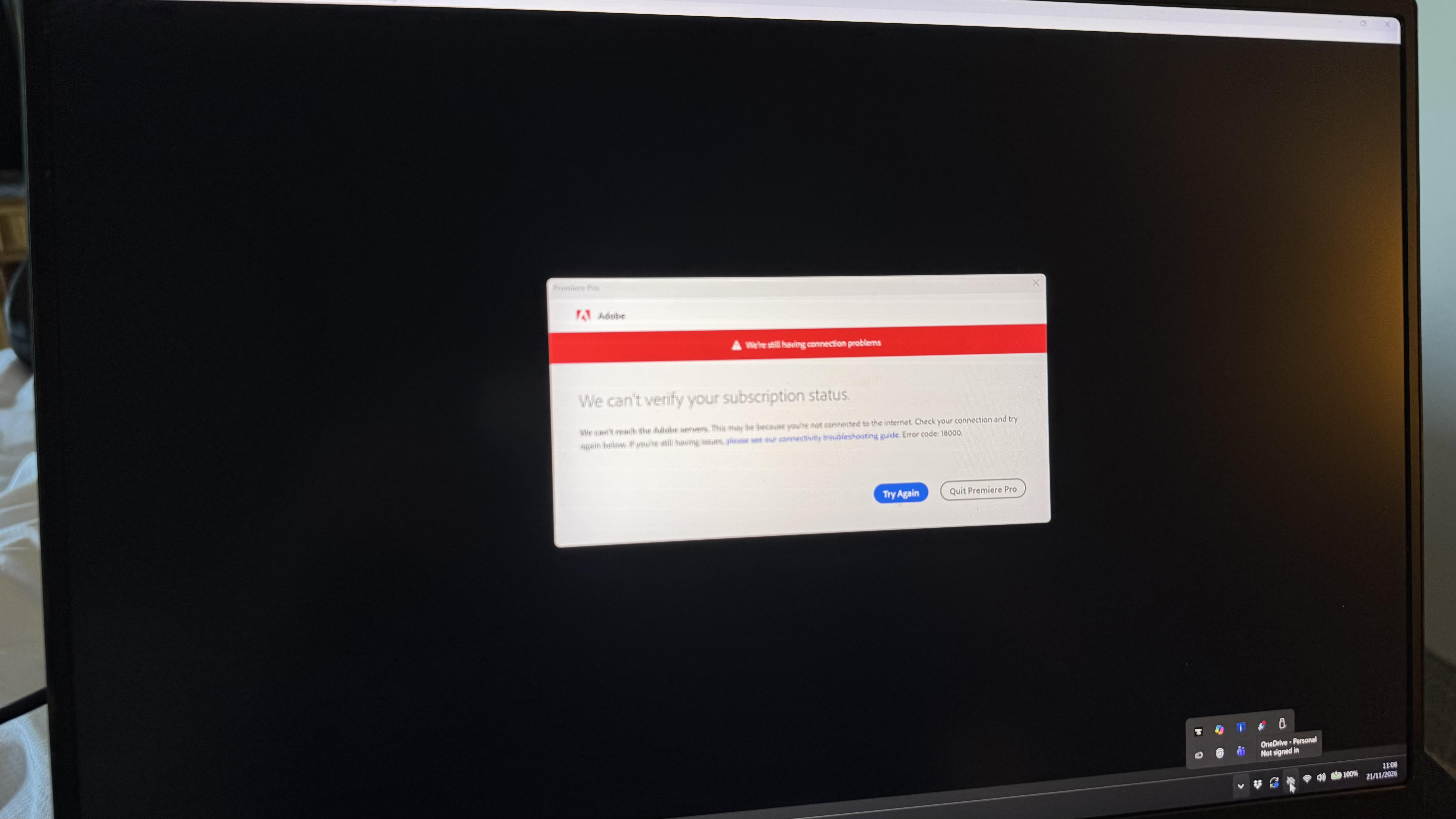
How do I do this? / Workflow Advice / Looking for plugin I’ve signed in 3 times now keep getting the same damn message. Have edits to do for a client fast turnaround what do I do?

Post image
1 Upvotes

I’m on hotel wifi, never had issues before


r/premiere • • 2d ago

Premiere Pro Tech Support Can't edit from external drive after laptop update

0 Upvotes

For 5 years I worked from a laptop plugged into a dock, and edited from an HDD drive also plugged into the dock. Less than ideal, maybe slightly laggy at times, but not worth complaining about.

My work laptop was recently updated (specs below), and IT was super excited for me. Except now with the same set up, I am able to edit a project for 5 minutes or so before my sequence freezes up and won't playback anymore. Sometimes if I wait long enough it will start working again, but it usually fully crashes soon after.

I have tried plugging the hard drive directly into my computer instead of the dock, and switching to an SSD drive. At best with the SSD I just get a few more minutes of editing time before it freezes up. Everything seems to work fine when I copy my project files to the computer, but I only have a 500GB internal drive, and that isn't a practical solution for me given my work.

Why would a newer/faster/better laptop work worse with the same set up and same footage? Is there just some setting that I can change?

Premiere Pro 27.0.0

Windows 11 Enterprise
Processor  Intel(R) Core(TM) Ultra 9 386H (2.10 GHz)
Installed RAM  32.0 GB (31.6 GB usable)
System type  64-bit operating system, x64-based processor
NVIDIA RTX PRO 2000 Blackwell Generation
Version 32.0.15.9698


r/premiere • • 2d ago

Premiere Pro Tech Support Why do I have to restart every project?

Post image
12 Upvotes

Hi everyone!
I've been using Premiere Pro for about five years, and I'm at my wits end with it. I'll spend hundreds of hours on a project, just for Premiere to lose my files. Every day, it prompts me to locate the files, and is always unable to. Even if I download the files.

I have to begin every project 10-15 times from scratch. Due to this, there's a film I've been working on for three years that should have taken only a few days. I'm going insane. How do I fix this? Why am I paying $70 per month for this?

Thanks in advance. I'm sure there's something simple that I'm missing. <3


r/premiere • • 2d ago

Premiere Pro Tech Support 2027 Update Does Not Generate Transcripts or Captions

3 Upvotes

There is no longer an option to generate static transcript or create captions. Unless I'm missing something, there is no way to do it anymore. Has anybody had this issue? Have they moved where you're supposed to create them? I've scoured the internet for answers and haven't found one. It just flat out does not give me the option, not matter what I do, to auto transcribe my sequence. I'm having to open 2026 Premiere to do it. It's awful.


r/premiere • • 3d ago

Premiere Pro Tech Support Why’s it grayed out

Post image
1 Upvotes

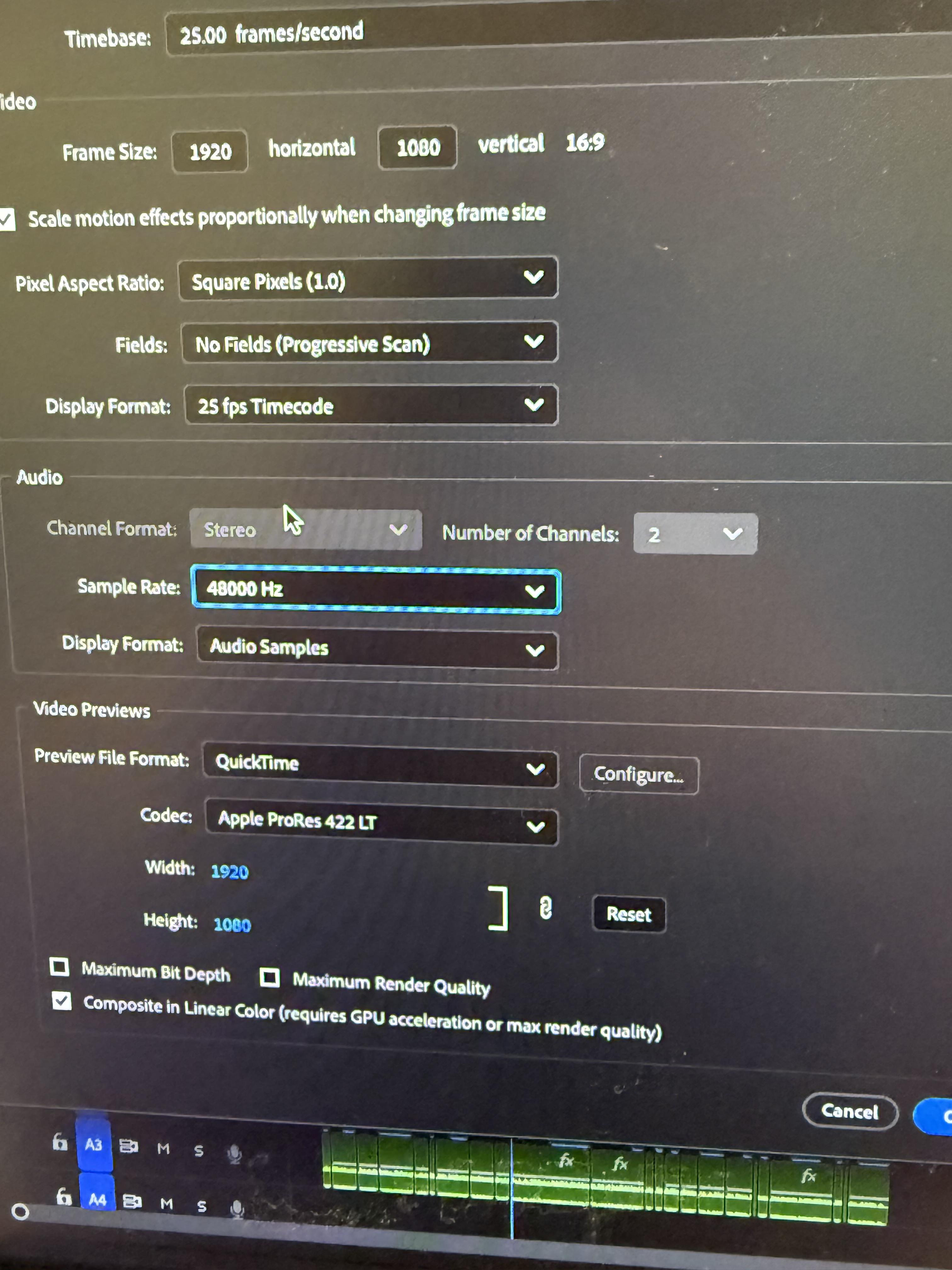
Audio stuck on either left or right depending on the sequence… audio channel doesn’t really work. Nor does replacing left with right or vice versa…

Any tips would be greatly appreciated.