r/ps5homebrew • • Apr 27 '25

New Kernel Exploit for PS4 and PS5 (Double Free) FAQ Post

64 Upvotes

The new kernel exploit named "Double Free" POC was released.

(Apologies for posting here a bit late)
Comment any questions you have that are not addressed in this post so we may discuss things.

On PS4 this vulnerability affects firmwares 5.00-12.02 and was patched in 12.50.

On PS5 this vulnerability affects firmwares 1.xx-10.01.

It requires a userland entrypoint to be exploited.

A WebKit exploit is not available past 5.50 on PS5. This means your only option until a new one is found will be the Lua exploit.

Lua save game exploit: All firmwares it is not firmware dependent as long as the Lua game launches it will work.

Although it has requirements to run please read below.

  1. An activated account on the PS5 to import the Lua save.
  2. A jailbroken PS4 console or a discord bot or save wizard to resign the save needed for the Lua exploit.
  3. A Lua exploit compatible game or demo: https://github.com/shahrilnet/remote_lua_loader

Note:

The game must be able to launch.

The requirement of an account and a way to resign the save is flexible.

Sharing console backups with a user account and Lua save files should allow these 2 requirements to be skipped. But owning the Lua game is absolutely mandatory optionally in demo format acquired while the console could sign into PSN.

If you do not already have a Lua game demo on your device you cannot import one in any manner you need the disc.

Please be patient while developers work to release usable implementations of the exploit and etc.

PSFree: https://github.com/kmeps4/PSFree

Lua exploit: https://github.com/shahrilnet/remote_lua_loader

Apollo Save Tool: https://github.com/bucanero/apollo-ps4


r/ps5homebrew • • Jun 13 '22

Megathread PS5 model base firmware megathread.

148 Upvotes

Since it seems to be unavoidable that people will keep asking, I am making this thread the place to ask what firmware a particular brand new ps5 model will come with. That way we can avoid having multiple posts that only answer the firmware for a single model at a time.

If you want to post what firmware the ps5 you bought came with please include as much info as you can. For example, "black digital only model CFI-XXXX came with firmware 5.00". This will be more useful when/if a slim or pro version is eventually made.

Keep in mind that the information provided here won't be fact checked and is entirely crowd sourced. There is no guarantee that any reported firmware will be 100% accurate.

If you're looking for a quick reference guide, the pinned message over at r/PS5_Jailbreak/ has you covered as of November 2024.


r/ps5homebrew • • 6h ago

Longshot Oberon: Ocarina of Time (Switch 2 recomp) running natively on the base/Slim PS5 at a locked 30 fps across most heavy scenes.

Post image
85 Upvotes

NOTICE: Theres a small bug currently with the build script if executed inside a folder named with a space (two link steps split that path at the space) - I will fix it with a subseqent release

I've released Longshot Oberon, a PS5 port of The Legend of Zelda: Ocarina of Time (Switch 2) built specifically for the base PS5 (Oberon is the base console's chip codename).
Video is recorded using a cheap capture card and OBS, so it's not accurate to actual on-screen fidelity and quality of textures. In-game the base profile uses a resolution of 1536×864 (handheld profile) with the picture scaled up to 1920×1080 on my TV with Lanczos and FSR 3.1. Docked profile with 1440p is also possible but may cause some memory issues - more testing needed. (Yes audio is in the game and works - my OBS did not capture it sadly).

GitHub: https://github.com/rimidalv333/longshot-oberon

Built on Longshot https://git.magicbean.dev/MagicBeanDev/Longshot, the PC recompilation, which is its upstream. Fixes from Longshot's releases and nightlies are ported in by hand.

It started from the very first PS5 Hookshot release by Mihawk which targeted the PS5 Pro and grew from there (see https://github.com/rimidalv333/base-hardware-hookshot-ps5/blob/main/base-ps5.md)

It's not affiliated with, and not based on, heydemoura's PS5_Longshot. That project targets the Pro; this one is a separate line of work aimed at the base console.

Performance

- Locked and steady 30 fps in Kokiri Forest, Hyrule Field and the Castle Town market

- Castle Town works without crashing, and memory held over a full session from a New Game to Castle Town

- FSR 3.1 anti-aliasing, PS5 button prompts, optional shadow and saturation mods

- Frame generation using Longshot's built in frame gen is available and performs quite well (next to no ghosting around Link and minimal ghosting in edges of screen during some scenes)

What's different

The base PS5 has less memory than the Pro, no mesh shaders, and a GPU the driver doesn't fully recognise, so a lot of this port is custom work you won't find in the other PS5 ports:

- a memory guard and a swap file that pages cold game memory to the SSD

- a GPU-hang fix for lit scenes

- sky/cloud flicker fix

- black-props fix

- console-side profile-guided optimisation, and more

All of it is written up here:

Custom implementations https://github.com/rimidalv333/longshot-oberon#custom-implementations
Manual fixes and tests https://github.com/rimidalv333/longshot-oberon#my-own-manual-fixes-and-tests
- every problem found by testing on the console, its cause and its fix

Also included are PS5 game icons built and placed automatically in the generated dist folder. See https://github.com/rimidalv333/longshot-oberon#addons-mods-and-button-prompts for more info.

How to build

`release.zip` on the Releases page holds the source plus every build tool, prebuilt. You need your own dump of OoT 1.1.1 as a `.nup` and a Linux or WSL2 PC. Then run one command:

bash build.sh /path/to/oot.nup

Nothing is downloaded, nothing is installed, and no game files are included: everything game-related is made from your dump. Copy the result to the console and play. All dependencies are bundled with the release package.

CREDITS: MagicBeanDev and contributors (Longshot), NotRexed (Hookshot), Mihawk-99 (PS5_Hookshot, PS5_Vulkan, PS5_Mesa, PS5_MihawkGen), the PS5 payload SDK devs, pixl27 (ProjectReLink), Sacrappy (HeyListen), and the Eden/suyu teams. The full list is in the README.

Licensed under GPL-3.0, like Longshot and Hookshot. Tested and developed on a PS5 Slim running 13.0.0

r/ps5homebrew • • 2h ago

Should I jb it ?

Post image
26 Upvotes

Been sealed since release. Dad forgot to tell me he had it haha, so it’s just been sitting in the garage. I mainly use PC, so I’m not even sure if it’s worth jb it or not!☕️


r/ps5homebrew • • 53m ago

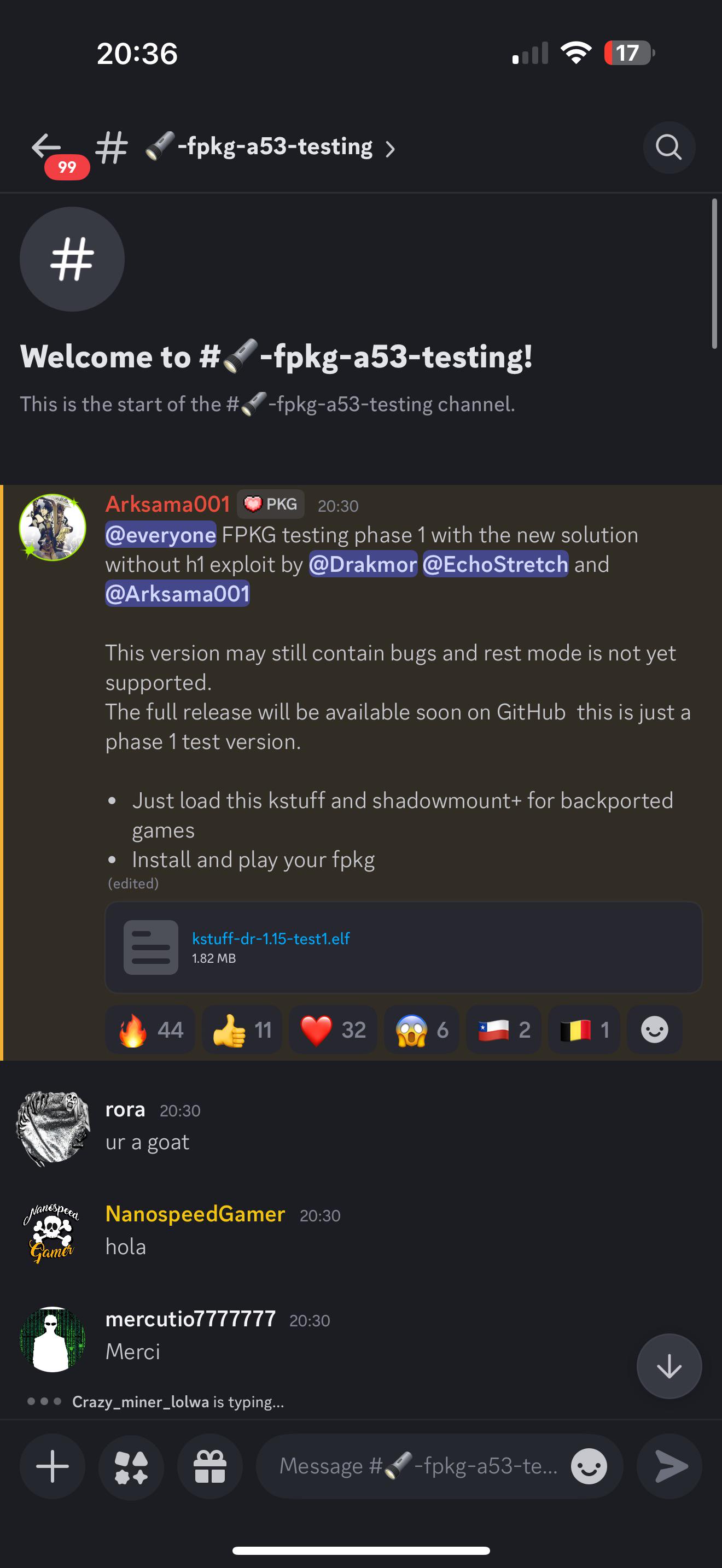
Fpkg is here for >11.60

Post image
12 Upvotes

On Drakmor’s discord


r/ps5homebrew • • 5h ago

Why can't people just call their apps what it is in prospero store?

24 Upvotes

I'm sick and tired of opening every app to see what it is. Here is uglabla... Oh it's a file browser here is gyjofe... Oh it allows you to play Sega games here is traglopo... Oh another file browser here is ugga bugga... Oh another file browser.

Don't get me started on their icons too, it's just so confusing to what things is with their names and icon, I can't search for anything because it is not called what it is


r/ps5homebrew • • 27m ago

Yet another Ocarina recomp on PS5, but easy to use: Windows builder, mic ocarina, DualSense buttons, gyro aiming

Thumbnail gallery
6 Upvotes

Grapnel is a PS5 port of Longshot's static recompilation (Switch 2 edition). It's not the only one (heydemoura's PS5_Longshot and rimidalv333's Longshot Oberon are out there too, and worth a look), so here is what Grapnel tries to do differently:

- **Easy to use:** a Windows builder in a 6-step window. Start `Grapnel.exe`, pick your own `.nup`, and it checks your PC, builds the title, **prepares every shader on your PC** (no hours of shader compiling on the console) and can **send it all to the console** over FTP, your saves backed up first. A Linux builder too.

- **Mic on:** play the ocarina into the DualSense's microphone.

- **DS buttons:** PlayStation prompts and the DualSense in the menus.

- **Gyro on:** aim the slingshot and the bow by tilting the controller.

- **Extension disk:** the title and the game file can go to the M.2 expansion.

- **Updates are quick:** keep your output folder, and an update rebuilds in minutes.

Tested on a base PS5 Slim, firmware 12.60: 60 fps shown with frame generation (base ~30 in the busiest place, the market), and 36-minute sessions without a memory crash.

**You need:** a jailbroken base PS5 (12.60 tested) with kstuff, an ELF loader and ShadowMountPlus (1.7beta4 or newer for the extension disk), and your own dump of the game. **No game files are included**: you build from your copy.

**Download:** https://github.com/morpheus302/PS5_Grapnel/releases (v0.2.1)

Credits: Longshot (MagicBeanDev) and Hookshot (NotRexed); mihawk-99 (PS5_Vulkan, PS5_Mesa, MihawkGen, and the microphone method); heydemoura (the builder's model); rimidalv333 (lazy shader modules); ps5-payload-dev (SDK, ftpsrv).


r/ps5homebrew • • 2h ago

[meta] any chance of a noobs/help subreddit?

6 Upvotes

I sub here and /r/ps5jailbreak because I have a jailbroken console, like to follow the scene and know what people are doing with their consoles. But it seems like every other post is some variation of “can I / how do jailbreak my console”. Obviously think there deserves to be a place for people to get help, but I don’t really benefit from seeing posts that could generally be answered with an FAQ.

Is there any path forward for me to stay in this subreddit without having to filter through these posts? TIA


r/ps5homebrew • • 6h ago

[Release] PrefBar v0.3.1 — Web Control Center, 4.XX-13.XX support

Post image
8 Upvotes

r/ps5homebrew • • 5h ago

Help the New Ones

3 Upvotes

Hello Everyone on the Jailbreak Scene,

I would like to ask all the professionals and the average jailbreaker, if you all could recommend some discord servers for us, so we can track the current progress of the jailbreak (especially PS5). Besides that, we could communicate with others that know better that can answer our questions, doubts, and what we are stuck on. And also guide us to place that we can get FPKG's from.

Thanks


r/ps5homebrew • • 27m ago

Help updating madden 27 roster.

1 Upvotes

Can anyone offer any help updating rosters offline on Madden or 2k? Have been messing around all evening. Can’t figure it out. Thanks


r/ps5homebrew • • 28m ago

PROJECT GOTHAM RACING 2 Recomp works perfectly on Playden if you preserve the EXE timestamp

1 Upvotes

I got PGR2-Recomp 1.6.4 running on my PS5 Pro on FW 10.20, with Playden 0.12.0-beta.3 and runtime kit 0.32. Posting this in case anyone runs into the same issue.

I built the game on Windows, run it to set the settings to DX11, 1080p (DX11 is important to make playden use DXVK, didn't try with DX12. The setting file is a .toml on game folder root and you can edit it directly on console if necessary), and copied the play folder to the PS5. On first launch, I got Preparing the game failed. XBE_recomp.exe could not be started. The EXE and DLL matched the PC copies, but the upload had changed the modification time of PGR2.exe. PGR2 checks that timestamp against compiler/work/PGR2/built.txt when deciding whether to reuse PGR2.dll. With the timestamp changed, it tried to rebuild the DLL and Wine returned error 50 when starting the compiler.

What worked for me

  1. Build and run the game on Windows first. Copy the complete play folder to the PS5, including PGR2.dll and compiler/work/PGR2/built.txt.
  2. From the original play folder on the PC, put just the EXE into a TAR:tar.exe --format ustar -cf pgr2-exe.tar PGR2.exe
  3. Upload pgr2-exe.tar as a regular file in PS5Upload, then use its Extract action on the console. I extracted it to a temporary folder and moved the extracted PGR2.exe over the one in the imported game folder. ***PS5Upload's unpack-on-upload mode gave the EXE a new timestamp in my test. Extracting on the PS5 preserved the original one.***
  4. Launch PGR2.exe through Playden. If you've already imported the game, the TAR only needs to contain that one EXE. Use the EXE from your own working build, since its timestamp has to match your copy of built.txt.

After that, the game booted with D3D11 at a 1080p desktop resolution and a 60 FPS target. The log shows area loads and several intervals close to 60 FPS, with occasional frametime spikes (and this I upped a lot of graphics settings, etc., so probably can run better lowering a little of the settings, so far the frame spikes didn't bother me too much). So far I've only tested this on my PS5 Pro.


r/ps5homebrew • • 7h ago

Move saves from ps4 games to different profiles on ps5

2 Upvotes

I've got RDR2 saves that i'd like to transfer the saves to another profile. I'm using ps5 and ps5upload app doesn't work for ps4 games, only ps5. Garlic throws up error. Any other way to transfer the save files?


r/ps5homebrew • • 8h ago

Non jailbroken save editor options?

2 Upvotes

Looking to see if there are any legitimate options for the Ps5 like SaveWizard for Ps4 back in the day.

So far ive found Garlic Saves, CloudHexer, and Ninjasaves, with garlic looking like the only legitimate option available, however I cant seem to find if Garlic requires a jailbroken console or not and if it does, are there any other options available for me?


r/ps5homebrew • • 1d ago

wtf Sony!?!

42 Upvotes

I was playing my copy of Oblivion remastered that I've had for 2 years and have played on way earlier firmwares is now asking me after the first act to update my system before I play the rest of the game!?! tried ripping the game but I can't get it to play any help would be great! I'm on 13.60 but like I said have played the game on way earlier firmwares and never had a problem.


r/ps5homebrew • • 6h ago

Titan Core and Street Fighter 6 - Fighting Ground Addon - Not detected

1 Upvotes

If anyone out there has SF6 and Titan core can yo check if your able to play the Fighting Ground addon pkg?

I've installed both game and addon as PKG's and Fighting Ground appears as installed via PS5's system storage within SF6 but for some reason
SF6 just doesn't seem to detect it ...anyone else have this issue ?

All my other games work perfectly with all DLC but this is the first game I've tried that has actual addon game data 4gb rather than just a 100kb
DLC type licence file...I'm wondering if this is an issue with Titan Core or just a faulty game

MK1 works fine with all DLC
Tekken 8 also good with DLC
SF6 no go 0e


r/ps5homebrew • • 13h ago

Save files between regions

2 Upvotes

Before I jailbroke my ps5 I brought DMC4 Special edition, and I already backed up the save with Prospero, but the only versions I can re-install are the EUR versions, and those are incompatible with my save data.

Is there any way I can make my US save compatible with the EUR version? Also, just to reiterate, I am NOT asking for any PKG files, mods don't kill me


r/ps5homebrew • • 9h ago

jailbroken PS4 account on PS5

0 Upvotes

hi, I have jailbroken PS4 (FW 13.52) and I'm buying a PS5 pro. can I put my PS4 account on the PS5 or do I risk ban?


r/ps5homebrew • • 15h ago

Those who stream to their handheld! What router and handheld setup are you rocking?

3 Upvotes

r/ps5homebrew • • 18h ago

Ps5 Linux on M.2

4 Upvotes

Hey guys, I know I need a external drive to boot Linux for the first time (correct me if I’m wrong). Once I boot it though, I’m planning to use an internal nvme as a main drive, for Linux generally. Will I still need the external drive every time when booting into Linux ? Or will I be able to just run the payload and it’ll read off the internal M.2 ?


r/ps5homebrew • • 1d ago

ZhiThemes 0.1.1-alpha is out: automatic updates, your PS5's language, older firmwares and more

Post image
37 Upvotes

Hi everyone! A new version of ZhiThemes is out. It's a payload that puts custom themes on the real PS5 Home: folders, vertical covers, video wallpapers, your own font, themed Settings and Trophies, all edited live from your browser.

What's new in 0.1.1-alpha:

  • ⬇️ Automatic updates: this is the last version you need to install by hand. New versions install from the Home.
  • 🌍 Your PS5's language: menus and messages follow the system language (28 languages).
  • 🧪 Older firmwares: now works on 4.03, 6.02 and 7.00 as well as 9.00 to 13.60.
  • 📱 Editor on phones and tablets, reorganised, with a PS5 system icon picker.
  • 📦 New theme format: smaller themes, and your old ones are converted automatically.
  • 🎮 Up to 20 games in the row, smoother animated backgrounds, video wallpapers of any shape.
  • 🧾 New logs and a Report a problem button.

Coming next: custom tabs, a new folder design, and compatibility with OnionHEN and etaHEN.

Download + full changelog: https://github.com/itsRealZhi/ZhiThemes/releases

Coming from 0.1.0? Replace the ELF by hand once; after that, updates come by themselves.

Bug reports and theme screenshots are very welcome!


r/ps5homebrew • • 20h ago

HW Mod How do I figure out what is taking so much storage on my ps5?

4 Upvotes

(13.60 jailbroken via Y2JB)

is there an app that allows me to filter through storage by sizes of Folders?
because I installed some backups of games in I 7z or lz4 or any format that isin't fpkg (also some of my old ps4 games but I think I deleted them again I don't know how to check) and I can't seem to figure out what is taking so much storage space


r/ps5homebrew • • 5h ago

Factory resetting jailbroken PS5 to update to latest fw

0 Upvotes

my friend found a good deal on a ps5 phat disc that is currently jailbroken. my friend just wants to play GTA 6 so doesn't care about any of the modding stuff. does all the console need is a complete factory reset and the jailbreak is gone? once he updates and connects his account, is there any risk of a ban after the ps5 has been reset?


r/ps5homebrew • • 20h ago

CE-100096 -6 FPKGs not working on 4.03

3 Upvotes

Hi everyone, I need some help getting PS5 FPKGs to work on firmware 4.03.
My current setup:
PS5 firmware 4.03
Y2JB
etaHEN 2.5B
Payload Manager v0.3.4
A53 PPR 1140 20.09
Kstuff Lite v1.11
ShadowMountPlus v1.7 beta12
PS5Upload + PS5Upload Minion
I installed Resident Evil Requiem directly from my PC to my PS5 over Ethernet using the “Stream & Install” option in PS5Upload.
The installation completed successfully but whenever I tried to launch the game I got the following error:
CE-100096 -6 — Can’t start the game or app.
I also verified the SHA256 checksums using SharpSFV, and both files passed without any errors.
Could the problem be related to the installation method, the payload loading order, or firmware compatibility?
Should I stop using etaHEN and load A53, Kstuff Lite, and ShadowMountPlus separately?
Could someone share a working autoload configuration for firmware 4.03?