r/shortcuts • • 10h ago

Help Is there any way to activate Reachability via Shortcut?

4 Upvotes

I really want to put Reachability on my Action Button, but this function appears to be locked down for some bizarre reason. Is there any method it can be activated by shortcut?

I know about Back Tap. I don't want it on Back Tap.


r/shortcuts • • 3h ago

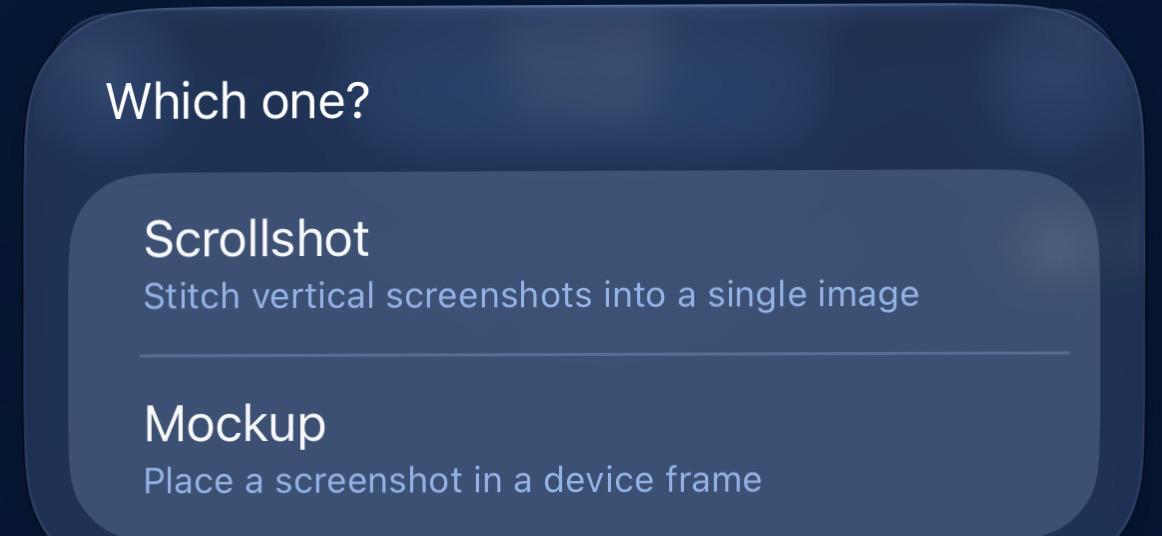
Shortcut Sharing [Shortcut] Picsew All-in-One: Stitch Screenshots, Create iPhone/iPad/Apple Watch Mockups & Combine Image

Post image
3 Upvotes

An all-in-one shortcut I made for Picsew. It brings together a few useful image tools in one place, so you don’t have to go through the same steps manually every time.

Features:-

📸 1. Screenshot Stitching

• Stitch multiple screenshots into one long vertical image.
• Manual Mode: Select the screenshots you want to stitch.
• Automatic Mode: Use recent screenshots without manually selecting them.
• Automatically processes the images through Picsew.

📱 2. Device Mockups

• Turn screenshots into device mockups.
• Supports iPhone, iPad, and Apple Watch.
• Includes multiple device models and colour options.
• Randomly selects a mockup style from the available options.
• Uses Picsew to generate the mockup.

🖼️ 3. Combine Images

• Combine multiple images horizontally into a single image.
• Useful for side-by-side comparisons, before/after images, or sharing multiple screenshots together.

📤 4. Flexible Output Options

• Save to Photos: Save the processed images directly to your photo library.
• Copy to Clipboard: Quickly paste the result into another app.
• Share: Open the iOS Share Sheet to send the result wherever you want.
• Quick Look: Preview the result before deciding what to do with it.
• When multiple images are produced, choose whether to save them individually or combine them.

5. Share Sheet Support

• Run the shortcut directly from the iOS Share Sheet with selected images.
• You can also run it independently and select images when needed.

Requirements:

• iPhone/iPad with the Shortcuts app
• Picsew installed

🔗 Link:
https://www.icloud.com/shortcuts/8ac06bcac5874cf29c3dbf924c576d9a

r/shortcuts • • 6h ago

Help Countries visited

3 Upvotes

Total amateur here but trying to learn.

I created the below shortcut in an attempt to track the countries I have visited. It seems to be close to working as expected, however, I can’t get the loop to remove countries I have already visited from the overall add country list of 195 countries so there is no possibility of duplicates.

What am I doing wrong? Any help is greatly appreciated.

Also open to a better overall solution. Ideally, I think it would be better to only have one add/remove option showing a list of all countries having the ones visited already checked. Not sure if this is possible though.

https://www.icloud.com/shortcuts/d8b9193ec71a41499eb5a2c6e13d642e


r/shortcuts • • 6h ago

Help Auto start YouTube Music when connected to carplay

1 Upvotes

Tried siri shortcuts

tried this too which works when not on CarPlay which resumes the last played song which is great but when you try this open url in CarPlay it only opens the app on carplay and does not autostart the song like the rest of the url does unless you manually open it on your phone UHHH

youtubemusic://watch?v=Mvvsa5HAJiI&list=RDMM&start_radio=1


r/shortcuts • • 9h ago

Help Issues sorting and finding largest photos and videos via shortcut

1 Upvotes

I’m trying to clear up some space from legacy photos and videos on my phone and MacBook and have followed these instructions for this shortcut, but every time I go to run the shortcut, it doesn’t work. So I think Apple may have changed to some sort of setting? I have about 30,000 photos to go through. I get the error “there was a problem running the shortcut” and no further guidance about size limits etc.
Running it off a 24GB M5 MacBook Air. So there should be enough juice in the MacBook to be able to execute it.

https://www.youtube.com/watch?v=WIM2yoXiaxs&t=


r/shortcuts • • 19h ago

Request Screenshot without side system showing on iPhone Duo ?

1 Upvotes

Has anyone found a way to take a Screenshot without side system showing on the right on iPhone Duo(the time, wifi symbol ect) ? Is it possible ?

Is there a shortcut that can be created for this?

Thanks


r/shortcuts • • 19h ago

Help How to get ai to create calendar entry

1 Upvotes

I am trying to create a shortcut that looks at my scanned handwritten timecards (scanned to PDFs) and use a cloud model to read the timecards and create calendar entries from it. But since the cloud model can’t create the calendar entries directly, I think I need the cloud model to create different variables for date and times and then I can use a create event action for the calendar entries. Unfortunately the cloud model will only return one result, not multiple variable like I need.