r/DigitalPlanner • u/Tesorin_App • 3h ago
Made 50 digital planners in my note-taking app.
2
Upvotes
r/DigitalPlanner • u/gaborauth • 17h ago

Hi guys!
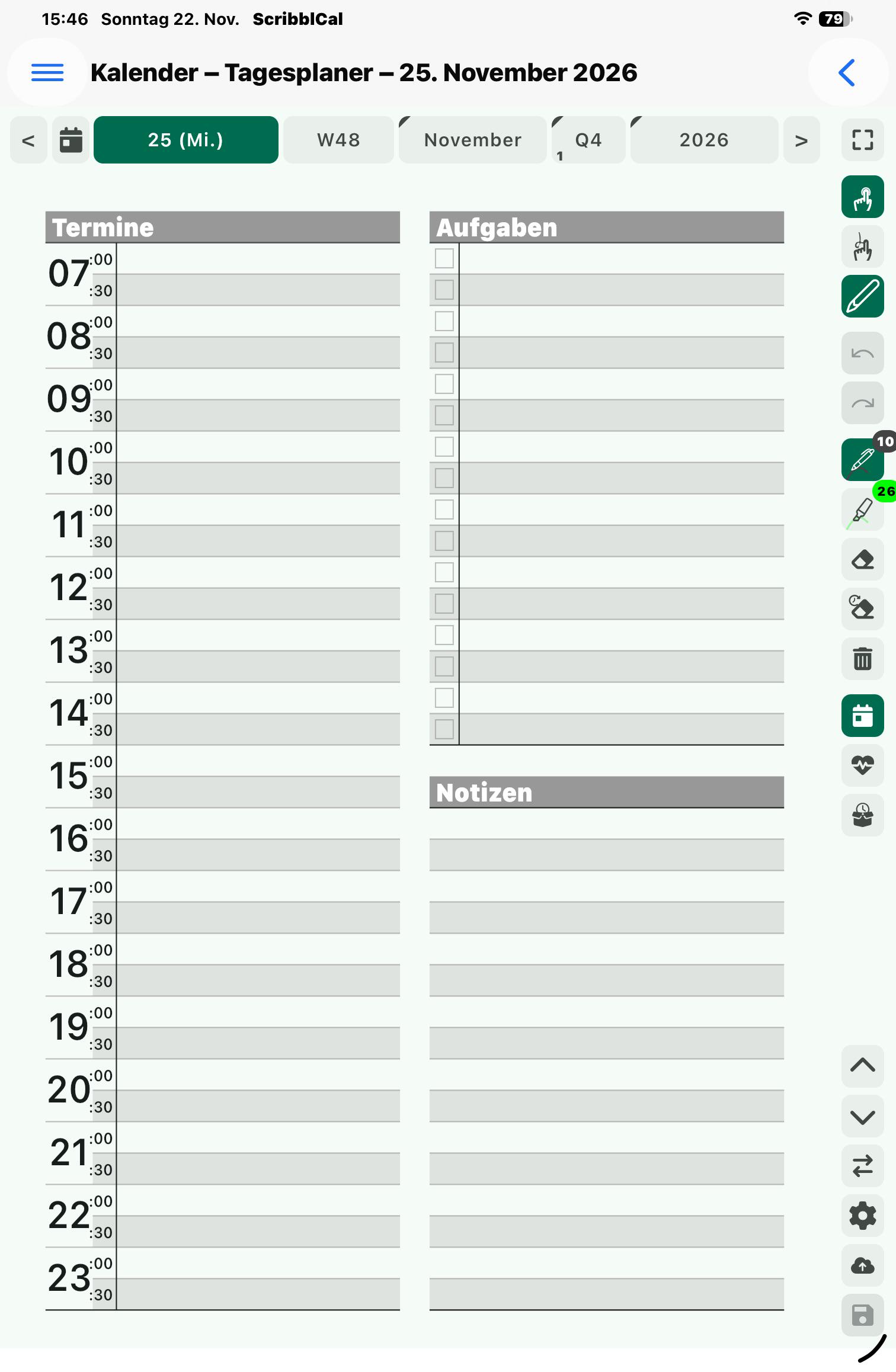
I've been working on the Scribble Calendar & Planner app for years. The idea is simple: the freedom of a handwritten paper planner, without being limited to a PDF - a living planner where your writing, your real calendar events and your daily planning work together. Think of it as a paper planner that knows what day it is. 🙂
What's new in version 1.12.0?
One planner on your iPad and your Android tablet
- Your pages sync between an iPad and an Android tablet through Google Drive, and between Apple devices through iCloud Drive too
- Writing on two devices at the same time is now safe: a new sync server keeps track of which device changed which page, so no strokes get lost - and your pages still stay on your own cloud drive, not on our server
- The sync screen shows the server's state, and you can switch the server off to sync through your cloud drive alone
- A new device joining iCloud Drive sync now waits until iCloud has listed your existing pages, so it no longer starts an empty planner of its own
More room to write:
- Full-screen mode: hide the toolbar for more space on the page; a small panel in the corner switches between pen and eraser and brings the toolbar back
- Turn pages by swiping on the page
- Choose the line, grid or dot spacing of each note page
A new look:
- A brighter design made for tablet and phone screens
- A new Settings screen with colour themes
- A dark mode, for the pages too - nice for planning in the evening
What is it?
Year, Quarter, Month, Week and Day views, with handwriting and notes on every page, and your Google Calendar or Outlook events next to your own writing.
It's free to download, and most of the planning and handwriting is free. Premium is a one-time purchase for creating, editing and deleting calendar events (plus the two extra themes). Sync is an optional subscription, and downloading synced pages stays free.
I'd love to hear from this community!
- If you plan on more than one device, how do you keep your PDF planner in sync today?
- What should a live planner do that a PDF planner can't?
App Store: https://apps.apple.com/app/id6809502400
Google Play: https://play.google.com/store/apps/details?id=com.scribblecalendar
Full changelog: https://scribblecalendar.com/changelog
Thanks for checking it out! :)
r/DigitalPlanner • u/1greatbigworld • 4h ago
Looking for options on some digital planners. I really like the layout of the Full Focus Planner and the Keys2Suvcess planner. Looking to run in OneNote primarily on my iPad Pro 13” and potentially an iPad mini a20. One key requirement is two way communication with my calendar (Corporate Outlook) so that any invites auto populate to my planner. Would also like some type of AI integration with my email for creating task lists and follow ups from reading my email. Appreciate any suggestions.