r/Hewlett_Packard • u/LeatherRough6181 • 1h ago
Question/Problem What is happening to my hp probook?
2
Upvotes
r/Hewlett_Packard • u/Elegant-Respond-8054 • 20m ago

Hi all. I’ve had this HP for some time now as a homelab server. repasted cpu, upgraded ram to 8gb. However recently I realised the fans sound horrific and extremely loud, a buzzing from the chassis fan and a high pitched noise from the cpu cooler. Has anyone attempted a replacement of these fans? I didn’t know if this is the right place to ask. Thanks though.
r/Hewlett_Packard • u/ocdbloggerboy • 13h ago

On every winter i have only one big problem in my HP pavilion gaming laptop.
The charging got really very slow like for 40% it is taking 2h pluse hours it is not normal bro.
So anybody who can help me please give tips
r/Hewlett_Packard • u/Unable_Ad_1804 • 1d ago
I bought an HP OmniBook X 14 with RTX Spark and 128 GB of unified memory for local AI workloads**, a $5k+ laptop.** The laptop became unusually hot with the lid closed and the charger disconnected, and it lost a huge amount of battery while it was supposed to be asleep.
I pulled the Windows SleepStudy reports and investigated the power and USB logs with Codex. Here's what I found:
The workaround? Plug a USB 3.0 drive into the affected port.
The detection loop stopped while the drive was connected, and one overnight test averaged 0.4 W. The loop came back when I unplugged it, and I've still had sleep problems with the drive connected.
With the port empty, I can't trust the laptop to stay cool in my backpack. On the bright side, at least it'll keep my lunch warm :)
Then came the absolute shitshow that is HP customer service.
HP also called me at 7 a.m. with a ridiculously dismissive attitude to discuss downgrading or cancelling my express replacement.
Imagine getting woken up at 7 in the fucking morning just to be told that HP still can't replace the laptop you paid for and wants you to accept half the memory.
I have a full-time job and also a full-time student. Diagnosing my own laptop and coordinating between HP departments shouldn't be a third one. Why the fuck am I doing HP's job for them?
I paid for 128 GB because I actually need 128 GB. HP's supply chain problems are not my responsibility.
I've asked HP for a full refund and to let me return this laptop once I have a comparable machine from another manufacturer. I need a working computer in the meantime.
I've owned ThinkPads, Dell laptops, and MacBooks. I've never experienced this level of bullshit from any of those manufacturers.
Hardware defects happen. Supply shortages happen. But wasting customers' time, missing promised delivery dates, bouncing them between departments, and expecting them to accept inferior hardware is absolutely unacceptable.
Never buying HP again. What a fucking nightmare.
r/Hewlett_Packard • u/Apprehensive_Juice_1 • 1d ago
I’m at my absolute wits ends with my HP omnibook x flip ryzen 5 and anything anyone can do to help will be much appreciated.
I recently bought this laptop and had issues with “boot device not found” happening randomly in the middle of me doing pretty basic tasks. I thought it was just a faulty laptop and exchanged it.
Then almost immediately the second laptop did the same thing. I really like the functionality so i decided to ride it out as turning the computer on and off just made the error message go away.
Now it happens 4 times a day, once in the middle of a job interview! I did all the troubleshooting my bios and boot are just fine, I cleared my computer I called HP and they did some remote fixes, but it still happens. now they’re telling me to preform a cloud recovery which is fine but i don’t have a 64GB USB and i don’t understand why I have to buy an extra accessory to fix my own BRAND NEW 1000-and-something-pound computer. I’ve updated everything I can, checked everything I can and the computer only gets worse, it now freezes randomly too?
The customer service sucks terribly and no one seems to know why this happens even when it seems pretty common as it has happens to me on 2 separate conditions. I am past the refund window and now I have gotten a 1000 pound computer that is as good as a lemon. Might have to send it to them over Christmas as I cannot afford not having a laptop for 14 working days over Uni exam season.
PS. what’s the actual point of a co-pilot key when you have to subscribe to co-pilot, I think the computer costs enough without what’s essentially a subscription key.
r/Hewlett_Packard • u/tara_ram_pam • 1d ago
r/Hewlett_Packard • u/PhilosophyOrdinary43 • 1d ago
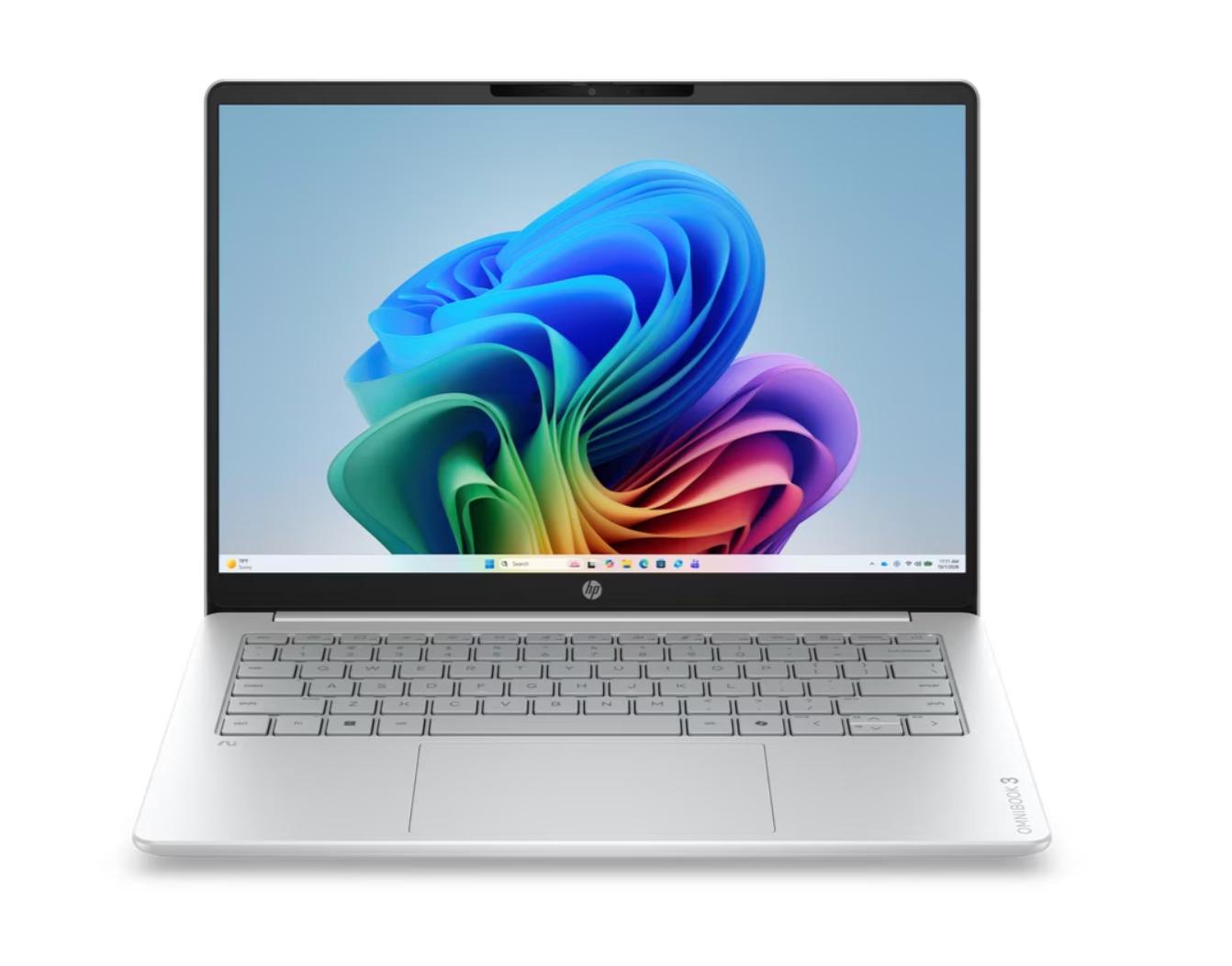
I travel almost 2 hours every day for work, and carrying my current laptop around is becoming a pain. It's fairly heavy and the battery doesn't last long enough, so I pretty much have to carry the charger everywhere.
I'm looking for something lightweight with good battery life that's easy to carry during my commute. I recently came across the HP OmniBook 3 series. The 14-inch size, around 1.4 kg weight, 10+ hours of battery life and fast charging caught my attention.
Anyone here using the OmniBook 3? Would also appreciate recommendations for similar lightweight laptops with good battery life.
r/Hewlett_Packard • u/Impossible-Bar8465 • 1d ago
Multiple connectivity and hardware-related problems on HP ProBook 440 G7 – Wi-Fi, Bluetooth, USB, MTP and built-in webcam all failing. Could this be a motherboard or driver issue?
Laptop: HP ProBook 440 G7 Processor: Intel Core i5, 10th Generation Operating system: Windows (version to be confirmed)
I'm facing a very frustrating situation with my HP ProBook 440 G7. Several different hardware functions have stopped working, and I'm struggling to identify whether this is a Windows/driver issue, a hardware issue, or potentially a motherboard problem.
What's confusing is that these problems seem unrelated, but almost every method I try to use for connectivity or file transfer fails.
My laptop's Wi-Fi connection keeps disconnecting.
I checked the Windows WLAN report and found the following:
This makes me suspect a Wi-Fi driver or hardware problem.
2. Bluetooth is also not working
Bluetooth is another function I'm having trouble with. It is not functioning properly either.
Since Wi-Fi and Bluetooth can share the same wireless card, I'm wondering whether the wireless card itself could be defective.
3. USB connectivity and file transfer problems
This is where things get particularly confusing.
I've encountered USB-related problems, including access-denied issues when trying to use external storage.
I also connected my Android phone using a USB cable to transfer files.
What happened:
USB tethering was also one of the methods I wanted to use to get internet access, but USB connectivity problems have made this difficult.
I haven't been able to establish a reliable file-transfer route.
4. Built-in webcam is not working
Another unexpected problem: the laptop's built-in camera is also not working.
This is making me question whether the issue is limited to network drivers or whether something more general is happening with the laptop.
5. What is actually working?
One important observation:
My wireless USB mouse receiver works.
The mouse connects and functions through its USB receiver.
This makes me wonder whether all USB ports are actually defective. Perhaps the issue is specific to certain USB devices, drivers, or data-transfer functions.
6. Why troubleshooting has become difficult
The biggest problem is that I cannot easily download and install the required drivers or recovery tools.
Even downloading a Linux distribution to test whether the problem exists outside Windows becomes difficult when I cannot reliably transfer the ISO file.
I considered removing the SSD, connecting it to another computer, transferring the required files, and reinstalling it.
I also wondered whether an external computer could help determine if this is a Windows problem or a hardware problem.
7. What I want to understand
I'd appreciate help answering these questions:
I'm trying to diagnose the actual root cause rather than randomly replacing components.
Has anyone experienced multiple connectivity and peripheral failures like this on an HP ProBook or another Windows laptop? What turned out to be the cause?
Any suggestions would be appreciated.
r/Hewlett_Packard • u/Infinite_Comfort_760 • 1d ago
I recently submitted my HP OMEN 17 laptop to an authorised HP service centre in Delhi, India due to a hardware issue.
I have a concern about whether any original components (SSD, RAM, battery, motherboard, Wi-Fi card, etc.) could be replaced with different or non-genuine parts during servicing.
I want to know:
Has anyone experienced something similar with an authorised HP service centre?
I'd appreciate advice from people who have dealt with HP repairs or hardware verification.
r/Hewlett_Packard • u/hamcircus • 2d ago

I’ve tried searching on Google and followed the instructions, but it hasn’t stopped the ads from showing up
r/Hewlett_Packard • u/contrary24 • 2d ago
r/Hewlett_Packard • u/FacaTomate • 2d ago
Código HP Instant Ink: 1 mês grátis
Vais aderir ao HP Instant Ink? Usa o nosso código de indicação e ganhas 1 mês de impressão grátis.
Código: phjv8q
Link direto: try.hpinstantink.com/phjv8q
Como usar
Abre o link acima ou vai ao site do HP Instant Ink.
Cria a tua conta e escolhe o plano.
Se o link não preencher o código sozinho, escreve phjv8q no campo do código de indicação.
O mês grátis fica aplicado na tua conta.
O que é o HP Instant Ink?
É uma subscrição da HP em que os tinteiros chegam a casa antes de acabarem. Pagas por páginas impressas, não por tinteiro, e podes mudar de plano ou cancelar quando quiseres.
r/Hewlett_Packard • u/Edu_______ • 2d ago
My HP Elitebook G11 640 won't turn on. It's completely dead. The charging LED doesn't light up. The screen doesn't turn on. I've already tried removing and replacing the battery. I checked with a multimeter, the battery is working (11.96V measured by the multimeter).
Nothing I try works.
Does anyone know how to solve this?
r/Hewlett_Packard • u/arun017s • 2d ago
Hi everyone,
I purchased a new HP 255R G10 (8GB RAM / 512GB SSD) from Amazon India (seller: DEALS IT INDIA) in October 2026.
On 19 October, after a clean Windows 11 installation, I updated the BIOS using the update offered through the official HP Support Assistant.
Since then, I've been facing a strange power issue:
I contacted HP support and followed their troubleshooting instructions, but nothing worked.
On 26 October, an HP-authorised engineer visited and suspected a motherboard issue. On 26 November, another engineer replaced the motherboard. Unfortunately, the exact same power issue persists.
After the motherboard replacement, the engineer examined the RAM and discovered that its CT details reportedly don't match HP's records. He verbally told me that HP's records showed the original configuration for my laptop as 24GB RAM.
Here's what confuses me:
The service report states:
"Replace mother board. And aditional issue found ram but RAM shipped CT details is not matching with our record. Please deny support. Case closed"
My HP complaint is still showing as open, and I haven't received any further explanation from HP.
I'd really appreciate some help understanding a few things:
I have the Amazon invoice, product listing screenshots, HP service report, emails and call recordings as evidence.
Any advice or suggestions on how to proceed would be appreciated. Thanks!
r/Hewlett_Packard • u/Adalf_Hotler69420 • 2d ago
Any help would do
r/Hewlett_Packard • u/bluedex007 • 2d ago
I bought an HP OfficeJet Pro 8020 printer about two years ago, and the first thing I did was to turn off the automatic updates. I've always used ink cartridges that are not HP, and it's been great. Saved myself a ton of money when I buy them. I have the HP Smart app on my computer but every time I open the app (which notes the cartridges are altered or cloned), it says the HP Smart app is going away on January 15, to be replaced by the new HP app. That means when this new app installs itself, it's going to detect that the cartridges I use are not the official HP app and will force me to buy the official HP ink cartridges. That sucks! 👎
r/Hewlett_Packard • u/Sudden-Ad-1731 • 2d ago
r/Hewlett_Packard • u/Sudden-Ad-1731 • 2d ago
r/Hewlett_Packard • u/Head_Worldliness5101 • 3d ago
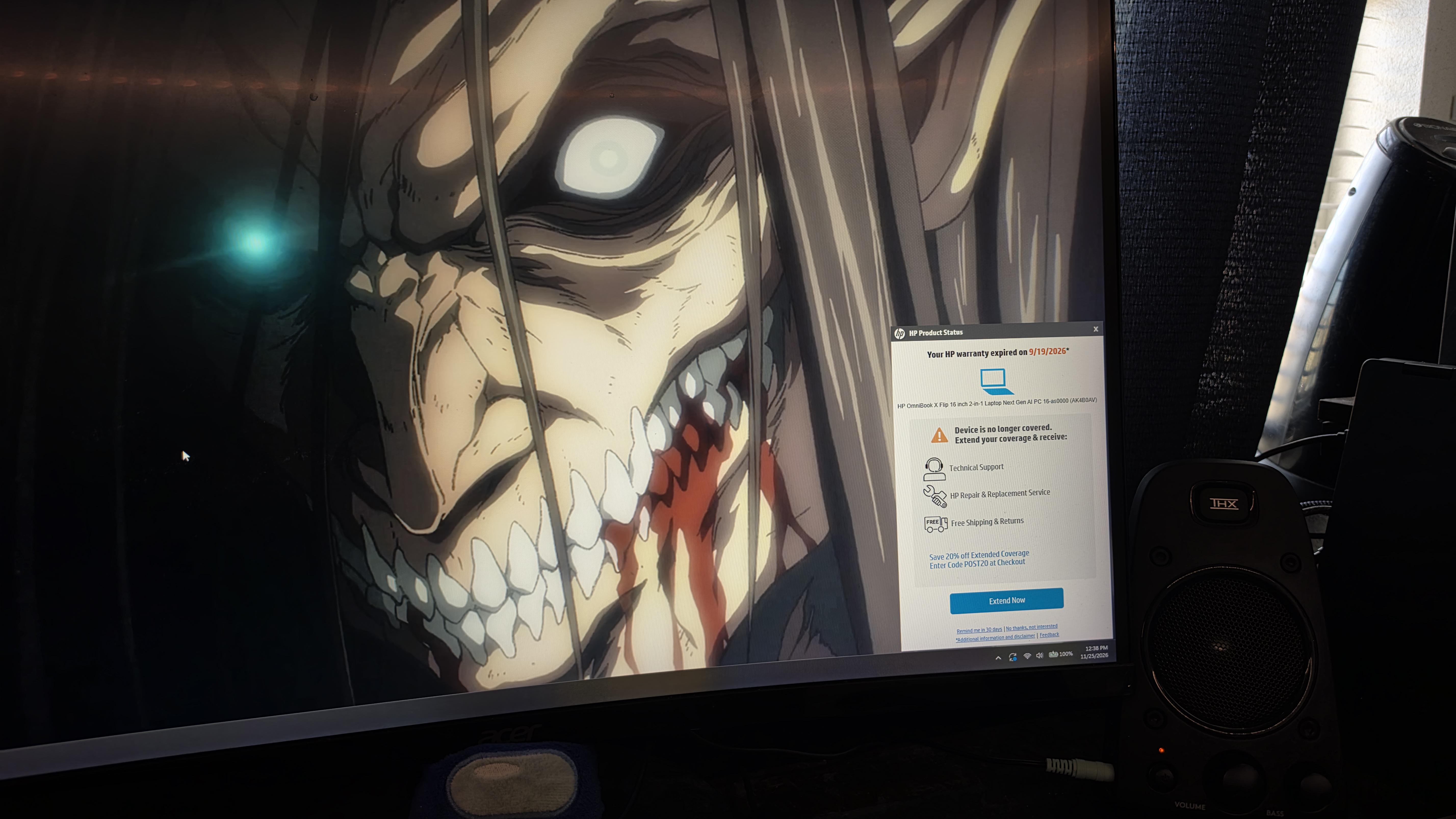
my warranty (quite clearly) ran out. since then, ive gotten these pop ups at least twice a month. is there any way of getting rid of these? preferably the whole program that is making these pop ups
r/Hewlett_Packard • u/loveforgable • 3d ago
I have a hp envy x360 , I'm not sure what year , before 2020 I believe. I bought it at a Costco , saved up the little money I had looking forward to it. It served well for a while , I used it mostly for schoolwork and gaming , and then at some point it just failed on me. It struggles to connect to the internet at all , I tried almost everything and can't get it to connect for more than five seconds , and the battery life was never good so I never unplugged it because it would barely last an hour. Now it dies unbelievably fast if the charger loses connection , it runs uncomfortably slow , and some days just doesn't connect to the wifi.
I've seen other reviews online and saw that the battery life was never good to begin with (which I knew) and that the Realtek network card is just unreliable in general and others struggle with the same things. I spent hours judt trying to get it to work but it doesn't, and the battery died out of nowhere , I am wondering what it is the next best step. My pockets are once again light , I would consider selling it , but it doesn't have a good resale value , and with reviews like that who would want one.
Im wondering how complicated or how easy it is to replace certain parts like the network card and the battery , I have never worked on computers and have never opened one up , so please educate me. If anyone has other possible solutions please let me know. Really frustrated with this laptop and want it working.
r/Hewlett_Packard • u/cuscaden • 3d ago
Hello HPers,
I have a HP Color LaserJet MFP M477fdw which is network wired (no wifi) into my network. Got it in 2019 has been running fine. Enabled e-print when I got it and it worked without any issue. Sometime in the last year it would appear it randomly decided to change its e-print email address and it changed it again last week. I want the e-print address to stay the same until the heat death of the universe or at least until the printer dies :)
Consulted with Claude and it told me HP had "upgraded" its way of doing this and how I should link the printer to a login via HP Connected to be able to manually control the e-print email address. Sadly for me, this involved installing the HP App. This app appears to want to find the printer automatically and seems thoroughly incapable of doing so on a wired network. Claude encouraged me to turn on wifi, and I steadfastly resisted.
So my question to you all, is, with the funky HP App, is there no way to point the thing at a manual IP address and get it added? I already went down the "old" route where you print out the e-print sheet to get the printer's connect code or whatever it is called, but it would appear that functionality is also deprecated in HP Connected.
Any clues for my clue bag? This is all just to be able to print out a Newspaper's crossword from wherever I am on the planet for my luddite mother whilst I am travelling....... My PC can find the printer, my Apple devices can find the printer, my HP app either on Windows PC or on mobile phone cannot locate it.
A clue for my clue bag if anyone has any to offer. Thanks!

