r/Hewlett_Packard • • 4h ago

Printer HP app

4 Upvotes

I bought an HP OfficeJet Pro 8020 printer about two years ago, and the first thing I did was to turn off the automatic updates. I've always used ink cartridges that are not HP, and it's been great. Saved myself a ton of money when I buy them. I have the HP Smart app on my computer but every time I open the app (which notes the cartridges are altered or cloned), it says the HP Smart app is going away on January 15, to be replaced by the new HP app. That means when this new app installs itself, it's going to detect that the cartridges I use are not the official HP app and will force me to buy the official HP ink cartridges. That sucks! 👎


r/Hewlett_Packard • • 19h ago

Question/Problem HP LaserJet Pro M404dn problem after updating windows

2 Upvotes

Hi,
I have an HP LaserJet Pro M404dn printer connected via a network to three computers. There’s never a problem on two of the computers, but on one of them, after EVERY Windows 11 update, printing doesn’t work. The printer doesn’t return any error; it just keeps showing “printing” in the print queue. Resetting the print buffer doesn’t help; only restarting the entire computer has any effect, but it’s excessive to have to constantly restart the computer because it’s not a home computer—it’s at work. I uninstalled the drivers, removed the printer, and reinstalled the drivers, but the problem persists.

Maybe someone had that kind of error


r/Hewlett_Packard • • 1h ago

Question/Problem I've got a screen issue , anyone else had this ???

1 Upvotes

r/Hewlett_Packard • • 2h ago

Question/Problem Why are these lines showing in my laptop screen

1 Upvotes

r/Hewlett_Packard • • 6h ago

Question/Problem Rebuilding laptop ?

1 Upvotes

I have a hp envy x360 , I'm not sure what year , before 2020 I believe. I bought it at a Costco , saved up the little money I had looking forward to it. It served well for a while , I used it mostly for schoolwork and gaming , and then at some point it just failed on me. It struggles to connect to the internet at all , I tried almost everything and can't get it to connect for more than five seconds , and the battery life was never good so I never unplugged it because it would barely last an hour. Now it dies unbelievably fast if the charger loses connection , it runs uncomfortably slow , and some days just doesn't connect to the wifi.

I've seen other reviews online and saw that the battery life was never good to begin with (which I knew) and that the Realtek network card is just unreliable in general and others struggle with the same things. I spent hours judt trying to get it to work but it doesn't, and the battery died out of nowhere , I am wondering what it is the next best step. My pockets are once again light , I would consider selling it , but it doesn't have a good resale value , and with reviews like that who would want one.

Im wondering how complicated or how easy it is to replace certain parts like the network card and the battery , I have never worked on computers and have never opened one up , so please educate me. If anyone has other possible solutions please let me know. Really frustrated with this laptop and want it working.

r/Hewlett_Packard • • 7h ago

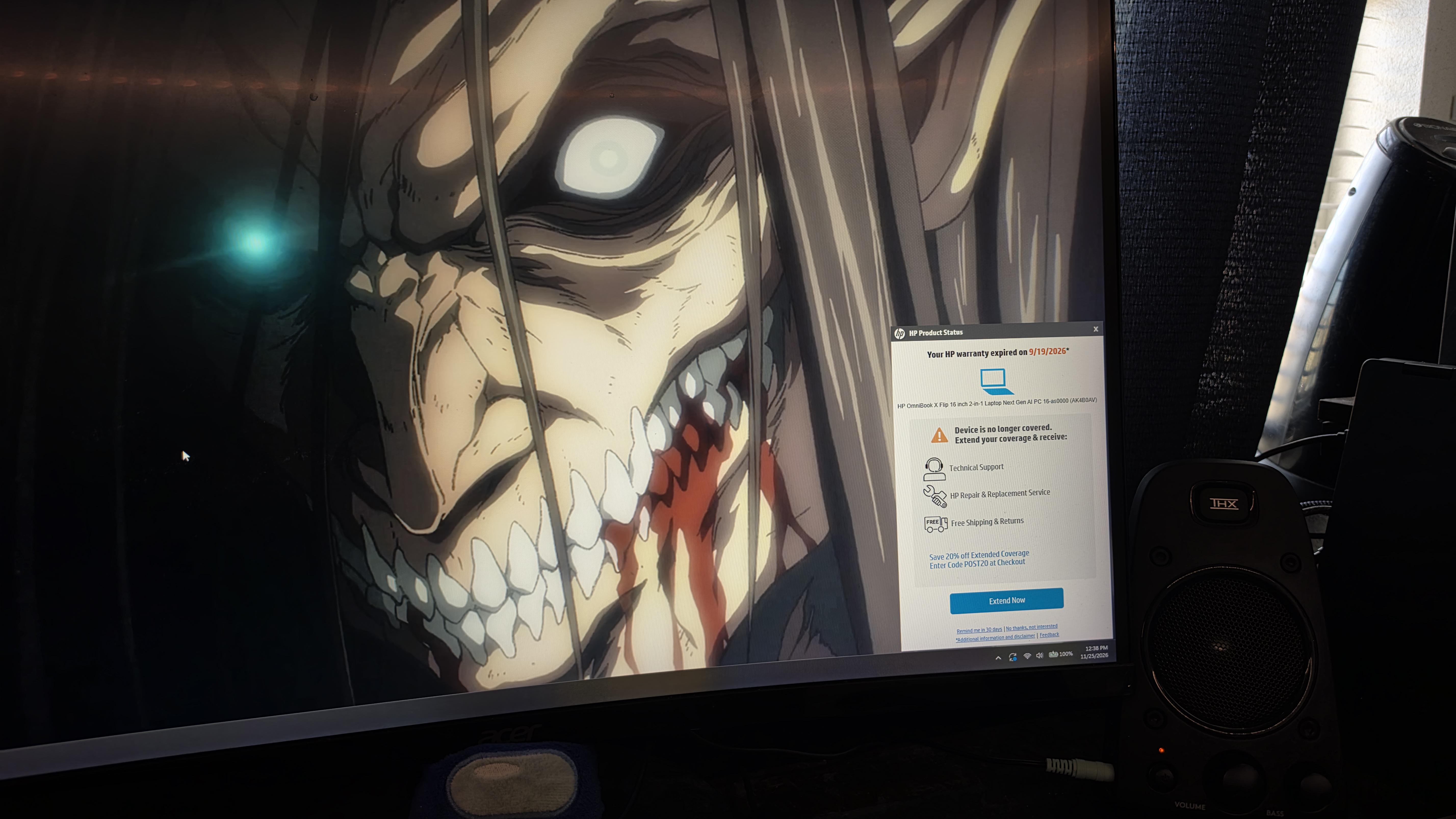
HP Software any way of getting rid of these pop ups?

Post image
1 Upvotes

my warranty (quite clearly) ran out. since then, ive gotten these pop ups at least twice a month. is there any way of getting rid of these? preferably the whole program that is making these pop ups


r/Hewlett_Packard • • 8h ago

Question/Problem HP Color LaserJet MFP M477fdw and fixed e-print email address

1 Upvotes

Hello HPers,

I have a HP Color LaserJet MFP M477fdw which is network wired (no wifi) into my network. Got it in 2019 has been running fine. Enabled e-print when I got it and it worked without any issue. Sometime in the last year it would appear it randomly decided to change its e-print email address and it changed it again last week. I want the e-print address to stay the same until the heat death of the universe or at least until the printer dies :)

Consulted with Claude and it told me HP had "upgraded" its way of doing this and how I should link the printer to a login via HP Connected to be able to manually control the e-print email address. Sadly for me, this involved installing the HP App. This app appears to want to find the printer automatically and seems thoroughly incapable of doing so on a wired network. Claude encouraged me to turn on wifi, and I steadfastly resisted.

So my question to you all, is, with the funky HP App, is there no way to point the thing at a manual IP address and get it added? I already went down the "old" route where you print out the e-print sheet to get the printer's connect code or whatever it is called, but it would appear that functionality is also deprecated in HP Connected.

Any clues for my clue bag? This is all just to be able to print out a Newspaper's crossword from wherever I am on the planet for my luddite mother whilst I am travelling....... My PC can find the printer, my Apple devices can find the printer, my HP app either on Windows PC or on mobile phone cannot locate it.

A clue for my clue bag if anyone has any to offer. Thanks!


r/Hewlett_Packard • • 10h ago

Question/Problem Just bought a ZBook Studio 16 G9, any quirks I should know?

Post image
1 Upvotes

r/Hewlett_Packard • • 10h ago

Advice Ordered an HP mouse via Amazon. Not working. HP saying visit service center (not there at my location). What to do?

Thumbnail reddit.com
1 Upvotes

r/Hewlett_Packard • • 11h ago

Question/Problem HP Smart Tank 5102 completely shit the bed. Please advise.

Thumbnail gallery
1 Upvotes

r/Hewlett_Packard • • 11h ago

Question/Problem HP+

1 Upvotes

Is there any way to remove HP+ association from an HP printer? HP OfficeJet 8025e.


r/Hewlett_Packard • • 11h ago

Printer Fuck HP

Thumbnail reddit.com
1 Upvotes