r/Monitors • • 1d ago

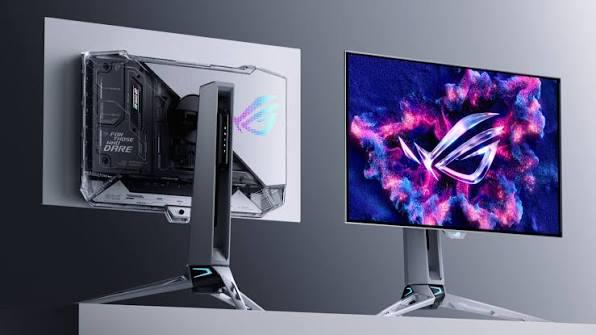
Discussion Why do manufacturers keep using the manspreading monitor stand

Post image
837 Upvotes

Like genuinely, these are ugly, uncomfortable to use and there is no real reason to choose this one instead of the normal flat squared-ish one.


r/Monitors • • 6h ago

Discussion 90% work / 10% gaming. Long-term monitor now or cheap stopgap?

Post image
7 Upvotes

Current: MSI G241, 24" 1080p 144 Hz IPS.

Use case

- 90% work(Mac): Figma, Claude Code, browser, dark theme, a lot of static elements

- 10% gaming(Win): Mostly single-player and co-op. Only 10% of the time, but it's what I care about most emotionally - I want the purchase to feel like a real upgrade there

- Grey IPS blacks and motion clarity annoy me most

- Not hiding Dock/menu bar/taskbar or changing habits - don't suggest it

- Must have: 3-year warranty, no VA, no downgrade vs current in anything

Endgame: 32" 6K or 27" 5K with OLED contrast and clarity. Doesn't exist yet.

Options

  1. Asus XG27JCG – 27" 5K 180 Hz IPS, dual mode 1440p 330 Hz. Great text, but contrast same as my current monitor - won't feel like an upgrade
  2. Gigabyte MO32U24 – 32" 4K 240 Hz QD-OLED or similar. Wow factor, but burn-in at 90% work
  3. Cheap 27" 1440p 240 Hz OLED, as a stopgap. Don't care if it burns in

I'd consider mini-LED IPS if it had a lot of zones, and local dimming that just works correctly all the time without switching modes manually. But motion clarity still wouldn't be OLED-level.


r/Monitors • • 7h ago

Discussion Best 32” monitor for triple racing sim setup ?

Post image
5 Upvotes

LG UltraGear WOLED vs Acer Predator IPS


r/Monitors • • 4h ago

Discussion First new monitor in 8 years, deciding between OLED and MiniLED

3 Upvotes

For the last 8 years, I've used a 4k IPS LG monitor (27BL85U) for software development, streaming, and PS5/Switch 2/docked steam deck usage. Basically using it as both a productivity monitor and a TV replacement in a small room. I plan on keeping my next monitor for as long as I can. A couple of questions:

  • Is now a good time to buy something forward looking? Are there any upcoming technologies that would make sense to wait for?
  • I liked the local dimming performance of my work laptop macbook pro and my TV (Hisense U8H), what Mini LED monitors will have similar performance?
  • How much do I need to be concerned about burn in with my usage pattern? Can I just leave the safety features on, and not change my other habits?

Two specific monitors I'm considering investing in are the LG 27GM950B-B as my Mini LED choice, and the ASUS PG27UCDM as my OLED choice. Let me know what y'all think!


r/Monitors • • 2h ago

Discussion monitor advice under 500

2 Upvotes

i’m looking for an oled monitor for gaming and cad usage under 500 has anyone seen good black friday deals? also will the task bars from autocad or other software cause burn in?


r/Monitors • • 8h ago

Discussion Looking for the BEST 27-inch 1440p 240Hz+ OLED gaming monitor for around €400 in Ireland

6 Upvotes

I'm looking to buy a new OLED gaming monitor for Christmas 2026 and want to make the right decision. I've narrowed it down to three models, but I'm open to completely different recommendations.

I'm particularly interested in real-world owner experiences, panel uniformity, grey banding, black levels, HDR performance and long-term reliability. I don't want to spend €400–€450 on a monitor only to discover that it has noticeable issues that aren't obvious in reviews.

1. My requirements

Essential specifications:

  • 27-inch screen
  • 2560 × 1440 (1440p)
  • OLED panel
  • 240Hz minimum refresh rate, ideally 280Hz or higher
  • HDMI input required
  • VESA mount compatibility, as I'll be using a monitor arm
  • Preferably a clean, minimal black design

Budget:

  • Ideally around €400
  • Can stretch towards €450 for a worthwhile improvement
  • Could consider going slightly above that if there is a genuinely significant advantage, but I'd rather not

I'm buying from Ireland, so availability, delivery costs, warranty coverage and return policies matter. Recommendations from Irish or European retailers would be particularly useful.

2. How I'll use the monitor

My main use will be PC gaming, with some YouTube and general desktop use.

The games I play include:

  • Counter-Strike 2
  • Minecraft, including shaders
  • ARC Raiders
  • Roblox

My PC:

  • AMD Radeon RX 9060 XT 16GB
  • Modern AM5-based system

I'm upgrading from an ASUS 1080p 144Hz monitor, so I want a substantial improvement in both image quality and smoothness. I'm not interested in upgrading to 165Hz. I specifically want a 240Hz-class monitor.

3. My room and viewing conditions

I mostly play in a dark room, although there can be some ambient light during the day.

This makes the following particularly important:

  • Proper, deep blacks
  • Excellent contrast
  • Good HDR performance
  • Strong brightness, particularly for HDR highlights
  • No distracting reflections or excessive issues with ambient light

I want the image to look genuinely impressive, not just have impressive specifications on paper.

4. My biggest concern: panel uniformity and grey banding

This is probably the most important part of my decision.

I've seen quite a few reports of OLED monitors having:

  • Grey banding, particularly in darker grey scenes
  • Dirty-screen-effect-like uniformity problems
  • Uneven grey backgrounds
  • Tinting across different parts of the screen
  • Noticeable differences in uniformity between individual units

I've seen particular discussion around WOLED grey uniformity, but I don't know how widespread these problems actually are.

I understand that OLED panels can have some uniformity variation, and that individual units differ. However, I really don't want distracting banding or uneven grey tones during normal gaming, browsing or watching videos.

Questions:

  1. Which current OLED panel technology has the best overall grey uniformity?
  2. Is QD-OLED generally safer than WOLED when it comes to grey banding and dirty-screen effects?
  3. Are the reported WOLED uniformity problems genuinely common, or are people disproportionately posting defective units?
  4. Are there particular models that have a better reputation for panel consistency?
  5. How much unit-to-unit variation should I realistically expect?

I'd especially appreciate responses from people who have owned their monitor for several months.

5. QD-OLED vs WOLED vs Tandem OLED

I'm struggling to decide which panel technology is best for my circumstances.

QD-OLED:

  • How good are the blacks in a dark room?
  • How noticeable is the purple tint to blacks when there is ambient light?
  • How does its brightness compare with newer WOLED panels?
  • Is its grey uniformity generally better?

WOLED:

  • Are the newer panels significantly better than older generations?
  • How noticeable are grey uniformity issues in everyday use?
  • Are the improved black levels in ambient light worth considering?

Tandem OLED:

  • Is the newer Tandem WOLED technology a meaningful improvement?
  • Does it offer a noticeable brightness and HDR advantage?
  • Are there any known compromises compared with QD-OLED?
  • Is it worth paying extra for?

I'd particularly appreciate comparisons based on actual measurements and ownership, rather than manufacturers' marketing claims.

6. The monitors I'm currently considering

These are my current three candidates. The prices are the delivered prices I've found, but they may change.

1. ASUS ROG XG27AQWMG

Approx. €486 delivered

  • 27-inch 1440p
  • 280Hz Tandem WOLED
  • Glossy coating
  • HDR True Black 500
  • Advertised three-year burn-in warranty

Why I'm considering it:

  • Potentially the strongest HDR performance
  • Higher brightness potential
  • Glossy screen
  • Newer Tandem WOLED technology
  • Promising text clarity compared with older WOLED panels

My concerns:

  • Reports of grey banding and panel uniformity issues
  • It's the most expensive option
  • Is the HDR and brightness advantage actually significant enough to justify the price?

2. Alienware AW2725D

Approx. €418 delivered

  • 27-inch 1440p
  • 280Hz QD-OLED

Why I'm considering it:

  • QD-OLED colour performance
  • Excellent contrast and response times
  • Competitive price
  • Good overall reputation

My concerns:

  • Purple-tinted blacks in ambient light
  • How does its brightness compare with the newer Tandem WOLED?
  • How consistent is its grey uniformity?
  • Is it still one of the best QD-OLED options available?

3. Gigabyte MO27Q2A

Approx. €409 delivered

  • 27-inch 1440p
  • 280Hz QD-OLED

Why I'm considering it:

  • Competitive pricing
  • QD-OLED picture quality
  • 280Hz refresh rate
  • Appears to be a strong value option

My concerns:

  • SDR brightness compared with the ASUS
  • Black appearance in ambient light
  • Warranty coverage, particularly burn-in protection in Ireland
  • Whether it offers any meaningful advantage over the Alienware

7. Other things I care about

HDR: I want genuinely good HDR, with noticeable highlights and strong contrast. I don't want a monitor that is technically HDR-compatible but offers a disappointing HDR experience.

Text clarity: I'll also use the monitor for normal desktop activities, so text clarity matters. Are the newer panels noticeably better than older OLED generations?

Burn-in: I understand OLED has a burn-in risk. I'd like to know which manufacturers offer the strongest warranty and whether burn-in is explicitly covered in Ireland.

Coating: Is glossy or matte better for my mostly dark room? Does either make a meaningful difference to image quality?

Quality control: Which manufacturers and models have the most consistent panel quality? Are returns and warranty claims generally straightforward?

8. What I'd like advice on

I'd really appreciate answers to these specific questions:

  1. Out of the three monitors above, which would you personally buy, and why?
  2. Is there another 27-inch 1440p OLED monitor at around €400–€450 that is objectively better?
  3. Which model has the best grey uniformity and least noticeable banding?
  4. Which has the best HDR performance?
  5. Which has the best overall image quality in a dark room?
  6. Which offers the best combination of performance, reliability and value?
  7. Is there a particular model I should avoid due to recurring panel defects or poor warranty support?

Please don't recommend a monitor simply because it has a high refresh rate or looks good on a specification sheet. I'm much more interested in the actual panel quality and ownership experience.

Ideally, I'd like responses from people who own or have tested these exact monitors. Measurements, photos of uniformity tests and long-term experiences would be particularly useful.

I'm happy to consider other models, including newer releases, provided they meet my requirements.

Thanks!


r/Monitors • • 22m ago

Discussion ASUS XG32VQR dims at random

1 Upvotes

As the title says, my monitor dims at random. I have had this monitor for about 5 (soon to be 6) years and this problem happened on my old setup, I thought it was PC related so, I turned off HDR to not have this annoyance. Fast forward to today, I turned it on after so long and, the problem still happens. This issue happens after... let's say an hour or two of gaming. Does anyone know why this happens?


r/Monitors • • 26m ago

Discussion MONITOR PARA GAMING 27 INCH

Thumbnail reddit.com
1 Upvotes

r/Monitors • • 34m ago

Discussion Does anyone know anything about this monitor?

Post image
1 Upvotes

I'm looking to upgrade my monitor to a 1440p and I found this 24 inch acer monitor, I know that there isn't much 24 inch 1440p monitor out there, but this is the only option that I could find in my country. Would love to see your opinions on this monitor.


r/Monitors • • 4h ago

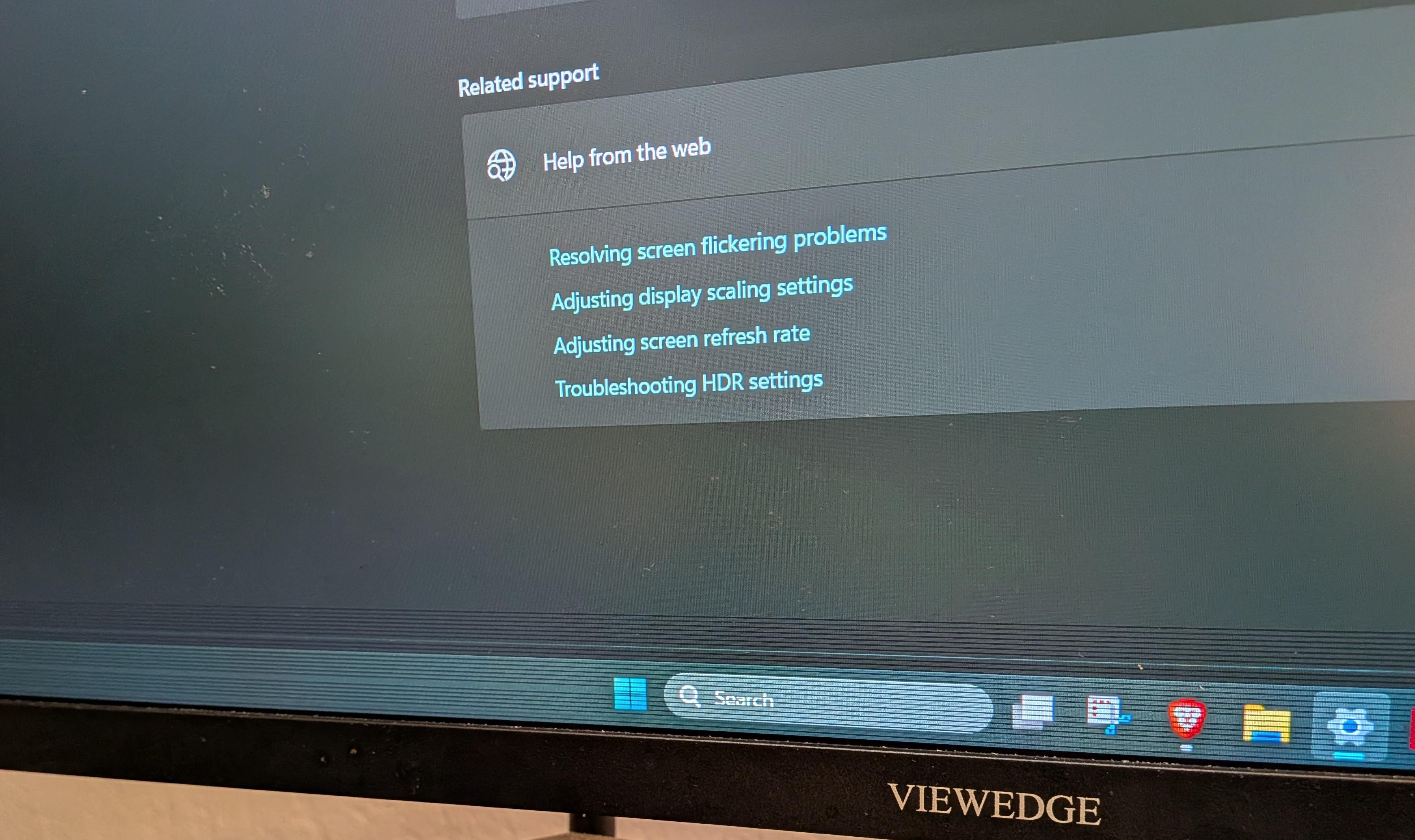
Discussion Viewedge Monitor Warranty (Common panel failure these days?)

Post image
2 Upvotes

Hey guys. Just wondering if anyone went through the warranty process with viewedge. During the recent months, I started noticing flickering horizontal lines at the bottom of the screen and it would go away, but later from testing and researching, I found out that it's a common issue with recent monitors, that it started from 60hz, then spread to 120hz, 144hz, etc. Anyone can help to explain why this is a common issue these days? I only had the monitor for about 1 year.

Also, I am wondering if anyone went through the viewedge warranty process and if they were able to get a new monitor from the warranty easily. Thanks in advance!


r/Monitors • • 52m ago

Discussion Best Monitor Arm Setup for Three Monitors on a 60 Inch Gaming Desk With Limited Clamp Space?

1 Upvotes

I'm upgrading my monitor setup from two monitors to three and could use some advice on the best mounting solution.

I currently have a HUANUO dual gas spring monitor arm, Amazon ASIN B0855ZBPXD, supporting my two monitors. It's clamped to the right side of my desk and has been working perfectly fine for approximately two to three years.

My monitors are:

  1. MSI MPG 341CQR QD-OLED X36, 34 inch curved ultrawide, 3440 × 1440, 360Hz. This is my newly purchased primary monitor.
  2. MSI Optix MAG274QRF-QD, 27 inch, 1440p.
  3. HP V24i G5 FHD, 23.8 inch, 1080p, used vertically.

My desk is the Whalen Emergent 60 Inch Gaming Desk, which measures 60 inches wide and 30 inches deep.

Whalen Emergent Gaming Desk

Photos of my desk and mounting layout

Here's where things get a little complicated.

The desk has three rear sections. The middle section has a permanent wooden MDF panel that prevents me from installing a monitor arm clamp there.

However, the left and right sections originally had removable metal grille panels on the back. I have already removed those grille panels from BOTH sides, which gives me access to install monitor arm clamps along the rear edges of the left and right sections.

According to Whalen's official dimensions diagram, the left and right sections are each approximately 14 inches wide.

The manufacturer pictures show the desk in its original configuration, before I removed those metal grille panels. The center wooden MDF panel is still installed on my desk, but the rear metal grilles on the left and right have been completely removed.

Another important detail is that the desktop itself measures approximately 15.60 mm thick, but there's an additional wooden panel underneath the desktop along both the left and right sections.

My existing HUANUO monitor arm clamp grips both the top desktop panel and that additional wooden structure underneath. In other words, it's not clamped onto just the thin 15.60 mm desktop.

This mounting arrangement has been working for two to three years without any noticeable damage or stability problems.

My ideal monitor arrangement, from left to right, is:

  1. MSI Optix MAG274QRF-QD, 27 inch, on the left.
  2. MSI MPG 341CQR QD-OLED X36, 34 inch ultrawide, directly in the center.
  3. HP V24i G5 FHD, 23.8 inch, vertically positioned on the right.

I specifically want the OLED centered because it's both my largest and best monitor. I'm not interested in positioning it off to the left or right just to accommodate a particular mounting configuration.

Ideally, I'd like all three monitors mounted on adjustable arms, without their original stands taking up desk space.

I'm trying to determine the best way to accomplish this using only the left and right clamp locations.

One possibility is keeping my existing HUANUO dual arm for two monitors and purchasing a separate heavy duty single arm for the third.

Another possibility is moving my existing dual arm to the left side and purchasing a different mounting solution for the remaining monitor.

I'm open to replacing my current mount if there's a significantly better solution, but I'd rather reuse it if possible since it's still working perfectly fine.

One complication is that my current HUANUO dual arm is advertised for monitors up to 32 inches and 19.8 pounds per arm. My new 34 inch OLED weighs approximately 11.46 pounds without its stand, so it's within the weight limit but exceeds the advertised screen size. I've contacted HUANUO to ask whether it's officially compatible.

I've also been looking at the HUANUO DS7 dual monitor arm, which supports monitors up to 40 inches, although its installation manual warns against mounting it on particleboard or soft wood desks. Since my desk uses engineered wood, I'm also trying to determine which mounting options are actually safe for its construction.

Has anyone dealt with a similar desk or triple monitor setup where the center rear section cannot accommodate a clamp?

Would you recommend using one dual arm and one single arm, three individual arms, or a different mounting solution entirely?

I'm particularly interested in arm reach, positioning flexibility, stability, and whether the arms can extend far enough from the two side mounting locations to position the OLED directly in the center.

I don't want to drill any holes, and I'd prefer a clean looking setup without unnecessary hardware or awkward monitor positioning.

Any specific monitor arm recommendations, measurements, or pictures of similar setups would be appreciated.

r/Monitors • • 1h ago

Photo want to mount my monitors

Post image
1 Upvotes

I got two of these monitors, I don't really play many games so my husband helped me get just a basic set up so I can be on my own computer while he is on his. I didn't even think that I would want to mount them in the future, but after seeing my husband mount his I think it looks so much nicer and gives him more desk room. However, the back of these monitors is weird so I was just wondering if anyone else has these and was able to successfully mount them


r/Monitors • • 9h ago

Discussion 1440 with a 5090 and 9800x3d

4 Upvotes

I have a 4k oled monitor 32”. I’ve been wondering for awhile if I should’ve gotten a 1440. I don’t have any problem running anything in 4k I just wonder if maybe a 27” monitor with more fps would’ve been better for me. I play cod and im getting about 180fps in 4k with dlss and a few graphic settings tweaked. I should be happy with that right? 240fps won’t be that be of a difference…right? I know a lot of ppl are going to say it be a waste but I wonder if there’s anyone out there with a 5090 that has both and prefers one over the other for fps games


r/Monitors • • 5h ago

Discussion Alternative to the Hyperx omen 27q if you want a bright OLED at 1440

2 Upvotes

So I bought a HyperX Omen 27Q, I got it for $399 CAD on black friday. I use two 27" Monitors at 1440p so i though it would be a nice upgrade. The only problem is the brightness. It's just not there, I honestly am questioning why someone would release a monitor with such a lack of brightness. It doesn't make sense to me. My room isn't that bright at all as I live in a basement suite and have soft lighting in the room. But oh well. I can just return it.

Anyways, I'm looking for an alternative 1440 27" OLED, my budget is around $600 CAD. Is that reasonable for OLED's right now? Or should I just wait it out?

For reference, I'm using an "Asus VG27AQ1A" with an "LG UltraGear 27GN800-B" right now.

Thanks


r/Monitors • • 2h ago

Discussion Looking for a good 1440p monitor

1 Upvotes

Looking to get 1440p monitor that can do at least 180hz refresh rate and is good for competitive pc games for around $200 any recommendations?


r/Monitors • • 2h ago

Discussion Upgrading from Dell S2716DG (TN) for work + gaming, Acer Nitro Mini-LED 1440p or 4K? (No OLED)

1 Upvotes

Looking to replace my Dell S2716DGs. One of my monitors has a weird streak near the top of the screen.

My use case:
- ~8 hrs/day work (lots of static stuff, Slack, docs, browser)
- A few hours of PC gaming per day (Nvidia graphics card)
- I have existing monitor arms

With that many hours of static work I'm worried about burn-in. I know there's warranties and mitigation stuff but i would ideally want these monitors to last a long time.

What I'm looking at (CA Region):

- Acer Nitro XV275K P5

- AOC Q27G4SMN

Anything else in this price range I should look at that's IPS/Mini-LED and not OLED?

Thanks!


r/Monitors • • 2h ago

Discussion XG27ACDMS or XG27AQDMGR

Thumbnail reddit.com
1 Upvotes

r/Monitors • • 2h ago

Discussion OLED Monitor Advice: should I get the asus XG27AQDMGR or a different OLED monitor?

Thumbnail reddit.com
1 Upvotes

r/Monitors • • 2h ago

Discussion Base PS5 HDR on AOC Q27G3XMN

Thumbnail reddit.com
1 Upvotes

r/Monitors • • 3h ago

Discussion Best bang for the buck monitor for blackfriday

Thumbnail reddit.com
1 Upvotes

Hi all, whats the best bag for the buck 34 or 32 inch monitor that I can buy? I am hoping to spend less than $200 and I play cod, league of legends. Any recommendations would be greatly appreciated


r/Monitors • • 3h ago

Discussion 4k mini led ips or 1440p qd oled for ps5

Thumbnail
gallery
1 Upvotes

I’ve been running a TN panel 24GN50W for the past 4 years and want to upgrade to something that has a solid picture and awesome response time. I’ve been playing a bunch of guitar hero and clone hero on the 360 and will play stage tour on ps5 when it comes out. I play COD as well on the ps5 but would love to watch anime on it. I’ve seen almost everyone preach oled picture quality but will it suit my needs or should I just go with one of the 4k mini led ips for longevity? I would love a 32” recommendation preferably with 144 hz


r/Monitors • • 3h ago

Discussion I have to unplug and replug HDMI every time.

1 Upvotes

Every time I use my work laptop dock, or my PS5 with my LG OLED monitor, it says there is no signal, unless I unplug it for a few seconds and then plug it back in. I've already reset the monitor. Some kind of "handshake" issue, according to Google but how do I fix it? It drives me crazy. DisplayPort works just fine. I have a second, older LG OLED as #2 and that one is fine.


r/Monitors • • 3h ago

Discussion Deciding between two monitors

Thumbnail
gallery
1 Upvotes

Really undecided between the two, one is glossy one is not. Besides that pretty much the same, any input would help.


r/Monitors • • 3h ago

Discussion Does any company make something like this with better specs?

1 Upvotes

I saw this monitor online, which is nice, https://www.beetronics.ca/27-inch-monitor

But I was wondering if anyone here knows if something like this exists, but 1440p, 144Hz, 27", 16:9, preferably white, at a consumer price-point? Thanks.