r/OLED_Gaming • • 5m ago

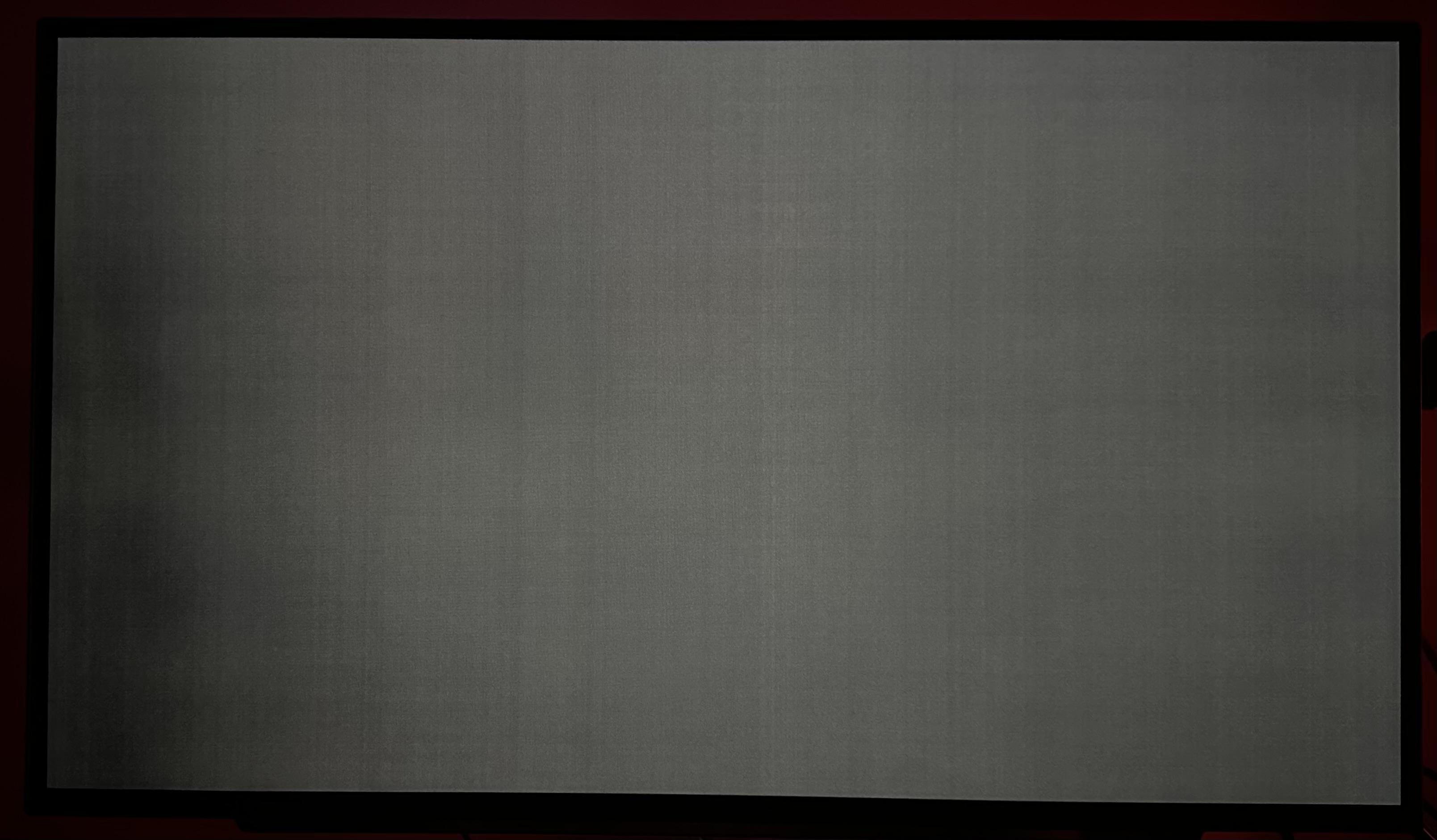
Asus XG27AQWMG monitor after 352H AND 180 pixel cleans

Thumbnail
gallery
1 Upvotes

The grey color is bad. But the other ones are peak quality. What you guys think?

Outside the grey color test thing, its hard to see this grey lines on the screen.

This my first OLED monitor.


r/OLED_Gaming • • 23m ago

GTA 6 colour shift issue?

2 Upvotes

Does the colour randomly shift for anyone?

It mostly happens when I’m looking at the sun but even in some cutscenes the colour of the light randomly shifts hue. It switches between a pinkish purple colour to green tint and it gets kinda annoying. Idk if it’s a bug with hdr but I’ve seen other ppl have this issue and I’m wondering if there’s a fix.


r/OLED_Gaming • • 26m ago

Color Banding - Gigabyte MO27U2 QD-OLED 4K 240 Hz

Thumbnail
gallery
0 Upvotes

Hey y'all , hope someone can help me.

Trying to fix the color banding when it comes to light sources.

Any ideas ... ?


r/OLED_Gaming • • 28m ago

Best Buy Black Friday suggestions 🙏

1 Upvotes

Hi everyone, I’m looking to make the leap to an oled screen this Black Friday. I was hoping people could give me suggestions for Best Buy deals, as I have a lot of bestbuy giftcards. But if you have other websites with much better sales then bestbuy please speak up!

Leaning more towards an oled monitor rather than TV. the only game I play on TV is GTA 6 with PS5 pro. My tv is kinda shetty right now so I’d like to be able to experience the ps5 pro graphics on tv. But I can always just plug into monitor. This reason had me leaning towards an Ultra Wide Oled monitor also because I enjoy a 2 monitor setup, but an ultra wide is good enough for me over 2 screens. Not looking to spend more than $750. Always open to open-box suggestions and clearance stuff as well.

TLDR: please give me oled tv and oled ultra wide monitor suggestions >$750 from Best Buy with Black Friday sales.


r/OLED_Gaming • • 38m ago

Would I notice a big difference going from 240Hz IPS to 240Hz OLED?

1 Upvotes

Hey everyone! I have a good PC, but both my monitors are pretty old. My main monitor is a 240Hz 1080p IPS, and I use a 60Hz HD IPS as my second screen.

I play a bit of everything, but mostly online shooters. I spend a lot of time tweaking filters and ReShade presets to get my games looking the way I like. I’m already happy with 240Hz, so the main reason I’m considering OLED is the picture quality.

For anyone who’s made the switch from a 240Hz IPS to a 240Hz OLED, what difference did you notice most while playing? Was it worth the money for you?


r/OLED_Gaming • • 48m ago

Discussion OLED recommendations

1 Upvotes

As the title suggest I'm on the lookout for a new tv, I've never had an OLED before but they seem to be a good choice amongst users.

I'm ideally looking for a 65 inch, was wondering if there's a noticeable difference in models and if some are better than others, I'll be using it primarily for gaming.

Any help would be appreciated🙂


r/OLED_Gaming • • 1h ago

Technical Support LG Ultra Gear 27GX704A-B Grey Banding (Brand NEW)

Post image
2 Upvotes

Hello, I’ve just received (yersterday) my first OLED monitor. I’ve always used IPS displays before this.

Unfortunately, I’m the kind of person who tends to overthink everything, and I started looking into grey banding tests. I noticed that my monitor seems to have some grey banding during these tests as well. I’m attaching a picture taken at 5% grey, and I’d really appreciate your opinions.

Should I return the monitor or keep it?

One of the reasons I hesitated to go for a QD-OLED was the purple tint in bright environments (also the fact that they are very fragile/hard to clean).

I didn’t want to feel like I had to live in a dark room just to enjoy my monitor. However, I have to admit that this grey banding issue is really starting to get on my nerves.

I got this monitor for €350, and I don’t think I’ll find anything better at this price point, or even cheaper. (But I’d be more than happy to be proven wrong!)

So, my main question is: Would you return it and get a refund, or would you keep it? I’d really appreciate the advice of people who are experienced with OLED monitors.

Thanks for reading !


r/OLED_Gaming • • 1h ago

Discussion Televisión LG oled como monitor de PC?

1 Upvotes

Utilizo una C5 LG como televisión en el salón para ver series/cine y para jugar en PC. El tema es que echo de menos el escritorio y probé a mover el PC a otra habitación pero noté mucha diferencia respecto a lo que veía en mi pantalla C5. He estado pensando en comprar una televisión similar o mejor que el C5 de LG porque no quiero sufrir una perdía de calidad al jugar en PC en escritorio. ¿Tiene sentido la idea o simplemente debería buscar un monitor para PC decente? Ahora mismo el dinero no es un problema


r/OLED_Gaming • • 1h ago

NEED ADVICE. IS THIS VALID?

Post image
2 Upvotes

I never had an OLED monitor before. I want strictly gaming set up (not for work). I play GTA6/2k/COD only. my room is bright in the day. I need to know if this is reliable. If you have a better option lmk. Budget is 400 plus tax


r/OLED_Gaming • • 1h ago

Xbox monitor settings

1 Upvotes

I have a OMEN by HP 27 inch FHD 240Hz Gaming Monitor - OMEN 27s. And my games on my PC look great but when I try to play GTA6 on my Xbox, my quality to my Xbox doesn’t look the best like at all. Ik if I connect it to a TV it’ll looks great but why can’t I make it look good on my monitor when I play on my XBOX? I’ve tried messing with my setting and I tried to look this up and I’m not getting any luck. Help?


r/OLED_Gaming • • 1h ago

Gigabyte GO27Q24G WOLED (240Hz) vs MO27Q2A QD-OLED (280Hz)

1 Upvotes

Hey everyone!

I'm looking to upgrade my main monitor and I'm currently torn between these two options:

  • Gigabyte GO27Q24G — €349: 27", 1440p, WOLED, 240Hz
  • Gigabyte MO27Q2A — €399: 27", 1440p, QD-OLED, 280Hz

For some context, I'm upgrading from a pretty old BenQ GL2240 (21.5", 1080p, 60Hz TN panel), so either option would be a massive upgrade.

My monitor will be used primarily for gaming and media consumption (movies, YouTube, TV shows, etc.), but I also do some programming, browsing, and general productivity work.

While gaming and media consumption are my main priorities, I still want a monitor that's comfortable to use for reading text and coding, as I occasionally spend several hours doing those activities.

My main concerns are:

  • Text clarity: I've read that OLED monitors can have issues with text fringing due to their subpixel layouts. How noticeable is this on these particular models at 1440p? I usually sit around 60–70 cm from the screen.
  • WOLED vs QD-OLED: Which technology would be better suited for my usage? Is the QD-OLED worth the extra €50 in terms of image quality, colours, contrast, and overall experience?
  • Burn-in: Should I be concerned about burn-in considering that I'll occasionally have static elements on screen (IDE windows, taskbars, browsers, etc.)?
  • Value: Is the MO27Q2A actually worth the €50 premium, or would the GO27Q24G be the smarter purchase?

I'm not particularly concerned about the difference between 240Hz and 280Hz, since both are already more than enough for me.

I'd love to hear from anyone who owns either monitor or has experience with both WOLED and QD-OLED panels, especially for gaming and media consumption with some productivity on the side.

Which one would you recommend, and why?

Thanks in advance!


r/OLED_Gaming • • 1h ago

Which monitor should i get

Thumbnail reddit.com
1 Upvotes

r/OLED_Gaming • • 1h ago

Discussion Best 32” 4K monitor for 5090 gaming?

0 Upvotes

Good morning, hoping to get some advice from my fellow gamers. I’m wanting to explore OLED monitors as I’m currently using an LG UltraGear 27” 4K nano IPS as my primary and a Dell 27” 2K IPS as secondary. I would primarily be gaming with some photo editing and browsing. I have some non-correctable astigmatism so text ghosting is a concern… A friend has suggested the ROG Swift OLED PG32UCWM due to the tandem RGB but I’m happy to consider others…and going be honest, I’m a little leery of spending over $1k on a monitor but I’m willing to for the right one. Thanks in advance!


r/OLED_Gaming • • 2h ago

Discussion 34-inch curved OLED or 27-inch OLED

1 Upvotes

WIll be used for gaming (mainly WoW Forever) and work. Currently have a 27-inch non-oled monitor. 4k is pushing it given my PC specs, so I'm trying to decide between these two 1440p oled options. Have never gamed on a curved monitor but am curious if others were in the same boat as me and if so, what was your decision and how has that turned out? Thanks!


r/OLED_Gaming • • 2h ago

Discussion Is this sale for the ASUS ROG PG32UCDP good? (for 4k OLED gaming)

Post image
2 Upvotes

r/OLED_Gaming • • 2h ago

Do Samsung oleds support 24.0, 23.976, 29.97, 30 and 59.94 Hz refresh rates?

1 Upvotes

Edit: also 50Hz, forgot to put it in the title.

I'm looking at the 27" G8 G80SH or G7 G70SH. I'm mainly going to be using it with an Apple TV 4K for video, and I need it to support those refresh rates specifically. I'm looking at gaming monitors because there aren't OLED office monitors with similar specs/price. Anyone with Samsung monitors can let me know if they support it, even if it's not one of these specific monitors?

If you're using a Samsung monitor, could you open the refresh rate settings on Windows or Mac and see if they report these refresh rates?

I have an Alienware AW3225QF and that one does support all those video rates, and I can use them with the ATV 4K without issue with automatic refresh rate changes. I also have an office Dell monitor that does the same, so I'm reasonably sure that most Dell and Alienware monitors have that capability.

Thanks in advance for any help on this.


r/OLED_Gaming • • 2h ago

Issue Need help with my new OLED

1 Upvotes

First time OLED monitor user and all I hear are amazing things about it but for the life of me I can't figure this out.

I recently purchased a MAG 274QPCT QD-OLED X24 from Costco and I can't get it to look good whatsoever. (This is the one i picked up: https://www.costco.com/p/-/2056897)

The video card I have in my PC is a Nvidia 4070.

Been to figure things out for days now and no luck. On the menu of my monitor, when I have HDR turned on my pc, half of the buttons are greyed out (on the monitor)

Any help would be much appreciated. Literally going crazy.


r/OLED_Gaming • • 2h ago

Calibrating max HDR brightness - trust Xbox sliders or use verified monitor max brightness?

1 Upvotes

TL;DR

I'm trying to calibrate my monitor with the Xbox HDR calibration tool and finding that the 'ideal' point at which the max brightness screen stops showing the squares is already way past the verified peak brightness for my monitor. Do I trust the calibrator or just go with the screen's verified peak brightness?

----------‐-------------‐-----‐-------------------‐-------‐-----------------

Heeey guys,

I've just bought the below monitor for the spare room and it's doing my head in trying to calibrate the HDR. It's a cheapish QD-OLED that gets pretty decent reviews for the price. Slightly dim for an OLED but perfect for my use as I mainly play in very low lighting.

https://www.eteknix.com/aoc-q27g4zdr-qd-oled-240hz-gaming-monitor-review/view-all/

I'm using DisplayHDR so all of the tone options are locked, it's just HDR needing set. Should be as simple as setting black level to zero and setting full screen and highlight brightness to my screen's maximum nits, but that's where it gets confusing.

I previously adjusted the xbox calibration to the point where the white boxes vanish. However, upon learning that you can use the button combo to show nit values I'm seeing that the point where the lines disappear is way above the verified peak brightness for my screen (650 nits vs the panel's listed max of 400 which seems to be accurate from the tests I've seen).

I don't know whether to trust the calibration screen or the verified specs as I know some HDR tools aren't accurate (e.g. GTA6). I'm reading that tone mapping is the likely culprit whereby it accepts a range outside the monitor's capability and then compresses it down - sounds kinda like downscaling/supersampling.

Asking AI is giving me two consistent answers that completely contradict each other. First is that it's using tone mapping and I need to use the 650 nits as despite it not being able to display above 400 it expects to be fed a higher range and will compress down the 400 if not given the headroom, resulting in a flatter picture and diminished useable range.

The second answer is to trust the panel's specs and not send a higher brightness level as it will cause it to tone map twice.

Unlike with audio stuff I'm struggling to just judge it by the game as I'm playing lots of dark stuff like Cyberpunk, Gears, Resi Evil, etc. I can't decide if it's a bit too dark or if I'm just not used to the true OLED blacks which are obv accentuated in the type of games I'm playing.

Can't seem to find an answer anywhere. All the guides say it should max out around my screen's peak brightness but it's way higher on the xbox tool.


r/OLED_Gaming • • 2h ago

Owners Gigabyte GO27Q24A QD OLED

1 Upvotes

Does anyone here own this monitor and could confirm whether they're happy with their purchase? Thanks!


r/OLED_Gaming • • 2h ago

Technical Support Thinking to go with the MSI MAG 271QPX28 (QD-OLED) or mini led IPS.

1 Upvotes

Hello. I'm thinking to buy the MSI MAG 271QPX28 (QD-OLED) monitr as my first Oled monitor . Anyone have any experience with this one? I been thinking on the asus oled as well which is in the same price category but im not keen to gable with the grey banding . Or should i get a mini led IPS monitor?

Thank you very much


r/OLED_Gaming • • 2h ago

Discussion Gigabyte MO27Q2A vs Alienware AW2725D

1 Upvotes

Hello everyone!

First of all, this will be my first ever OLED monitor, so I'm pretty much a complete beginner when it comes to OLED technology. I figured this would be the best place to ask for some advice!

I'm currently deciding between the Gigabyte MO27Q2A and the Alienware AW2725D.

In terms of usage, I'll mostly be playing competitive games like League of Legends at high FPS (240 fps), as well as single-player games like Elden Ring (I know it's capped at 60 FPS, but you get the idea of the type of games I play).

From the research I've done so far, I'm struggling to find any significant differences between these two monitors.

One thing worth mentioning is that I really don't care about extra features like built-in speakers or KVM switches. I'm a pretty straightforward PC gamer: I plug my headphones into my PC and play. What matters most to me is image quality and gaming performance.

So, my question is: Does either monitor have a noticeable advantage in terms of picture quality, motion clarity, HDR performance, or overall gaming experience?

I'd really appreciate hearing from people who have experience with either (or ideally both) of these monitors!

Thanks a lot in advance, fellow OLED enjoyers!


r/OLED_Gaming • • 2h ago

I cleaned my qd-oled with water and now it has permanent marks

0 Upvotes

I cleaned my qd-oled with water and now it has permanent marks. Can i still return it to amazon and get a replacement? There it also a few scratches that i think came from the mirofiber. Any help or advice is appreciated.


r/OLED_Gaming • • 2h ago

Technical Support No Signal on 1.4 displayport after turning on/off DSC

Thumbnail reddit.com
1 Upvotes

Hi all,

Weird issue. Yesterday I received my new OLED.

ASUS XG27AQDMESZ.

When I got it, I plugged it into 1.4 displayport, replacing my current AOC 240hz ips monitor, moving that to the HDMI port.

Everything worked fine, both screens ran at the same time.

I then went and changed the settings for the screens.

OLED 60HZ>240HZ , Ips 240>60.

No problem.

Then I tried to make a custom resolution in my AMD graphics driver. It was not accepted. (1920x1440p, 240hz). It said that the monitor didn't allow it.

I Google why, and I read that it has to do with DSC being on, so I turn it off. Screen goes black, comes back and I realise that I cannot use 240hz with it being turned off, so it makes no sense and I turn it back on.

Now this is when the issue starts.

My oled goes dark, and it says NO SIGNAL DISPLAYPORT 1.4

When I disconnect the IPS, the signal is found again, and the OLED comes back on. As soon as I plug in the IPS into the HDMI, the signal on the 1.4 display drops again.

Ive tried so far:

- reboot with both monitors unplugged

- reboot with dsc off

- reboot with dsc on

- restarting graphics driver

- unplug OLED from power for 15 mins, then rebooting

- lowering the HZ on the OLED all the way to 60HZ, then plugging back in IPS.

None of these seem to work.

ChatGPT says that turning on and off the DSC could've made a virtual "handshake" with my GPU, saying that the dsc is off, and there's no more bandwidth available when both screens are on.

Does anyone have an idea on what my next step can be?

Thanks in advance!


r/OLED_Gaming • • 3h ago

Gigabyte MO27Q28GR $423 vs ASUS ROG XG27AQDMGR $379

0 Upvotes

Hey all I currently have an IPS lg850 monitor and I'm deciding between the 2 above. is the $50 extra really worth it for the gigabyte? or is the Asus good enough