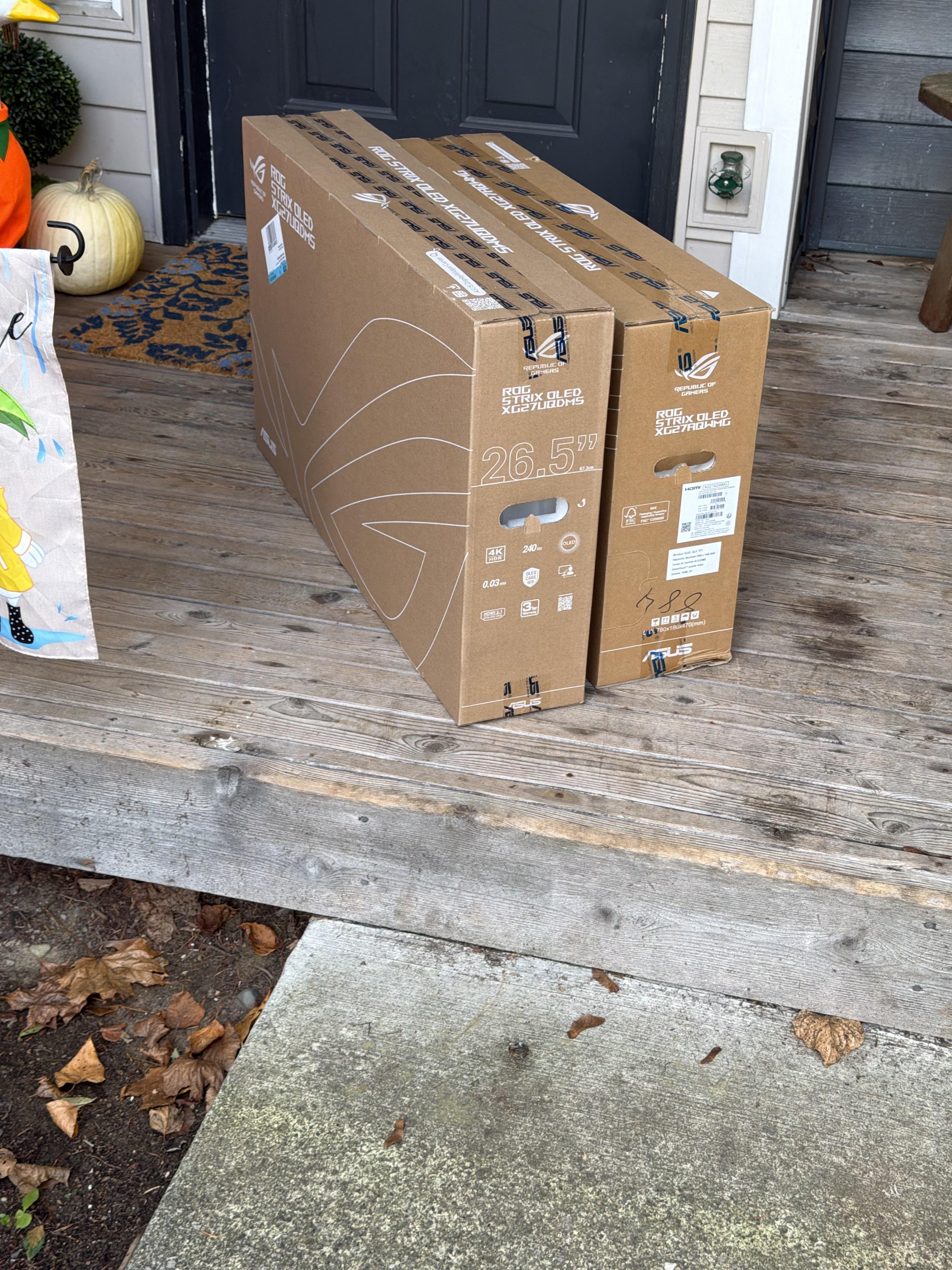
The single best new addition for anyone wanting an upgrade to hardware without spending money on overly inflated pc components. It’s the thing you look at all day when using the setup. Highly recommended
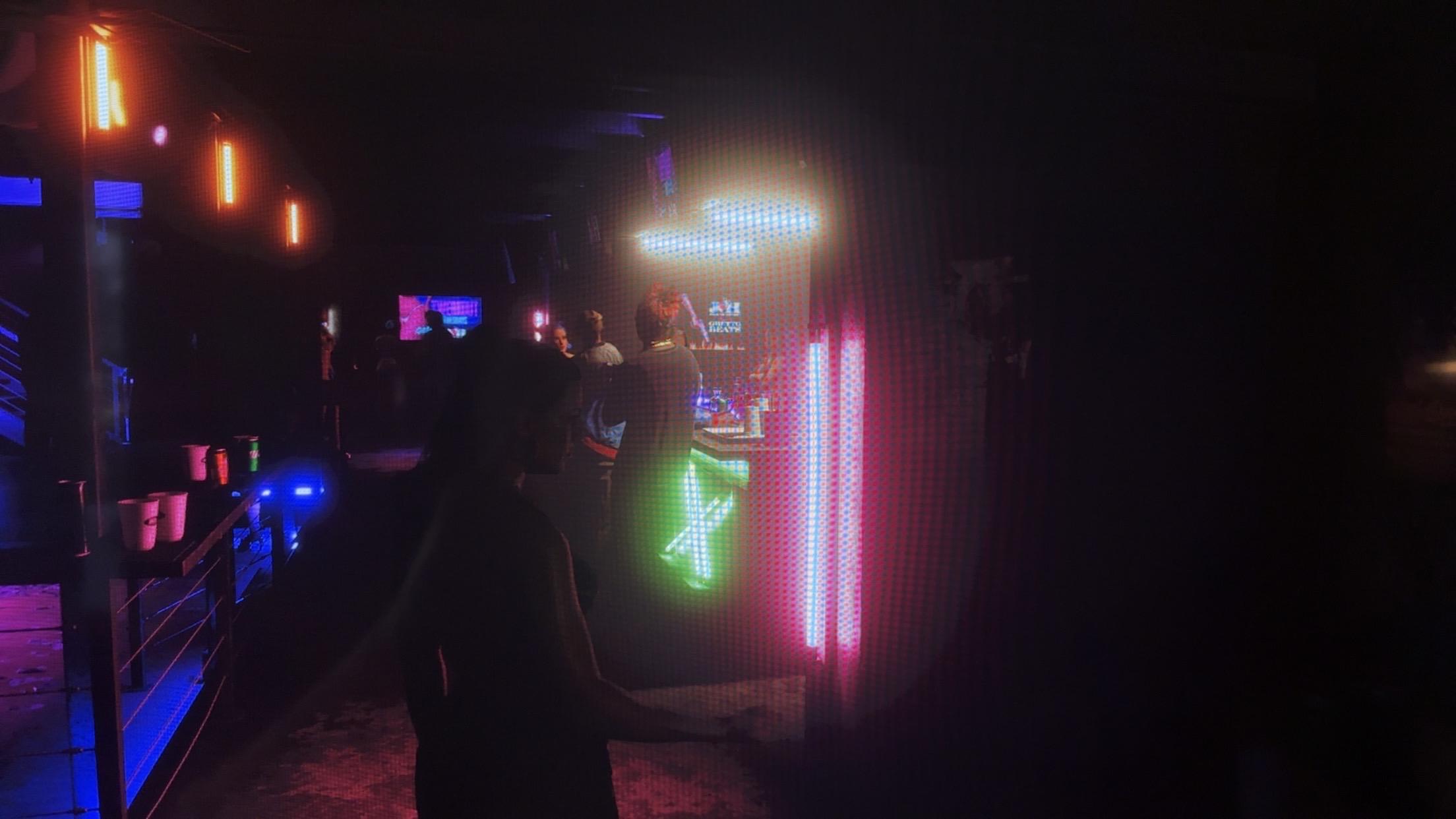
My 48" C6 has severe chrominance overshoot that is very visible in any dark scene. I have been through two different units and had the same issue on both, with the first unit also having a really bad green tint on the sides of the screen.
I flat out DO NOT recommend that anyone buys the 48" C6, or any of the Tandem W-OLED TV's for gaming. These TV's are prone to so many issues, and I can say that this chrominance overshoot issue is just completely unacceptable. It looks THAT bad and instantly ruins any dark scene.
The video shows an example of the chrominance overshoot on my 48" C6 in cyberpunk. In comparison, my QD-OLED monitor looks absolutely clean in this scene and has no issues. MAKE SURE to choose 4k resolution to reduce compression and make it more visible.
Currently this is the first review of this monitor on reddit.
I did alot of research before buying this and i decided to go with this monitor even tough there isn't any good information about it online. Mainly because of the new generation of panel and RGB technology it has. It does however have a speaker but i mainly bought it because of the panel etc. It has a 4th gen WOLED panel.
So how is it? I have been playing GTA 6 with HDR + 4k mode on my Xbox Series X and the visuals are insanely good.
It has a glossy panel with anti reflection tech. That looks great and is really good against reflections, tried it in a pitch black room with some light sources. And also in a bright room. No complaints there.
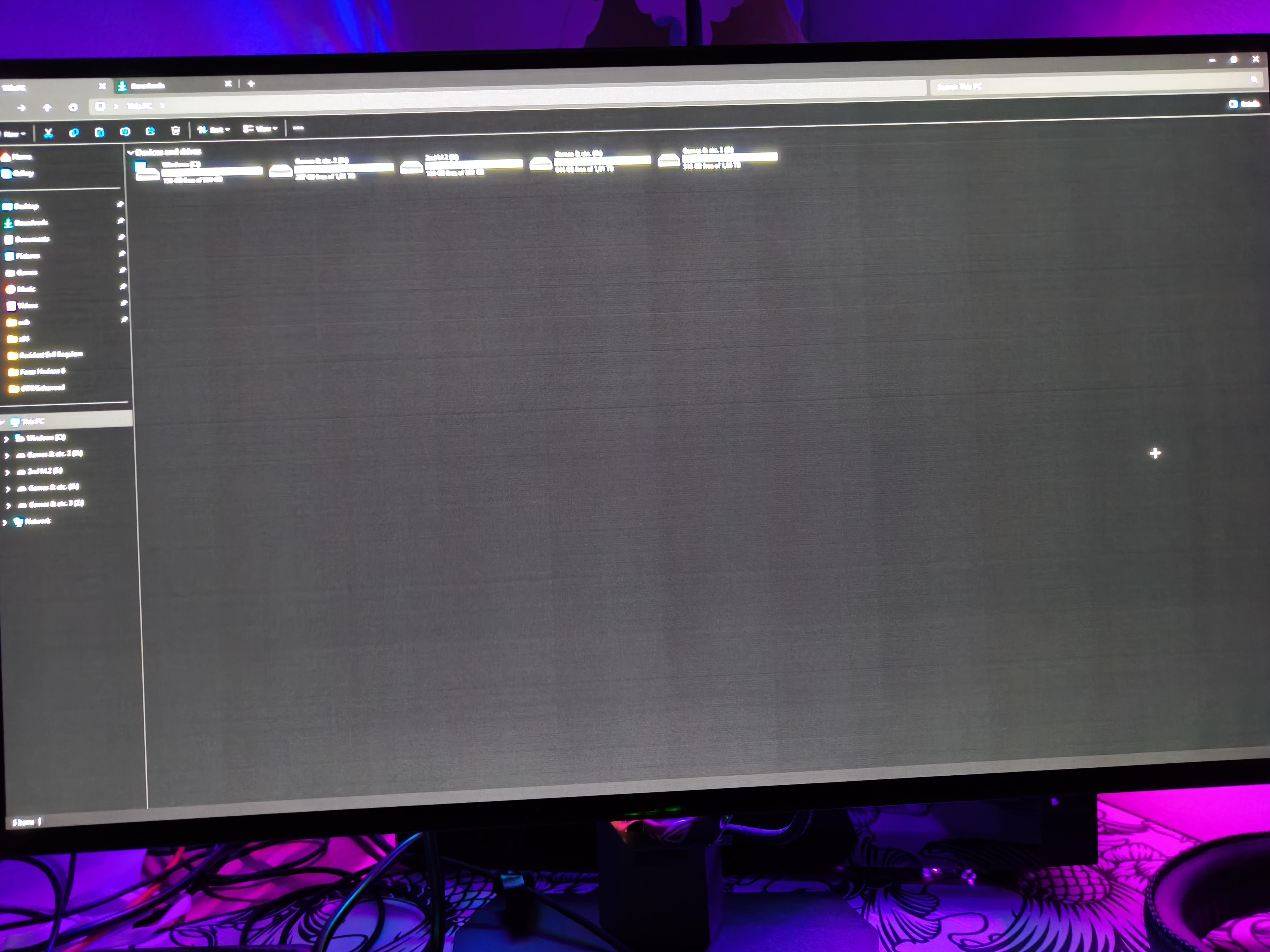
It does have gray-banding, it has already gotten better since i got it a few days ago and is only visible in certain scenarios. In the Claude ai chat it was the most visible. However only when sitting with my face against the monitor. It isnt visible at all at normal use. Its such a small problem i cant even take a good picture of it because it is so non visible. Tried the gray-scaling test and it was around at 15% it was visible.
The biggest negatives of this monitor however is the OSD is pretty limited, i would like more settings to choose from.
No usb-port so no firmware updates (seems TCL doesnt release firmware updates anyways tho)
Lack of information about the monitor specs online for research.
The speaker (i dont really mind it so not a problem for me, have actually been using it while laying in bed playing games)
This review is pretty rushed so i will probably add more in an edit later on. I will answer all the questions so feel free to ask anything.
I probably put down at least 30hours of deep research reading in forums and on tech sites about different OLED panels QD, WOLED, Different generations of panels etc. It is really hard to find good 1440p OLEDs because the 4K models gets all the good stuff, that 1440p doesnt get. But this is probably the best 1440p OLED on the market right now i would say. And it is actually has 27" screen and not 26,5" as some of the alternatives i was looking at.
I’m looking for my first OLED monitor and have been considering these two:
ASUS ROG XG27AQWMG
GIGABYTE MO27Q28GR
However, as everyone knows, getting a high-quality panel—free from issues like gray-scale banding is essentially a lottery. Because of this, I’ve also been looking at this other OLED model, which has lower brightness:
GIGABYTE GO27Q24G
Could you help me decide? I’m looking to make a purchase now to take advantage of the Black Friday deals on Amazon, and it will be shipped to Chile. (I’ll be using the monitor exclusively for AAA games, and perhaps the occasional video.)
Another unoriginal post—and I know there are already tons of them—but… I’m having an issue with HDR in GTA VI.
I’m using an Asus ROG Strix XG27UCDMG monitor, which I’m very happy with, and I’ve been playing all my games on it in HDR with TB400, brightness set to 100, and contrast set to 80 ever since I got it. But with GTA VI, I just can’t seem to find the right HDR settings.
Actually, my problem is simple: it often feels too dark during the day. But not in the sense that the image is too dark—just that, for example, at noon, it feels like it’s already twilight. So, of course, I’ve tried turning up the brightness; I’ve paid close attention to everything I’ve read online—the recommended settings, and how a white sheet of paper can affect the maximum brightness. I’ve tested dozens of settings, but nothing works: I still find that, overall, during the day, there’s this slightly orange tint that makes it feel like it’s already late in the day, even though it’s only 10 a.m...
Also, if I turn the brightness up a little too much, I find that the image quickly becomes overexposed, with very harsh, unnatural whites. This is especially noticeable at night. In fact, at the same time, scenes at night often seem very dark to me. But I think this is intentional on the part of the developers, and that OLED technology amplifies this effect. In short, it’s pretty confusing, especially since I see all kinds of things online. While some images look similar to what I see, others seem to have really vivid and vibrant colors. The vignette effect that darkens the edges of the image doesn’t help either. The most consistent time is actually at the end of the day, between 4:00 p.m. and 7:00 p.m. during twilight, when the image looks perfect. The rest of the time it varies, because yes, sometimes even the rest of the day can be quite bright.
In short, I’ve currently reverted to settings close to the defaults: 500 / 50 / 50. Setting the maximum brightness to 600 (the default setting) didn’t make much of a difference, in my opinion, and just made the lighting effects more harsh. As for blacks, I don’t see much of a difference when I lower that setting either. Anyway, it’s a real headache, and even though I’ve watched tons of tutorials online, they haven’t really helped me.
I also tried setting the game to SDR using my monitor’s settings (racing mode, sRGB, brightness 80–100, contrast 80, Vivid Pixel 50, etc.).
I also tried setting the game to SDR using my monitor's settings (racing mode, sRGB, brightness 80–100, contrast 80, Vivid Pixel 50, etc.). The image is indeed brighter this way and really gives the impression that you’re in the middle of a Florida day, but I also find it more jarring—I have a bit of trouble with the monitor’s SDR. Surprisingly, I find HDR easier on the eyes, probably because the TB400 has a softer, more harmonious light. However, it seems less faithful to the ambient brightness that should be present. On the other hand, SDR looks too vivid, and the image appears washed out. In short, as I said, it’s a real headache. Does anyone have the same monitor and any settings to recommend, or is it a lost cause to try to improve the display even though the image looks more vivid for other gamers online?
Hi, I’d like y’all’s opinions on whether I should upgrade to an ultrawide or a 4K monitor. I’m currently using the Alienware AW2725D, a 27’’ 1440p OLED monitor. I mostly play single-player games like Cyberpunk 2077, TLOU2, Phantom Blade Zero, etc. I’ve been using DLSS and FG for a while now, so I’ve grown accustomed to both. I personally have no issues with them, whether it’s input lag, visual artifacts, or anything else
My current specs are an RTX 4070 Super and a Ryzen 7 7800X3D. I’ve watched several YouTube videos testing the 4070 Super at 4K, and from what I’ve seen, performance seems very game-dependent. Some games can run above 90 FPS, most hover around 70–80 FPS, and only a handful drop below 60 FPS. I do use RT and PR but only in certain games, and I’m perfectly fine with turning them off
My current targets are AW3426 for the ultrawide or MO32U24 for 4K. So what do ya’ll think?
I bought it 2 days ago, i didn't think gray banding/DSE would be that much of an issue on WOLED. I play in a dark room 90% of the time so idk if I should return it and get a QD-OLED even with the cons it has. I have the ASUS XG27AQWMG and it looks very good when not looking at gray backgrounds, sometimes the lines are even visible in games if u stare hard enough.
I’ve been trying to fix my hdr settings in GTA VI, but can’t seem to get it down. I get like this weird halo effect around lights in dark places, it’s a bit over exaggerated in the photo, but it’s mostly the same in-game. When I play without HDR it doesn’t do this as much, but still there. I have the Asus xg27aqdmg, set to console hdr. Don’t know much about this stuff, but it’s just not that enjoyable like this. Any help is appreciated.
Hey yall, how you doing. I need help deciding on what type of oled monitor I should be buying. This will be my first monitor of two as well as my first ever pc build. My current parts are
Asus tuff 5080 16gb
32gb corsair ram
9850x3d cpu
2tb samsung pro ssd
Gigabyte x870 motherboard
I am going to use it mostly for single player gaming such as ff16, elden ring, spider man, cyberpunk god of war ragnarok, etc. The only online game I play is FFXIV and maybe gta6 online when that comes to pc. Do you am recommend a 1440p monitor or a 4k monitor?
Bonus question - what is the difference between frames and hertz? I see both sometimes online but can never differentiate between them.
These are the kind of black levels I’m getting, and I might be wrong, but they seem just way too dark to where you can’t even see any detail on Lucia Does anyone have any advice for monitor or game settings?
I'm trying to decide which TV would be the best choice for GTA 6 on a regular PS5, especially considering its 30 fps performance.
Current prices:
- LG C6H 77" – €2,099 (RRP €3,499) - Samsung S90H 77" – €2,099 (RRP €3,299) - TCL C8L 75" (QM8L in the US) – €1,799 (RRP €3,499)
As you can see, the TCL and OLED options are pretty close in price, which makes the decision harder.
GTA 6 will be my main priority for the foreseeable future, but I'll obviously also be watching movies and eventually playing higher-fps games like Warzone. So I'm looking for something that performs really well at 30 fps without sacrificing too much overall gaming performance.
My biggest concerns are motion clarity, blur during camera movement, smoothness and input lag. I really dislike when everything becomes blurry while panning the camera, and I want aiming to feel as responsive and precise as possible.
RTINGS' recent testing of gaming motion interpolation makes the TCL particularly interesting, since it seems capable of making 30 fps gameplay look significantly smoother without adding too much input lag.
On the other hand, OLED has nearly instant pixel response times and much better motion clarity, but I've also read that 30 fps stutter can actually look worse on OLED. Samsung's Game Motion Plus also seems interesting, although I'm unsure how well it compares to TCL's implementation.
Which would you choose in my situation? Is TCL's motion interpolation a big enough advantage for 30 fps gaming, or would OLED still provide the better overall experience?
I'd especially appreciate opinions from people who have actually compared these technologies with 30 fps games.
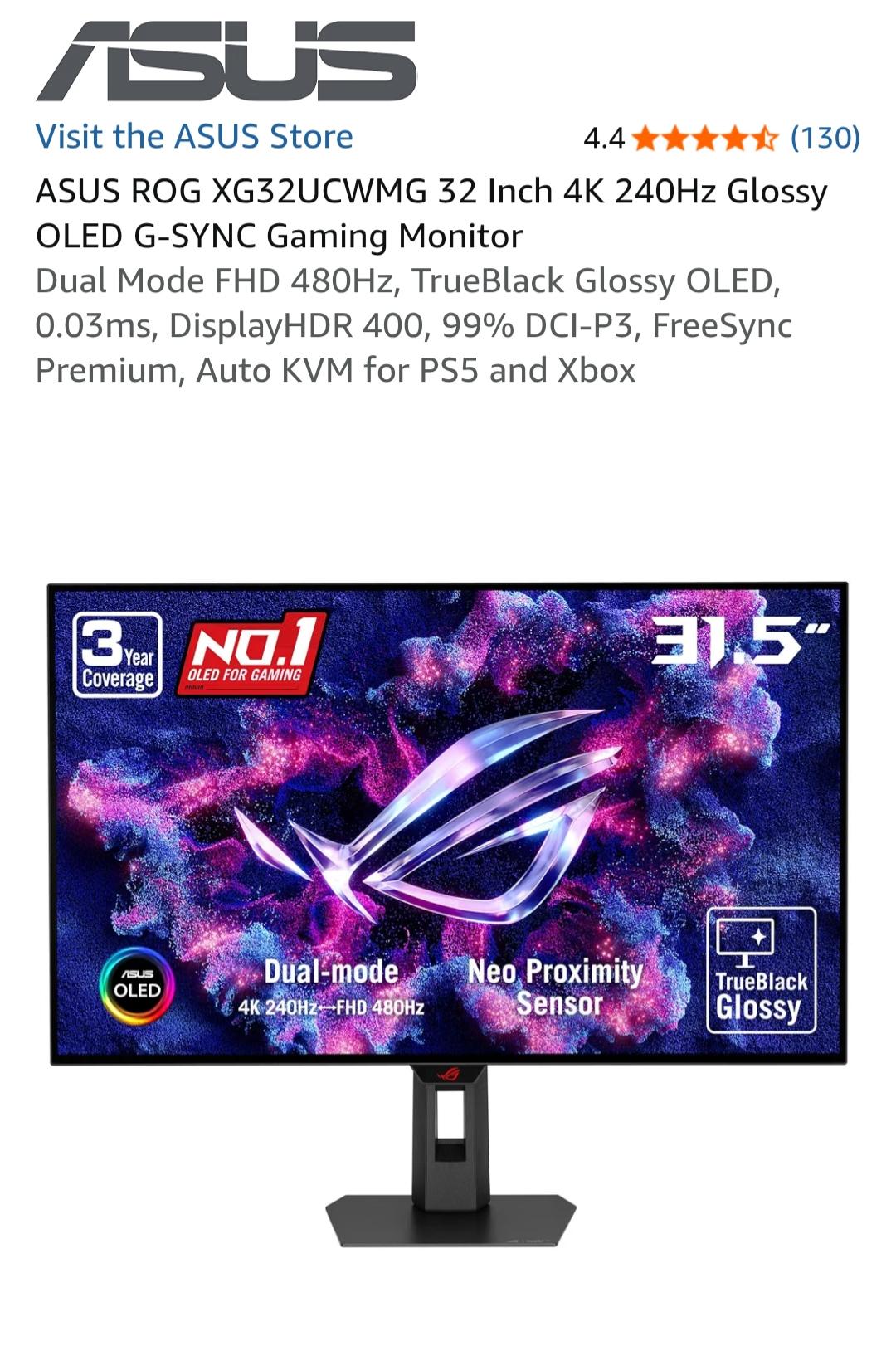
Anyone know the difference between XG27AQWMG And XG27AQDMGR besides the hdr400 and the other hdr500?
Everything I’ve been looking at says the WMG has a really bad grey banding problem that often enough needs to fee returned and rebought just wanted to know how true that was
Also does anyone knows any decent oleds im looking to upgrade
Okay so it’s almost Black Friday and I’m thinking now would be the best time to snag a oled monitor for a good deal. I watched some videos and it was a lot to the average joe who doesn’t know much about this stuff. QD oled, tandem oled, with a matte or glossy finish aswell?!?
I hear people are saying minileds are also amazing for the price I haven’t looked into them although.
I don’t want to spend an arm and a leg for one but would like a nice monitor for a great price. Thoughts on the monitor in the picture I have attached above? It’s the ASUS ROG Strix XG27ACDMS 27” OLED
Have any other monitor suggestions for me? Please tell me which and why I should get it over this!
Bought this few days ago, couldn't pass up the price. Its the newest generation of qd-oled with 3h hardness screen coating which is the main thing I wanted since my 360hz asus 27 inch micro scratches if you breath on it.
Disclosure: LG Display invited me to attend this event and covered part of my travel expenses. All opinions are my own.
Me and other redditors were invited by LG Display to take a look at the newest advancements for Tandem WOLED technology for TVs and monitors.
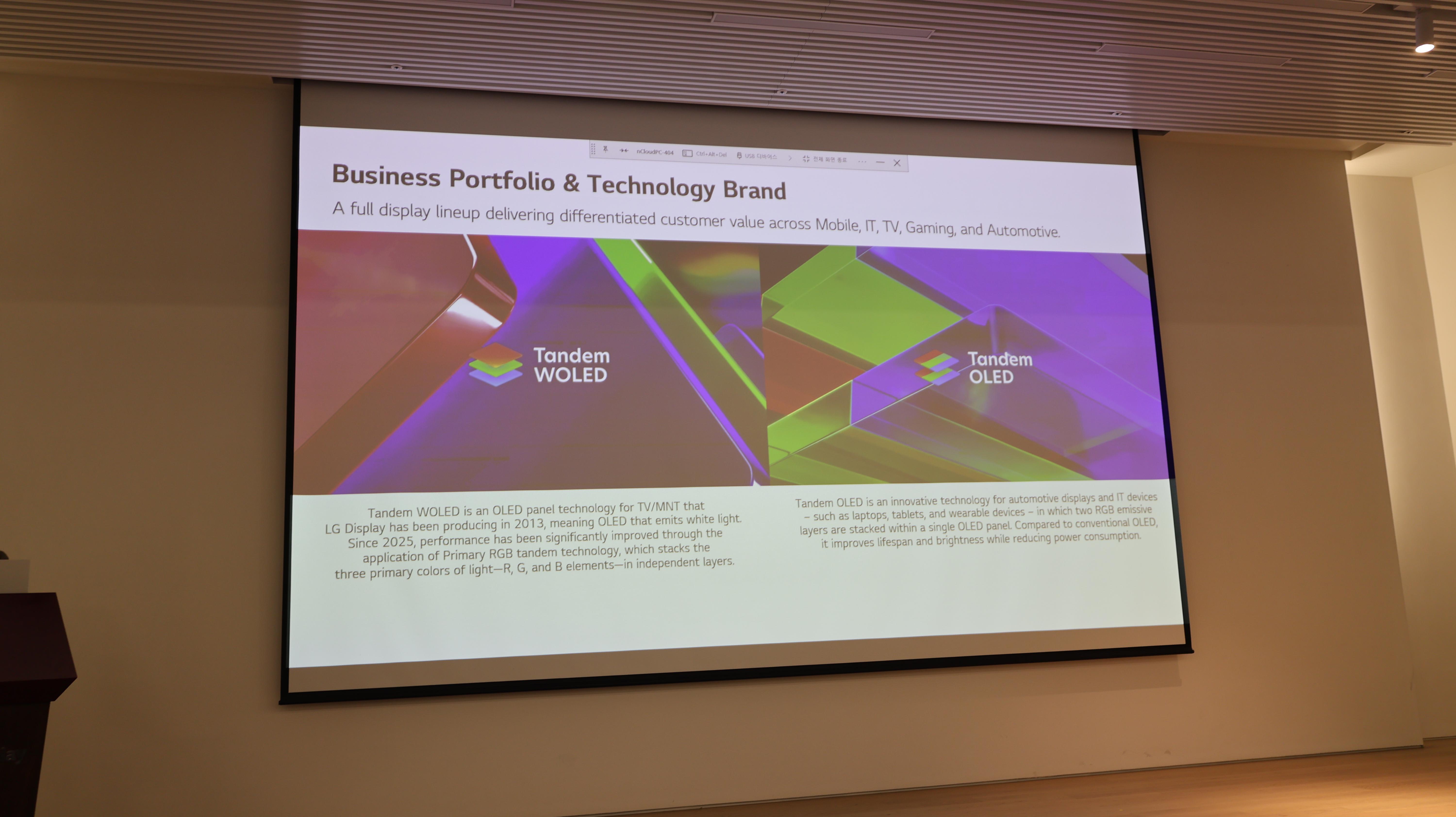
I have recently made a post that explains Tandem WOLED (the W in WOLED refers to the white light that is produced by the OLED stack that then goes through color filters) technology in a bit more detail and how it differentiates from Tandem OLED thats focused on automotive and IT displays. You should take a look at it here =
In this post I want to focus what we have seen at the event. Some of the display enthusiasts in here might have already seen some reports on these demos from other display related events but it was the first time that I have seen them and also the first time they have been together in one single room.
I want to talk about all the demos in order of how we seen them and add my own personal opinion as we go.
RGB Stripe vs RGBW Stripe Comparison
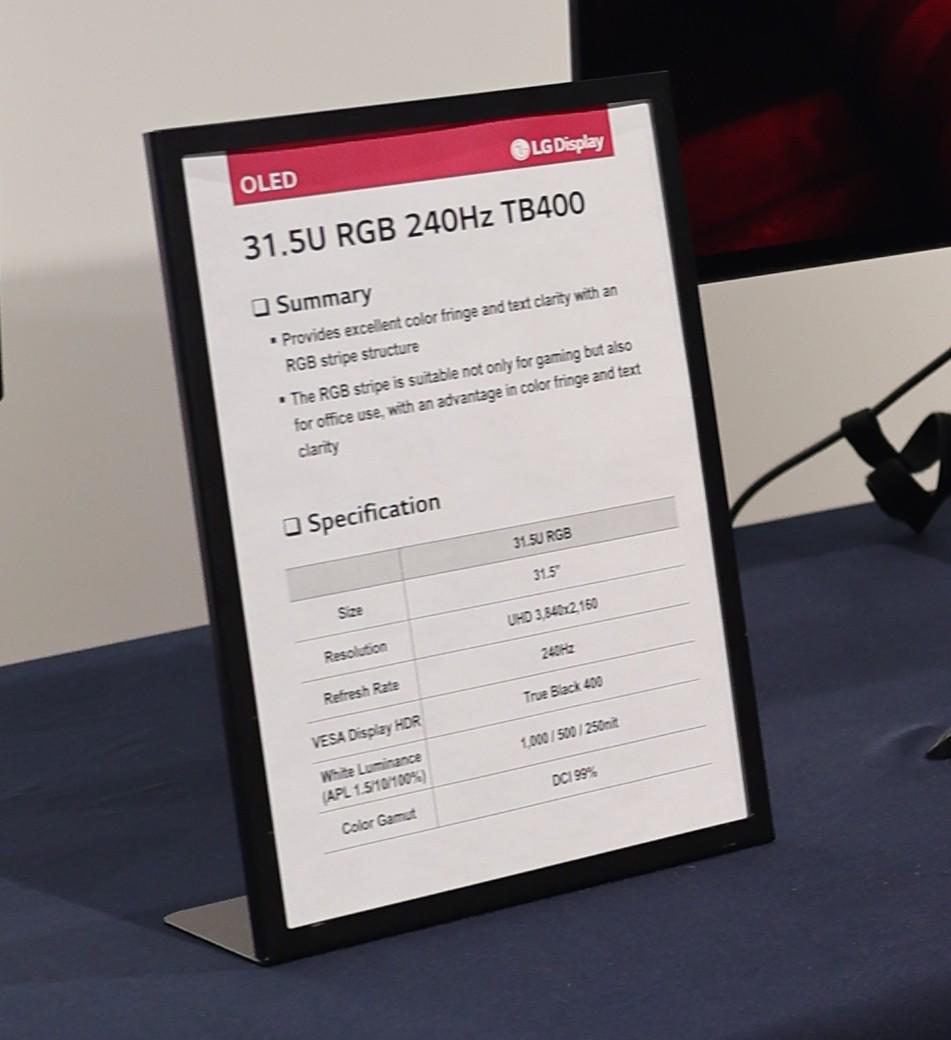
The first demo was a comparison between two 32“ (31.5) Tandem WOLED monitors with different subpixel layouts. The left model was a RGB Stripe variant without white subpixel and the right one was RGBW Stripe which obviously includes the white subpixel. The higher brightness on the RGBW Stripe model (TB500 rating) was evident especially in scenes with highlight details like lamps or small spots of fire. However the RGB Stripe model had visibly higher color volume and color brightness in certain scenes at the cost of overall brightness (rated TB400). The additional benefit of RGB Stripe is the improved text clarity for productivity tasks.
So RGBW Stripe is more targeted towards users who mainly watch and consume content while RGB Stripe suits users who create content or have a single screen thats also used for work.
Personal take= I think it will be interesting how this plays out in the future because with two subpixel layouts the consumer will always have to compare the benefits against each other. The white subpixel models will not dissapear because it still plays an important role to make the monitors brighter but RGB Stripe layout is also crucial to stay competitive.
39“ RGBW Stripe Panel
Next up was the worlds first 39“ 5K2K W-UHD Panel with RGBW Stripe layout.
The 1500R curvature naturally wraps around your field of view and provides an immersive experience.
Surface Treatment Comparison
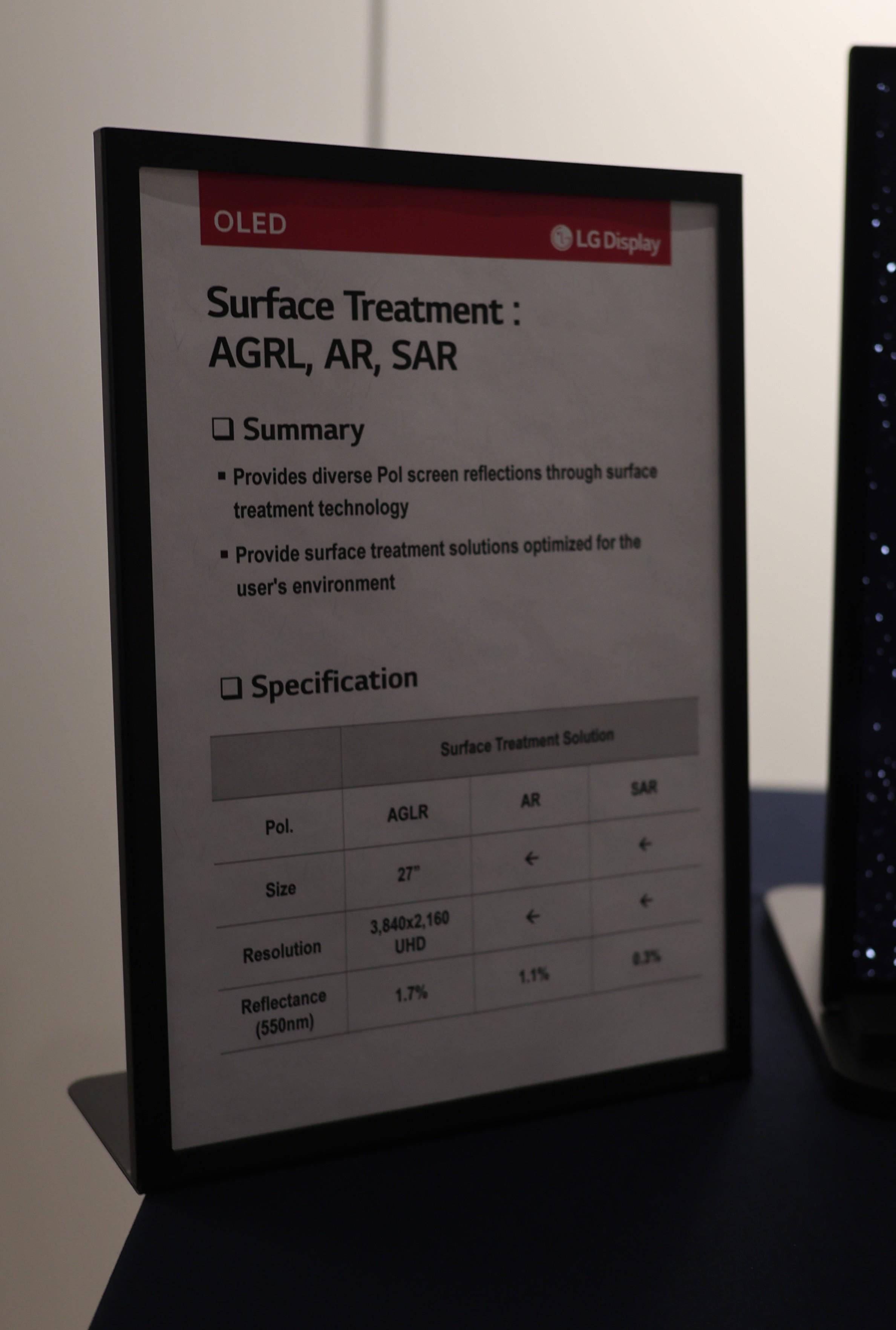
One of the most impressive demos was the comparison between three different screen coatings. On the left there was a matte AGLR coating (35% haze), in the middle a glossy AR coating (1.1% reflectance) and on the right "SAR“ which is a upcoming coating / surface treatment (in development) that improves glare reduction even further.
AGLR: matte surface treatment reduces reflections of ambient light and screen washout, providing stable visibility in gaming environments.
SAR: Ultra-low reflection technology (about 0.3%) minimizes reflections of surrounding objects and enhances OLED's deep black expression.
What you should ultimately choose depends on your own viewing environment.
Personal take= im 50/50 on the matte vs glossy debate but I understand that a lot of enthusiasts prefer the more „deep“ look a glossy finish provides. This demo reminds me of the improvements we have seen on the TV side this year. The clear goal here is to provide a glossy coating that has as less reflections as possible. Especially on monitors this will make quite the difference in the future.
TB1000 Demo
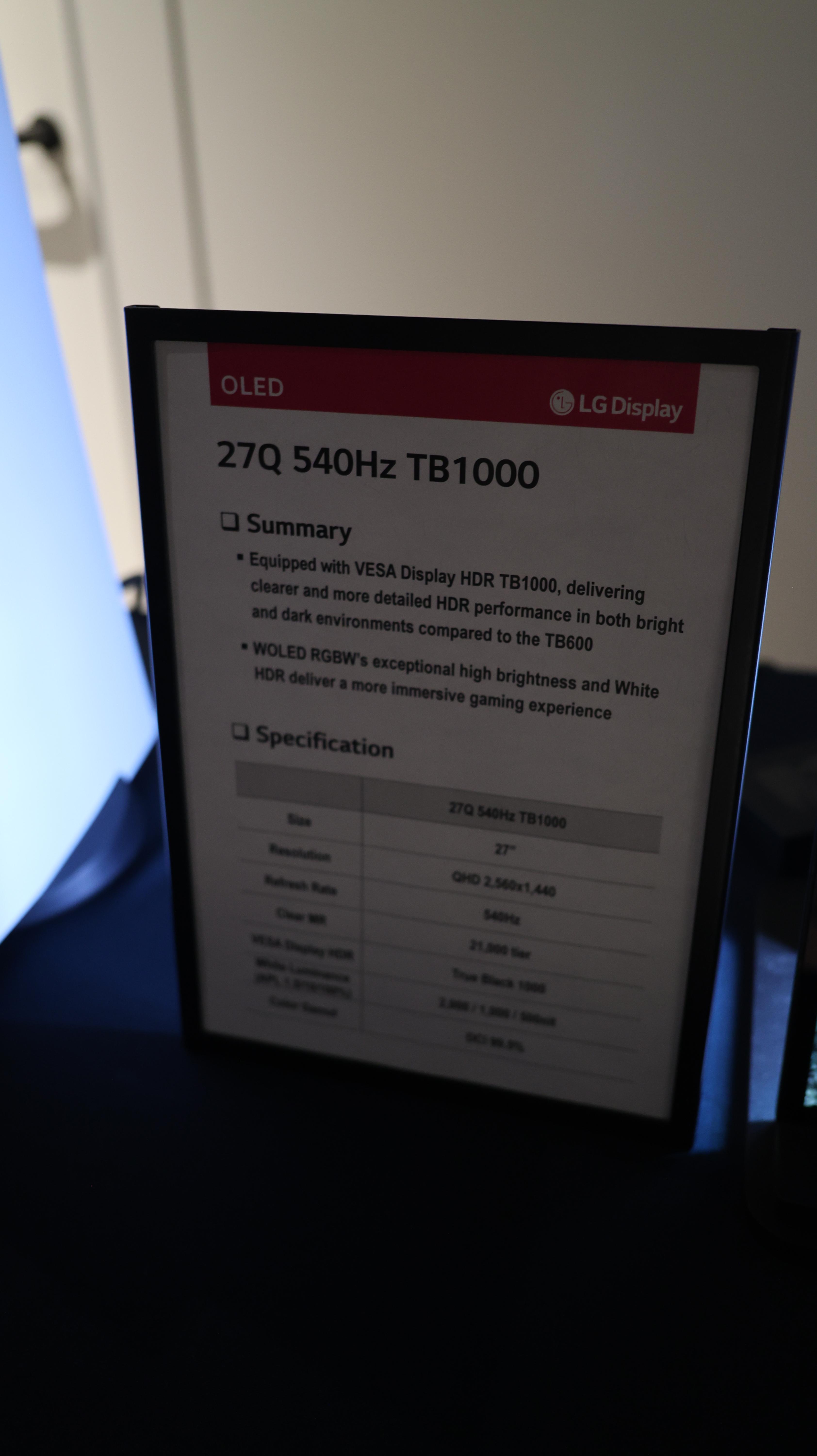
OLED monitors continue to see ongoing technology development to further improve brightness performance, so LG Display is researching VESA Display HDR True Black 1000 as its next brightness target.
The demo unit was targeting 2000 nits at 2%APL and about 560 nits at 100%APL.
Personal take= Having higher brightness OLEDs is crucial to stay competitive for sure. It remains to be seen how good the ABL behavior on these models will be or if a sustained brightness mode might be the prefered way to use them in the end. I think there will also be more focus on how these panels can be cooled more effectively in the future.
Smart Motion Booster Technology
Next there was a demo of a next generation SMB (Smart Motion Booster) technology on a 1440p TB500 panel. It is still under evalution, but the improvement in motion clarity was immediately visible.
Personal take= instead of going with higher native refresh rates, improved modes like SMB could offset the load on the hardware but still provide better motion clarity. This one was particularly interesting, because to me it looked like it had no visible brightness reduction. I obviously could not measure it at site, but if that's the case this will be a very compelling feature going forward.
5K (220ppi) Tandem WOLED
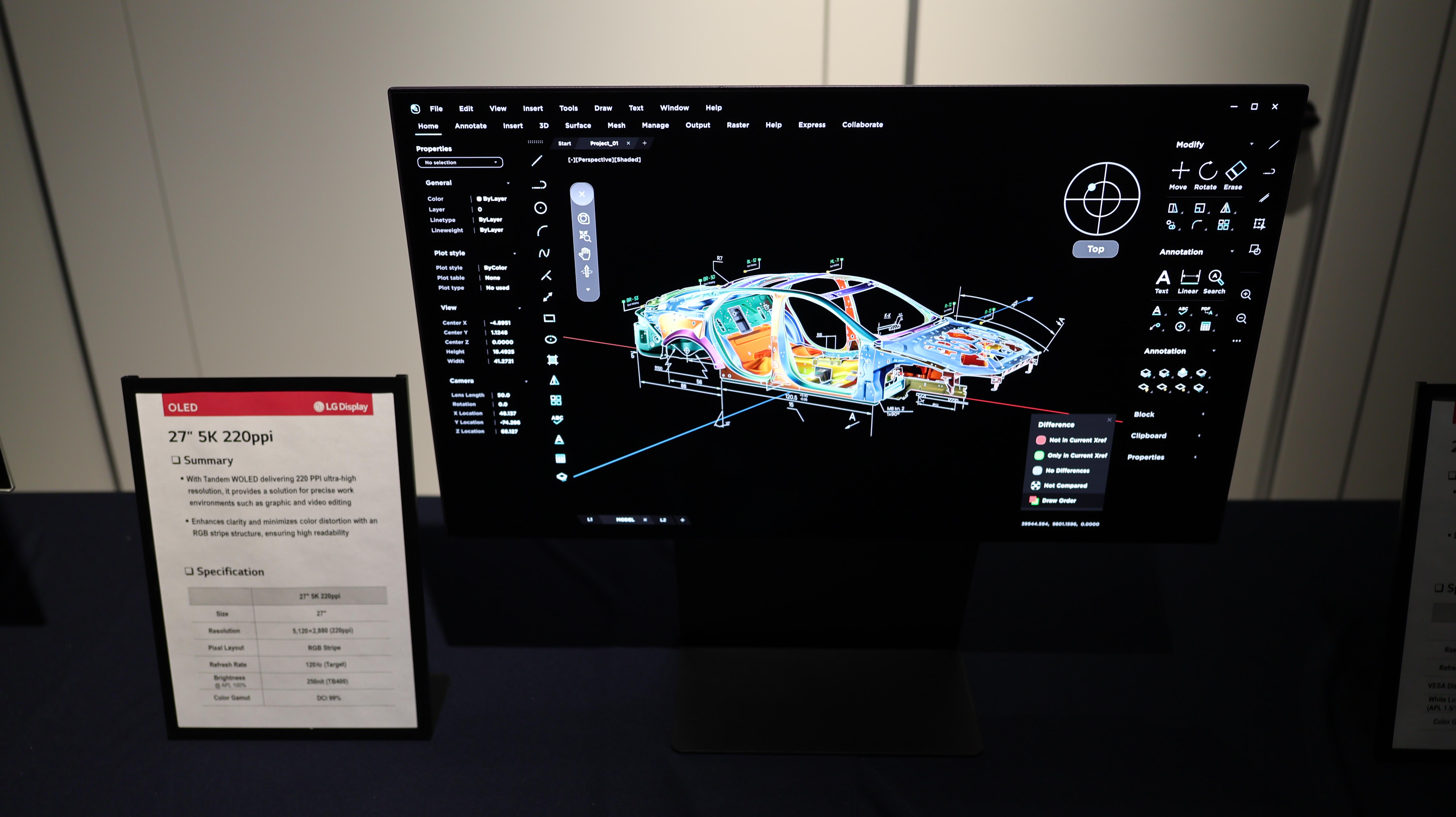
LCD panels are already moving to 5K resolution, so its only natural that OLED is trying to get there to. After the SMB demo there was this 27“ 5K Tandem WOLED panel with RGB Stripe (very high pixel density of around 220ppi) which obviously looked extremely sharp and detailed.
Personal take= 5K is interesting from a productivity standpoint and for other platforms like Mac, where the higher resolution fits into Retina Scaling.
Refresh Rate Demo on 24.5“ gaming monitors | 540hz vs 720hz Tandem WOLED (response time 0.02ms ; 0.03ms on models below 540hz | 150x faster than LCD) vs 600hz TN LCD
Judging by refresh-rate numbers alone, the 600Hz TN LCD is higher than the 540Hz Tandem WOLED, but in terms of perceived picture quality and motion quality, you can see that Tandem WOLED performs better due to the self emissive pixel structure.
Tandem WOLED offers an ultra-fast response time and pixel-level dimming, it can dramatically reduce the motion blur, ghosting, overshoot, and input lag that can occur on LCD-based products. Especially in fast-paced FPS and e-sports gaming environments, you can experience sharper, more natural motion clarity.
The 24.5-inch ASUS ROG monitor, with 720Hz refresh rate and 0.02ms response time, is the fastest OLED monitor ever. The Tandem WOLED panel delivers deep, rich blacks even under bright arena lighting, along with very sharp picture quality. Also, unlike conventional LCD e-sports monitors, it provides a more comfortable viewing experience during long training sessions and intense matches.
Tandem WOLED vs RGB MiniLED Comparison
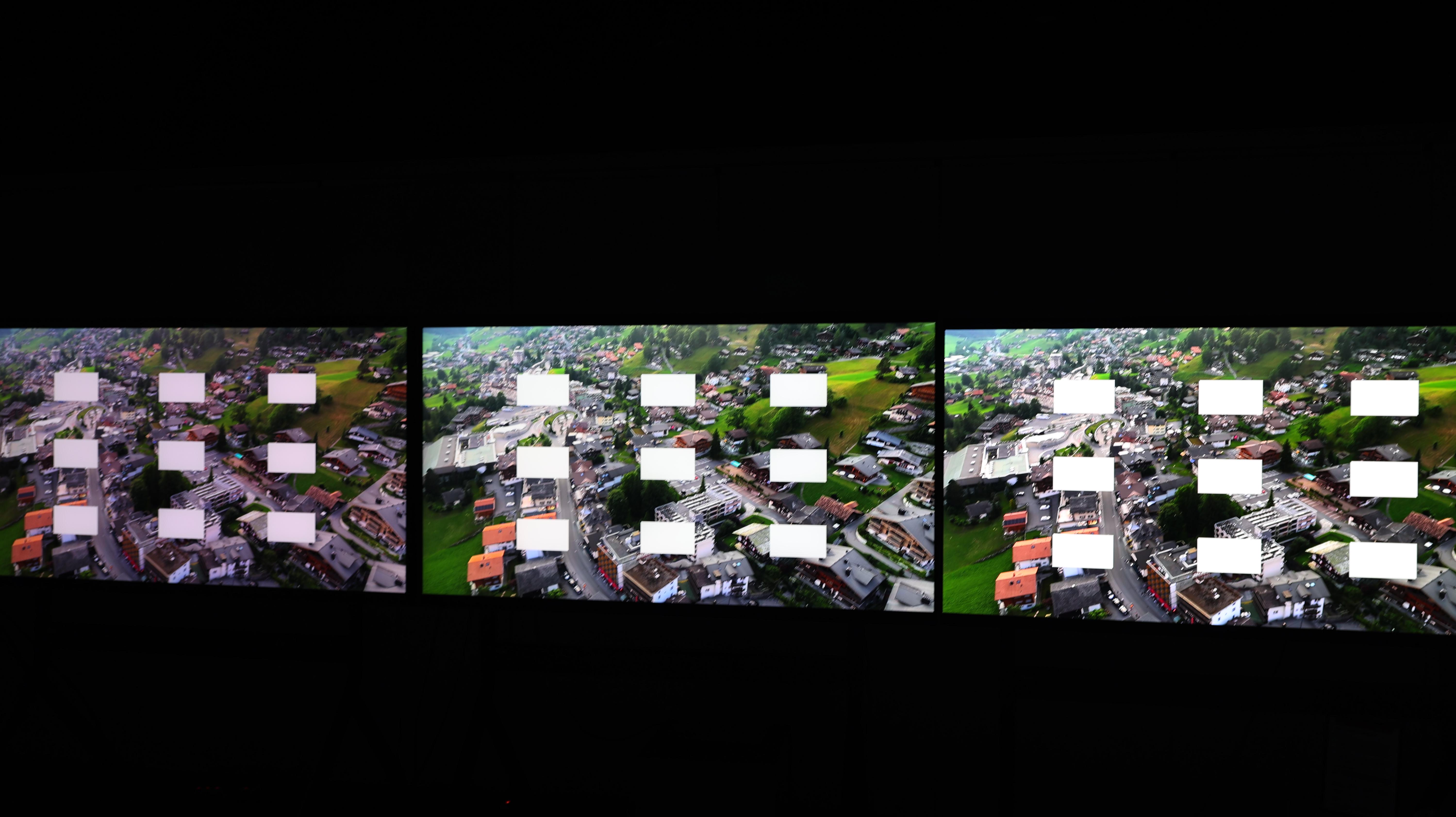
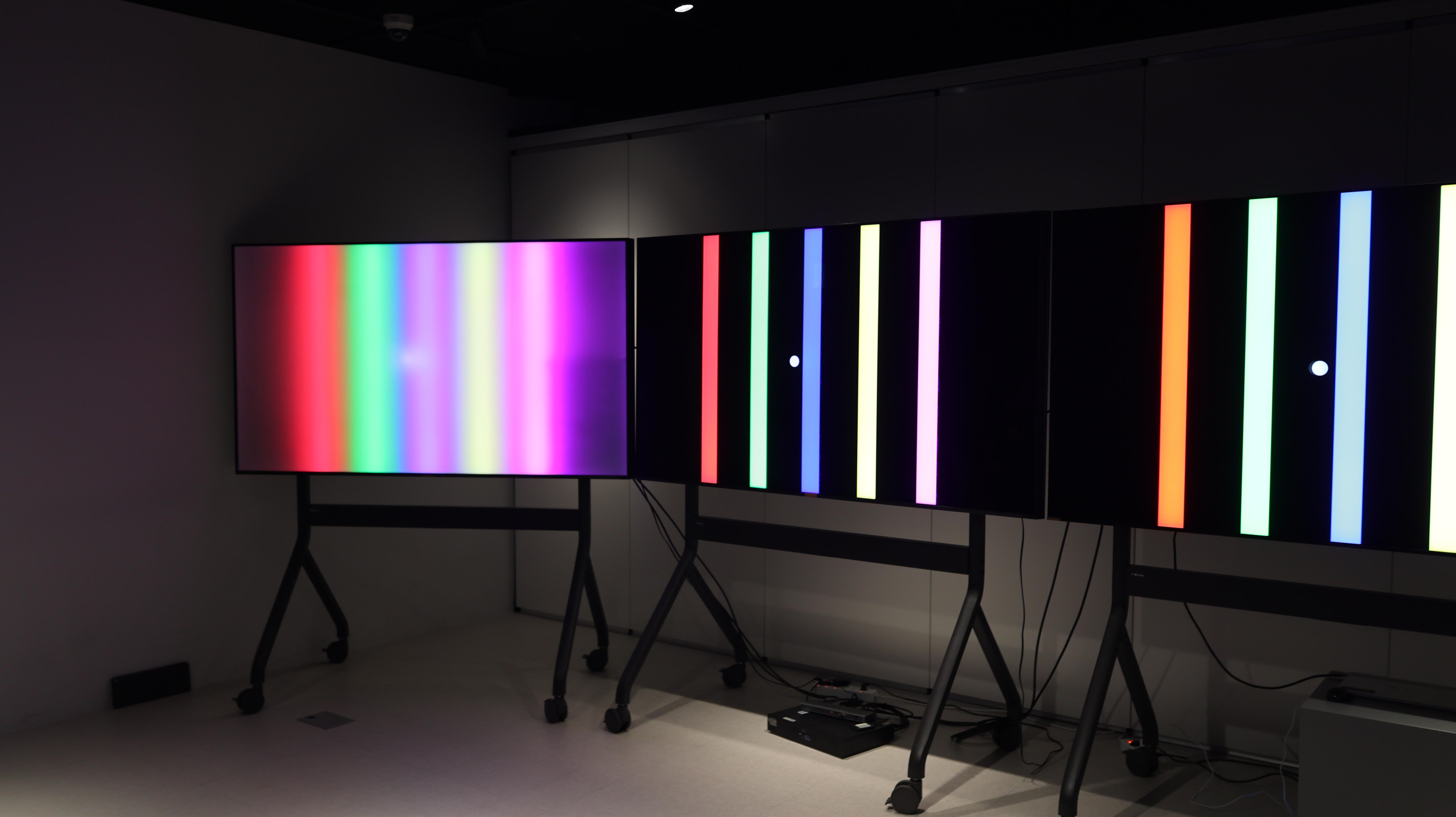
Lastly there was a demonstration between a LG G6 Tandem WOLED TV and three RGB MiniLED TVs. One of the models had its LCD panel removed and you could look at the backlight performance directly.
In the first scene we where shown a city background with 9 white squares in the middle of the picture. The emphasis here was to show how RGB MiniLED often has to resort to white dimming in complicated scenes as you can see on the exposed backlight on the left.
White Dimming is contra productive because it mixes the light output of the individual RGB LEDs together and steers away from the benefits of individual color reproduction through the backlight.
Next there was a demo on how white moving objects affect the color reproduction of an RGB MiniLEDTV. I think the effects of this are clearly visible through the pictures.
Viewing Angles are also affected compared to Tandem WOLEDTandem WOLED Advantages
Personal take= It is quite obvious that self emissive displays will fair better in demos like these, but Im very open to expose weaknesses of certain technologies and I would even like access to these demos for my own RGB MiniLED reviews lol. However, when viewing actual movie scenes, there were some moments where the difference was not as noticeable as it appeared in the photos.
Conclusion= The event was a great chance to see new and upcoming technologies from LG Display live and in person, and im incredibly grateful for the opportunity and the people behind the scenes that made it all happen.
Which one of these new upcoming technologies is your favorite? Let me know in the comments and thank you for reading through this post.
Hi, I’m stuck between these two monitors. I’m used to oled screens as I have a 2024 zephyrus g16 and it looks really good . I want a monitor to compliment my laptop in my setup and these two are the best priced asus monitors for me rn. Which is better?
stine, has no visible burn-in or dead pixels, and otherwise works perfectly.
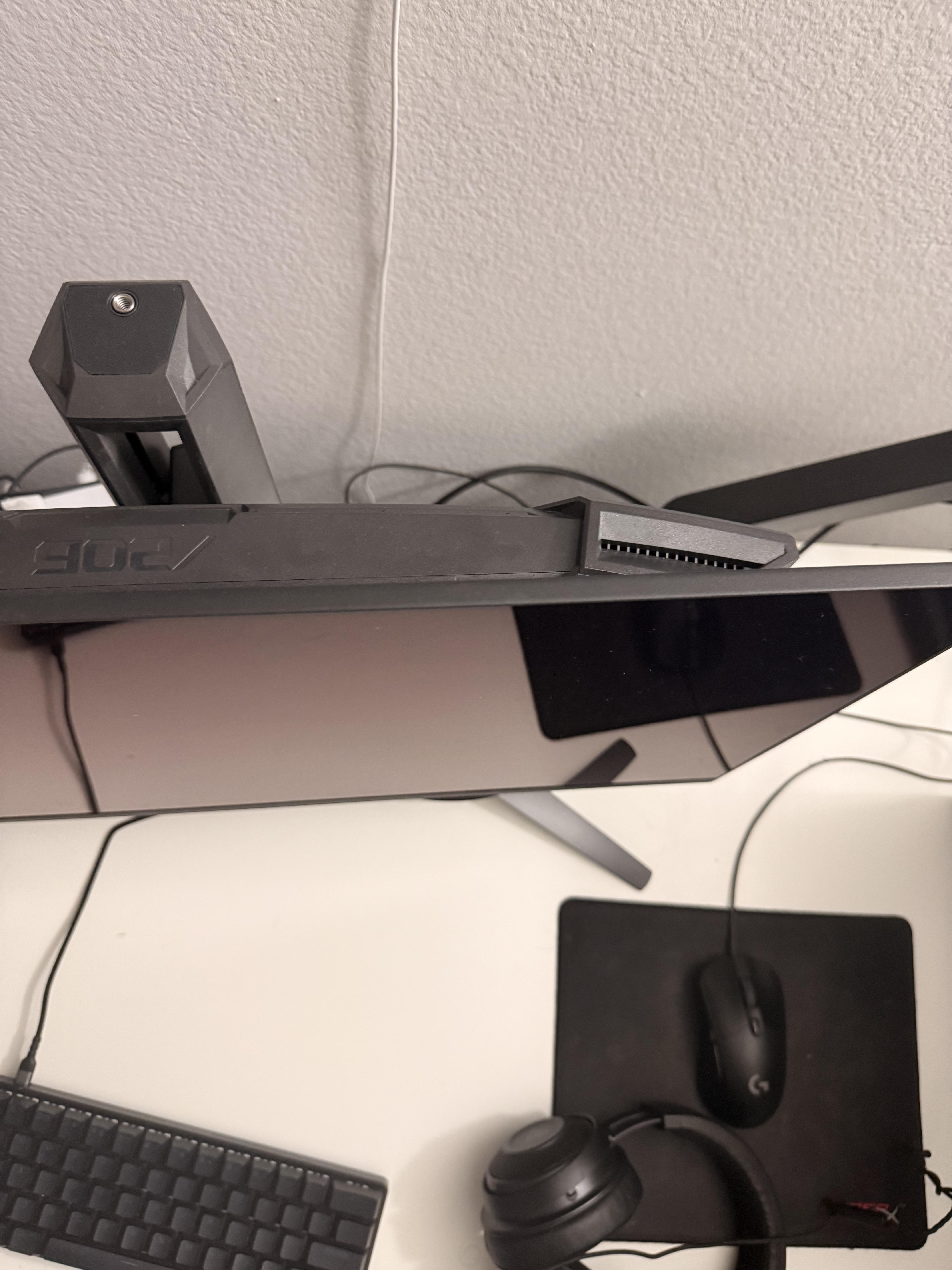
The problem is a warm electrical/burning-plastic or off-gassing smell coming specifically from the top-right vent above the heatsink. It starts faintly but becomes progressively stronger the longer the monitor stays on, especially after playing games for a while. It also happens with HDR disabled, so it doesn’t seem limited to maximum HDR brightness.
Sometimes I can catch the smell in the air while sitting normally at my desk—I don’t have to put my face directly beside the vent to notice it. There’s no smoke, flickering, buzzing, shutdowns, or obviously abnormal heat, but the smell getting stronger with operating time and gaming concerns me. Has anyone else with these monitors experienced this, especially if you smell above the vent?
The monitor already has over 500 hours, so I’m unsure whether ordinary “new electronics” off-gassing should still be happening. Has anyone else with a PG27UCDM experienced this? Is a warm-plastic smell from that particular vent normal, or does it suggest an electrical/component issue? Would you stop using it and contact ASUS for an RMA even though everything else functions normally?
It’s still covered under warranty, so I’m trying to determine whether this is expected behavior or an early warning sign.
So I’ve come to conclusion after researching that pg27/32ucwm is the best choice for me. It will be my first OLED monitor. Ive been gaming on an old 40” tv 60hz since 2013😂 but the main question is whether i should get the 27 or 32 inch. I would mainly play but also do some kind of work and chilling too so have to find the sweet spot for it. Any recommendations is appreciated thanks😊
Haven't been waiting for Black Friday to finally buy my first OLED monitor, this ones listed on sale for $799 currently, seems good, but doing research seems like I should consider a Tandem OLED monitor. Heard about the XG32UQWMS, but it's not listed on Amazon, it's unavailable on Best Buy, and Newegg has it, but it's not on sale, listed not on sale for $899. Amazon has another 32" Asus Tandem listed but it's for $1400, almost double.
Should I wait and see if Newegg puts the Tandem model up on sale later one in the week?
Are there other options I should look at? Others brands I should take a peek at? Heard Gigabyte apparently has some good competitors?
Specifics I'm looking for are mainly 32", non Ultrawide, Woled seems nicer than QD-Oled to me at least.
This is a pretty big purchase so I'm doing as much research as possible before nabbing one. So many different options and panels. Bit overwhelming tbh.