r/wacom • • 11h ago

Solved Pro Pen 3 case!

Post image
11 Upvotes

Here's a inexpensive Pro Pen 3 travel case solution; especially if you use the Pro Pen 3 with one of those grips which gives it the same shape as the Pro Pen 2.

I bought the above [inexpensive] Pro Pen 2 case from AliExpress and whilst the Pen Pro 3 doesn't fit by default, with a very easy modification, it can be made to accommodate the Pen Pro 3.

The slide out inner section is designed to be twisted/removable from it's outer sleave. Removing this then makes removing the Inner rubber section that holds the pen easier. On mine, the rubber section was not glued in but was a snug fit and was quite easy to coax it out.

Once you have the rubber section out, simply use a sharp blade to cut off about 1.5cm from base of this rubber section. This end bit is narrower on the inside than the rest of it's length and it also doesn't allow for the Pen Pro 3's extra length. Once the end has been cut off, the rubber re-inserted and the inner section installed back into the outer shell, the base that was removed is not visible as the inner section is designed to only extend so far out of the outer sleave. Therefore, when put back together, it doesn't look like it's been modified in any way.

You can leave like this and call it job done, however if you wanted, you could try and drill the inner part of the rubber end that had been cut off to make it's diameter larger and slightly deeper and then glue it back in situ, maybe not quite as flush as it was originally. Putting this rubber end cap type section back in would give the pen something to butt up against when putting the pen in the case and I would recommend doing this extra step especially if you don't have a sleave on your pen. If you do use a sleave on the pen, it's not really necessary.

I hope this helps :)

r/wacom • • 6h ago

Testimony Wacom should have made reliable trade in program

7 Upvotes

I find myself buying new ipad pro 12.9 every three years due to myriad of reasons, ipad pro isnt as reliable as it used to be and poor battery.
But I dont see myself buying new cintiq pro when my current one from last decade is running fine.I have used newer models and have always fascinated with one but I have always find them way too expensive and big.I use my cintiq pro with macbook so I dont encounter much driver problems.
I am okay with multiple ipad pros as they have other usecases but drawing tablets?I wish wacom made some fair trading programs so I can buy newer model for fraction of price.


r/wacom • • 3h ago

Purchase Advice Will the buyout affect new purchases? Interested in the Movinkpad 14

5 Upvotes

Hello-

So after a few months of research and reading testimonials/reviews to see what standalone drawing tablet was best for me, I decided to dip into some savings to cough up for the Movinkpad 14... But literally three days after deciding, the buyout was announced and now the longevity (part of the appeal for wacom) is in question- like drivers maintenance and a potentially dark forshadowing to beloved discontinued products.

I'm not savvy in either business nor art devices and have seen others pop up with the same question in the previous post about the buyout- should this be a factor and reevaluate in the purchase intentions? Or would the rumours that the devices might actually be more affordable come true and its best to hold on? Is it even worth it to stick with wacom?

(Also side question... I heard that wacom usually offers deals and sales at the end of December... would that happen for the Movinkpad 14?)


r/wacom • • 16h ago

Purchase Advice When is the best time for Wacom sales?

4 Upvotes

I'm looking to buy the Wacom Cintiq 16 as my first drawing tablet/display. It's $700, and currently on a Black Friday sale for $625. Is Black Friday the best time of year for Wacom sales (and should I buy it now), or would I be better off waiting until a Christmas/New Years sale for an even better deal?


r/wacom • • 18h ago

Purchase Advice Is buying a used cintiq a good idea?

4 Upvotes

Ive bought other screen tablets before (xppen artist 12 and a ugee which sucked), but my first drawing tablet was a wacom intuos pen that still works, so i know wacom is good, the main problem is that theyre way out of my budget, ive read ppl say used ones are a good alternative as well but idk how risky itd be, any recommendations/advice ? :)


r/wacom • • 3h ago

Problem Is there a sure way to tell if it is tablet or pen at fault for the haphazard sensitivity loss?

2 Upvotes

Hello. I have Cintiq 16, had it for a while. Recently, one issue is plaguing me: random sensitivity loss. Like, doing consecutive strokes and some won't register or register only partially. If I push it down really hard, it works fine, but if I'm trying to do light strokes, it constantly loses the touch. And I have the sensitivity set to maximum in settings. It is very frustrating and negatively impacts my work time. The main problem is that I can't really tell what is causing this - is it tablet or the pen? Pen isn't exactly chip, so it would such heavily if I bought a new one only to find out it wasn't the pen issue. But nothing I could find online so far could help me find out what is causing this. Maybe someone here can help. Thank you.


r/wacom • • 23h ago

Solved Wacom (drivers?)not starting up properly

Post image
2 Upvotes

Edit: figured it out. I needed to upgrade my graphic drivers lol

Ive been having an issue that's been going on for a few weeks now, I was hoping someone might be able to help me 🥲

I have a wacom cintiq 24 (2025)

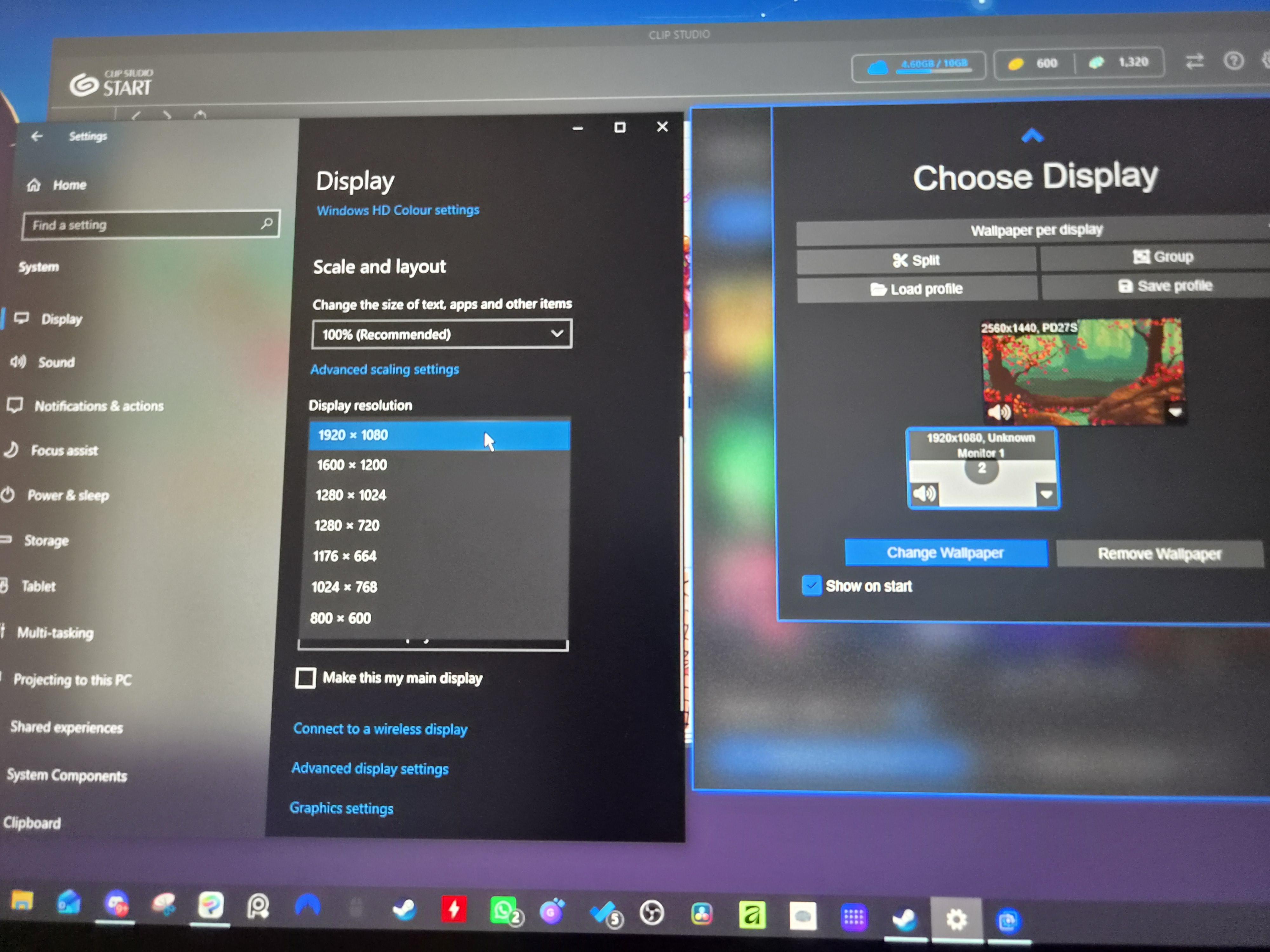
Whenever I first load up my pc I have an issue with the wacom only displaying 1920x1080, the software shows it's connected and working, the only way to fix it is to restart my pc every time. I've noticed wallpaper engine doesn't load either unless I restart. Has anyone been experiencing this? It's really irritating having to restart my pc every time I wake it up every morning

Sometimes it straight up shows no connection aswel

I have tried diagnosing within the software but it tells me it's working just fine