Hey r/eink,
One frustration I always had with digital PDF planners is scaling distortion: most are built on A4/A5, so when opened in "Fit to Screen" on a 6.13", 7.8", 8.2", or 10.3" E-Ink screen, your 8mm ruled lines shrink and feel cramped.
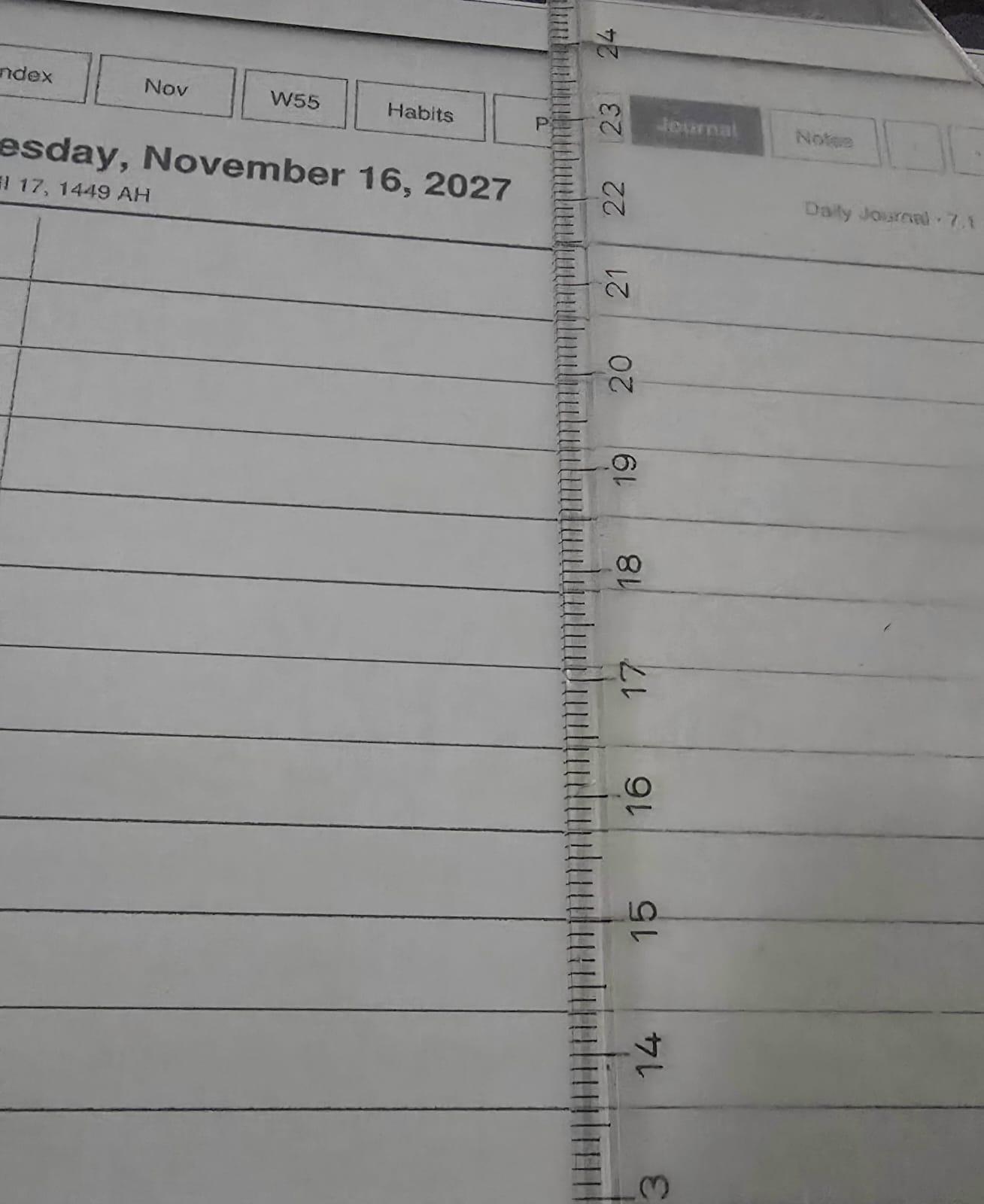
I built a free, 100% client-side web studio that compiles hyperlinked vector PDFs directly at the exact active millimeter dimensions of your display (1 mm = 2.8346 pt), so an 8mm line or 5mm dot grid measures true 1:1 under your stylus.
Try it here: https://e-ink-planner-studio.vercel.app (No account, no backend, everything runs locally in your browser)
18 Calibrated Presets (+ Custom Device Builder):
- Pocket / Narrow (< 95 mm layout): BOOX Palma 2 Pro, Palma 3, reMarkable Paper Pro Move (dedicated stacked weekly cards, 2-column index, single-column habits).
- E-Ink Tablets: Viwoods (Mini & 10.65"), Supernote (Nomad & Manta), reMarkable (2 & Paper Pro), Kindle Scribe, BOOX (Go 10.3 / Note Air4 C / Tab Mini C).
- Standard Tablets: iPad (Mini, 11", 13") & Samsung Galaxy Tab (11", 12.4", 14.6").
- Supports Portrait & Landscape with responsive multi-column spreads for 10"+ screens.
Highlights:
- True 1:1 Physical Ruling: 5mm–8.7mm presets + 4–12mm custom slider, Ruled/Dot/Square/Cornell/Meeting templates, and E-Ink contrast options.
- Floating Toolbar Safe Zone: Configurable Left/Right/Top inset so pen bars never cover navigation tabs.
- Modular & Flexible: Full Planner, Daily Journal, Minimal Calendar, Meeting Hub, or Custom toggles; Sectioned or Chronological page order; custom Cover Page (with image upload).
- Dates, Holidays & Languages: 1–24 month spans (including 14-month early start), custom workweek/rest days, 140+ country holidays, .ics calendar import, optional Hijri date, and 8 languages (EN, AR RTL, FR, DE, ES, IT, TR, JA).
Full transparency: I ruler-tested the output physically on my Viwoods AiPaper Mini, while the other presets are mathematically calibrated from their exact display specs. I'd love feedback from Supernote, BOOX, reMarkable, and Scribe users on how the margins and links feel on real hardware!