r/homeassistant • • 17h ago

🧠 Artificial Intelligence Temp Sensor Spoofer (AI designed)

Thumbnail
gallery
0 Upvotes

So my thermostat is in the hall where the air isn't representative of the temp we care about. My furnace is a modulating one so I can't just swap in a nest or ecobee which support remote sensors. The HX3 does support a wired remote sensor so a quick session with Claude Code hooked up to KiCad and I had a custom board that could use a digipot to pass in whatever temp I wanted (fed by my remote sensors). This shows up as an esphome device in HA.

Works perfectly! Occupancy sensor figures out where we are in the house and the sensor in the occupied area takes precedence.

Very slick - next step is to hide it behind the thermostat (runs from the furnace 24v ac) and when powered off falls back to a thermistor.


r/homeassistant • • 6h ago

💬 Discussion Omg this weekend I connected Antigravity to my HA, my Unifi network, and my Anker Solix X1

20 Upvotes

I had heard of people doing this with MCPs but it seemed daunting at first. Gemini walked me through getting it connected. My goodness it’s awesome.

I turned it loose on my HA setup. It fixed a bunch of broken things and cleaned up my setup, helped me ditch that stupid Hubspace app, helped me ditch Google Home by importing all my Nests direct in via matter and then coming up with routines and schedules in HA for heating and cooling the home. It then gave me all sorts of great new automations. Just plain English, tell it what you want, and it does it near instantly.

One silly example, but I had some basic routines I did myself which would announce over all the Alexa’s in the morning when each kid had to go out to the bus. Antigravity cleaned up some glitches in it and then also went out to my Gmail and the web to find each of their school schedules so that now if a particular kid has no school that day, it won’t play their announcement. A silly change but so much better and would have been a huge headache to do on my own.

Another one to take a snapshot from the Reolink camera when someone rings the bell and send it to our phones along with a quick AI text description of what’s in the image.

Another one that will do that at night if my cameras ever detect a person near the house between midnight and 5am, and will turn on all the outside lights at full brightness.

There are others.

I also turned it loose on my Unifi network. It made all kinds of fixes and channel reassignments and now it’s running better than ever.

Today I hooked it up to my Anker whole home battery backup system and brought that into HA for the first time. It gave me suggested changes to my TOU schedule and other fixes.

Just amazed what it can do. I now have it sending me a weekly report by email on all of these systems, with status and any fixes or suggestions it proposes.

Just really in awe and realizing the possibilities are endless. Very cool.


r/homeassistant • • 7h ago

📖 Guide / Tutorial If you ever plan to sell your house, stop pairing stuff straight to Apple Home. Run it all through HA (and look at RoomSync)

Thumbnail reddit.com
0 Upvotes

Definitely use this app if you are a big home assistant user like me.


r/homeassistant • • 16h ago

🧩 Custom Integration I built an open-source, self-hosted engine & Home Assistant integration to turn my E-Ink picture frame (Fraimic / Spectra 6) into a context-aware display for Immich, movies, and music

Thumbnail
gallery
16 Upvotes

Hi everyone,

I wanted to share a project I’ve been building over the past few weeks: Smart Frame Engine (v1.1.0) and its companion Home Assistant integration (v1.0.0, HACS-ready) — my very first HA integration!

The motivation

I already had Home Assistant and Immich running at home, and I picked up a color E-Ink picture frame (Fraimic / Spectra 6). The hardware looks great on a wall, but feeding it intelligently without relying on closed apps or cloud services was frustrating.

Instead of hacking together a quick one-off script, I wanted something fully self-hosted, open-source, modular, and decoupled:

  1. Smart Frame Engine (standalone multi-arch Docker container): handles image selection, E-Ink optical calibration, and pushing to the frame.
  2. Versioned OpenAPI contract (CI-enforced additive compatibility): keeps the server agnostic so Home Assistant, Node-RED, or custom scripts can talk to it cleanly.
  3. Smart Frame Engine HA (HACS integration): Zeroconf auto-discovery, native entities, services, and 5 ready-to-use Blueprints.

(Full disclosure on the process: I approached this as a Product Builder rather than a full-time developer — using Gemini to bounce architecture ideas and Claude Code to implement and write tests while strictly reviewing and challenging every plan. I also used AI to help translate and polish my English for this post, though the ideas and content are entirely mine.)

What it does today

  • Smart Mix with Immich: Weighted photo rotation pulling from specific people, albums, favorites, "On This Day", or CLIP semantic search.
  • E-Ink Color Calibration & Quality Gate: Spectra 6 panels can easily look washed out or clipped with raw photos. The engine applies tuned gamma/white-point/saturation curves (plus a dedicated B&W profile) and filters out blurry or poorly framed shots before pushing.
  • Now Playing — Movies & TV (TMDB): Automatically displays the poster of whatever is currently playing on your media player (falling back to the player's artwork if needed).
  • Now Playing — Music: Real-time album cover display (from HA media players, Deezer, or MusicBrainz) with smart deduplication.
  • Ambient Context Awareness: Home Assistant dynamically shifts the frame's selection weights based on weather, who is currently home (matching HA person.* names with Immich faces), season, or a Family Mode switch.
  • Title Cards: Send custom typography messages/notifications straight to the E-Ink screen.

Built to be extensible

  • Different E-Ink display? Image generation and hardware transport are decoupled.
  • New media source? Providers are modular and expose their own rule schemas dynamically to the UI.
  • No Home Assistant? The standalone engine works fine on its own via Web UI or REST API.

Links & Looking for Feedback

Since this is my first HA integration and I've only tested it on my own Spectra 6 panel so far, I’d love feedback from anyone running Immich, Home Assistant, or other E-Ink displays. Issues, ideas, and PRs are very welcome!


r/homeassistant • • 15h ago

🖼️ Show & Tell Glance Box – second try, this time with an actual explanation

Thumbnail
gallery
19 Upvotes

This is my second attempt at this post, this time with an actual explanation. So before you judge it as AI slop or suggest other projects, please read it once, and then constructive criticism is very welcome.

A lot of people put Home Assistant data on small ESP displays with ESPHome. I wanted that to be easier and more flexible. Glance Box turns a cheap off-the-shelf Wifi display into a little screen that shows any small web page, with a little server in the background. It only needs an USB-C power cable to run. The server runs with or without Home Assistant. That's the first difference to the existing solutions.

The display can show anything that fits on a 240*240 web page. A page is just HTML/CSS, so no lambdas, no widget limits and no reflashing when you want a new layout. You add the page to the playlist and that's it. That's the second difference.

The custom firmware actually started because I didn't want pictures being written to the device's flash all the time. In my firmware every picture is only handled in RAM. The display pulls it from the server instead of the server pushing it (third difference). Because of that the display also notices when the server is down and shows you, instead of just sitting on an old picture (fourth difference).

And yes, I used AI in this project. Is it AI slop? Probably not. I tested it on my own hardware, made the decisions myself, and it says so openly in the readme.

Repo: https://github.com/robinlanger/glancebox

I'd love to hear what you'd want to see on a display like this. Any direction is welcome, I'm still figuring out where to take it myself.


r/homeassistant • • 12h ago

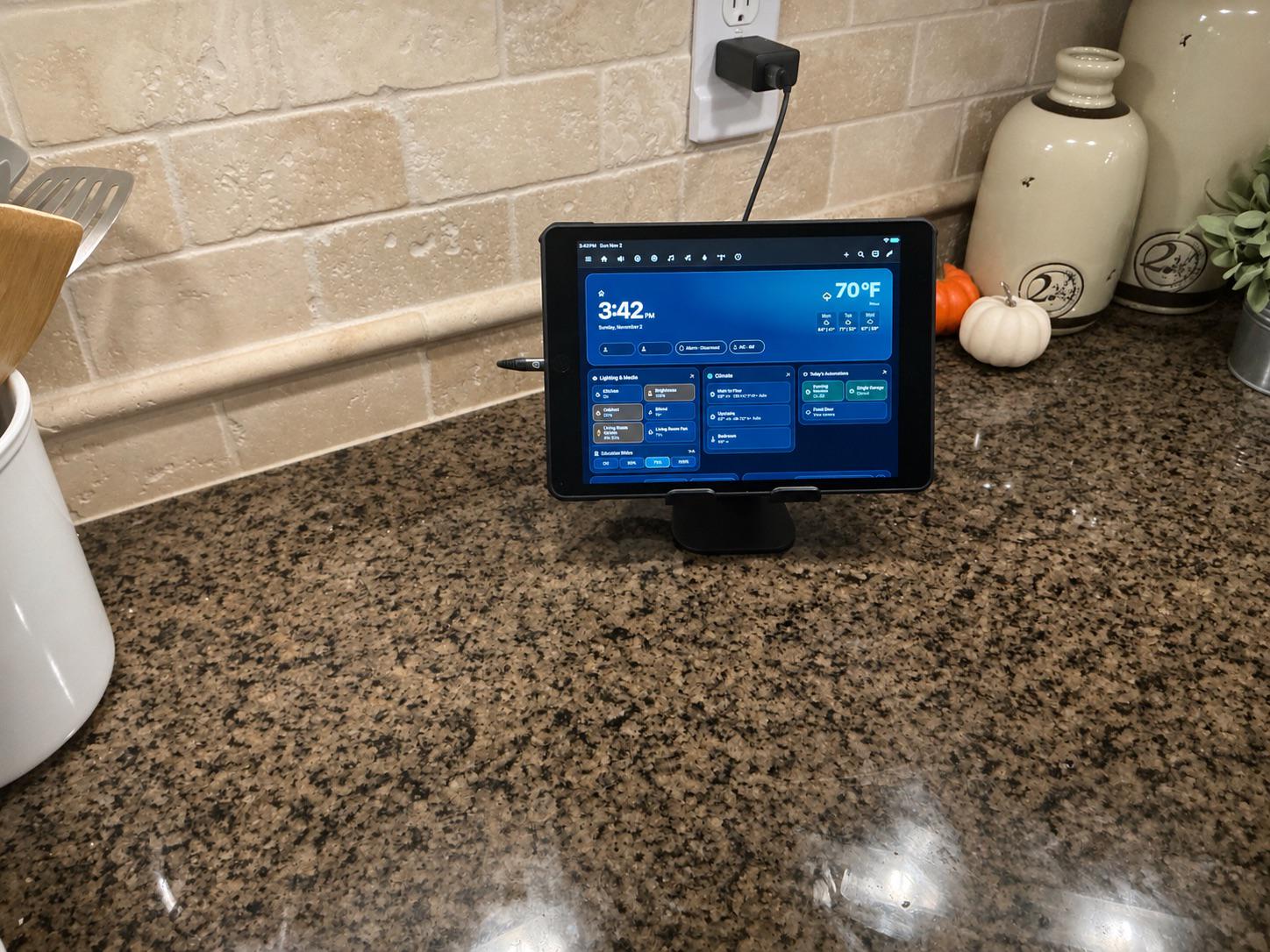
📊 Dashboard Forget Homeview - Made my Own.

Post image
0 Upvotes

r/homeassistant • • 15h ago

✅ Solved Turning ON TCL TV using wake on LAN. Ditch the IR blaster.

1 Upvotes
On my TCL 65P635 (Android TV 11 / Google TV), Wake-on-LAN did nothing, so I used an IR blaster for years. The firmware *does* support network wake. TCL just hides the switch while the TV is in "basic mode". 

You can enable it using ADB:

```
adb shell settings put system com.tcl.initSetup.BASICMODEL false
```

This will expose Settings → Network & Internet → Network Standby at the bottom. Turn it on. Then put the flag back:

```
adb shell settings put system com.tcl.initSetup.BASICMODEL true
```

The wake setting stays on. Quick start (Settings → System → Power and energy) must be on. A WoL magic packet to the Wi-Fi MAC wakes the TV *quietly*. It's back on the network in about 5 s, but the screen stays off, and it goes back to sleep after about 35 s. Send a power key in that window and the screen comes on. So its a two step process. Add the Wake on LAN integration (UI) for the TV's MAC, then a yaml script that I am dumping here:


```yaml
tcl_turn_on:
  sequence:
    - repeat:
        sequence:
          - action: button.press
            target: {entity_id: button.wake_on_lan_xx_xx_xx_xx_xx_xx}
          - delay: 5
          - if:
              - condition: state
                entity_id: media_player.living_room_tv   # Android TV Remote
                state: "off"
            then:
              - action: remote.send_command
                target: {entity_id: remote.living_room_tv}
                data: {command: POWER}
          - wait_template: "{{ is_state('media_player.living_room_tv', 'on') }}"
            timeout: 8
        until: "{{ is_state('media_player.living_room_tv', 'on') or repeat.index >= 3 }}"
```


I point a `universal` media player's `turn_on` at it.


**Notes:**
 turn the TV off with SLEEP (`input keyevent 223`), not a full shutdown, because WoL only works from standby. If you try another TCL model, please report back.

r/homeassistant • • 22h ago

🧱 Custom App HomeAce Studio: real folders, readable flows, better UI, improves handling for all custom entities

0 Upvotes

My automations list in HA kept growing until I couldn't find anything anymore, and categories are flat. So I built HomeAce Studio, a free add-on that sits on top of what HA already stores. Nothing gets locked in: your automations keep working without it.

What it does:

  • Real folders. House/Terrace shows up as a folder inside House, and HA still sees a normal category.
  • Flows you read like sentences. When … / And only if … / Then …, and you tap a value to change it. No YAML.
  • "Why didn't this run?" Every run, block by block: what triggered it, what each condition saw, where it stopped.
  • Check-up. Automations pointing at devices that are gone or offline, helpers nothing uses, things that haven't run in months.
  • Dependencies. What an automation uses, and what would break if you delete that helper.
  • Areas without setup, plus quick stuff like double click to rename, duplicate with labels and area, and drag to sort.

It's an early preview that I use on my own HA every day. Please make a backup before you let it change things.

GitHub, with screenshots and install steps: https://github.com/shadowtsw/homeace-studio
Feedback thread on the HA forum: HomeAce Studio – Organize your Home Assistant automations, scripts & helpers - Share your Projects! - Home Assistant Community

Happy to hear what you'd want next. Drag & drop of entities straight into automations is already on the list.

Please, try it out and enjoy :)


r/homeassistant • • 7h ago

❓ Support SMATRUL 20A/16A /10A Wifi Smart Plug Tuya. is it capable of whirlpool handling LSP680GR

Thumbnail reddit.com
0 Upvotes

r/homeassistant • • 4h ago

🤖 Automation Slowly moving my smart home to Thread and local control, what should I add next?

0 Upvotes

I've been trying to get my smart home off the cloud and Thread has been better than I thought it would be. I run Home Assistant and use my Apple TV as the border router. Eve Energy plugs were the easiest, paired in like a minute and still worked when I unplugged the router to test. Aqara P2 door sensors replaced my old cloud only ones and they trigger fast. I also got one Bringnox Thread shade to try. It's faster than my old Wi-Fi blinds and works with the internet off, but setting the stop points took me a few tries so I'm not sure I'll buy more.

Stuff I still want to add is leak sensors for the laundry room and under the kitchen sink, a motion sensor for the hallway lights, and maybe a smart lock. Lights too, Nanoleaf and Eve both seem to have Thread bulbs but I haven't really compared them. Also the far end of my house feels laggy and my Apple TV is in the living room, so I'm wondering if a second border router in the bedroom would help.

What's been solid for you? Locks and switches especially. If it needs a hub or a cloud account to work right I'm skipping it.


r/homeassistant • • 9h ago

✅ Solved Title: Sony Bravia 2 Google TV – Anyone successfully using the Sony Bravia TV integration in Home Assistant?

0 Upvotes

I'm trying to get the native Sony Bravia TV integration working in Home Assistant with my Sony Bravia 2 (K65S20M2, 2025 model), but I'm running into what appears to be an API compatibility issue.

Here's what I've found so far:

  • The TV is connected to my local network with a static IP.
  • Home Assistant finds the TV when I manually enter its IP address.
  • Simple IP Control is enabled in the TV settings.
  • Control4 is disabled.
  • There doesn't appear to be any option to configure a Pre-Shared Key (PSK) or authentication under IP Control.
  • When attempting to add the integration, Home Assistant reports: "IP Control is disabled on your TV or the TV is not supported."

I've tried this previously and recently revisited it, hoping a firmware update might have changed something, but I'm getting the same result.

Interestingly, the Android TV Remote integration works perfectly. Home Assistant can detect which application is running (Plex, Spotify, Google TV launcher, etc.), control playback, and send remote commands such as HOME.

Ultimately, I'd like to build a Home Assistant dashboard that can be displayed on the TV when it's idle, ideally with some automation to launch it.

My questions:

  1. Has anyone successfully connected a newer Sony Bravia 2 or similar Google TV model using the native Sony Bravia integration?
  2. Is the lack of PSK authentication settings a limitation of these newer models, or am I missing something?
  3. Has anyone found a workaround that doesn't require ADB?

I'd love to hear from anyone who's encountered this or managed to get it working.

Home Assistant environment:

  • Installation: Home Assistant OS (HAOS), running as a VM on Unraid 7.2.4
  • Home Assistant Core: Version to be confirmed
  • Integration: Official Sony Bravia TV integration (not HACS/custom)
  • TV: Sony Bravia 2, model K65S20M2 (2025)

Expected behaviour: Home Assistant connects to the Sony TV and exposes its supported controls.

Actual behaviour: Setup fails during authorization with:

IP Control is disabled on your TV or the TV is not supported.

Troubleshooting completed: Confirmed Simple IP Control is enabled, checked for PSK settings (none available), and verified that the Android TV Remote integration works.

Thanks!


r/homeassistant • • 8h ago

❓ Support Getting started questions

0 Upvotes

Hey all, I just found this thread and conveniently also just bought a house. I’ve always wanted to make a super smart home using various tech, but have no idea where I should start. I have some blink cameras already, ecobee thermostat, Yale devices for locks, and a lot of my appliances I believe have WiFi capabilities.

That being said, how would I move forward? Do I need a tablet to start integrating everything together? I’m really not sure how or where to start. Any direction is appreciated!!!


r/homeassistant • • 13h ago

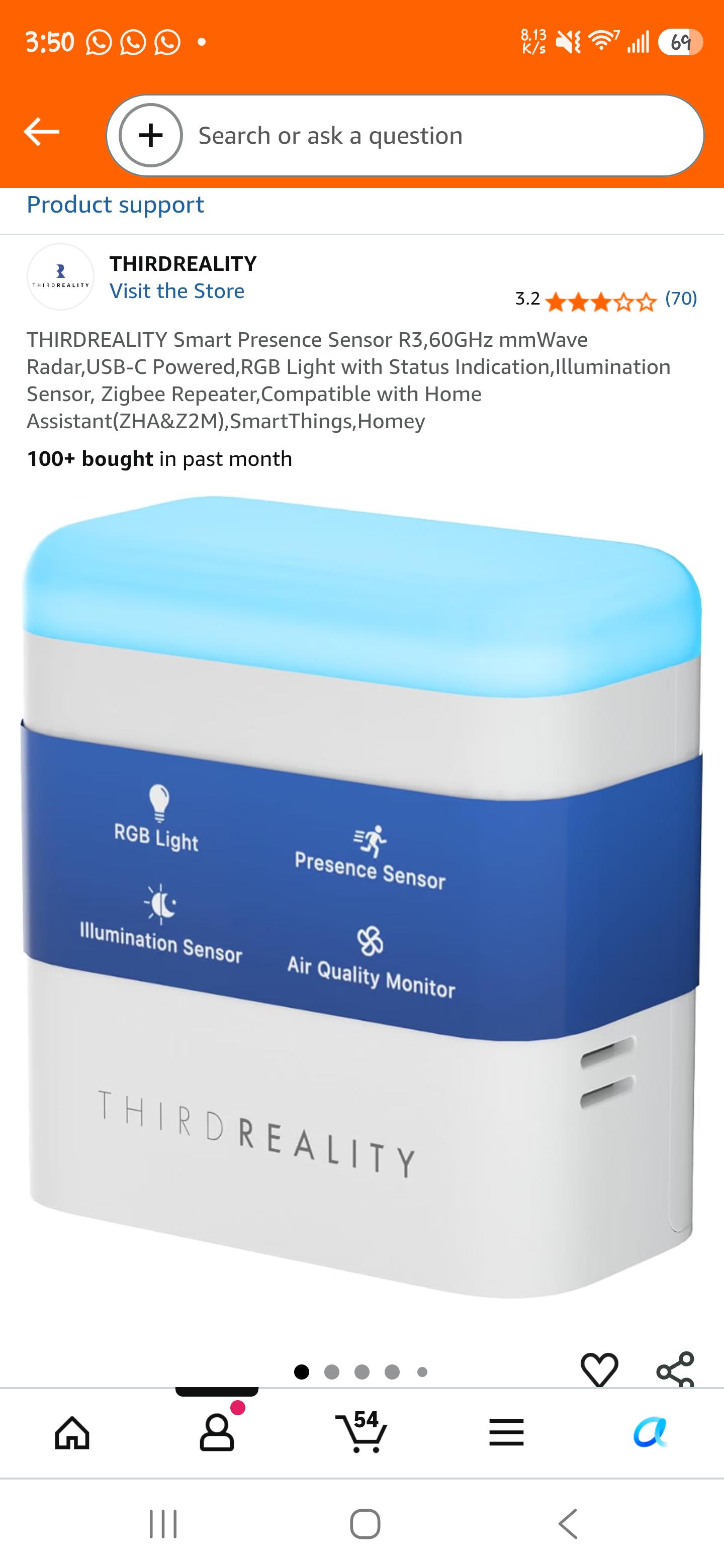
💬 Discussion Zigbee or Thred

Post image
0 Upvotes

I just picked this up would you go with Zigbee or Matter for this device? I have both networks and can't decide which I like more.

Edit: Thanks to the people who pointed out that this is Zigbee only; I am looking at a bunch of devices, some of which have both, and this question crossed my mind. I chose this one as an example to ask, but I was not asking specifically about this one; however, I am grateful for everyone's advice on the matter.


r/homeassistant • • 19h ago

❓ Support Home Assistant Green vs Mini PC

9 Upvotes

Just looking to future proof somewhat. Starting from scratch and fully understand the rabbit hole I’m about to go down.


r/homeassistant • • 16h ago

❓ Support Why is it so difficult to find where to restart HA?

0 Upvotes

It's nested in some settings menu that I struggle to find every time. Am I missing something?

Update: I think I know why. The text under "system" says "reboot your system". But "reboot" is not under system. It's under "tools" to restart (I'm running in docker)


r/homeassistant • • 7h ago

❓ Support Help me win Christmas!

5 Upvotes

I need help figuring out a "mini PC" to buy my fiancee for Christmas! I know that they're currently running Home Assistant on a virtual machine, but they wanted to switch to hosting it on a mini PC so that they can plug things directly into it better (like speakers/microphone/I think a ZigBee dongle? Maybe some other things?). Right now those things don't work when plugged into the laptop that's running the VM, as the VM doesn't seem to connect to the hardware attached to the physical machine.

So I know that my partner wants a mini PC to host Home Assistant on. And I want to get them that mini PC for Christmas. The problem is, I am not the tech wizard in this relationship. I don't even really understand what a Mini PC is compared to a regular PC. I don't know what kind of specs are needed to run home assistant, or even really what the different specs of a computer mean. So I don't know how to choose what product to buy!

Some info about our current setup:

- The "About" page on our HA app says Installation Type is Home Assistant OS, the Core is 2026.11.2 and Supervisor is 2026.11.0, with Operating System 18.4

- We have ZigBee2MQTT, with a mix of Wi-Fi and ZigBee products. I think maybe one Matter device? But not many.

- A lot of our smart products are from Ikea, but most of it is discontinued now. Symfonisk/Sonos speakers, Tradfri lightbulbs, Tradansen blinds.

- We have some thing with an antenna coming off our wifi router that I know is to let home assistant read the ZigBee signals, but I don't actually know what that thing is called.

- We are in Canada, so I need to buy a mini-PC that is available here.

(Happy to answer more questions, I have access to the app so can look things up about our current system if needed, I just don't know what else would be helpful info)

I'm really hoping that someone here can help me figure out what to buy or at least what types of things to look for when choosing a product! I love all the HA things my partner has set up so far (WAF is very high in this house) and I want to help make it even better, but I don't know how! Thank you in advance for your help!


r/homeassistant • • 19h ago

🖼️ Show & Tell I made Claude reverse engineer my cheap Lidl kitchen appliance that runs on Android

Thumbnail
gallery
201 Upvotes

Because why not? This is Lidl's Monsieur Cuisine Connect, a cheap (and worse) alternative to Vorwerk's Thermomix.

The Android tablet it runs on communicates with the appliance itself using a serial connection. Getting root on the tablet gave me a way to access that serial port. When running a program started by Home Assistant it displays a warning on the display that it's being remote controlled and a big, red "STOP" button that acts as an emergency stop. Normal safety features like not being able to start with the lid open still apply.

While I was at it, I also added an overlay that shows the kitchen's current temperature, humidity and whatever's playing on the media players in that room. Because, again, why not?

The biggest fun fact though: I also found out why the device felt so awfully sluggish - three out of the SOC's four cores were disabled for some reason. It's running fine now.


r/homeassistant • • 9h ago

💬 Discussion Best thermostat management solution?

Post image
15 Upvotes

After running a combined Home Assistant & Apple Home setup for several years, I’ve finished process of migrating every automation over to Home Assistant as well as pairing every device through HA and bridging to AH, building out a whole home BLE Bermuda and Esp32 presence detection system, and setting up Kiosk Satellites. My last step is moving my 5 ecobee thermostats over to HA, and building out the climate portion of my home automation. What integration or solution do you recommend for this? Would rather use or help improve something great from the community than have Claude build from scratch in a silo.

Edit: Im not asking how to integrate the devices, Im asking about integrations for smart/adaptive scheduling, limiting zone differential, using multiple (dozens) of available temp sensors, taking season and weather forecast into account, accounting for fireplace usage, turning off zones with windows opened, etc. I can for sure build this into an automation or even custom integration, but I figure its been done…


r/homeassistant • • 22h ago

💬 Discussion Lyrion Music Server (LMS) and Music Assistant

2 Upvotes

I am a long time user of LMS (formerly Logitech Media Server). I use LMS for my offline media collection and make use of the airplay bridge (for Sonos), BBC iPlayer and Global Player plugins.

I recently added Echo Show 5 & 8 with lineageos kiosk satellite and am thinking of trying out Music Assistant because it seems to integrate better with HA.

Current or former users of either - what made you swap/stay and what was your experience like?


r/homeassistant • • 7h ago

🧩 Custom Integration Got my dumb, non-wifi, featureless Comelit VIP intercom into HA with remote unlock and video push notifications

Thumbnail
gallery
2 Upvotes

A few weeks back my building had 'new' intercoms installed and it broke my heart to learn just how little they could do. It has an sd card slot that could not be used, cant set cute ringtones, can't set wallpaper or use it as a picture frame, couldn't connect it to any device...

Thanks in a large part to jfmlima/comelit-vip along with many others, I finally got it connected into HA with all the features it should have shipped with (and that most other models do) - push notifications with video, recording, remote unlock, and it works perfectly.

Repo with diagrams, mockups, setup steps, the HA patch and the full list of what broke and why:

baes-cloud/comelit-vip-no-wifi-bridge

I now have it sending the message to every screen in the house. Unlock does the building door and the elevator control. It works like a virtual second monitor/panel to send the commands, and it is isolated from the internet and from the local flat network

The hardware is all small enough to fit in the wall behind the panel and can be bought for ~$100 or less (I used an old rock pi and got a $20 pow passthrough switch from Amazon).

I hope this helps anyone else stuck with a dumb intercom feeling like they are missing out on the fun.


r/homeassistant • • 20h ago

🖼️ Show & Tell I think my homekit home has hit its final form

35 Upvotes

r/homeassistant • • 20h ago

💬 Discussion anyone else using color e-ink displays with Home Assistant? (weather card included)

Thumbnail
gallery
81 Upvotes

A Home Assistant weather dashboard around an 800 × 480 display and four colors (BWRY).

GIANT numbers, clear sections and a little color made the result much easier to read than my previous grayscale dashboards.

The display is a TRMNL BWRY, which they sent me for review. I'm using their Home Assistant screenshot app to capture the dashboard.

Someone asked for my weather card, so I put it on GitHub for anyone interested:

https://gist.github.com/thingtootech/104be80e6b8906bbbed239d140d49adf

It's a custom JavaScript card that uses Pirate Weather. Feel free to modify it for your own setup. You will want to review it for your own setup.

I'm currently rotating between weather and Google Photos, but Google's seven-day photo selection limit has me interested in other options. I would love to learn more about Immich in general.

The longer write-up, including photos and setup screenshots, is here (contains a referral link): https://thingtootech.blogspot.com/2026/11/trmnl-four-colors-forecast-and-two.html

Beyond weather and maybe photos, what's the best use of color you've seen on an e-ink display?


r/homeassistant • • 16h ago

❓ Support Matter Connection Issues

0 Upvotes

I am running Unifi network with separate main Vlan and IoT Vlan. Home Assistant is running on main Vlan and IoT devices like lights, AppleTv, etc on the IoT Vlan. Starting with a matter door lock and can’t seem to get it working across the VLANs. Researching says Matter is hard to cross lans even with mDNS setup (which I have). My thought is to move my HA to my IoT Vlan, I would have to update all my esp home and tasmota devices manually since the mqtt is hard coded to ip. What other things do I need to worry about if moving HA to IoT lan?


r/homeassistant • • 23h ago

❓ Support H60A6 firmware 1.00.48 breaks LAN control . Lamp freezes after receiving a LAN command. Anyone else? /Govee2MQTT

0 Upvotes

Hi all,

I want to warn other H60A6 owners who use LAN control, and find out whether anyone else is seeing this.

**Setup**

- Several H60A6 ceiling lights, all with LAN Control enabled in the Govee Home app

- Controlled locally from Home Assistant through govee2mqtt, which uses Govee's official LAN API (UDP)

- Everything had worked reliably for months

**What happened**

On the night of 21–22 November one of my H60A6 lights updated itself to firmware **1.00.48** (hardware 1.04.03). I didn't start the update; it seems to have installed automatically. LAN control on that light has been broken ever since:

- The light still answers LAN **status queries** (devStatus) and reports its state correctly.

- It **ignores LAN control commands**. On/off over the LAN API does nothing, and govee2mqtt logs "timed out waiting for status" for every command.

- Worse, **after each LAN command the light freezes for a while**. During that time the Govee Home app can't control it either; it shows the light turning on, but nothing happens. Once it got completely stuck and only recovered after I cut the power at the wall switch.

- So from Home Assistant it looked like the light "kept turning itself back on" after I switched it off. HA showed it off for a moment, then the next status update reported it was still on.

**Comparison**

Another H60A6 on the same network is still on firmware **1.00.41**. It receives the exact same LAN commands from the same controller and works perfectly. The only difference I can find is the firmware version.

**Workaround**

I turned **LAN Control off** for the affected light in the Govee app and restarted govee2mqtt. It now controls the light through Govee's cloud API instead, and on/off, brightness and effects all work again. The downside is a bit more latency and a dependency on Govee's servers.

**Questions**

  1. Is anyone else on H60A6 firmware 1.00.48? Does LAN control work for you?
  2. Have you seen the same thing on other models after a recent update?
  3. Does anyone know how to stop automatic firmware updates, or roll back to an earlier version? My other H60A6 lights haven't been offered 1.00.48 yet, and I'd like to keep it that way until this is fixed.

I've reported this to Govee support and will update this post if they reply.

**Tip for HA / govee2mqtt users:** if a Govee light suddenly stops obeying commands and keeps reverting to its previous state, check its firmware version in the Govee app. Turning off LAN Control for that one light is a quick workaround.