r/homeassistant • • 19h ago Bravo Heartwarming

🖼️ Show & Tell Because my drawers didn't have enough Zigbee

7.8k Upvotes

A week or so ago I finished building a dressing area in the bedroom. I was very pleased with it, but there was one problem: there simply wasn't enough Zigbee, electronics, complication or lighting involved. It had been a very carpentry-style project, so that had to change.

The result is the Drawer Illumination Subsystem, because turning on the main light is just too simple. Full write-up with the build, wiring and a playable demo of the effects: https://marcuslab.uk/projects/drawer-lights/

How it works:

  • 12 drawers, each with a wired door contact on the inside of the carcase
  • An addressable RGBW COB strip routed into the underside of the top
  • An ESP32-C6 running ESPHome as a Zigbee end device, on a custom PCB I designed
  • A Zigbee2MQTT external converter so HA sees the state of all 12 drawers

Open a drawer and only its column lights, sweeping out from the middle. It goes off a second after the last drawer in that column shuts.

What else it unlocked once it was in Home Assistant:

  • Dim red at night instead of white
  • An amber nudge if a drawer is left open
  • A 15-minute sunrise before my alarm, then birdsong from the bedroom Echo. Opening a drawer ends it
  • A drawer alarm, for reasons

The one thing that fought back: the C6 shares one radio between Wi-Fi and Zigbee, and Wi-Fi was hogging it so it would never join. Wi-Fi now stays off until it has joined.


r/homeassistant • • 22h ago

💬 Discussion Is it just me...

Post image
1.3k Upvotes

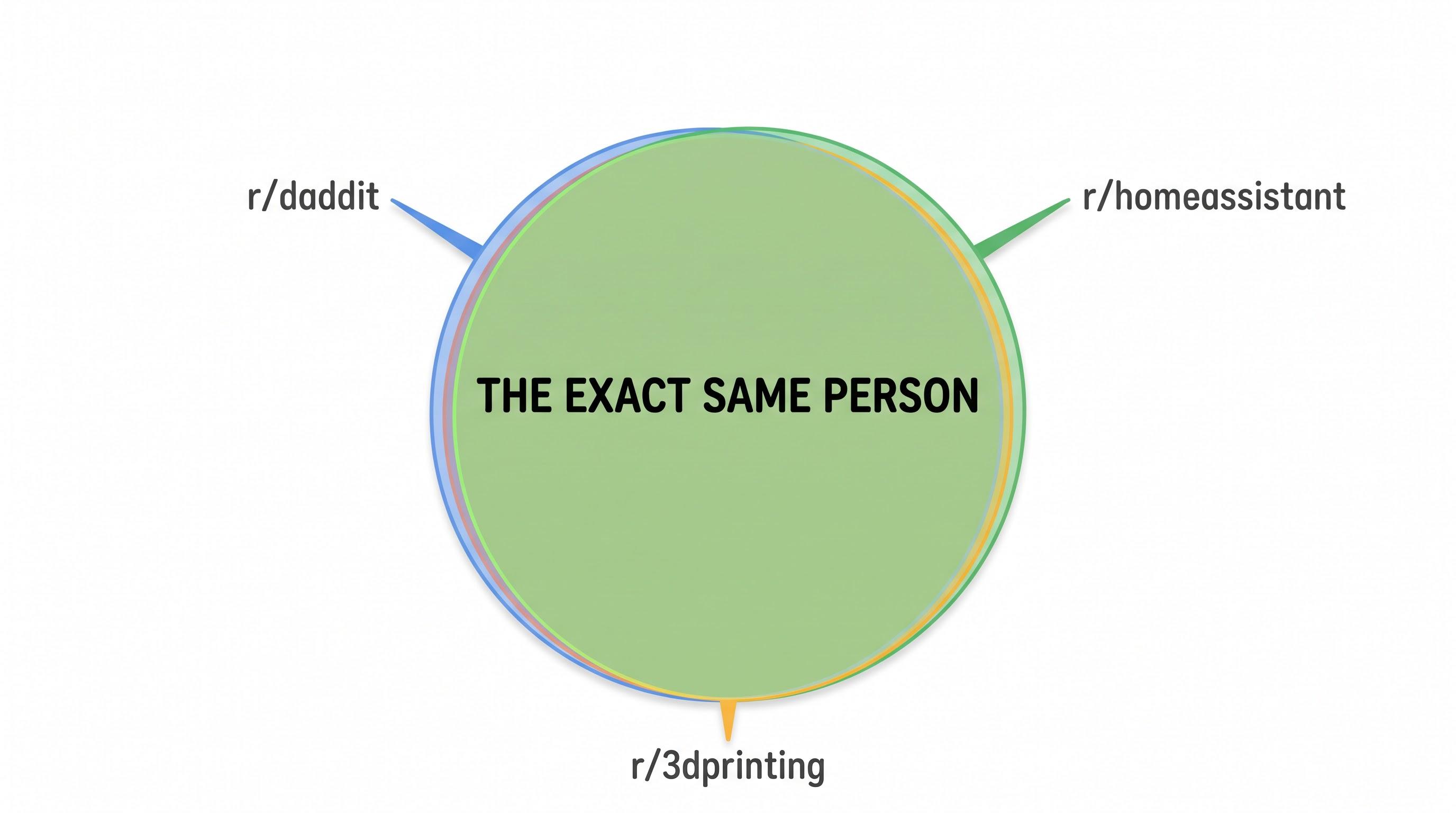
Or is this venn diagram basically a circle?


r/homeassistant • • 21h ago

🖼️ Show & Tell I made Claude reverse engineer my cheap Lidl kitchen appliance that runs on Android

Thumbnail
gallery
221 Upvotes

Because why not? This is Lidl's Monsieur Cuisine Connect, a cheap (and worse) alternative to Vorwerk's Thermomix.

The Android tablet it runs on communicates with the appliance itself using a serial connection. Getting root on the tablet gave me a way to access that serial port. When running a program started by Home Assistant it displays a warning on the display that it's being remote controlled and a big, red "STOP" button that acts as an emergency stop. Normal safety features like not being able to start with the lid open still apply.

While I was at it, I also added an overlay that shows the kitchen's current temperature, humidity and whatever's playing on the media players in that room. Because, again, why not?

The biggest fun fact though: I also found out why the device felt so awfully sluggish - three out of the SOC's four cores were disabled for some reason. It's running fine now.


r/homeassistant • • 23h ago

🖼️ Show & Tell HA Guest: let visitors control a few things in your home from a QR code — no account, no app, only on your Wi-Fi 🔑

126 Upvotes

I wanted friends who come over to be able to turn on the living room lights or start a scene without creating a Home Assistant account or installing the app. And I wanted my mother-in-law, who uses the app to share her location (we are using Family Location), to not be able to switch my lights off from across town. Nothing I found did both, so I built (together with Claude and some friends) HA Guest.

Guests without an account

- A page at `/guest` that opens in any browser. Guests scan a QR code and that's it.

- It only answers devices on the networks you allow (your Wi-Fi or a guest VLAN). Remote access through Home Assistant Cloud is always refused.

- QR links expire after the hours you choose, so someone you invited last month can't stand outside within Wi-Fi range and use it. You can revoke every link at once.

- Anyone in the household (admin or not) can create a code from a "Guest QR" page in the sidebar.

- What guests can control is either a list of entities or a regular dashboard you build for them (dashboards don't look the same to guest due to technical limitations but we made them look as close as possible). Remove a card and they lose that entity immediately.

- It picks up your dashboard's background photo, entity names and icons, your theme and your accent colour. Scenes become a row of round buttons, and lights get brightness and colour temperature.

Restricted users with the app

- Pick a non-admin user and what they can always use (e.g. the map and check-in from a location integration).

- Other entities only work while their phone reports your Wi-Fi, or a router tracker says they're home. Away, those entities are hidden or read-only.

Safety and logging

- Optional rules: the panel only works while someone from the household is home, or while your alarm is disarmed. There's also a switch to pause it.

- Every visit and action goes to the logbook ("Guest (192.168.1.20) turned off Living room lights") and fires an event. It can also notify your phone.

Being upfront about two things

- Guests see a simplified page built from your dashboard, not the dashboard itself. Custom cards like Mushroom or button-card aren't rendered as they look. Showing the real dashboard would mean giving guests a Home Assistant session, which opens much more than a few lights.

- I built this with an AI coding assistant. I designed the features and tested everything on my own setup & some friends setups. There are 30+ automated tests and I ran a security pass on the guest page (expired and forged links, spoofed IPs, DNS rebinding), and the code is all public. Still, please read it before trusting it with a front-door lock, and open an issue if you find anything.

Install: Settings → Marketplace → Add from link → `Ctuna89/HA-Guest` (or as a custom repository in HACS on older versions). Requires 2025.3+.

https://github.com/Ctuna89/HA-Guest

Feedback very welcome, especially on what else guests would actually need.


r/homeassistant • • 22h ago

💬 Discussion anyone else using color e-ink displays with Home Assistant? (weather card included)

Thumbnail
gallery
81 Upvotes

A Home Assistant weather dashboard around an 800 × 480 display and four colors (BWRY).

GIANT numbers, clear sections and a little color made the result much easier to read than my previous grayscale dashboards.

The display is a TRMNL BWRY, which they sent me for review. I'm using their Home Assistant screenshot app to capture the dashboard.

Someone asked for my weather card, so I put it on GitHub for anyone interested:

https://gist.github.com/thingtootech/104be80e6b8906bbbed239d140d49adf

It's a custom JavaScript card that uses Pirate Weather. Feel free to modify it for your own setup. You will want to review it for your own setup.

I'm currently rotating between weather and Google Photos, but Google's seven-day photo selection limit has me interested in other options. I would love to learn more about Immich in general.

The longer write-up, including photos and setup screenshots, is here (contains a referral link): https://thingtootech.blogspot.com/2026/11/trmnl-four-colors-forecast-and-two.html

Beyond weather and maybe photos, what's the best use of color you've seen on an e-ink display?


r/homeassistant • • 18h ago Thanks

🛠️ DIY / Hardware [Release] Echo Show 15 (Fire OS 7) Runtime Root Achieved — Open-Source Tool + Android App

60 Upvotes

Hey everyone!

I know quite a few people here have wanted to repurpose their Amazon Echo Show 15 as a proper Home Assistant dashboard, but Amazon's locked-down Fire OS has made that frustrating.

I've been working on a project called hoya-runtime-root, and I'm finally releasing it!

GitHub: https://github.com/BookCatKid/hoya-runtime-root

What is it?

It's an open-source project that achieves runtime root access on the Amazon Echo Show 15 (hoya / Fire OS 7) using the GhostLock kernel vulnerability (CVE-2026-43499).

It also includes a companion Android app, GhostLock Runner, so you don't have to manually execute the exploit from a terminal.

Current features:

  • Runtime root access (UID 0) without unlocking the bootloader
  • Companion Android app with a simple "Get root" button
  • Built-in root shell
  • Optional network shell for remote access
  • No permanent modifications to the bootloader or system partitions
  • Fully open-source under GPL-3.0

How well does it work?

On my Echo Show 15 running firmware PS75751.7809N (kernel 5.4.86-ab7), I tested it across 34 clean boots.

24 out of 34 attempts succeeded (~71%).

Root is temporary and disappears after rebooting. If an attempt fails, you need to reboot before trying again.

What does this mean for Home Assistant?

The Echo Show 15 has a pretty nice display, and I've always thought it had potential as a dedicated Home Assistant control panel.

This project doesn't currently provide a ready-made HA dashboard, custom launcher, or Fire OS replacement. However, having root access opens up some interesting possibilities for experimenting with the device and getting more control over its software.

I'd love to see what the community can do with it!

Important caveats

This is very much a developer preview, not a polished one-click solution.

  • I've only tested it on one device and firmware version.
  • The exploit can cause kernel panics or unexpected reboots.
  • Installing the APK currently requires Amazon Live App Testing (LAT) using your own developer account.
  • The optional network shell is unauthenticated, so it should only be enabled in a trusted environment.
  • I wouldn't recommend trying this on a device you rely on every day.
  • First-generation Echo Show 15 only: This project currently supports the 1st-gen Echo Show 15 (hoya). While the underlying GhostLock vulnerability also affects the 2nd-gen model, getting the exploit working on that device would require a separate, potentially much more difficult porting effort. I don't own a 2nd-gen Echo Show 15, so I currently have no way to develop or test support for it.

The repository includes the source code, build instructions, technical documentation, and test results.

Links

GitHub: https://github.com/BookCatKid/hoya-runtime-root

Issues, PRs, and feedback are welcome!

Hopefully this is a step toward making these devices a little more useful outside Amazon's ecosystem!


r/homeassistant • • 18h ago

🤖 Automation Hydroponics Assistant

Thumbnail
gallery
53 Upvotes

I bought a COTS hydroponics setup and immediately gutted all the analog controls, added an esp32, and made HA the new indoor gardening hub. I've never done hydroponics before so I don't really know what I'm doing, but this has made it much easier. Would have never thought of doing something like this without AI and it has proven incredibly useful. It could use some cleaning up, but for where it currently is I'm very happy.

Edit: here is the writeup on what I did. There is a ton of minutia in it for the sake of being thorough, but it's not as complex as it seems. I'll add some of the HA artifacts and maybe the kc868 config files eventually.


r/homeassistant • • 20h ago

❓ Support New house, finally doing HA permanently. What would you do?

40 Upvotes

After years of renting and running HA on workarounds, we just bought a house and I can finally install everything for real. My plan:

• Lighting: Everything Presence One (mmWave + PIR) in every room so I never touch a switch. Tips on mounting?

• Audio: Whole-home zones from a central amp or sonos with music that follows presence. What's been bulletproof for you?

• HVAC + pool: Full control from HA. Best thermostat and pool controller with good local integration?

• Energy: Whole-home and solar monitoring. Which panel monitor do you recommend?

If you were starting with open walls, what would you wire for that you wish you had?


r/homeassistant • • 22h ago

🖼️ Show & Tell I think my homekit home has hit its final form

37 Upvotes

r/homeassistant • • 8h ago

💬 Discussion Omg this weekend I connected Antigravity to my HA, my Unifi network, and my Anker Solix X1

34 Upvotes

I had heard of people doing this with MCPs but it seemed daunting at first. Gemini walked me through getting it connected. My goodness it’s awesome.

I turned it loose on my HA setup. It fixed a bunch of broken things and cleaned up my setup, helped me ditch that stupid Hubspace app, helped me ditch Google Home by importing all my Nests direct in via matter and then coming up with routines and schedules in HA for heating and cooling the home. It then gave me all sorts of great new automations. Just plain English, tell it what you want, and it does it near instantly.

One silly example, but I had some basic routines I did myself which would announce over all the Alexa’s in the morning when each kid had to go out to the bus. Antigravity cleaned up some glitches in it and then also went out to my Gmail and the web to find each of their school schedules so that now if a particular kid has no school that day, it won’t play their announcement. A silly change but so much better and would have been a huge headache to do on my own.

Another one to take a snapshot from the Reolink camera when someone rings the bell and send it to our phones along with a quick AI text description of what’s in the image.

Another one that will do that at night if my cameras ever detect a person near the house between midnight and 5am, and will turn on all the outside lights at full brightness.

There are others.

I also turned it loose on my Unifi network. It made all kinds of fixes and channel reassignments and now it’s running better than ever.

Today I hooked it up to my Anker whole home battery backup system and brought that into HA for the first time. It gave me suggested changes to my TOU schedule and other fixes.

Just amazed what it can do. I now have it sending me a weekly report by email on all of these systems, with status and any fixes or suggestions it proposes.

Just really in awe and realizing the possibilities are endless. Very cool.


r/homeassistant • • 16h ago

🖼️ Show & Tell Automate infrared devices in Home Assistant

Thumbnail
gallery
28 Upvotes

#Zigbee #infrared #HomeAssistant #SmartHome #Christmas

Make dumb infrared devices smart!

Lots of devices still use an infrared remote: air conditioner, fans, fireplace, LED candles, tea lights and Christmas decorations.
The IR signal is not encrypted, and not secured rolling keys, so it's easy to copy and resend.

I use a small battery-powered Zigbee IR transmitter/receiver. Put it in learning mode, point the original IR remote at it, press any button on the remote and the code is stored. You can learn now each button. Now you can put away the original remote and resend the exact same signal to the device via the Zigbee device with an automation in Home Assistant! How cool!

Home Assistant has recently also add an infrared proxy option with an ESPHome transmitter over WiFi. Mine is a Zigbee alternative: no WiFi needed, and because it runs on batteries you can place it anywhere in the room because with infrared you still need to have direct view between the sender and receiver.

What you can use it for and where I use it for myself:
❄️ IR air conditioner, without modifications now smart
🎄 Christmas decorations, candles and tea lights
🌀 Ceiling fans, fireplace and light curtains
🎛️ Stream Deck button to switch the AC on/off from your desk

Want to know more about this cool features?
Setup, hardware, Home Assistant and use it even via a Stream Deck, see for more details https://vdbrink.github.io/zigbee/smart_infrared_transmitter_receiver


r/homeassistant • • 10h ago

🤖 Automation Looks like zigbee vibration sensors are too sensitive, any suggestions?

23 Upvotes

Hi all, I mad a "star wars" or "death star" wall with govee strip leds and mylar sheets. I've been mounting and displaying my lightsaber collection on and around it as you can see in the video. I bought cheap zigbee vibration sensors and was hoping I could automate where I pick one saber up, the wall changes color and the character theme plays. Individually, it works *fantastic*. Feels like I'm using the force!

The problem is the wall is "crowded" such that all the vibration sensors trigger and either the automations play over each other or it fails altogether.

I tried dialing the sensitivies in zigbee2mqtt a bit and both open code and myself are having little luck getting them to all play nice.

Anyone have any alternative hardware solutions or ideas on how to make this work?


r/homeassistant • • 18h ago

🖼️ Show & Tell Glance Box – second try, this time with an actual explanation

Thumbnail
gallery
21 Upvotes

This is my second attempt at this post, this time with an actual explanation. So before you judge it as AI slop or suggest other projects, please read it once, and then constructive criticism is very welcome.

A lot of people put Home Assistant data on small ESP displays with ESPHome. I wanted that to be easier and more flexible. Glance Box turns a cheap off-the-shelf Wifi display into a little screen that shows any small web page, with a little server in the background. It only needs an USB-C power cable to run. The server runs with or without Home Assistant. That's the first difference to the existing solutions.

The display can show anything that fits on a 240*240 web page. A page is just HTML/CSS, so no lambdas, no widget limits and no reflashing when you want a new layout. You add the page to the playlist and that's it. That's the second difference.

The custom firmware actually started because I didn't want pictures being written to the device's flash all the time. In my firmware every picture is only handled in RAM. The display pulls it from the server instead of the server pushing it (third difference). Because of that the display also notices when the server is down and shows you, instead of just sitting on an old picture (fourth difference).

And yes, I used AI in this project. Is it AI slop? Probably not. I tested it on my own hardware, made the decisions myself, and it says so openly in the readme.

Repo: https://github.com/robinlanger/glancebox

I'd love to hear what you'd want to see on a display like this. Any direction is welcome, I'm still figuring out where to take it myself.


r/homeassistant • • 18h ago

💬 Discussion Best Tablets For HA Dashboard - Black Friday

21 Upvotes

As we approach Black Friday in the US, I wanted to get everyone’s opinions on which tablets I should be targeting during the holiday shopping season. I’m simply looking for a couple of devices that I can mount around my home as dashboards. As you can imagine, I don’t need OLEDs, beefy processors, or a massive amount of storage. However, I also don’t want outdated junk hardware that’ll be unreliable.

What do you all suggest as targets to have my eyes on this coming weekend?


r/homeassistant • • 18h ago

🧩 Custom Integration I built an open-source, self-hosted engine & Home Assistant integration to turn my E-Ink picture frame (Fraimic / Spectra 6) into a context-aware display for Immich, movies, and music

Thumbnail
gallery
21 Upvotes

Hi everyone,

I wanted to share a project I’ve been building over the past few weeks: Smart Frame Engine (v1.1.0) and its companion Home Assistant integration (v1.0.0, HACS-ready) — my very first HA integration!

The motivation

I already had Home Assistant and Immich running at home, and I picked up a color E-Ink picture frame (Fraimic / Spectra 6). The hardware looks great on a wall, but feeding it intelligently without relying on closed apps or cloud services was frustrating.

Instead of hacking together a quick one-off script, I wanted something fully self-hosted, open-source, modular, and decoupled:

  1. Smart Frame Engine (standalone multi-arch Docker container): handles image selection, E-Ink optical calibration, and pushing to the frame.
  2. Versioned OpenAPI contract (CI-enforced additive compatibility): keeps the server agnostic so Home Assistant, Node-RED, or custom scripts can talk to it cleanly.
  3. Smart Frame Engine HA (HACS integration): Zeroconf auto-discovery, native entities, services, and 5 ready-to-use Blueprints.

(Full disclosure on the process: I approached this as a Product Builder rather than a full-time developer — using Gemini to bounce architecture ideas and Claude Code to implement and write tests while strictly reviewing and challenging every plan. I also used AI to help translate and polish my English for this post, though the ideas and content are entirely mine.)

What it does today

  • Smart Mix with Immich: Weighted photo rotation pulling from specific people, albums, favorites, "On This Day", or CLIP semantic search.
  • E-Ink Color Calibration & Quality Gate: Spectra 6 panels can easily look washed out or clipped with raw photos. The engine applies tuned gamma/white-point/saturation curves (plus a dedicated B&W profile) and filters out blurry or poorly framed shots before pushing.
  • Now Playing — Movies & TV (TMDB): Automatically displays the poster of whatever is currently playing on your media player (falling back to the player's artwork if needed).
  • Now Playing — Music: Real-time album cover display (from HA media players, Deezer, or MusicBrainz) with smart deduplication.
  • Ambient Context Awareness: Home Assistant dynamically shifts the frame's selection weights based on weather, who is currently home (matching HA person.* names with Immich faces), season, or a Family Mode switch.
  • Title Cards: Send custom typography messages/notifications straight to the E-Ink screen.

Built to be extensible

  • Different E-Ink display? Image generation and hardware transport are decoupled.
  • New media source? Providers are modular and expose their own rule schemas dynamically to the UI.
  • No Home Assistant? The standalone engine works fine on its own via Web UI or REST API.

Links & Looking for Feedback

Since this is my first HA integration and I've only tested it on my own Spectra 6 panel so far, I’d love feedback from anyone running Immich, Home Assistant, or other E-Ink displays. Issues, ideas, and PRs are very welcome!


r/homeassistant • • 11h ago

💬 Discussion Best thermostat management solution?

Post image
17 Upvotes

After running a combined Home Assistant & Apple Home setup for several years, I’ve finished process of migrating every automation over to Home Assistant as well as pairing every device through HA and bridging to AH, building out a whole home BLE Bermuda and Esp32 presence detection system, and setting up Kiosk Satellites. My last step is moving my 5 ecobee thermostats over to HA, and building out the climate portion of my home automation. What integration or solution do you recommend for this? Would rather use or help improve something great from the community than have Claude build from scratch in a silo.

Edit: Im not asking how to integrate the devices, Im asking about integrations for smart/adaptive scheduling, limiting zone differential, using multiple (dozens) of available temp sensors, taking season and weather forecast into account, accounting for fireplace usage, turning off zones with windows opened, etc. I can for sure build this into an automation or even custom integration, but I figure its been done…


r/homeassistant • • 17h ago

🤖 Automation My new favourite automation

10 Upvotes

I'm sharing this because I'm proud of it.

It checks my family calendar, if it sees we are going to see a film then, if we are home, it starts the car preconditioning 15 minutes before we typically leave.

But it also looks the film up, checks the run time, adds on a bit of time for the adverts, and then 15 minutes before the end of the film it starts the cars preconditioing again.


r/homeassistant • • 17h ago

📊 Dashboard Dashboard HA écho show and iPad

9 Upvotes

built a dashboard for my Echo Show 5, Echo Show 8 and Echo Spot. I then brought it over to my iPad, using the Kiosk Mode plugin in the Home Assistant app, so it mirrors what runs on my Echos. Here's roughly what it looks like.(the video)

Here's the setup:
my dashboards run on Amazon Echo Show 5/8 devices that I unlocked and flashed with LineageOS, following this XDA thread:
https://xdaforums.com/t/unlock-root-twrp-unbrick-amazon-echo-show-8-1st-gen-2019-crown.4766687/

They run Kiosk Satellite (https://github.com/jxlarrea/kiosk-satellite), and my screens started from this plain HTML dashboard made for Kiosk Satellite:
https://github.com/sylvertom/kiosk-satellite-dashboard

On top of it I built a dedicated "KEF speakers" page, a media player page, a special dishwasher pop up and so on…

A huge thank you to Rortiz2, who made sure our Echos are no longer just doorstops, but have become real interactive smart-home screens.
At the same time, and even though I know the two of them don't quite see eye to eye, I'd like to thank jxlarrea for his phenomenal work on Kiosk Satellite and on the LineageOS ROMs for the Echo Show.

I'd also like to thank sylvertom for the incredible work I built my Echo Show dashboards on: kiosk-satellite-dashboard, It's a fast, touch-first Home Assistant dashboard for Echo Show and Echo Spot devices running Kiosk Satellite, written in plain HTML, CSS and JavaScript, with no build step and no dependencies, so it loads in a blink. Rooms with their lights and dimmer dial, sensors and alerts, calendar events, Music Assistant favourites, themes and a settings menu: all of it was there to start from, and its simple config.js made it easy to extend with my own pages.

Last but not least, a huge and heartfelt thank you to Przemysław Kłys (EvotecIT), the author of the KEF integration for Home Assistant. He answered my feature requests in a heartbeat and shipped every one of them almost as fast as I could write them down: DSP settings, subwoofer controls, channel order, auto standby, volume cap… Few developers are this responsive, and fewer still this efficient. Thank you!


r/homeassistant • • 21h ago

❓ Support Home Assistant Green vs Mini PC

9 Upvotes

Just looking to future proof somewhat. Starting from scratch and fully understand the rabbit hole I’m about to go down.


r/homeassistant • • 21h ago

🖼️ Show & Tell Reverse engineering a IFT-RC400 fireplace remote to integrate with Home Assistant

Post image
8 Upvotes

I have a Heat & Glo fireplace insert with a RC400 remote control (915 MHz nominal). This may be the slowest, clunkiest remote control ever built, and I in particular get annoyed when it sets the fan speed back to 0 whenever I activate the thermostat. And it's not integrated with anything else.

I looked at getting the WiFi control unit for this fireplace, which has an integration for Home Assistant, but it cost $230, plus the hassle of getting it installed. I figured I could do better than that.

What I used:

XIAO ESP32S3 & Wio-SX1262 Kit with 3D case for Meshtastic & LoRa: from Seeed Studio, SKU# 113110064. About $20, no soldering required, comes in a nice 3D printed case with an antenna, runs off USB power.

NooElect SDR: NESDR Smart SDR bundle. I bought it from Amazon with 3 antennas for $55.

1 month subscription to ChatGPT: $20. I have no idea what I'm doing for the most part.

What I did:

I spent an evening with the SDR figuring out where the fireplace was actually broadcasting, and feeding on / off button presses for ChatGPT to make a basic decoder. Once that was done, I spent 2-3 evenings making more captures to add extra functionality from the remote.

What it does now:

All the main functions of the remote are now replicated in Home Assistant. power on/off, thermostat, flame height, fan speed, timer control, cold climate pilot control. It updates based on the fireplace feedback broadcasts. The fireplace itself turns out to be very chatty. It's kind of cool to see that I can issue a command from my phone, and then 5 seconds later the RC400 remote updates itself based on the response from the fireplace.

I have a switch which lets me toggle between using the RC400 remote as a thermostat or a temperature provided by another Home Assistant sensor. The fireplace now turns itself off at 10 PM, because I have frequently forgotten to do that before going to bed. If I'm in the house and say "flame on", it turns itself on, sets the thermostat to a comfortable 22 C, and turns the fan to a speed that doesn't cause it to rattle.

There's a GitHub repo for the interested. The manuals say the fireplace / remote pairing is unique to each device. Since I just have the 1 fireplace & 1 remote, it'll probably just work on my setup. If anyone else has a similar setup and can get some captures, making it more general (like was done for the RC300 remote) probably wouldn't take long.


r/homeassistant • • 1h ago

🖼️ Show & Tell I built a morning briefing with a local HA add-on: rules first, LLM only for sorting mail

Thumbnail
gallery
6 Upvotes

Every morning my phone gets one push from Home Assistant: work status, when I have to leave (live traffic), how many things need me today. Tapping it opens a full page in HA via Ingress.

What's on the page:

- Departure time for the commute (TomTom), red warning if there is a jam or closure on the usual route

- Weather from the HA weather entity, ice warning on commute days

- "Needs you": mails that cost me something if I ignore them until tomorrow, bills I have to pay manually, deadlines, overlapping appointments, appointments during work hours, birthdays

- Appointments found in mails that aren't in my calendar yet, one tap to add them

- Open to-dos, things coming up later (contract renewals), mails I sent that nobody answered

- "Already handled" and "left out", always with a reason, so nothing vanishes silently

How it's built:

- Python add-on on a Pi 5, standard library only

- Gmail and Calendar read-only via my own Google Cloud project; the only write permission is calendar.app.created (a calendar the add-on created itself, to remember what I marked as done)

- Rules first, LLM second: day status, bills, deadlines, payment confirmations, traffic and calendar logic are plain rules. Gemini Flash-Lite (free tier) only classifies new mails into fixed categories via a JSON schema. Each mail goes to Gemini once, results are cached. If Gemini is down, the brief still comes.

- Prompt injection: the model can only return schema values, hard rules override it, mails with instructions to an AI get flagged and moved to "left out" (third screenshot), and links only ever go to Gmail, Calendar or Maps

- Items stay on the list until they're actually done (I replied, archived, payment confirmation with the same invoice number arrived, or I tapped "done")

Screenshots are from a demo mode with made-up data. The UI is German.

Full disclosure: I'm not a developer. I defined the features and rules and use it daily; the code was written with Claude.

Code: https://github.com/Morgenbrief/ha-morgenbrief

Where I'd love input:

  1. Mail privacy: right now new mails go to Gemini's free tier, which means Google may use them to improve its products. Is a small local model on a Pi 5 good enough for "does this mail need action, and by when?", or is that wishful thinking?
  2. To-dos come from calendar entries that a separate nightly job writes, and "done" is detected by a ✓ in the title. Is there a cleaner pattern you use for a to-do source that HA can read?
  3. brief.py grew to about 2,000 lines feature by feature. If you looked at it, where would you cut it first?
  4. Anything you'd add to the prompt injection defenses?
  5. What would you want in a morning brief that this doesn't have?

r/homeassistant • • 13h ago

🖼️ Show & Tell YoLink-based deadbolt status detector

Thumbnail
gallery
6 Upvotes

Summary**: I built a deadbolt status detector for a dumb deadbolt, based on the inexpensive but very capable YoLink YS7704.**

I’ve been interested in adding telemetry to one of my dumb deadbolts, so I can remotely see if the deadbolt is open. I wanted a setup that:

-          Worked on AAA batteries for long life

-          Used my existing infrastructure (I don't use Zigbee)

-          Was completely invisible under normal circumstances

-          Didn’t require modifying the deadbolt significantly

I have a lot of YoLink gear, and I’m impressed by how reliable it is and by the long battery life, so it seemed like a good starting place. In particular, the door and window sensors that use magnetic Hall effect sensors were an easy thing to kitbash, and I realized that the circuit card is ridiculously small and would easily fit in a 1” bored hole behind the deadbolt.

I designed a 3D-printed housing for the circuit card and the batteries. It’s just under 1” diameter and about 3” long, so it will fit in a hole bored behind the deadbolt receptacle, just barely deeper than the 2x4 jack stud and king stud (any deeper, and I might risk hitting electrical cables which typically feed light switches near the deadbolt).

The YoLink is already powered by two AAA batteries, so no change is needed there. The battery life is something like two years, so battery swaps will be rare.

I rotated the circuit card relative to the setup, and I extended the battery terminals with some wire. This put the Hall effect sensor at the end of the package, which is perfect to sense a magnet on the end of the deadbolt.

My deadbolt has a hardened steel core, so I drilled a hole in the end soft steel cover and simply stuck a neodymium magnet into the hole, where it holds itself in place magnetically.

When the deadbolt is extended or retracted, it trips the sensor which activates the YoLink transmitter to send a “closed” or “open” signal.

Since the YoLink integration for Home Assistant is already quite capable, I just needed to add this to any of my existing automations. I’m planning to do a few things.

-          Show a “Door unlocked” indication on my “house status” dashboard. It’s the last thing I check each night, and if the board is all green, I don’t have to think hard about house status.

-          At night when the deadbolt is unlocked, the lights in that room will come on.

-          If at night my driveway sensor triggers and within a few minutes the door is unlocked, turn on lights inside the house.

-          If the deadbolt becomes closed and the driveway sensor is triggered within a couple minutes, turn off the common area lights.

-          If driveway motion is detected but the deadbolt is locked, turn on the outdoor porch lights.

My final setup looks slightly different from the 3D CAD model; I needed to use a smaller and thus weaker magnet than the YoLink magnet, so the sense distance was smaller for the Hall effect sensor. So I removed the end cap that was covering the circuit card. The whole thing sits inside the house envelope and the door gasket, so I’m not worried about weatherproofing it. I could seal the end with epoxy if needed, leaving the sensor flush on the surface.

I glued a string to the back end of the housing, so that I can easily pull it out of the bored hole. Once I push it in place, the deadbolt simply pushes it to the needed depth, and friction with the string holds it in place. Then I coil the extra string into the hole beneath the circuit card.

I plan to build a second one of these for my other exterior door; my next build will better support the circuit card and thicken the walls slightly, and I'll use a stronger magnet for more sense distance.

Hopefully this gives someone some good ideas.

r/homeassistant • • 14h ago

🖼️ Show & Tell So I gave my Lenovo Smart Clock Essential (CD-4N341Y) a second life as a local Home Assistant voice satellite

6 Upvotes

Lenovo Smart Clock Essential (CD-4N341Y). Once a gray Google Assistant device. It’s the odd one out of the Smart Clock line. No full blown Android, no touch screen, just an elegant segmented clockface with symbols.

I’ve had this thing sitting on the shelf since the heydays of Google Assistant, and it has basically turned into just a clock I rely on to show the time and get the outdoor temperature from who knows where. Perfect for glancing when you walk out the door.

That is until this summer, when it decided not to report the weather anymore. Which started this all...

I found out you can run your own code on these without heavy modification. The clock unlocks over a plain USB-A to USB-A cable, no opening or soldering.

I set out to build a replacement for the Google Cast stack and vendor scripts with the help of an LLM.

Now the clock is completely local. While still maintaining its purpose as a clock, it gets all its info from Home Assistant, and acts as a capable voice satellite and a Music Assistant speaker /Sendspin player, wake word on the clock, alarms on the buttons, timers, Bluetooth proxy. Going back to stock is just a button combination away, too.

Here I am, trying to find a place where a few owners might notice, so took the risk and made this post.

If your clock is becoming senile, you can check out:

https://github.com/pullasuti/luna-clockd

Not yet another dashboard

r/homeassistant • • 10h ago

❓ Support Help me win Christmas!

5 Upvotes

I need help figuring out a "mini PC" to buy my fiancee for Christmas! I know that they're currently running Home Assistant on a virtual machine, but they wanted to switch to hosting it on a mini PC so that they can plug things directly into it better (like speakers/microphone/I think a ZigBee dongle? Maybe some other things?). Right now those things don't work when plugged into the laptop that's running the VM, as the VM doesn't seem to connect to the hardware attached to the physical machine.

So I know that my partner wants a mini PC to host Home Assistant on. And I want to get them that mini PC for Christmas. The problem is, I am not the tech wizard in this relationship. I don't even really understand what a Mini PC is compared to a regular PC. I don't know what kind of specs are needed to run home assistant, or even really what the different specs of a computer mean. So I don't know how to choose what product to buy!

Some info about our current setup:

- The "About" page on our HA app says Installation Type is Home Assistant OS, the Core is 2026.11.2 and Supervisor is 2026.11.0, with Operating System 18.4

- We have ZigBee2MQTT, with a mix of Wi-Fi and ZigBee products. I think maybe one Matter device? But not many.

- A lot of our smart products are from Ikea, but most of it is discontinued now. Symfonisk/Sonos speakers, Tradfri lightbulbs, Tradansen blinds.

- We have some thing with an antenna coming off our wifi router that I know is to let home assistant read the ZigBee signals, but I don't actually know what that thing is called.

- We are in Canada, so I need to buy a mini-PC that is available here.

(Happy to answer more questions, I have access to the app so can look things up about our current system if needed, I just don't know what else would be helpful info)

I'm really hoping that someone here can help me figure out what to buy or at least what types of things to look for when choosing a product! I love all the HA things my partner has set up so far (WAF is very high in this house) and I want to help make it even better, but I don't know how! Thank you in advance for your help!