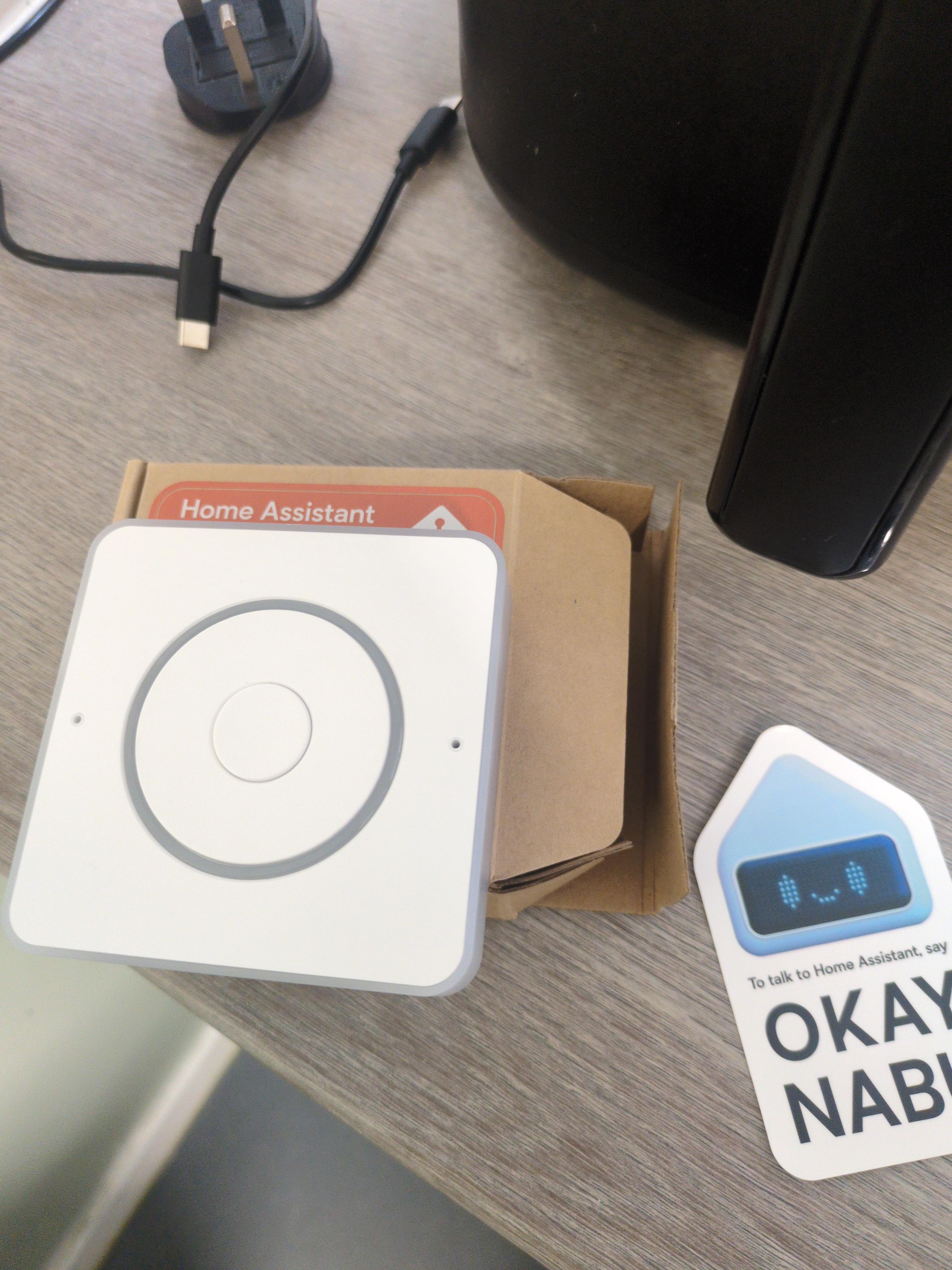
r/homeassistant • • 4d ago

✍️ Blog Community Day 2026: You knocked it out of the park!

Thumbnail
openhomefoundation.org
21 Upvotes

97 events. 35 countries. 2,712 smart home enthusiasts 💖

The turnout for our second annual Community Day – and the first to welcome ESPHome and Music Assistant communities alongside Home Assistant enthusiasts – blew us away. Thank you to every host, guest, and partner who made it happen!

Click link to read the full recap, dive into the stats, and get a sneak peek at what’s coming in 2027 🙌


r/homeassistant • • 4d ago

🤝 Works with Home Assistant Aeotec joins WWHA, I Interviewed them about Z-Wave Long Range

26 Upvotes

I was lucky enough to get an interview with Denis Pätz, President Europe of Aeotec, about their new Z-Wave Long Range sensors and joining the Works with Home Assistant programme: YouTube

What was really great to hear is that the new sensors improve range even with older Z-Wave coordinators. With a Long Range coordinator, range can be over a kilometre (about 0.6 miles) in open air, which means things like garden sheds can get sensors in them. Also, you can power the new sensors via USB-C, which saves having a drawer full of coin batteries!

My blog post

The official Home Assistant blog post

Disclosure: Aeotec are sending me some sensors for a future hands on review.


r/homeassistant • • 4h ago Bravo

🖼️ Show & Tell I turned a LiDAR scan of my house into a live 3D Home Assistant dashboard

Thumbnail
gallery
272 Upvotes

I'm not a developer, and I didn't find a suitable HA dashboard for me. I tried something different: a 3D model of my house that you can walk around in, showing live data. I built it entirely with Claude Code, started on Fable 5.2.

The process:

  1. Scan: an iPhone LiDAR scan of each floor with 3D Scanner App (free LiDAR mode, FBX export). (pic 1: raw scan)
  2. 3D: the AI rebuilt a clean model from the scan in Three.js (walls, doors, furniture). A slider lowers the walls for a "dollhouse" view.
  3. Live data: a small local Python server reads Home Assistant. The HA token stays server-side and everything is read-only.
  4. What it shows:

    - room temperatures

    - solar production and per-phase load

    - water heaters (Shelly)

    - alarm state

    - a clickable electrical panel showing each circuit.

  5. Interactive lights: tap a lamp on the map and it turns on or off for real (Hue, LED strips). Only whitelisted lights can be controlled; heaters and AC stay read-only.
  6. Alerts: a bell with pop-ups and a 30-day log (power cut, solar gateway offline, a window left open at night…).
  7. Bonus: the AI decoded my AC's infrared protocol, so HA drives the ACs through cheap IR blasters.

Time and cost: the first 3 days took about 11 hours of sessions. At API prices that would be about $190 of tokens (roughly half on Fable 5.2, the rest on Opus 5.5). I'm on a flat subscription, so I didn't actually pay that.

Everything runs locally on a Mac mini. Happy to answer questions!


r/homeassistant • • 1d ago Bravo Mindblown Heartwarming

🖼️ Show & Tell Because my drawers didn't have enough Zigbee

8.8k Upvotes

A week or so ago I finished building a dressing area in the bedroom. I was very pleased with it, but there was one problem: there simply wasn't enough Zigbee, electronics, complication or lighting involved. It had been a very carpentry-style project, so that had to change.

The result is the Drawer Illumination Subsystem, because turning on the main light is just too simple. Full write-up with the build, wiring and a playable demo of the effects: https://marcuslab.uk/projects/drawer-lights/

How it works:

  • 12 drawers, each with a wired door contact on the inside of the carcase
  • An addressable RGBW COB strip routed into the underside of the top
  • An ESP32-C6 running ESPHome as a Zigbee end device, on a custom PCB I designed
  • A Zigbee2MQTT external converter so HA sees the state of all 12 drawers

Open a drawer and only its column lights, sweeping out from the middle. It goes off a second after the last drawer in that column shuts.

What else it unlocked once it was in Home Assistant:

  • Dim red at night instead of white
  • An amber nudge if a drawer is left open
  • A 15-minute sunrise before my alarm, then birdsong from the bedroom Echo. Opening a drawer ends it
  • A drawer alarm, for reasons

The one thing that fought back: the C6 shares one radio between Wi-Fi and Zigbee, and Wi-Fi was hogging it so it would never join. Wi-Fi now stays off until it has joined.


r/homeassistant • • 5h ago

🖼️ Show & Tell Using Home Assistant for HVAC automation has been life-changing (in a small, but real, way)

Thumbnail
gallery
73 Upvotes

We live in Central Texas and from fall through spring we oscillate between needing heating and AC, sometimes on the same day.

And for all my decades in Texas (I'm 60+ now) one of my constant background tasks from fall through spring has been feathering my HVAC to keep the house comfortable. Every automated, scheduled, and 'smart' thermostat has one fatal flaw, from my perspective, which is that they require a 2 or 3 degree gap between the Heat and Cool set temperature.

Here in Central Texas the reality is that that translates in a 4 to 5 degree comfort swing, since you have to get 1 degree above/below the limit to trigger a mode switch.

I understand the need to not have the Heat and Cool functions fight each other, but it always irritated the eff out of me becausee I thought, well, if I can figure it out why can't they (meaning automated thermostats)?

I realize thermostat makers are probably limited by regulation to not create oscillation conditions, but I still thought, well, they should be able to code for that. But none of them have, and they all seem to focus on minimizing energy usage, but we're a family that focuses on maximizing comfort.

So for the last few months I've been working on a system to both keep our house comfortable but also not trigger heat/cool oscillation fighting with itself.

I've been waiting for the fall weather change and, so far, it's been working like a dream. We ramp down the temp at night for sleeping (year round) and ramp up the temp for living (year round).

All of us work/study/putter (I'm retired) from home all day, every day, so we don't have to account for the concept of the house being empty during the workday.

For reference, this is a very bespoke solution for our lifestyle and I understand many people focus primarily on energy-saving. Good for you, but while we try not to be profligate (hence me spending many hours making a system that doesn't fight with itself) we also try to be comfortable.

And now, for the first time in my adult life, I haven't touched the thermostat in weeks, and will, hopefully, never/rarely have to touch it again.

Edited to add a link to the repo: https://github.com/engineerboy/ha-swing-season-hvac


r/homeassistant • • 3h ago

📊 Dashboard I made Nothing-inspired dashboard cards for Home Assistant

Thumbnail
gallery
30 Upvotes

I got tired of my dashboard looking like every other one, so I spent the last few weeks redrawing it in the Nothing OS style. Hope it's useful to someone

It ended up as 13 cards covering most of what I use daily: lights, shutters, thermostat, media, weather, energy flow, stats, battery, clock and more. A few details I'm happy with:

  • The dot-matrix font is drawn as SVG, so it's pixel-identical on phone, tablet and wall panel
  • The energy flow dots move faster when you're pulling more power
  • Sliders and the thermostat dial respond instantly, without spamming service calls
  • Everything is configurable from the visual editor, no YAML needed (except for the Flow card)

It installs through HACS as a custom repository, in a single file with no dependencies.

GitHub: https://github.com/messtt/nothing-card
Try it in your browser: https://messtt.github.io/nothing-card/

This is v1, so tell me what breaks and which card you'd want me to make next.

I also made a matching theme: https://github.com/messtt/ha-theme-nothing


r/homeassistant • • 6h ago

🖼️ Show & Tell Byebye google hello Open Source

Post image
36 Upvotes

r/homeassistant • • 3h ago

💬 Discussion Learned my lesson. Just put HA in the same VLAN as your as IoT devices

18 Upvotes

After picking up a couple of the Ikea matter over thread devices and attempting to setup HA and get the devices added, I learned my lesson about trying to get IoT stuff working across VLANs on a Unifi network. Even with mdns, etc.

First of all, I was dumb and didn't think that Proxmox was VLAN aware and that it actually let's you deploy containers/VMs wherever you want. I could have done that from the start and just installed HA to the IoT VLAN.

I could have saved a lot of time playing with firewall rules and doing stuff like jumping back and forth between Wi-Fi SSIDs on my phone trying to get the devices added and then wondering why things aren't connecting.

Ikea documentation is also several lacking. I'm fairly tech literate but never bothered setting up smart home stuff outside of tplink products.

To anyone else reading this and trying to figure it out, just do multi admin and add the devices to your first ecosystem whether that be Homekit or Google Home, and then share them with HA. Makes things easier.

Now onto to figuring out automations....


r/homeassistant • • 1d ago

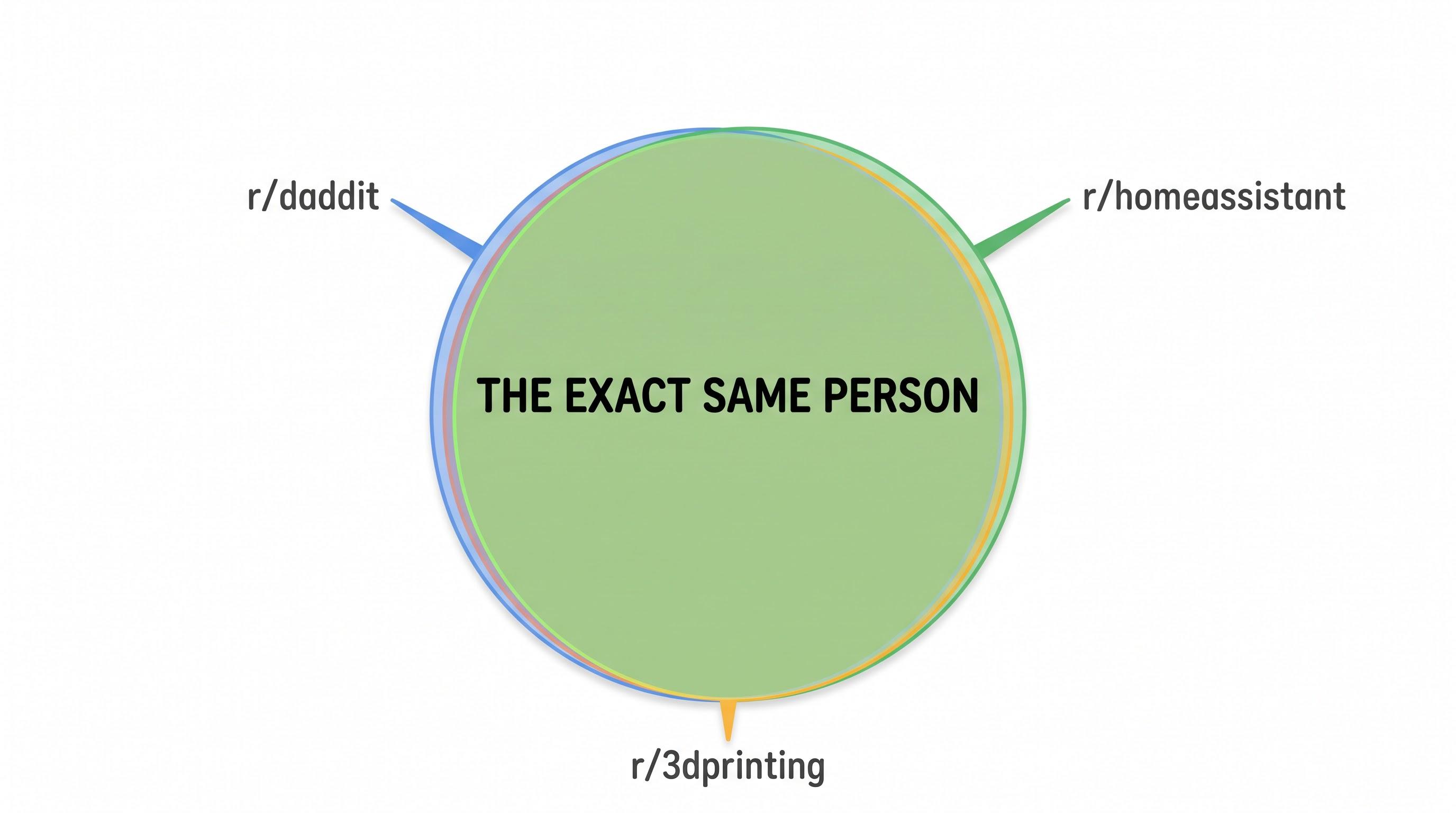
💬 Discussion Is it just me...

Post image
1.5k Upvotes

Or is this venn diagram basically a circle?


r/homeassistant • • 5h ago

📰 News Frigate 0.18.3 fixes unauthenticated root RCE in bundled nginx (CVE-2026-123007); affects 0.18.0-0.18.2

14 Upvotes

Frigate 0.18.3 is out (released Nov 19). It replaces the bundled nginx 1.27.4, which has HTTP/2 enabled and is vulnerable to CVE-2026-123007 ("NGINX2Root"). According to the project's advisory (GHSA-7822-v38f-8p44), every install on 0.18.0 through 0.18.2 is affected, and the project rates it Critical.

**Impact:** someone who isn't logged in can run code as the nginx worker, and Frigate's `nginx.conf` sets `user root;`. HTTP/2 is active on both port 5000 and port 8971. The advisory doesn't say whether an attacker could get from there to the host.

**Before updating:** back up `/config` (including `config.yml` and `frigate.db`). Version is shown at the top of System Metrics in the web UI.

**Docker:** stop the container, pull `ghcr.io/blakeblackshear/frigate:0.18.3` (or your variant, e.g. `0.18.3-tensorrt`), start it again. If you use `stable`, you still have to pull and restart.

**Home Assistant App:** I couldn't confirm whether the App repository offers 0.18.3 yet.

**Also in 0.18.3:** tighter go2rtc limits (ffmpeg and ngrok options, variable expansion in stream sources). The notes don't say whether these break existing configs, so after updating, check every camera that uses `exec:`, custom ffmpeg options, ngrok or env-var credentials.

**If you can't update today:** make sure ports 5000 and 8971 aren't reachable from the internet or untrusted devices. That reduces exposure but doesn't fix the bug, and I couldn't find an official workaround.

I found no reports of attacks on Frigate installs, but Qualys says working exploit code for the nginx bug is public.

Has anyone updated yet and seen go2rtc streams break?

Disclosure: I run SmarterHome.guru; longer write-up with sources: https://www.smarterhome.guru/story/frigate-0-18-3-patches-critical-nginx-flaw-no-login-code-execution-as-root-in-frigate


r/homeassistant • • 3h ago

💬 Discussion What lesser known brands have good/unique products?

7 Upvotes

It seems like most sensors are from the same three/four brands.

What do you have in your setup from other brands? Preferably things that are home assistant compatible without /gutting the case and swapping in a ESP32.

I have a TrampleTek mat from ASC that detects if someone steps on a certain spot. It works pretty well.


r/homeassistant • • 16h ago

💬 Discussion Omg this weekend I connected Antigravity to my HA, my Unifi network, and my Anker Solix X1

68 Upvotes

I had heard of people doing this with MCPs but it seemed daunting at first. Gemini walked me through getting it connected. My goodness it’s awesome.

I turned it loose on my HA setup. It fixed a bunch of broken things and cleaned up my setup, helped me ditch that stupid Hubspace app, helped me ditch Google Home by importing all my Nests direct in via matter and then coming up with routines and schedules in HA for heating and cooling the home. It then gave me all sorts of great new automations. Just plain English, tell it what you want, and it does it near instantly.

One silly example, but I had some basic routines I did myself which would announce over all the Alexa’s in the morning when each kid had to go out to the bus. Antigravity cleaned up some glitches in it and then also went out to my Gmail and the web to find each of their school schedules so that now if a particular kid has no school that day, it won’t play their announcement. A silly change but so much better and would have been a huge headache to do on my own.

Another one to take a snapshot from the Reolink camera when someone rings the bell and send it to our phones along with a quick AI text description of what’s in the image.

Another one that will do that at night if my cameras ever detect a person near the house between midnight and 5am, and will turn on all the outside lights at full brightness.

There are others.

I also turned it loose on my Unifi network. It made all kinds of fixes and channel reassignments and now it’s running better than ever.

Today I hooked it up to my Anker whole home battery backup system and brought that into HA for the first time. It gave me suggested changes to my TOU schedule and other fixes.

Just amazed what it can do. I now have it sending me a weekly report by email on all of these systems, with status and any fixes or suggestions it proposes.

Just really in awe and realizing the possibilities are endless. Very cool.


r/homeassistant • • 4h ago

💬 Discussion Building my first Home Assistant smart home — what should I consider before starting?

6 Upvotes

I'm moving into a new house next week and planning my first full Home Assistant deployment. I've been researching and purchasing equipment, but I'd appreciate some advice from people who've already been down this road.

The house:

  • Approximately 2,600 sq. ft. across two floors, plus a basement.
  • UniFi network with a 10Gbps core switch and two UniFi E7 access points.
  • Ethernet for fixed devices wherever practical (computers, printers, TVs, etc.).

Smart home equipment:

  • Home Assistant: Running as a VM on Proxmox.
  • Hubs: Two Aqara M3 hubs for Zigbee, Matter/Thread and Bluetooth.
  • Light switches: Planning to replace most, potentially all, with Aqara smart switches.
  • Lights and outlets: Mix of TP-Link/Kasa, Nanoleaf, Govee and Aqara.
  • Doorbell, locks and thermostat: Aqara.
  • Cameras: UniFi Protect and Wyze.
  • Voice control: Amazon Alexa.

Network design:

I'm segmenting the network using VLANs:

  • Home Assistant and Aqara hubs on a dedicated VLAN.
  • IoT devices on a separate VLAN, with a dedicated 2.4GHz Wi-Fi SSID.
  • Other devices separated as appropriate, with firewall rules controlling communication.

Network devices will receive static IPs or DHCP reservations where practical.

Initial setup and documentation:

My plan is to get the foundations right from the beginning rather than trying to clean things up later.

For each device, I intend to document:

  • Device name, model and physical location.
  • Connectivity (Wi-Fi, Ethernet, Zigbee, Thread, Matter, etc.).
  • Associated hub/controller.
  • IP address or DHCP reservation, where applicable.
  • Pairing codes/QR codes, stored securely.
  • Relevant configuration and integration details.

I'll also establish consistent naming conventions for devices, entities and areas before adding everything.

What I'm trying to achieve:

Ultimately, I want every light switch to be smart, with both Alexa and Home Assistant integration. Alexa will primarily handle voice commands, while Home Assistant will manage automations, scenes and more complex routines.

I would prefer local control wherever possible, minimizing reliance on cloud services. Reliability is a bigger priority than having every possible feature.

Questions for the community:

  1. What do you wish you'd done differently when you first set up Home Assistant?
  2. Are there any potential issues with my VLAN design, particularly around Matter/Thread, multicast discovery and the Aqara hubs?
  3. Would you recommend handling automations in Home Assistant exclusively, or allowing some to run directly through the Aqara hubs?
  4. Are there any best practices for naming, documentation, backups and long-term maintenance that I should adopt from day one?
  5. What should I consider regarding Zigbee/Thread coverage, channel selection and interference with the Wi-Fi network?
  6. Anything else I'm overlooking that could save me significant headaches down the road?

I'll be starting the installation next week. I'd rather spend a little more time planning now than spend the next six months undoing decisions I made in the first week.

Any suggestions, lessons learned or warnings would be appreciated!

Also, I considered going with Lutron for lighting, but I am thinking that the Aquara ecosystem with its multiple sensors and devices is just as risky as Lutron. With one exception Aquara has a migration path for replacing a controller, Lutron does not and Lutron uses a proprietary network interface. Both are privatly owned so it's possible one day either company may sell to someoen like TP Link, SE and cease to exist. I appreciate the feed back on a previous post but I'm willing to regret this decision later if need be ;)


r/homeassistant • • 8h ago

📊 Dashboard My Dashboard is a different philosophy

Post image
8 Upvotes

With 107 devices and over 500 entities these dash boards can get BUSY, I chose to go minimalist. So, of course with AI, I made all devices under the horizon, nothing shows up on the dash unless it's either on or in a fault condition. This screen says my alarm is armed in stay mode, all locks are locked, the deck lock fell off last night, the exterior lights are on and the thermostat is doing what it's supposed to do.

My house runs on all automations with manual control whenever you want, you can voice control about anything as well, I never use the dash really but I make it Central to my house control.... Internet slow,? check the dash to see if spectrum is down and if I'm on cellular failover. Anyway, I've been working on it a while and this is as minimal as I can get it.

Thanks for reading


r/homeassistant • • 1h ago

❓ Support Any suggestions for an alternative Schlage Z-Wave deadbolt?

2 Upvotes

Hi,

I’ve been using a Schlage Connect (BE469ZP) on Home Assistant for about a year and a half, but it recently died. The keypad was completely unresponsive and it stopped responding to Z-Wave commands.

I’ve gone through the ringer with Schlage’s warranty support. I finally got a replacement and that has stopped working reliably after just a few weeks. Basically, I've been without a working lock since mid-September.

Does anyone have recommendations for a solid, reliable Z-Wave deadbolt that works well with Home Assistant? I’m looking for something that is actually stable and doesn't have these kinds of failure issues.

Thank you.


r/homeassistant • • 1h ago

📊 Dashboard Extra large touchscreen options?

2 Upvotes

It’s Black Friday week, and I have some normal 11” tablets for kiosks but I’d like something much larger that’s touch screen but is still slim to fit on a wall near our kitchen and foyer. Usually I just find small tablets or fat touch screen tvs.


r/homeassistant • • 1d ago

🛠️ DIY / Hardware I reverse-engineered the 2.4 GHz remote of a no-name ceiling lamp so it works in Home Assistant (ESPHome, no SDR needed)

422 Upvotes

Our living room had two things I wanted in HA: Somfy curtains and a ceiling lamp. The curtains were easy thanks to an existing library. The lamp (a second-hand Lindby Velua) only came with a small 8-button 2.4 GHz remote. No app, no hub, no Zigbee, and I couldn't find anyone who had done it before.

So I cloned the remote with an ESP32-S3 and a CC2500 module. Short version:

  • Finding it: nRF24 in promiscuous mode. 2-FSK, 250 kbps, hopping on 2402/2448/2479 MHz.
  • The "rolling code": after logging 30 presses it was just an 8-state counter, and the lamp doesn't even check it.
  • The frustrating part: my packets matched the remote bit for bit, but the lamp only reacted about 1 time in 3.
  • The fix: with no SDR that reaches 2.4 GHz, I put the CC2500 in receive mode with no sync word to see the raw bits. That showed a preamble my packets were missing. Added it, and the lamp now reacts every time, even through walls.
  • The other buttons: each one is the on/off frame XOR a fixed value, so a few captures per button were enough.

In HA it's an ESPHome external component with a button per remote button, plus "hold" buttons for dimming and colour temperature. The lamp never transmits, so there's no state feedback. It shares a 3D-printed box with the ESP32 that runs the curtains.

Everything is on GitHub: ESPHome component, protocol notes, capture tools, the failed attempts, and the enclosure files. There's also a section on building a spare remote without HA.

https://github.com/HenrikBiscuit/lindby-velua-rf-bridge

If you have a lamp whose remote PCB says YM-2.4G-B, I'd love to know. It might be in other lamps too.


r/homeassistant • • 1d ago

🖼️ Show & Tell I made Claude reverse engineer my cheap Lidl kitchen appliance that runs on Android

Thumbnail
gallery
265 Upvotes

Because why not? This is Lidl's Monsieur Cuisine Connect, a cheap (and worse) alternative to Vorwerk's Thermomix.

The Android tablet it runs on communicates with the appliance itself using a serial connection. Getting root on the tablet gave me a way to access that serial port. When running a program started by Home Assistant it displays a warning on the display that it's being remote controlled and a big, red "STOP" button that acts as an emergency stop. Normal safety features like not being able to start with the lid open still apply.

While I was at it, I also added an overlay that shows the kitchen's current temperature, humidity and whatever's playing on the media players in that room. Because, again, why not?

The biggest fun fact though: I also found out why the device felt so awfully sluggish - three out of the SOC's four cores were disabled for some reason. It's running fine now.


r/homeassistant • • 8h ago

🖼️ Show & Tell I built a morning briefing with a local HA add-on: rules first, LLM only for sorting mail

Thumbnail
gallery
6 Upvotes

Every morning my phone gets one push from Home Assistant: work status, when I have to leave (live traffic), how many things need me today. Tapping it opens a full page in HA via Ingress.

What's on the page:

- Departure time for the commute (TomTom), red warning if there is a jam or closure on the usual route

- Weather from the HA weather entity, ice warning on commute days

- "Needs you": mails that cost me something if I ignore them until tomorrow, bills I have to pay manually, deadlines, overlapping appointments, appointments during work hours, birthdays

- Appointments found in mails that aren't in my calendar yet, one tap to add them

- Open to-dos, things coming up later (contract renewals), mails I sent that nobody answered

- "Already handled" and "left out", always with a reason, so nothing vanishes silently

How it's built:

- Python add-on on a Pi 5, standard library only

- Gmail and Calendar read-only via my own Google Cloud project; the only write permission is calendar.app.created (a calendar the add-on created itself, to remember what I marked as done)

- Rules first, LLM second: day status, bills, deadlines, payment confirmations, traffic and calendar logic are plain rules. Gemini Flash-Lite (free tier) only classifies new mails into fixed categories via a JSON schema. Each mail goes to Gemini once, results are cached. If Gemini is down, the brief still comes.

- Prompt injection: the model can only return schema values, hard rules override it, mails with instructions to an AI get flagged and moved to "left out" (third screenshot), and links only ever go to Gmail, Calendar or Maps

- Items stay on the list until they're actually done (I replied, archived, payment confirmation with the same invoice number arrived, or I tapped "done")

Screenshots are from a demo mode with made-up data. The UI is German.

Full disclosure: I'm not a developer. I defined the features and rules and use it daily; the code was written with Claude.

Code: https://github.com/Morgenbrief/ha-morgenbrief

Where I'd love input:

  1. Mail privacy: right now new mails go to Gemini's free tier, which means Google may use them to improve its products. Is a small local model on a Pi 5 good enough for "does this mail need action, and by when?", or is that wishful thinking?
  2. To-dos come from calendar entries that a separate nightly job writes, and "done" is detected by a ✓ in the title. Is there a cleaner pattern you use for a to-do source that HA can read?
  3. brief.py grew to about 2,000 lines feature by feature. If you looked at it, where would you cut it first?
  4. Anything you'd add to the prompt injection defenses?
  5. What would you want in a morning brief that this doesn't have?

r/homeassistant • • 17h ago

🤖 Automation Looks like zigbee vibration sensors are too sensitive, any suggestions?

29 Upvotes

Hi all, I mad a "star wars" or "death star" wall with govee strip leds and mylar sheets. I've been mounting and displaying my lightsaber collection on and around it as you can see in the video. I bought cheap zigbee vibration sensors and was hoping I could automate where I pick one saber up, the wall changes color and the character theme plays. Individually, it works *fantastic*. Feels like I'm using the force!

The problem is the wall is "crowded" such that all the vibration sensors trigger and either the automations play over each other or it fails altogether.

I tried dialing the sensitivies in zigbee2mqtt a bit and both open code and myself are having little luck getting them to all play nice.

Anyone have any alternative hardware solutions or ideas on how to make this work?


r/homeassistant • • 6h ago

💬 Discussion Physical alarm clock

4 Upvotes

I'm noticing lately that I sleep way better when leaving the phone outside of the bedroom.
However I used to control my alarm every day with my phone.
Currently I'm doing this via my smartwatch but I want a alarm clock.

Therefore I would love something that is not too expensive ideally less than 50 euros and if possible can be connected to home assistant to trigger morning routines based on the alarm.
I like the look of the Xiaomi Smart Clock, but I am not sure if it is still up to date?
The Ulanzi TC002 looks cool but is too expensive for me.
And the Vobot Dock Mini looks pretty as well but can't really find it on the european market?

Want I want is off course a display that tells the time.
And functionalities to set an alarm and play and audio alarm

Do you have any other recommendations?


r/homeassistant • • 3h ago

📊 Dashboard HA Dashboard

Post image
2 Upvotes

r/homeassistant • • 11h ago

💬 Discussion IMOU cameras: serious privacy concern + a call for an open-source firmware alternative

9 Upvotes

Hi everyone,

I would like to share an experience I recently had with an IMOU camera, which raised serious concerns about privacy and cloud security.

First, what happened.

Back in December 2024, I purchased an IMOU camera on Amazon. I tested it, wasn't satisfied with it, and returned it.

Recently, I purchased another second-hand IMOU camera for just a few euros. I reinstalled the IMOU Life app and logged back into my original account.

To my surprise, I found the old camera I had returned still listed in my account!

Even worse, I could access its live video feed and see someone else's garden.

I immediately removed the camera from my account.

The real issue:

The same camera, identified by its unique device ID, appeared to be accessible from two different user accounts.

In my opinion, a unique device ID should never be accessible through two separate accounts without an explicit ownership transfer.

This raises serious questions about IMOU's cloud security and, above all, the privacy of its customers.

Second, and this is where I would really appreciate the Home Assistant community's help.

I would like to completely get rid of the proprietary IMOU cloud and firmware, while continuing to use the hardware I have already purchased.

These cameras often have decent hardware, sensors, motors, night vision and other useful features. It seems a shame to be forced to rely on a proprietary cloud ecosystem to use them.

I know about projects like OpenIPC, but I would like to understand whether IMOU cameras can be fully supported.

My questions to the community:

Is there any existing alternative firmware that can completely replace the original IMOU firmware?

Has anyone successfully installed OpenIPC or another open-source firmware on an IMOU camera?

Is it possible to unlock the hardware and use all its features locally, without any connection to IMOU servers?

Could we develop a dedicated open-source firmware project for these cameras?

If no suitable firmware currently exists, I would like to encourage developers and people with the necessary reverse-engineering and embedded Linux skills to consider starting such a project.

My goal is simple: own the hardware, control the hardware, and keep everything local.

A security camera should not force its owner to depend on a manufacturer's cloud.

I'm sharing this experience because I believe privacy, local control and open-source development should be fundamental aspects of the smart home ecosystem.

Has anyone investigated IMOU hardware at firmware level? I would really appreciate any experience, technical advice or collaboration.

Thanks!


r/homeassistant • • 3h ago

🎴 Custom Card Yet Another Wrapped: Home Assistant Unwrapped

Thumbnail
gallery
2 Upvotes

Every app, platform and their mother has a Wrapped/year-in-review feature. But the one thing you really care about–your Home Assistant–doesn't. That's why I created this custom card: https://github.com/elcaptain/ha-wrapped-card

Disclaimer: it's 100% vibe-coded and just for fun. That's why it's a custom repository and not in Marketplace.

Basically this custom card gives you story-like slides with statistics and insights about your smart home in 2026.

Add the card via Add to Dashboard > By card > Home Assistant Unwrapped or YAML type: custom:ha-wrapped-card. By default the card only is visible 01.12.–21.01., but you can change that (see readme.md).

I could not test the card on many different instances, so I'm not sure if it works for everyone. Any feedback is welcome.