r/pchelp • • May 11 '26

7th Anniversary of PCHH

Thumbnail reddit.com
4 Upvotes

r/pchelp • • Dec 15 '19

Perform these steps before posting about POST/boot/no video problems!

199 Upvotes

Link to original list from tom’sHARDWARE with pictures

"No POST", "system won't boot", and "no video output" troubleshooting checklist

This checklist is a compilation of troubleshooting ideas from many forum members. It's very important to actually perform every step in the checklist if you want to effectively troubleshoot your problem.

  • 1.Did you carefully read the motherboard owners manual?
  • 2.Did you plug in the 4/8-pin CPU power connector located near the CPU socket? If the motherboard has 8 pins and your PSU only has 4 pins, you can use the 4-pin connector. The 4-pin connector USUALLY goes on the 4 pins located closest to the CPU. If the motherboard has an 8-pin connector with a cover over 4 pins, you can remove the cover and use an 8-pin plug if your power supply has one. This power connector provides power to the CPU. Your system has no chance of posting without this connector plugged in! Check your motherboard owners manual for more information about the CPU power connector. The CPU power connector is usually referred to as the "12v ATX" connector in the owner's manual. This is easily the most common new-builder mistake.
  • 3.Did you install the standoffs under the motherboard? Did you place them so they all align with the screw holes in the motherboard, with no extra standoffs touching the board in the wrong place? A standoff installed in the wrong place can cause a short and prevent the system from booting.
  • 4.Did you verify that the video card is fully seated? (may require more force than a new builder expects.)
  • 5.Did you attach ALL the required power connector(s) to the video card? (some need two, some need none, many need one.) It is best to use cables connected directly to the PSU. Only use adapters if absolutely necessary.
  • 6.Have you tried booting with just one stick of RAM installed? (Try each stick of RAM individually in each RAM slot.) If you can get the system to boot with a single stick of RAM, you should enable an XMP profile or manually set the RAM speed, timings, and voltage to the manufacturer's specs in the BIOS before attempting to boot with all sticks of RAM installed. If your motherboard supports XMP profiles, that is the best way to get your RAM running at its rated specs. Nearly all motherboards default to the standard RAM voltage (1.8v for DDR2, 1.5v for DDR3, & 1.2v for DDR4). If your RAM is rated to run at a voltage higher than the standard voltage, the motherboard will underclock the RAM for compatibility reasons. If you want the system to be stable and to run the RAM at its rated specs, you should either enable an XMP profile or manually set the values in the BIOS. Many boards don't supply the RAM with enough voltage when using "auto" settings which causes stability issues.
  • 7.Did you verify that all memory modules are fully inserted? (may require more force than a new builder expects.) It's a good idea to install the RAM on the motherboard before it's in the case.
  • 8.Did you verify in the owners manual that you're using the correct RAM slots? The following image is just an example. Verify in the owners manual the recommended RAM slots to use for single, dual, triple, or quad channel applications. This will vary depending on motherboard manufacturer, number of supported RAM channels, and how many sticks of RAM are being used.
  • 9.Did you remove the plastic guard over the CPU socket? (this actually comes up occasionally.)
  • 10.Did you install the CPU correctly? There will be an arrow on the CPU that needs to line up with an arrow on the motherboard CPU socket. There may also be a notch that will only line up in one direction. Be sure to pay special attention to that section of the manual!
  • 11.Are there any bent pins on the motherboard/CPU? This especially applies if you tried to install the CPU with the plastic cover on or with the CPU facing the wrong direction.
  • 12. If using an after market CPU cooler, did you get any thermal paste on the motherboard, CPU socket, or CPU pins? Did you use the smallest amount you could?
  • 13.Is the CPU fan plugged in? Some motherboards will not boot without detecting that the CPU fan is plugged in to prevent burning up the CPU.
  • 14. If using a stock cooler, was the thermal material on the base of the cooler free of foreign material, and did you remove any protective covering? If the stock cooler has push-pins, did you ensure that all four pins snapped securely into place? The easiest way to install the push-pins is outside the case sitting on a non-conductive surface like the motherboard box. Read the instructions! The push-pins have to be turned the OPPOSITE direction as the arrows for installation. This means with the arrow pointing away from the heatsink.
  • 15. Are any loose screws laying on the motherboard, or jammed against it? Are there any wires running directly under the motherboard? You should not run wires under the motherboard since the soldered wires on the underside of the motherboard can cut into the insulation on the wires and cause a short. Some cases have space to run wires on the back side of the motherboard tray.
  • 16. Did you ensure you discharged all static electricity before touching any of your components? Computer components are very sensitive to static electricity. It takes much less voltage than you can see or feel to damage components. You should implement some best practices to reduce the probability of damaging components. These practices should include either wearing an anti-static wrist strap or always touching a metal part of the case with the power supply installed and plugged in, but NOT turned on. You should avoid building or working on a computer on carpet. Working on a smooth surface is the best if at all possible. You should also keep fluffy the cat, children, and Fido away from computer components.
  • 17. Did you check the debug LEDs, Q-code display, or install the system speaker (if provided) so you can check codes in the manual? Most modern motherboards come with debug LEDs or a Q-code display. A system speaker is NOT the same as normal speakers that plug into the back of the motherboard. A system speaker plugs into a header on the motherboard that's usually located near the front panel connectors. Debug LEDs, Q-code displays, or a system speaker are critical components when trying to troubleshoot system problems. You are flying blind without them. The motherboard owner's manual will have a list of codes you can reference. If your case or motherboard didn't come with debug LEDs, a Q-code display, or system speaker you can buy a system speaker for cheap here: http://www.cwc-group.com/casp.html
  • 18. Did you read the instructions in the manual on how to properly connect the front panel plugs? (Power switch, power led, reset switch, HD activity led) Polarity does not matter with the power and reset switches. If power or drive activity LED's do not come on, reverse the connections. For troubleshooting purposes, disconnect the reset switch. If it's shorted, the machine either will not POST at all, or it will endlessly reboot.
  • 19. Did you turn on the power supply switch located on the back of the PSU? The switch should be depressed on the side with an I, the O means off. Is the power plug on a switch? If it is, is the switch turned on? Is there a GFI circuit on the plug-in? If there is, make sure it isn't tripped. You should also make sure the power cord isn't causing the problem. Try swapping it for a known good cord if you have one available.
  • 20. Is your CPU supported by the BIOS revision installed on your motherboard? Most motherboards will post a CPU compatibility list on their website.
  • 21. Have you tried resetting the CMOS? The motherboard manual will have instructions for your particular board. User Darkbreeze also provided the following:

BIOS Hard reset procedure

Power off the unit, switch the PSU off and unplug the PSU cord from either the wall or the power supply.

Remove the motherboard CMOS battery for five minutes. In some cases, it may be necessary to remove the graphics card to access the CMOS battery.

During that five minutes, press the power button on the case for 30 seconds. After the five minutes are up, reinstall the CMOS battery making sure to insert it with the correct side up just as it came out.

If you had to remove the graphics card you can now reinstall it, but remember to reconnect your power cables if there were any attached to it as well as your display cable.

Now, plug the power supply cable back in, switch the PSU back on and power up the system. It should display the POST screen and the options to enter CMOS/BIOS setup. Enter the bios setup program and reconfigure the boot settings for either the Windows boot manager or for legacy systems, the drive your OS is installed on if necessary.

Save settings and exit. If the system will POST and boot then you can move forward from there including going back into the bios and configuring any other custom settings you may need to configure such as Memory XMP profile settings, custom fan profile settings or other specific settings you may have previously had configured that were wiped out by resetting the CMOS.

In some cases it may be necessary when you go into the BIOS after a reset, to load the Optimal default or Default values and then save settings, to actually get the hardware tables to reset.

http://www.spotht.com/2010/02/reset-bios-clear-cmos.html

  • 22. If you have integrated video and a video card, try the integrated video port. Resetting the bios, can make it default back to the onboard video. If you are trying to use HDMI outputs, try using DVI or VGA instead. Sometimes, the HDMI ports won't work until the correct drivers are installed.
  • 23. Make certain all cables and components including RAM and expansion cards are tight within their sockets.

I also wanted to add some suggestions that jsc often posts. This is a direct quote from him:

"Pull everything except the CPU and HSF. Boot. You should hear a series of long single beeps indicating memory problems. Silence here indicates, in probable order, a bad PSU, motherboard, or CPU - or a bad installation where something is shorting and shutting down the PSU.

To eliminate the possibility of a bad installation where something is shorting and shutting down the PSU, you will need to pull the motherboard out of the case and reassemble the components on an insulated surface. This is called "breadboarding" - from the 1920's home-brew radio days. I always breadboard a new or recycled build. It lets me test components before I go through the trouble of installing them in a case.

If you get the long beeps, add a stick of RAM. Boot. The beep pattern should change to one long and two or three short beeps. Silence indicates that the RAM is shorting out the PSU (very rare). Long single beeps indicates that the BIOS does not recognize the presence of the RAM.

If you get the one long and two or three short beeps, test the rest of the RAM. If good, install the video card and any needed power cables and plug in the monitor. If the video card is good, the system should successfully POST (one short beep, usually) and you will see the boot screen and messages.

Note - an inadequate PSU will cause a failure here or any step later.

Note - you do not need drives or a keyboard to successfully POST (generally a single short beep).

If you successfully POST, start plugging in the rest of the components, one at a time."

If you suspect the PSU is causing your problems, below are some suggestions by jsc for troubleshooting the PSU. Proceed with caution. I will not be held responsible if you get shocked or fry components.

"The best way to check the PSU is to swap it with a known good PSU of similar capacity. Brand new, out of the box, untested does not count as a known good PSU. PSU's, like all components, can be DOA.

Next best thing is to get (or borrow) a digital multimeter and check the PSU.

Yellow wires should be 12 volts. Red wires: +5 volts, orange wires: +3.3 volts, blue wire : -12 volts, violet wire: 5 volts always on. Tolerances are +/- 5% except for the -12 volts which is +/- 10%.

The gray wire is really important. It should go from 0 to +5 volts when you turn the PSU on with the case switch. CPU needs this signal to boot.

You can turn on the PSU by completely disconnecting the PSU and using a paperclip or jumper wire to short the green wire to one of the neighboring black wires.

View: http://www.youtube.com/watch?v=5FWXgQSokF4&feature=youtube_gdata

This checks the PSU under no load conditions, so it is not completely reliable. But if it can not pass this, it is dead. Then repeat the checks with the PSU plugged into the computer to put a load on the PSU. You can carefully probe the pins from the back of the main power connector."


r/pchelp • • 5h ago

PERFORMANCE I have 8GB yet I feel like I only have 4GB at all times.

Post image
12 Upvotes

My CPU and RAM usage are always spiking for some reason, and my RAM, even when nothing is open, sits around 50%~ all the time. What's the point of having 8GB if I feel like I can only count with 3~4GB all the time??

Is there a way to optimize this? I'm genuinely considering switching to Linux for this shit, Windows also is eating like 50% of my SSD (256GB). I know my laptop isn't the holy glail of gaming, not even by a long shot, but Jesus Christ WHY CAN'T YOU BE NORMAL???


r/pchelp • • 9h ago

HARDWARE Parents are coming in 2 hours.

Post image
18 Upvotes

My PC suddenly show this what to do I am so nervous and my parents are coming in 2 hours what to do.

Please guide me. 🥺


r/pchelp • • 2h ago

HARDWARE PC Stopped Detecting All External Hard Drives

4 Upvotes

All of a sudden any USB external drives I have stopped showing up anywhere on my PC, including thumb drives. Internal drives still work plus mouse, keyboard, mic plus my PS5 controller. Tried unplugging those and putting the external drives in those slots and still didn't work.

Could this be a PSU or Mobo issue?


r/pchelp • • 1h ago

HARDWARE Pc turning on but no display

3 Upvotes

RTX 3060 returned from RMA today, but my PC still has no display
So after almost a month, I finally got my Gigabyte RTX 3060 Windforce OC 12GB back from RMA today. The card was sent to the service centre because my PC was turning on but giving no display.

However, after installing the GPU back into my PC today, I’m still facing the exact same issue. The PC turns on, the fans spin, but there’s absolutely no display.
I’ve tried checking the connections, but the issue still persists.
My PC specs:

  • GPU: Gigabyte RTX 3060 Windforce OC 12GB
  • CPU: Ryzen 5 5600X
  • Motherboard : Asrock b550m hdv
  • Tforce VulcanZ 16gb dd4
  • Gigabyte 650w psu

I’m honestly confused and frustrated at this point, especially after waiting almost a month for the RMA.
Could the GPU still be faulty, or could this potentially be another component causing the issue? What should I check next?
Any help would be appreciated.


r/pchelp • • 30m ago

HARDWARE Best AGP/PCI GPU for a Pentium 4 retro build under £35? (No PCIe)

2 Upvotes

Important: my motherboard only has AGP and PCI slots. It does NOT have PCI Express, so please only suggest AGP or PCI cards.

I'm looking for a graphics card for an old PC and have about £35 to spend.

Specs:

• CPU: Intel Pentium 4 (SL8J9)

• RAM: 1GB DDR400 (Gigabyte)

• Slots: AGP and PCI only (NO PCIe)

Games I want to play: Hitman: Codename 47, Tomb Raider, Doom 3, American McGee's Alice, GTA San Andreas

I've been considering a Voodoo card, but I'm open to anything. Any recommendations?


r/pchelp • • 43m ago

HARDWARE What is this port ?

Post image
2 Upvotes

I got a Acer Aspire V3 771G (from 2012) and I was wondering what is this port ?


r/pchelp • • 44m ago

OPEN monitors reboot constantly

2 Upvotes

this happens often whenever i turn on my system and stays stuck like that for a while until it either fixes itself which usually doesnt happen or i force shut it off which is also a hassle because my physical power button is somewhat broken so it only works sometimes. also my monitor on the left sometimes is the only one that turns on but turns on sideways while my main one stays off.


r/pchelp • • 3h ago

HARDWARE New build power on but no signal

3 Upvotes

Bought a 13500t + z690p bundle and made a build around it. I'm just using the onboard HDMI output as it's for a server. The fans spin up and case led has no errors but I get no video output from the HDMI. My TV even detects the input as active but no go when I select into it.

I've tried reseating the CPU, used just one stick of memory, but nothing has worked so far. The previous owner was using these together so it can't be that the bios hasn't been updated. Any help would be very appreciated.


r/pchelp • • 58m ago

OPEN Repeated WHEA_UNCORRECTABLE ERROR trying to boot up PC

2 Upvotes

I’m looking at a laptop my sibling used to use two years ago and after booting it up, I’ve run into a couple problems: 

What happens: Either on startup or getting past the Lenovo logo, a blue screen appears with the code: WHEA_UNCORRECTABLE ERROR I’ve searched online on how to fix this and most say to do something that requires the laptop to be past the startup sequence.

Occasionally, it’ll bring me to a separate screen saying how Windows couldn’t start properly and give me several options on what to do including retrying, looking at settings, or exiting. I attempted to boot up in safe mode as several articles recommended with no luck.

I’m currently trying the emergency pinhole to see if that fixes anything but I have high doubts it will work. Any help on this this greatly appreciated 


r/pchelp • • 59m ago

OPEN Can’t boot past this Gigabyte screen, randomly. 9700x, 9070xt, 1 year old.

Thumbnail gallery
2 Upvotes

Safe Mode works consistently.
SFC found corruption it couldn’t repair.
DISM repair hasn’t succeeded, because the installation media is older than my Windows build. (26100vs26300). Attempting to use UUP for a newer ISO only installed another 26100 ISO.

“Image Version: 10.0.26300.9974 Error: 0x800f0915 The repair content could not be found anywhere. Check the internet connectivity or use the "Source" option to specify the location of the files that are required to restore the image.”

Removing Vanguard (installed <24hrs of critical error), 1 and 2-day-old point restoring Windows, disabling third-party services, both rolling back and disabling AMD 9070XT drivers, haven’t fixed it.
My NVMe is detected and reports basic status OK.
There’s the odd graphics-related WATCHDOG events, but no sign of GPU hardware failure, and no real critical reports tied to the failed boots.

Truly at a loss for what to do, would prefer to repair windows if I could, but can’t seem to get a handle on this version conflict to give DISM repair a try.


r/pchelp • • 7h ago

HARDWARE PC won't turn on

6 Upvotes

(sorry for any grammar mistakes)

My 5-6 yo PC turned off while I was playing, now it wont turn on again
I opened it up and cleaned with a paintbrush (I keep separately from the ones I use for coloring), and a cold hair dryer
I cleaned every component i could remove by hand, the GPU (GTX 1650), both RAMs (8gb DDR4), removed the battery coin from my motherboard to try resetting the BIOS, and cleaned my CPU (i5 7th) fan, as me and my brother didnt find the paste we had, I didnt want to lift the CPU without it
I tested my PSU with a metal pin and the fan started spinning as it should (or so I'm told). Swapped and tried with each RAM unit and socket, even tried using only the mother board (h110m-s2ph) graphics. The fans work and the motherboard lights turn on, but it shuts down after 3-6 seconds

It could be easier to take it somewhere, but I'm trying to learn more about it and I don't have the money to spare right now


r/pchelp • • 5h ago

Discussion My pc freezes

Thumbnail gallery
4 Upvotes

My pc freezes after 20 seconds when I click the play button on riot games (specifically valorant). I already ran some test for my cpu ang gpu but i dont know what it meant. My mother board is Gigabyte GA-A320M-H. After some time i got a blue screen after repeatedly doing it. How can i fix this.


r/pchelp • • 2h ago

OPEN PC takes forever to turn on

2 Upvotes

Hi everyone, my PC takes about 8 minutes to start up, while at the beginning, that is, the first few days after installing tiny11 (debloated Windows 11), it started up in just a few seconds. What can I do? Yes, I have a HDD and not an SSD, but it still started out really fast when booting into the OS. Any advice? thx


r/pchelp • • 2h ago

SOFTWARE [Fix] Black screen + glitchy artifacts ONLY in Chrome on high refresh monitor (180Hz) – RTX 4060 – caused by MPO

2 Upvotes

Posting this because I spent way too long on it and couldn't find a clear answer.

The problem: Whenever I opened Chrome (windowed or fullscreen) on my main monitor, the screen showed weird glitchy/corrupted patterns for a split second and then went completely black (backlight still on, no "No Signal" message). After a few seconds the image came back, then glitched and went black again. Every other app was fine, and Firefox worked perfectly.

My setup:

RTX 4060, latest NVIDIA driver Windows 11 2 monitors: 1080p 180Hz (DisplayPort) + 1080p 60Hz (HDMI) What did NOT fix it:

Turning off Chrome hardware acceleration Resetting chrome://flags Disabling G-SYNC / FreeSync Changing NVIDIA power management mode Removing a GPU overclock in MSI Afterburner Restarting the graphics driver (Win+Ctrl+Shift+B), screen stayed black Clues that pointed to the real cause:

A screenshot taken while the monitor was black showed Chrome rendered perfectly, so the PC was producing a correct image No driver crash/TDR in Event Viewer At 144Hz everything worked, at 180Hz it broke Firefox was fine, Chrome wasn't The cause: MPO (Multiplane Overlay) Chrome uses Windows' Multiplane Overlay feature, which is known to cause flickering/black screens on NVIDIA cards, especially with high refresh rates and mixed-refresh-rate multi-monitor setups.

The fix (disable MPO):

Create a system restore point first Press Win+R, type regedit, and run it as admin Go to HKEY_LOCAL_MACHINE\SOFTWARE\Microsoft\Windows\Dwm Right-click → New → DWORD (32-bit) Value → name it OverlayTestMode Set the value to 5 Restart your PC After that, Chrome works perfectly at 180Hz, with hardware acceleration and G-SYNC back on. To undo it, just delete the OverlayTestMode value and restart.

Note: some people report that newer Windows builds ignore this value, but it worked for me on Windows 11. NVIDIA also has an official support article about disabling MPO if you want their version.

Hope this saves someone a few hours!


r/pchelp • • 2h ago

Discussion Is this a lot of write cycles?

Post image
2 Upvotes

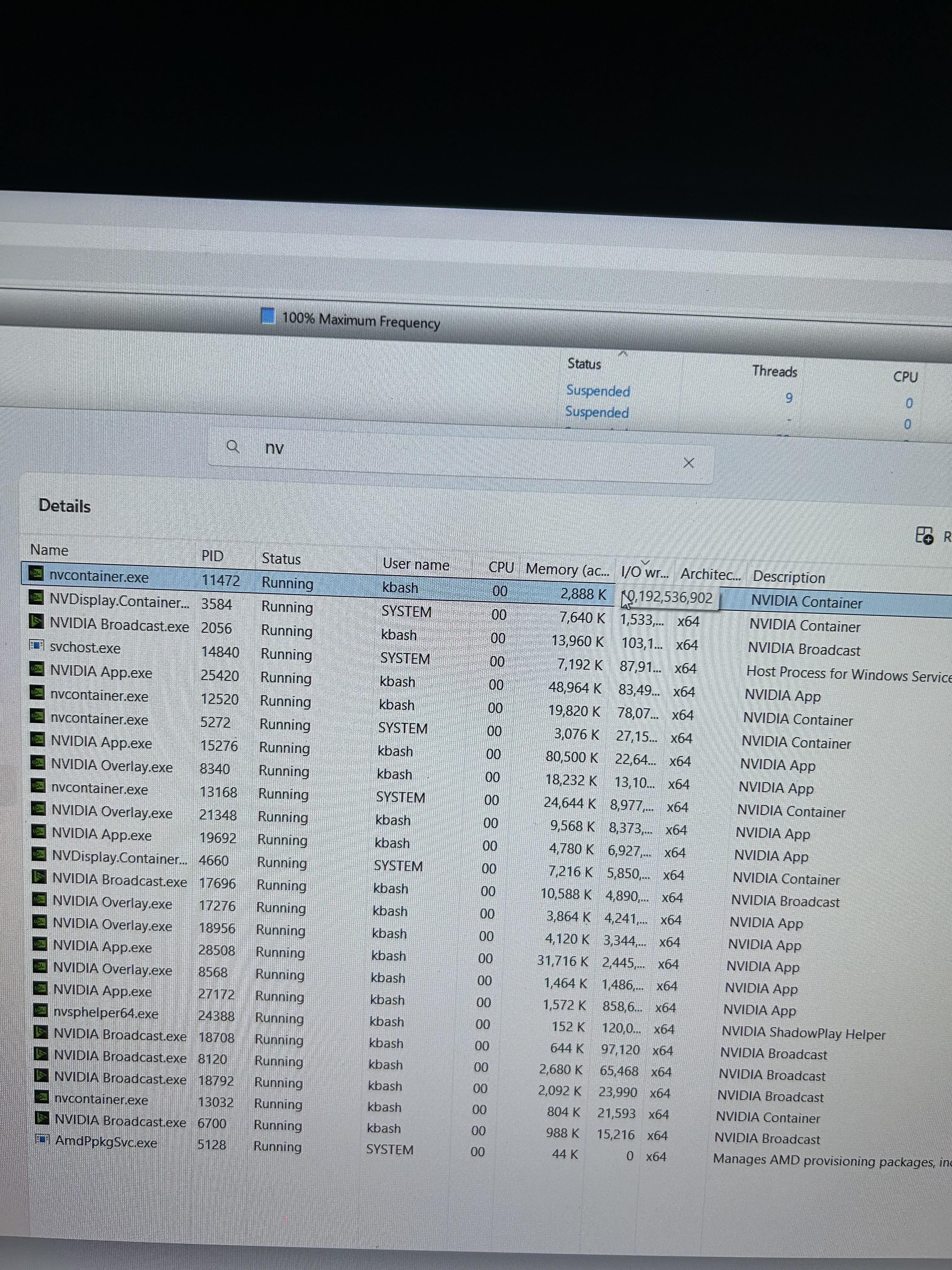
I read about the bug that was plaguing the last couple Nvidia drivers and I went to check and see if I had it and it says I have over 10 billion write cycles. Is that bad?

And for the ones that whine about photos not being a screenshot, Yes I took a pic with my phone. Get over it.


r/pchelp • • 3h ago

Network Download speed inexplicably slow

2 Upvotes

Hi everyone, I'm writing here because the situation is unsustainable.

For the last couple months the download speed on my laptop has been abysmal, I'm talking about ranges from 2MB/s to 100kB/s, but with every speedtest site i get about 250-300 Mb/s download speed. And I get this low speeds everytime, on Steam and other platforms, I tried different browsers and different fileholster sites and nothing changes, both on the internal harddrive and external SSDs. Other devices have no problems downloading on the same connection. I tried connecting to different Wi-Fi connections but nothing changes, even though other devices work properly on these connections. Changed DNS multiple times and nothing changes. The only thing I haven't tried is connecting directly to the router (optical fiber) with an ethernet cable because the router is in a different room from where I have my laptop.

I have to say that my laptop is quite old so I guess the cause of the problem could be a faulty Wi-Fi card, but is there some other troubleshooting I could do before having to accept that it's an hardware problem? What other causes could there be? Thanks


r/pchelp • • 3h ago

OPEN Driver issue or...?

Post image
2 Upvotes

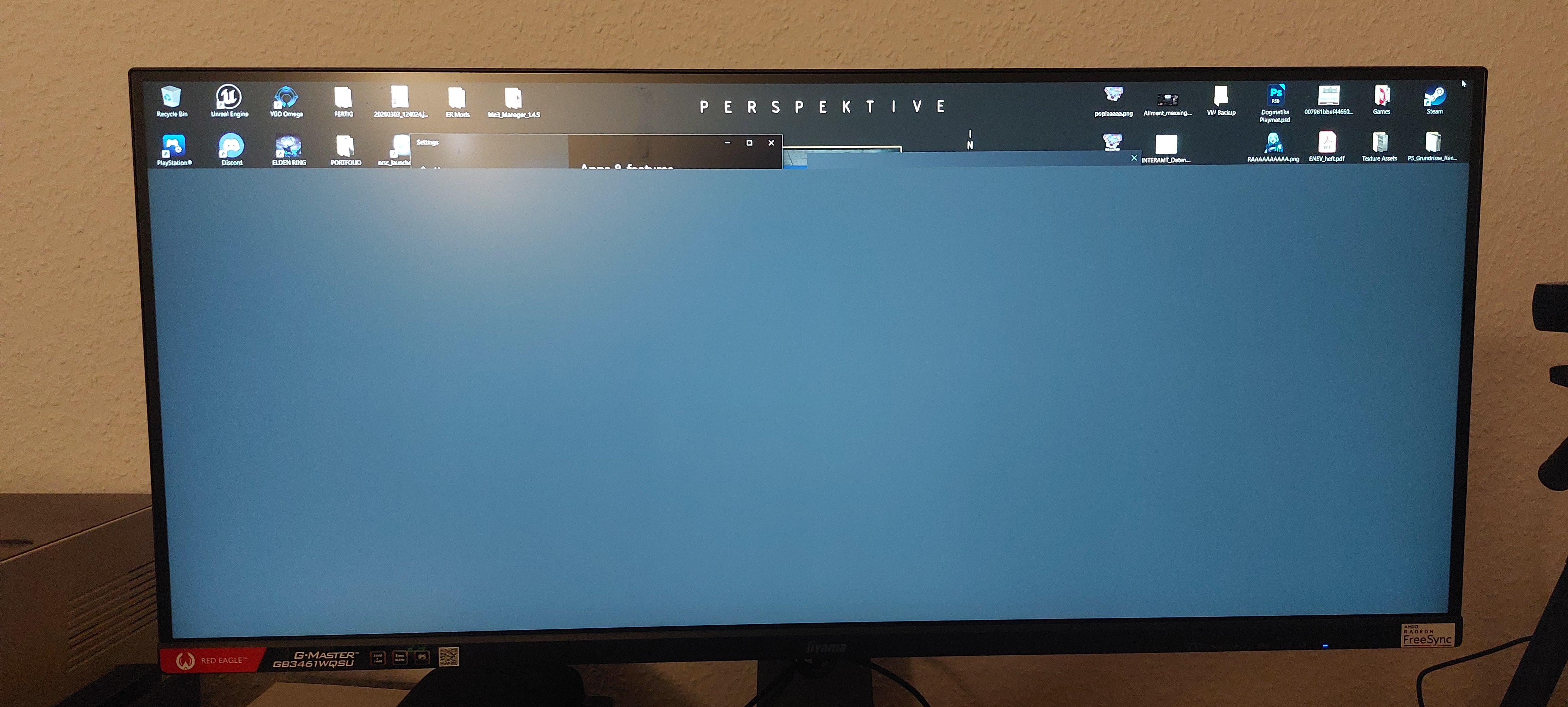
Over the course of the year I have been getting these wierd glitches when multitasking and opening chrome and/or photoshop while being in a discord voicechat.

This usually flickers between normal screen and the state in the picture

Also had a bluescreen once about two months ago that looked like a driver failiure (pic2) (this happened twice so far within the last two years). The PC is (apart from the 6700xt) roughly 10 years old. Apart from the crashes there are minor stuttering issues in some games.

Driver issue or am I cooked?


r/pchelp • • 3h ago

PERFORMANCE Need some advice. This red grainy graphics appears when I’m playing some games. Any idea on how to fix?

Post image
2 Upvotes

r/pchelp • • 5h ago

HARDWARE PC making weird sound

3 Upvotes

My pc has been making this weird sound whenever my GPU fans turns on. It sometimes will get a little quieter after a few seconds, but it never fully stops.
I have tightened screws, checked if cables were loose and no cables are touching fans. Nothing has worked and I do not know what to do

This only happens when the gpu fans turn on. Everything else sounds completely fine and is nice and quiet when the GPU fans are off.

It’s actually insanely annoying so I would really appreciate some help!


r/pchelp • • 9m ago

HARDWARE Fan sound identification

1 Upvotes

Hello, I just recently changed the bottom 3 fans on my PC to Corsair iCUE Link LX120-R fans so they match with all my others but suddenly I've been hearing a weird sound which sounds like grinding of a cable against a fan at specific RPMs (1000 and above). It is periodic where instead of being constant it happens, fades out and happens again. No cables are touching any fans (I inspected every fan). What could be the issue here?


r/pchelp • • 10m ago

PERFORMANCE A 1000 pages on my website

Post image
1 Upvotes

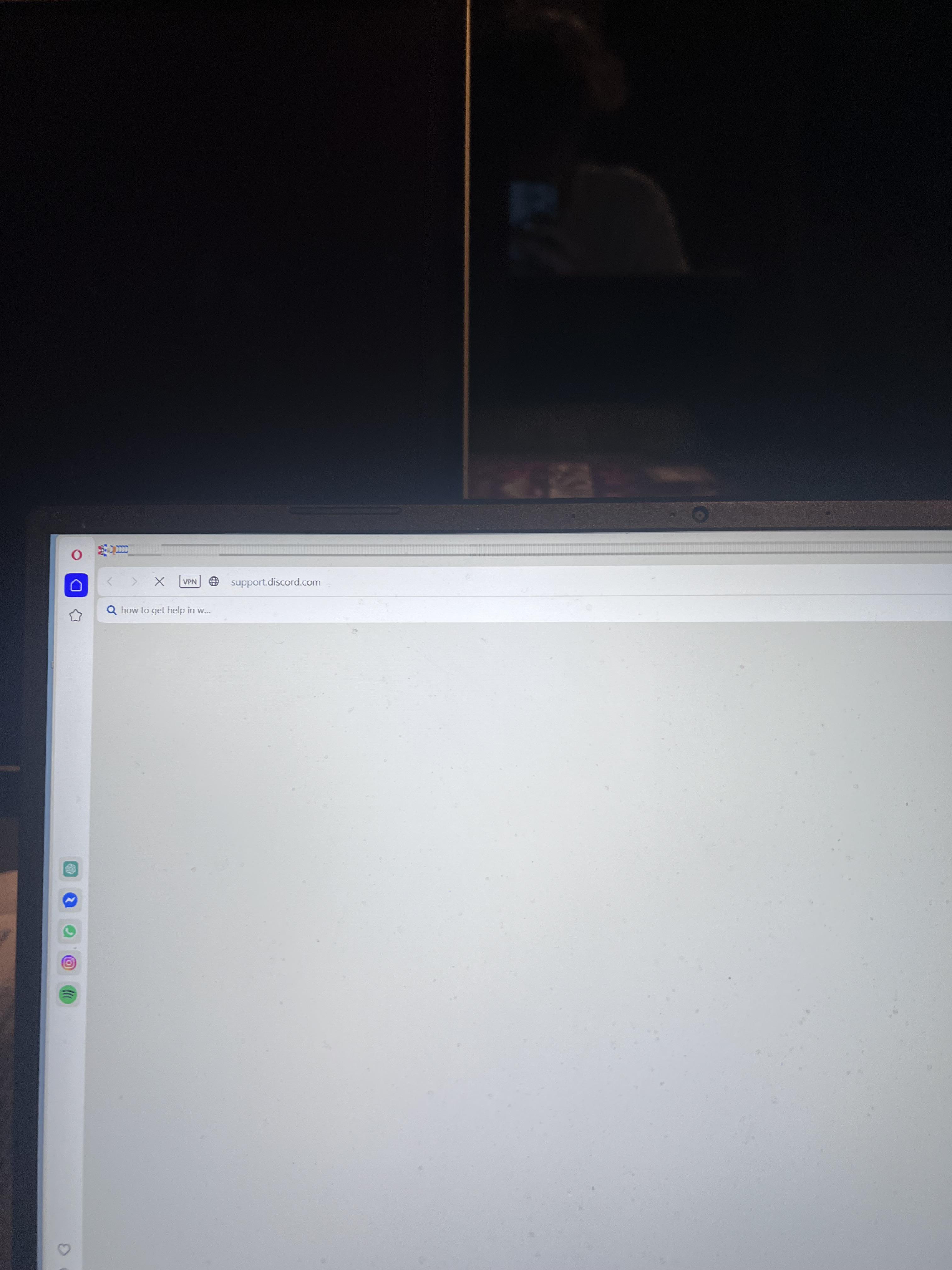
For some reason when i open discord there are thousands of webistes of dc support popping up its too laggy and i cant even close it and it’s so bad my taks manager can’t even load


r/pchelp • • 26m ago

HARDWARE CPU ez debug led issue (pc wont start or even force restart)

Post image
0 Upvotes

Windows 11.
Cpu Ryzen 5 3400g
Motherboard B450 mortar max
8 gigs DDR4 ram
256 gigs sata SSD
HI power 550w PSU

For the last 3 days, my pc was suddenly losing display and immediately this red debug led(indicating cpu) turned on. Pc wont even force restart. Had to plug it off then turn it back on. But same issue kept happening randomly (around 5-30 mins). Today, it wont even boot. It constantly shows the CPU ez debug led. Ive tried everything. Nothing works. Anyone who knows the solution please help me out!