r/pchelp • • 4m ago

PERFORMANCE My game keeps crashing with a brand new monitor?

1 Upvotes

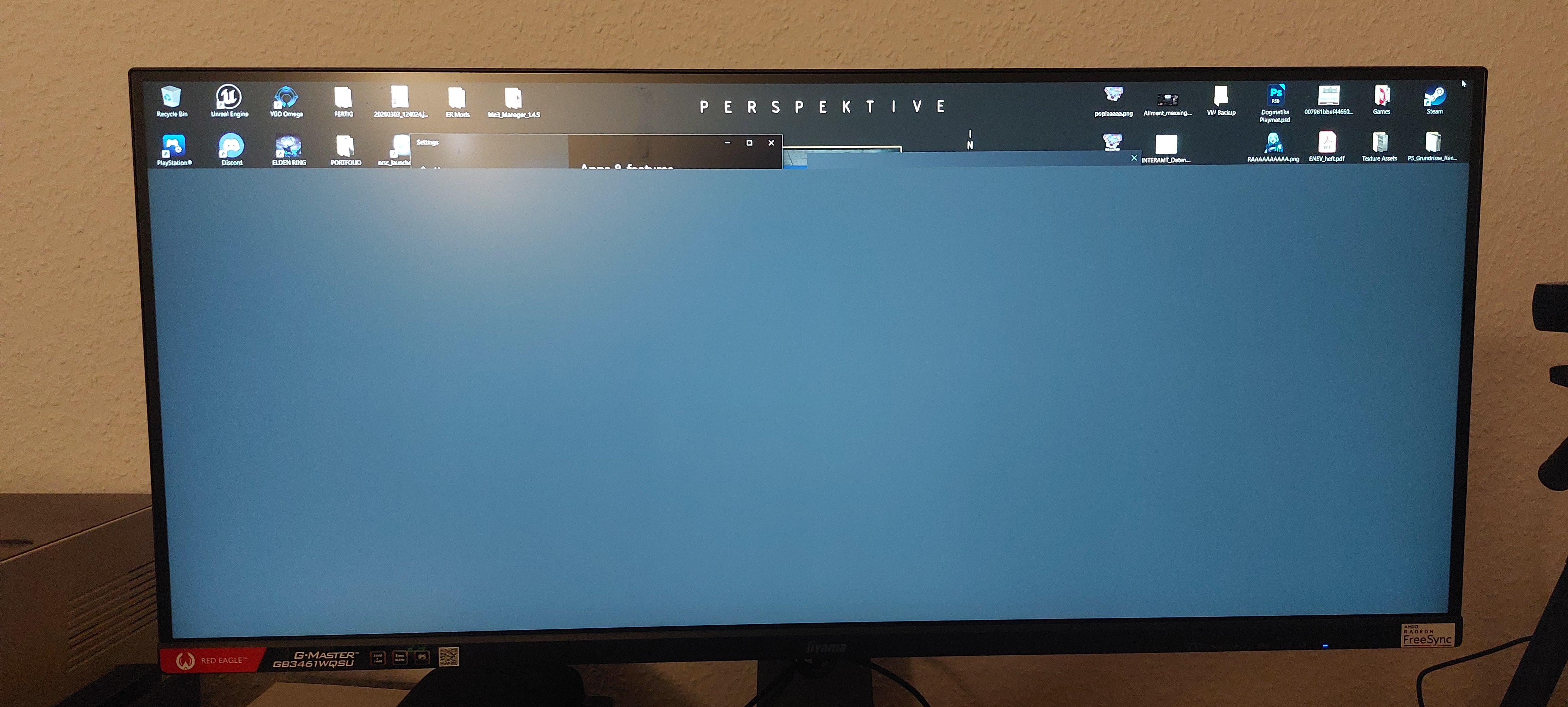
Hey guys, I’ve been experiencing consistent crashing during a match with Battlefield 1. It doesn’t seem to be caused by any particular in game event (explosions, fire, building breaking etc) and it crashes straight to my desktop without a crash report. I’ve recently switched to a 2k ultrawide monitor and that’s when the crashing started.
I’m running a 5070ti and a 7700x with an AIO cooler and 32 gb DDR5 ram.
So far I’ve done the following:
-made sure dx11 is on and checked the config file to make sure
-updated graphics driver
-monitored gpu/cpu temps to make sure it wasn’t overheating
-capped frame rates to 120
-v sync off
-checked Nvidia control panel to make sure my power settings were set to normal not “maximum performance preferred”
-uninstalled and reinstalled the game
-checked that the anticheat was up to date
-ran the gpu in debug mode

r/pchelp • • 9m ago

HARDWARE having problems with gpu and cpu

Post image
1 Upvotes

so i have a rtx 3060ti and ryzen 5 5600x plus a 16bg ram pc the problem i am having is it lags in most games like i was playing sleeping dogs it was laging and frames were dropping bad like i know its not that good of a pc but sleepig dogs?? can please someone tell me why am i having these problems really tired of this


r/pchelp • • 19m ago

OPEN PC takes forever to turn on

2 Upvotes

Hi everyone, my PC takes about 8 minutes to start up, while at the beginning, that is, the first few days after installing tiny11 (debloated Windows 11), it started up in just a few seconds. What can I do? Yes, I have a HDD and not an SSD, but it still started out really fast when booting into the OS. Any advice? thx


r/pchelp • • 21m ago

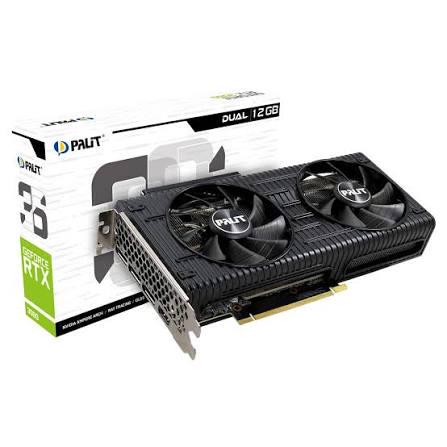
HARDWARE Question about GPU Upgrade

Post image
1 Upvotes

r/pchelp • • 22m ago

SOFTWARE [Fix] Black screen + glitchy artifacts ONLY in Chrome on high refresh monitor (180Hz) – RTX 4060 – caused by MPO

2 Upvotes

Posting this because I spent way too long on it and couldn't find a clear answer.

The problem: Whenever I opened Chrome (windowed or fullscreen) on my main monitor, the screen showed weird glitchy/corrupted patterns for a split second and then went completely black (backlight still on, no "No Signal" message). After a few seconds the image came back, then glitched and went black again. Every other app was fine, and Firefox worked perfectly.

My setup:

RTX 4060, latest NVIDIA driver Windows 11 2 monitors: 1080p 180Hz (DisplayPort) + 1080p 60Hz (HDMI) What did NOT fix it:

Turning off Chrome hardware acceleration Resetting chrome://flags Disabling G-SYNC / FreeSync Changing NVIDIA power management mode Removing a GPU overclock in MSI Afterburner Restarting the graphics driver (Win+Ctrl+Shift+B), screen stayed black Clues that pointed to the real cause:

A screenshot taken while the monitor was black showed Chrome rendered perfectly, so the PC was producing a correct image No driver crash/TDR in Event Viewer At 144Hz everything worked, at 180Hz it broke Firefox was fine, Chrome wasn't The cause: MPO (Multiplane Overlay) Chrome uses Windows' Multiplane Overlay feature, which is known to cause flickering/black screens on NVIDIA cards, especially with high refresh rates and mixed-refresh-rate multi-monitor setups.

The fix (disable MPO):

Create a system restore point first Press Win+R, type regedit, and run it as admin Go to HKEY_LOCAL_MACHINE\SOFTWARE\Microsoft\Windows\Dwm Right-click → New → DWORD (32-bit) Value → name it OverlayTestMode Set the value to 5 Restart your PC After that, Chrome works perfectly at 180Hz, with hardware acceleration and G-SYNC back on. To undo it, just delete the OverlayTestMode value and restart.

Note: some people report that newer Windows builds ignore this value, but it worked for me on Windows 11. NVIDIA also has an official support article about disabling MPO if you want their version.

Hope this saves someone a few hours!


r/pchelp • • 33m ago

HARDWARE Pc suddenly turned off /need some help(

Thumbnail reddit.com
1 Upvotes

r/pchelp • • 33m ago

HARDWARE Pc turns off with no errors or anything after running a game for more than 2 minutes give or take.

1 Upvotes

Hey everyone, i’m 21, currently unemployed and at one of the lowest points in my life right now so having my PC die on me is literally the last thing i needed, my family is already stretched thin financially so i’m praying this isn't an expensive hardware failure even though things are pointing away from a software bug.

The Issue:

Whenever i play a demanding game my PC shuts off completely (instant black screen, no BSOD, no restart) and once it shuts off, pressing the front power button does nothing at all, the only way to get it to turn back on is to flip the PSU switch off, turn off the power strip, hold the front power button to drain the capacitors, wait a minute and flip it back on.

What i've tested and checked:

Games: It happened twice while playing GTA 4 (with the RTX Remix mod) and then i tested Cyberpunk 2077 (1080p, RT medium reflections + RR) and it shut off within 2 minutes of loading in.

Event Viewer: shows critical Kernel Power Event ID 41 (63) with no bugcheck code just a sudden power cut.

MSI Afterburner: gpu temps on the desktop/menus are normal (49–51°C) and cpu is \~58°C, i even lowered my GPU power limit from 100% down to 85% (linked with an 80°C temp limit) to prevent power spikes and it still shut off 2 minutes into Cyberpunk.

(the pc was left on overnight for a big download before this started if that matters)

My specs:

GPU: NVIDIA RTX 3080 (stock clocks, tested at 85% power limit)

CPU: Ryzen 5 5600X

RAM / Motherboard: 16GB DDR4, B550M PRO-VDH

PSU: Segotep 80 PLUS Bronze (200–240 VAC model, not sure im just guessing from readings im doing through side panels/ case dust filters, if i find the box I'll edit this)

Monitor: 180Hz 1080p

Could this just be a loose cable or a bad power strip or is my power supply dying? Any free troubleshooting steps i can try before assuming something needs to be replaced would mean the world right now.


r/pchelp • • 34m ago

SOFTWARE Clean install W10 after suspected RAT

1 Upvotes

So I'm in a bit of predicament. I think I may have a RAT on my gaming PC that uses Windows 10 with extended security updates.

From what I gather you are supposed to clean install Window from an external media, but will doing so make it ineligible for the extended updates?

I would update to 11, but I think I need to enable some setting in my BIOS since with the current settings its not eligible to upgrade.

I've already updated the majority of the passwords for accounts I was using on that machine. My first step was shutting it down and removing the ethernet connection.

I'm just trying to figure out if there are any other next best steps other than just hoping a W10 install USB fixes it.


r/pchelp • • 36m ago

Discussion Is this a lot of write cycles?

Post image
2 Upvotes

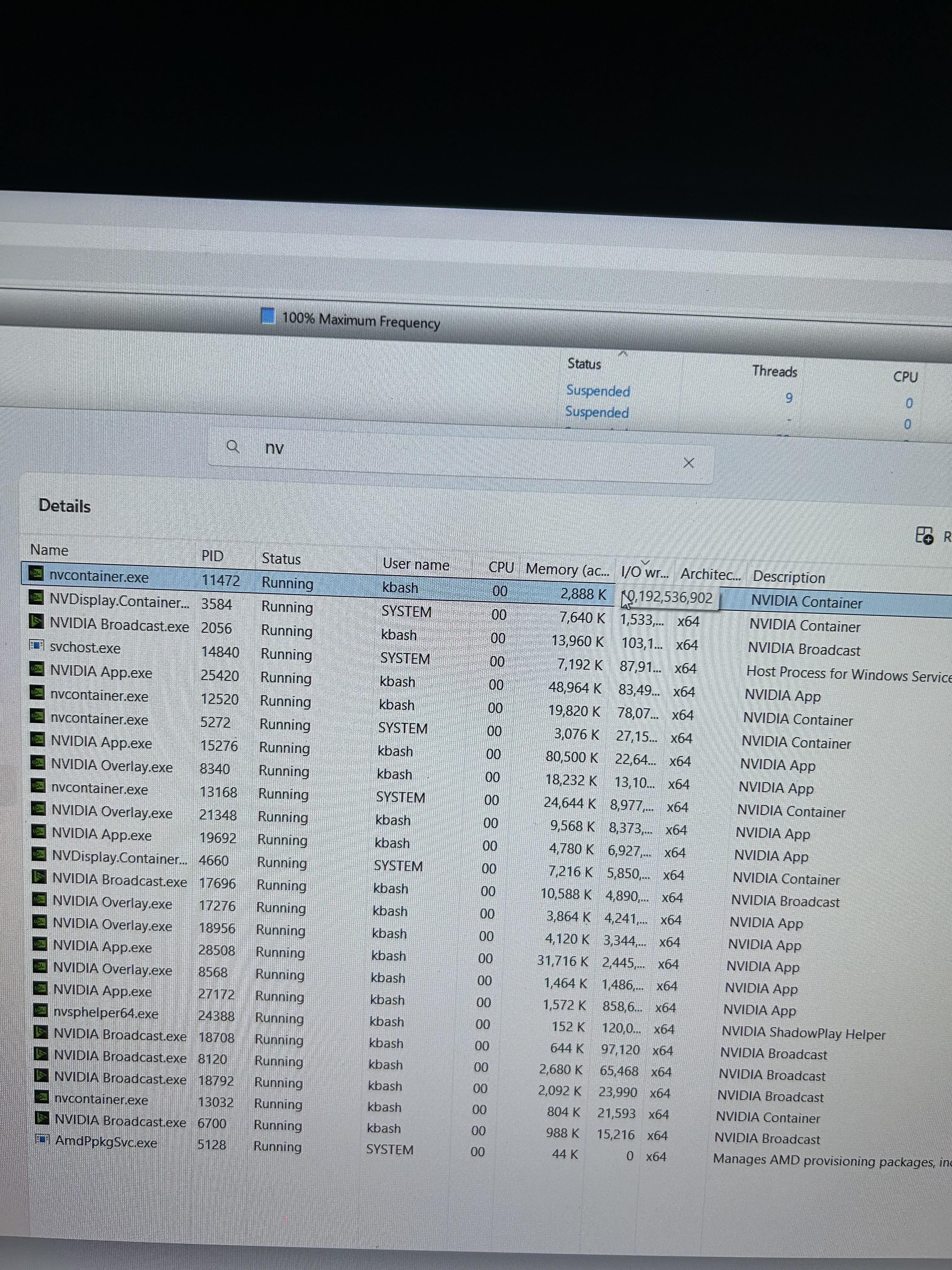
I read about the bug that was plaguing the last couple Nvidia drivers and I went to check and see if I had it and it says I have over 10 billion write cycles. Is that bad?

And for the ones that whine about photos not being a screenshot, Yes I took a pic with my phone. Get over it.


r/pchelp • • 40m ago

HARDWARE New build power on but no signal

3 Upvotes

Bought a 13500t + z690p bundle and made a build around it. I'm just using the onboard HDMI output as it's for a server. The fans spin up and case led has no errors but I get no video output from the HDMI. My TV even detects the input as active but no go when I select into it.

I've tried reseating the CPU, used just one stick of memory, but nothing has worked so far. The previous owner was using these together so it can't be that the bios hasn't been updated. Any help would be very appreciated.


r/pchelp • • 40m ago

OPEN Until Dawn Remake keeps crashing

1 Upvotes

I got to chapter 8 of the Until Dawn Remake last night and stopped playing. Today I try to load up everything is normal, I get to mike as he's just about to open the door during a cutscene at the very start of the chapter and my game just crashes. I've tried -dx11, updated my drivers, restarted my pc, turned all graphics options to low and verified the files. I had no issue last night but now it hates me. Can anyone help :'(

AMD Ryzen 5 5500

16GB DDR4

NVIDIA GeForce RTX 3050


r/pchelp • • 43m ago

HARDWARE NEED HELP! GPU WONT TURN ON

Thumbnail gallery
1 Upvotes

r/pchelp • • 47m ago

OPEN Audio issues

Thumbnail reddit.com
1 Upvotes

r/pchelp • • 54m ago

Discussion Help

1 Upvotes

i don’t use Reddit so I don’t know if I should ask for help in another like server or whatever they’re called or if someones even gonna help but I was using my pc browsing not gaming and the pc just turned off itself then turned on then off then on then off on its own and the time between turning on and off keeps getting smaller every time I tried reseating CMOs battery but it didn’t work and i want to know if there’s other quick like attempts to fix before ordering soemthing to fix it or bringing it to a shop I have Msi b760m p 32 gb ddr4 pny performance 9070 xt i5 14400f and deepcool pq850g


r/pchelp • • 55m ago

HARDWARE Need help with windows installation

Post image
1 Upvotes

r/pchelp • • 56m ago

Network Download speed inexplicably slow

2 Upvotes

Hi everyone, I'm writing here because the situation is unsustainable.

For the last couple months the download speed on my laptop has been abysmal, I'm talking about ranges from 2MB/s to 100kB/s, but with every speedtest site i get about 250-300 Mb/s download speed. And I get this low speeds everytime, on Steam and other platforms, I tried different browsers and different fileholster sites and nothing changes, both on the internal harddrive and external SSDs. Other devices have no problems downloading on the same connection. I tried connecting to different Wi-Fi connections but nothing changes, even though other devices work properly on these connections. Changed DNS multiple times and nothing changes. The only thing I haven't tried is connecting directly to the router (optical fiber) with an ethernet cable because the router is in a different room from where I have my laptop.

I have to say that my laptop is quite old so I guess the cause of the problem could be a faulty Wi-Fi card, but is there some other troubleshooting I could do before having to accept that it's an hardware problem? What other causes could there be? Thanks


r/pchelp • • 59m ago

OPEN Driver issue or...?

Post image
2 Upvotes

Over the course of the year I have been getting these wierd glitches when multitasking and opening chrome and/or photoshop while being in a discord voicechat.

This usually flickers between normal screen and the state in the picture

Also had a bluescreen once about two months ago that looked like a driver failiure (pic2) (this happened twice so far within the last two years). The PC is (apart from the 6700xt) roughly 10 years old. Apart from the crashes there are minor stuttering issues in some games.

Driver issue or am I cooked?


r/pchelp • • 1h ago

SOFTWARE 3d stereoscopic windows 10

1 Upvotes

I activated 3d stereoscopic display on windows 10 while connecting to a second monitor, now the second monitor is flickering and can’t use either primary and secondary monitor
I can’t find the 3d setting to turn it off


r/pchelp • • 1h ago

PERFORMANCE Need some advice. This red grainy graphics appears when I’m playing some games. Any idea on how to fix?

Post image
2 Upvotes

r/pchelp • • 1h ago

HARDWARE NZXT Kraken 360 RGB: one radiator fan keeps stalling, is it OK to keep using my PC normally with the other two?

2 Upvotes

Hi everyone,

One of the three fans on my Kraken 360 RGB (bought March 2024) has started to stall. It spins fine at low speed, but at high speed it sticks and stops, and it sometimes gets stuck 10 times in a row right after boot before it runs normally again. By hand it feels smooth when spinning slowly but drags when I spin it fast. I've already opened a warranty claim.

The other two fans and the pump work fine. My setup is an i7-14700K with an RTX 4080 Super.

In a 30+ minute gaming session, CPU package peaks at around 88-93°C, averages 65-69°C, and there's no thermal throttling.

My questions:

  1. Is it safe to keep using the PC normally (gaming, video editing) with one fan dead or stalling, or should I stop until it's replaced?
  2. Can a stalling fan hurt the radiator or other fans in any way?
  3. Is it worth buying a replacement F120 RGB fan now instead of waiting for the warranty?

Thanks!


r/pchelp • • 1h ago

SOFTWARE weird black box appearing when using softwares

1 Upvotes

so this has been an on and off problem for a while.. I got my laptop around this time last year, brand new (HP Omen 16 - Ryzen 9 8940HX, 32GB RAM, RTX 5070 8GB).

Basically whenever I'm using software such as Affinity, SketchUp etc to do my uni work, I'm getting this black box that appears and flickers over the screen when I move my mouse.

It only covers the actual workspace, so as you can see on the attached files it doesn't affect the tools etc, so I'm thinking its something to do with a rendering issue.

I've followed pretty much every rabbit-hole on the internet to try and fix this and I'm really stuck, hoping someone here can help.


r/pchelp • • 1h ago

HARDWARE Help with monitors going black but audio still plays

Thumbnail reddit.com
1 Upvotes

r/pchelp • • 1h ago

HARDWARE Guy is this normal?

0 Upvotes

r/pchelp • • 2h ago

HARDWARE Need help with Loud fans.

Thumbnail reddit.com
1 Upvotes